User Sessions
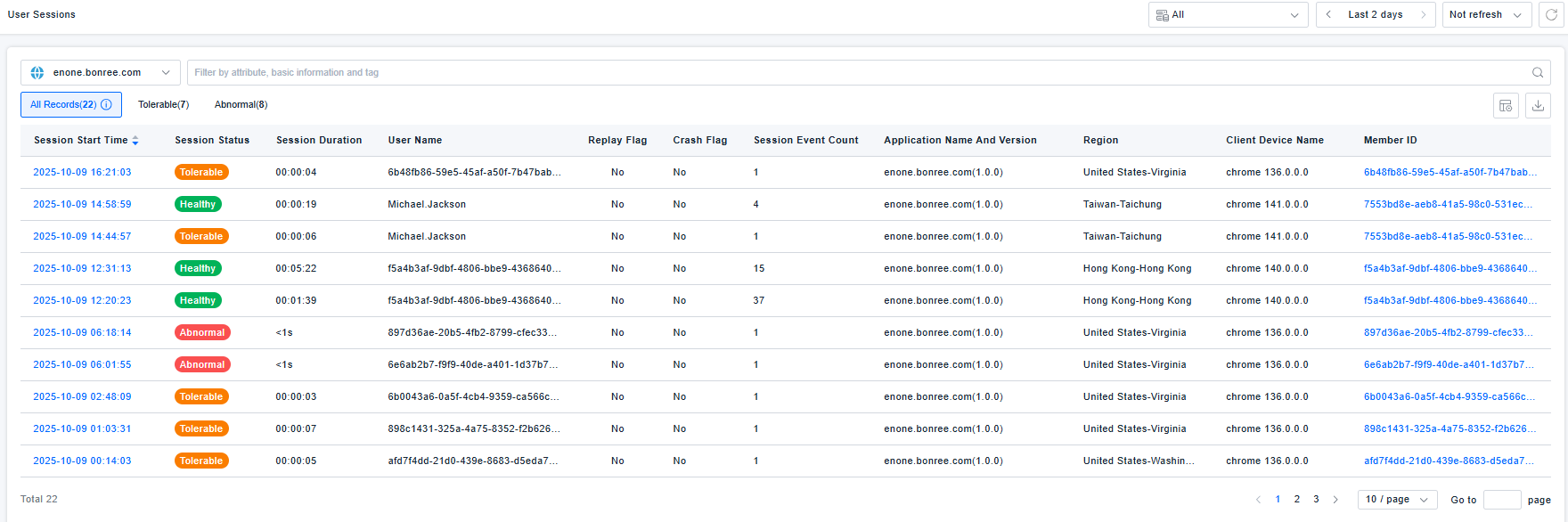
In Real User Monitoring (RUM), the user session is the core unit of analysis. It serves as the panoramic vehicle for reconstructing the complete user experience journey, linking experience issues to business impact, thereby bridging the gap between "isolated actions/metrics" and "real user scenarios."
A user session encompasses a single user's single visit, stringing together the entire process from entering the application, performing actions (e.g., browsing pages, submitting forms), to leaving. It contains not just discrete action data (e.g., click response times) and performance metrics (e.g., page load speed), but also records the logical sequence of these behaviors. For instance, only through a session can we fully trace a coherent experience issue, such as a user encountering slow homepage loading, followed by an unresponsive payment button click, leading ultimately to an abandoned transaction.
Furthermore, based on session data, it's possible to precisely identify "common experience pain points for specific user types (e.g., mobile users) in specific scenarios (e.g., peak hours)" and correlate them with business outcomes (e.g., users with more than 2 failed actions in a session have a 40% lower conversion rate than normal users). This shifts technical optimization from merely "fixing individual metrics" to focusing on "improving the end-to-end user experience to drive business growth." This is the key value of RUM's evolution from "monitoring technical metrics" to "empowering business decisions."
To view detailed user session analysis data, navigate to User Sessions Analysis.
User sessions are categorized into Tolerable Sessions and Abnormal Sessions. For details, see Health Analysis.
Definition
A user session refers to a series of actions performed within an application by the same device/browser within a specific period. A single session typically includes multiple page/view loads, user interactions (e.g., clicks), as well as third-party content requests and service calls.
Session Identification
Web Application
Start a new session when there is no event for 30 minutes.For example:
- Session Start -> Event 1 -> Event 2 -> No Event (within 30 min) -> Event 3 -> Event 4. This is 1 user session.
- Session Start -> Event 1 -> Event 2 -> No Event (exceeds 30 min) -> Event 3 -> Event 4. This is 2 user sessions.
Mobile Application
Include:Android、iOS、HarmonyOS NEXT application
-
A new user session is generated after 30 seconds of inactivity or after the process is killed and the app is visited again. For example:
- App Start -> Background (returns within 30 sec, app not killed by OS) -> Foreground -> Exit. This is 1 user session.
- App Start -> Background (exceeds 30 sec) -> Foreground -> Exit. This is 2 user sessions.
- App Start -> Background (any duration, app killed by OS) -> Foreground -> Exit. This is 2 user sessions.
- App Start -> Continuous Activity -> Exit. This is 1 user session.
-
Start a new session by calling an API.
-
Start a new session when there is no event for 10 minutes
-
Start a new session when the session exceeds 8 hours
Mini Program Application
A new user session is generated after 30 seconds of inactivity or after the process is killed and the app is visited again. For example:
- App Start -> Background (returns within 30 sec, app not killed by OS) -> Foreground -> Exit. This is 1 user session.
- App Start -> Background (exceeds 30 sec) -> Foreground -> Exit. This is 2 user sessions.
- App Start -> Background (any duration, app killed by OS) -> Foreground -> Exit. This is 2 user sessions.
- App Start -> Continuous Activity -> Exit. This is 1 user session.