MCP Key
Overview
Bonree ONE includes a built-in ONE MCP service exposing alert query, log retrieval, events, trace analysis, metrics, and more. External systems and AI clients can connect via standard MCP to invoke these tools for diagnosis, analysis, or Q&A.
An MCP Key is the credential for accessing built-in ONE MCP. Include it in request headers for authentication. Each Key is bound to a specific environment and resource domain, defining accessible data scope.
Use Cases
Query platform data in Cursor / Claude Desktop
Create an MCP Key, copy Endpoint and Key, configure the MCP client per Configure MCP client below.
Integrate scripts or diagnosis platforms
Create dedicated Keys per script with scoped environment/domain; disable or delete Keys to revoke access.
Temporarily block access
Disable a Key for reversible blocking; Delete for permanent revocation.
Operation Scenarios
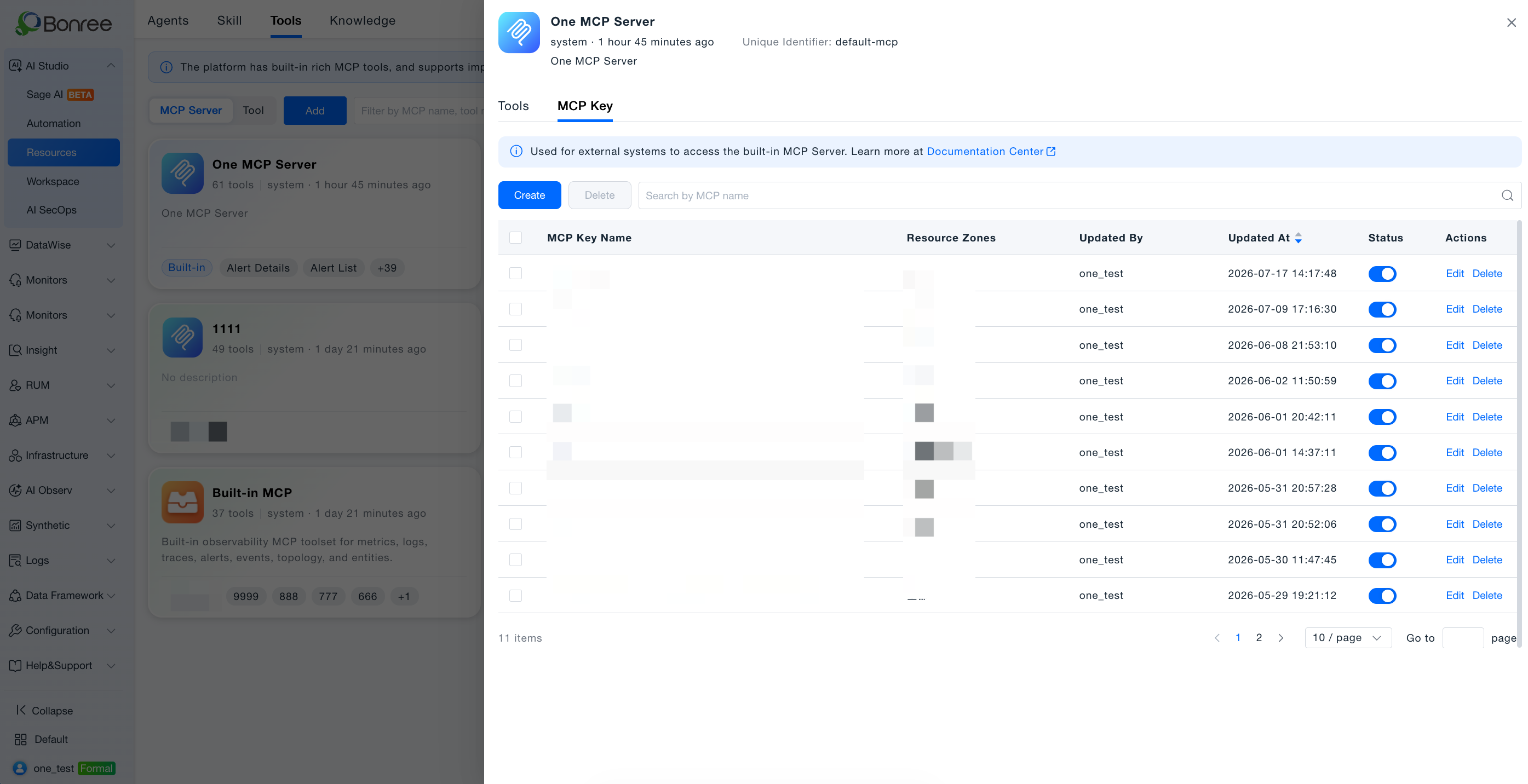
- Open MCP Key management — Resources > Tools > MCP Services, click ONE MCP service, MCP Key tab.
- Create Key — Fill name and status; copy plaintext Key and Endpoint from success dialog (one-time only).
- Manage — Edit name/status; enable/disable; delete permanently.
Workflow
Step 1: Create MCP Key
- Go to AI Studio > Resources > Tools.
- Open ONE MCP service, MCP Key tab, click Create.
- Fill Key name (required, 2–50 chars) and enable status (default: enabled).
- Copy Key and Endpoint from the success dialog before closing.
Important: Plaintext Key is shown once only. If missed, delete and recreate.
| Item | Description | Example |
|---|---|---|
| MCP Key | Auth credential | br_·························c92d |
| MCP Endpoint | Server URL | https://one.bonree.com/mcp |
Step 2: Configure MCP client
| Parameter | Value |
|---|---|
| type | streamableHttp |
| URL | MCP Endpoint from creation dialog |
| Header (MCP-Access-Key) | Bearer <your MCP Key> |
MCP Key management
| Action | Description | Notes |
|---|---|---|
| Edit | Change name or status | Key value cannot be changed |
| Enable / Disable | Toggle validity | Disabled requests fail immediately |
| Delete | Permanent removal | Cannot be recovered |
Disable vs Delete: Prefer Disable for temporary blocks; use Delete only when permanent revocation is required.
Data permissions
Keys use account + environment + resource domain isolation. Queries return only data within the Key's bound scope.
| Account type | Visible Keys |
|---|---|
| Primary account | Keys created by self |
| Sub-account | Own Keys only |
| Different primary accounts | Fully isolated |
FAQ
Forgot to copy Key? Delete and recreate—plaintext cannot be retrieved later.
Call errors? Check Key status, header format MCP-Access-Key: Bearer <Key>, and Endpoint URL.
Empty data? Verify environment/resource domain scope and that data exists.
Multiple resource domains? Keys created under All may query across permitted domains (per UI options).