Agent Settings
This feature supports flexible, multi-dimensional configuration for application data collection. This includes setting custom data collection rates, defining trigger conditions and content scope for session replays as needed, and masking private data. It also provides Allowlist and Blocklist management capabilities, enabling precise filtering of targets to include or exclude from collection, meeting fine-grained data collection requirements for various scenarios.
Usage Scenarios
Configuring Different Collection Rates for Different Scenarios: For example, 100% collection for VIP customer sessions including session replays, while collecting sessions from other users probabilistically without replay; full collection for new version sessions, probabilistic collection for old version sessions.
Excluding Sensitive Data for Compliance: Configuring session replay to exclude input field content (e.g., bank card numbers, ID numbers), recording only the action path without leaking sensitive data.
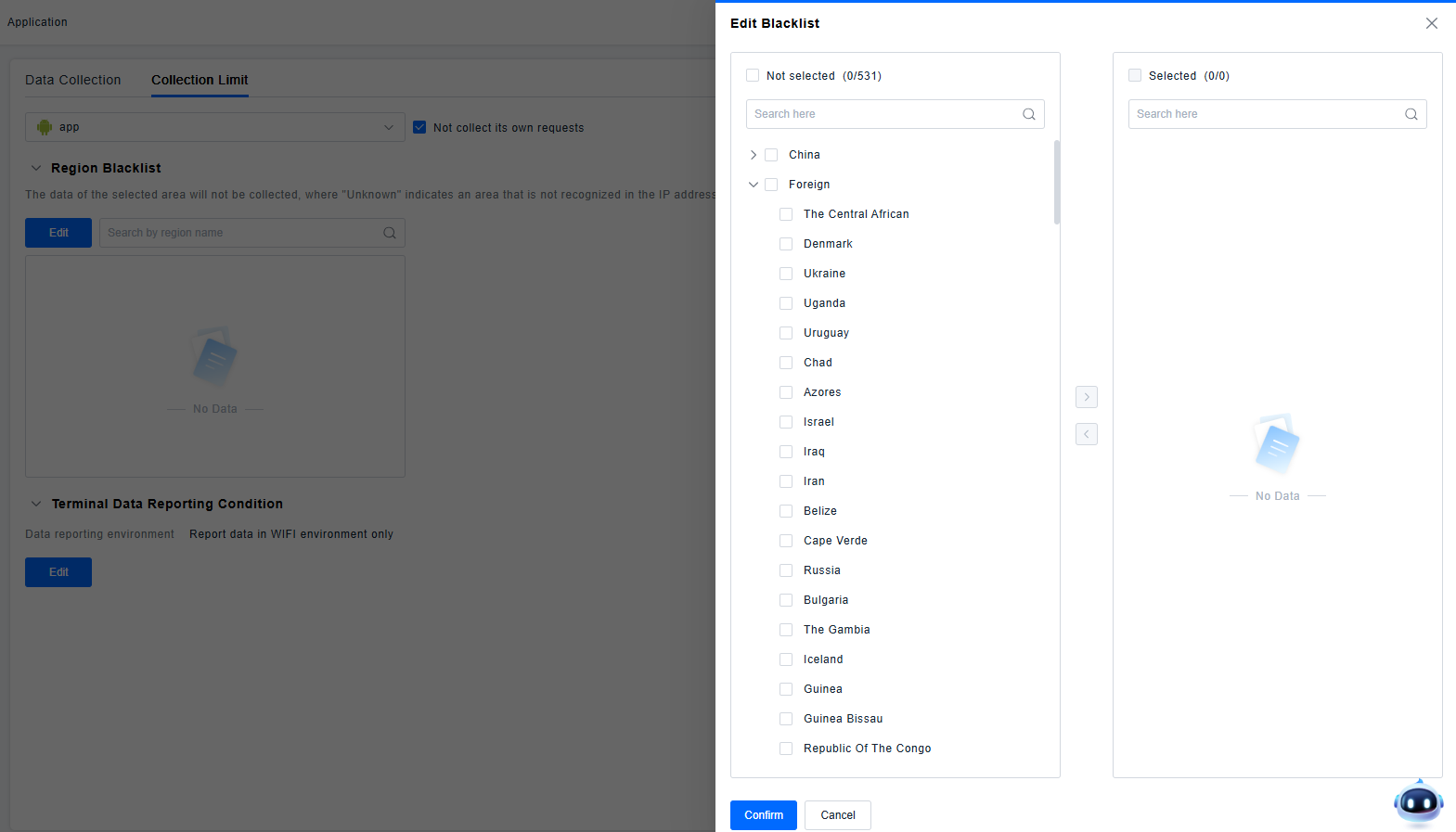
Preventing Interference from Non-Core Business Regions: When core application users are concentrated in specific regions, and users in niche or low-activity areas are few and offer low business analysis value, setting these regions to the Blocklist can reduce unnecessary data collection volume, lower costs, and avoid redundant data interfering with experience analysis results for core regions.
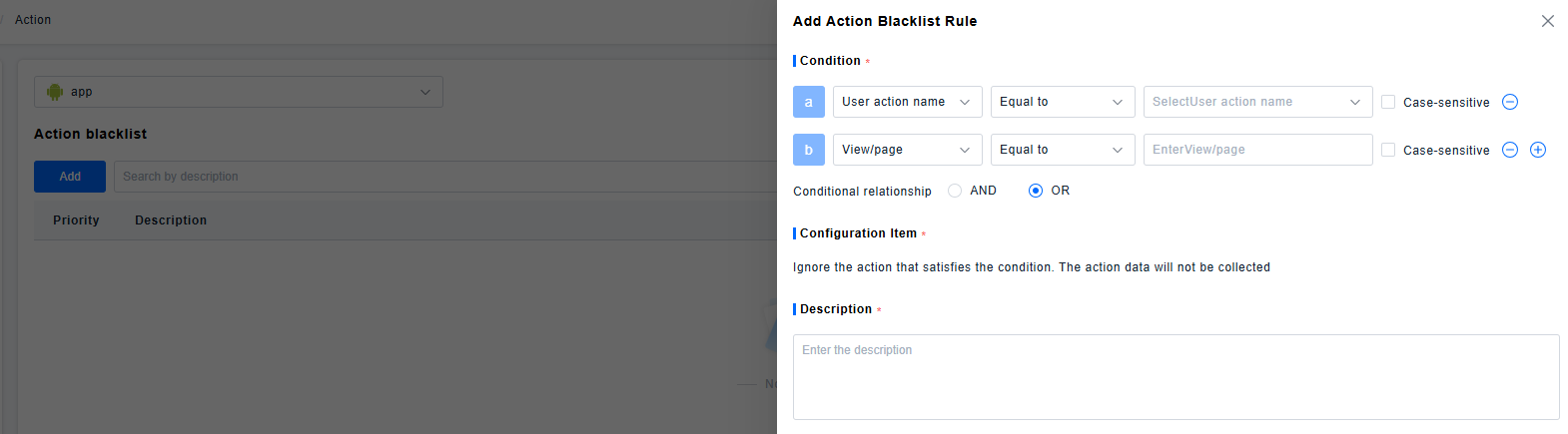
Filtering Low-Value Repetitive Actions: Users may perform numerous repetitive actions within the application that hold little business value. Adding these actions to a Blocklist reduces low-value data collection and costs.
Getting Started
Application Data Collection
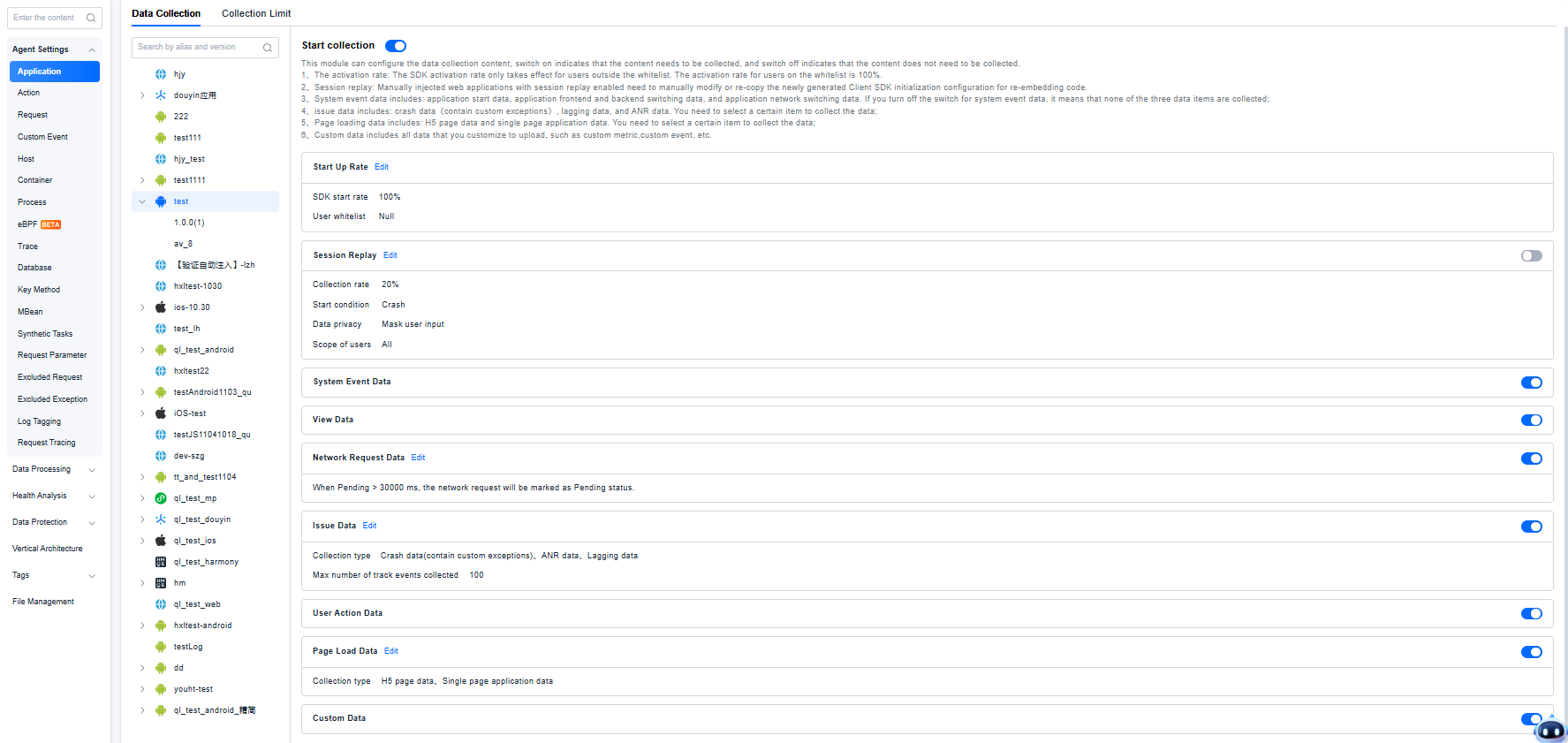
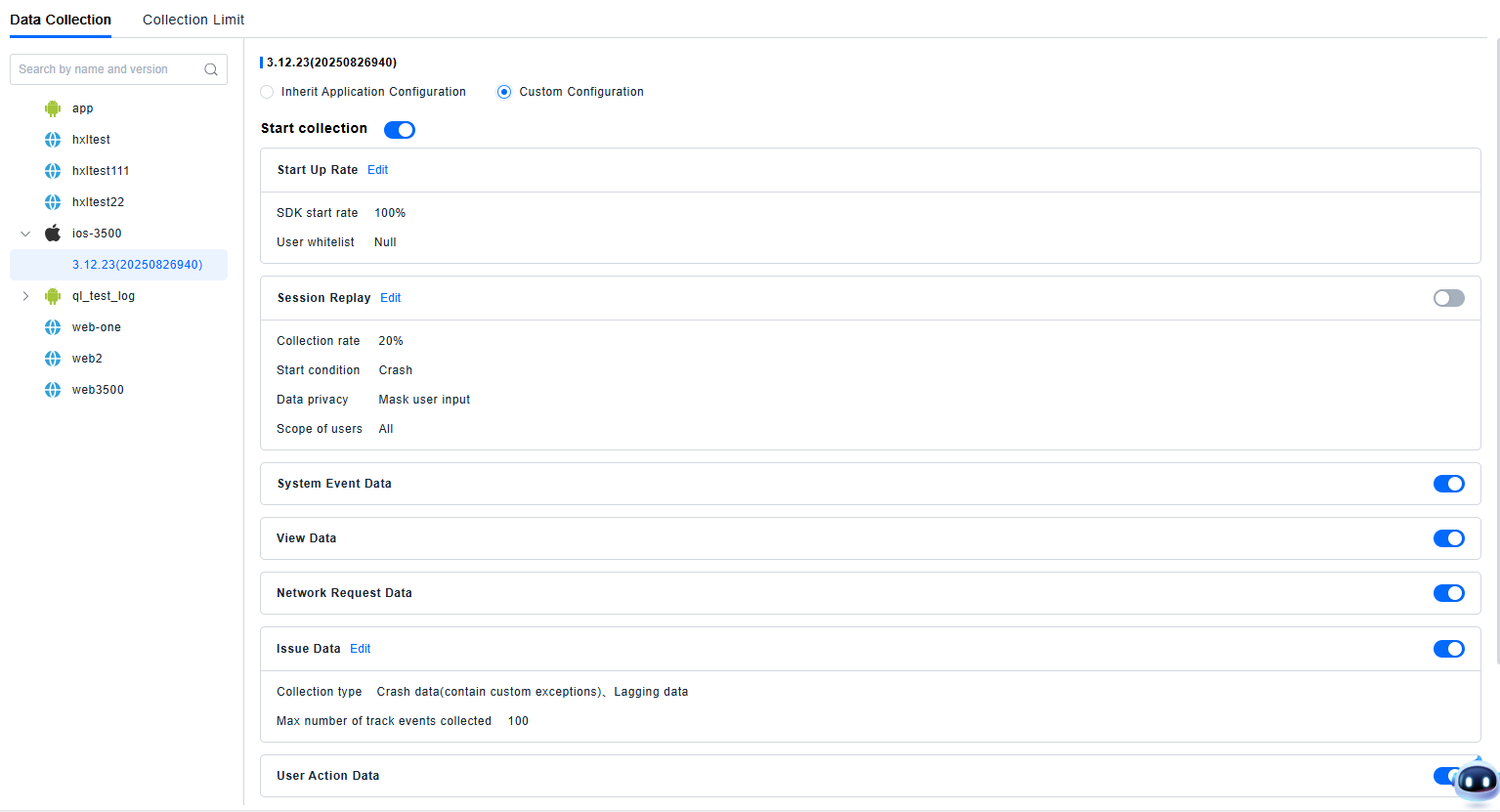
This module configures the content of data collection. Enabling collection means the application data will be collected according to the configuration.
-
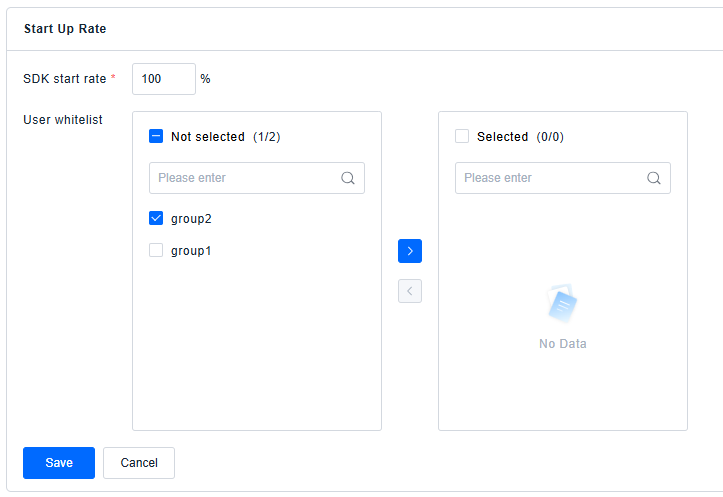
Start Up Rate: The SDK startup probability applies only to users not on the Allowlist. The startup probability for Allowlist users is 100%. To implement 100% data collection for whitelisted users, pass the User ID to Client SDK after application startup and before SDK initialization. Full collection will be enabled automatically if the User ID exists in the whitelist.The user Allowlist content consists of pre-defined User Groups that are the focus for this application.
tipConfiguring an SDK startup probability user Allowlist is only supported for Android, iOS, HarmonyOS NEXT, WeChat MiniProgram, and TikTok MiniProgram.
-
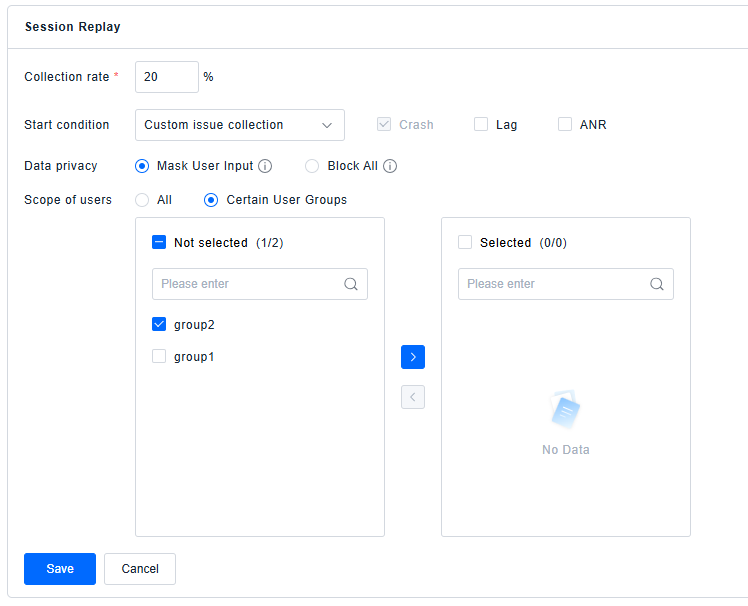
Session Replay: For manually injected web applications, if session replay is enabled, you need to manually modify or copy the newly generated SDK initialization configuration and re-inject the code. Data privacy can be configured: (1) Mask User Input: Obscures all data provided via user input. This results in an accurate visual representation of the end user's journey through your application while hiding the user's inputs and selections (masking is not supported for Flutter portions in session replay; use the SDK API for control). The following data is masked:
- Input fields
- List boxes and other UI controls
- Form data and controls (2) Mask All: Obscures all text, user input, and images. Produces a wireframe-like replay experience, allowing you to understand how the end user navigates the application without exposing their personal data (masking is not supported for Flutter portions in session replay; use the SDK API for control). The following data will be obscured:
- Input fields and UI control labels
- List boxes and other UI controls (input textarea)
- Form data and controls
- Images, except for background images or images set by CSS
- Paragraphs, labels, and other text blocks
- Text found in hyperlinks
-
System Event Data includes: Application startup data, application foreground/background switch data, and application network switch data. If the System Event Data switch is turned off, none of these three data types will be collected.
-
Network Request Data: Supports setting how long Pending lasts before it is considered a Pending state. Note: Only Web, Android, and iOS support Pending settings.

-
Issue Data includes: Crash data (including custom exceptions), Lag data, and ANR data. Each item must be selected individually for its data to be collected.

-
Page Load Data includes: H5 page data and Single Page Application (SPA) data. Each item must be selected individually for its data to be collected.

-
Custom Data includes all data you upload customarily, such as: custom metrics, custom events, etc.
-
Supports setting data collection by application version. You can choose to inherit the application configuration or use a custom configuration. Custom configuration options are the same as items 1-6 above.
Application Collection Limits
You can configure whether to collect requests to the application's own domains, specify regions to exclude from collection, and set whether terminal data is reported only over Wi-Fi or over all network environments.
Action Blacklist
Supports matching based on Action name, associated View/Page, method name, button text, or control ID. Matched actions will not be displayed on the platform.
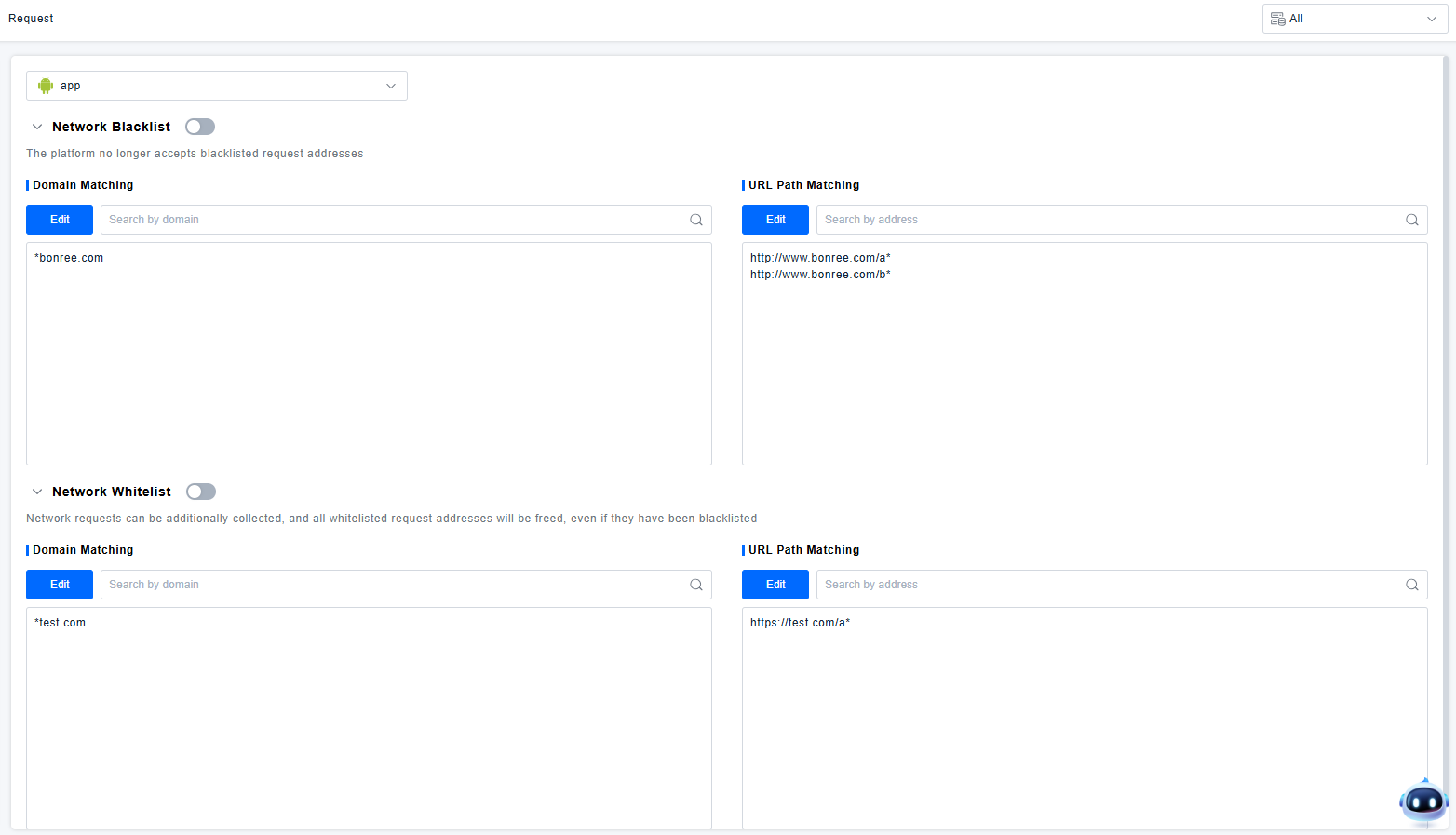
Network Request Allowlist/Blocklist
Domain Matching: One request address per line. Supports only one wildcard character (*). Request parameters cannot be configured. Please enter at least two domain segments. Example: *.baidu.com
URL Path Matching: One request address per line. Supports only one wildcard character (*). Request parameters cannot be configured. The path pattern must contain at least one path separator (/). Examples:
http://www.bonree.com/abc/abc*http://www.bonree.com/abc*bdhttp://www.bonree.com/*abc/bbc