Data Split
The Data Split component functions similarly to branch statements in programming. When a piece of data has multiple processing scenarios, you can use Conditional Routing to create multiple conditional branches for separate execution.
Key Terms
| Key Term | Description |
|---|---|
| Conditional Branch | A sub-component created by the Conditional Routing component, representing a data processing branch. |
| Default Branch | When data does not match any conditional branch, it will stream into the default branch. |
Getting Started
-
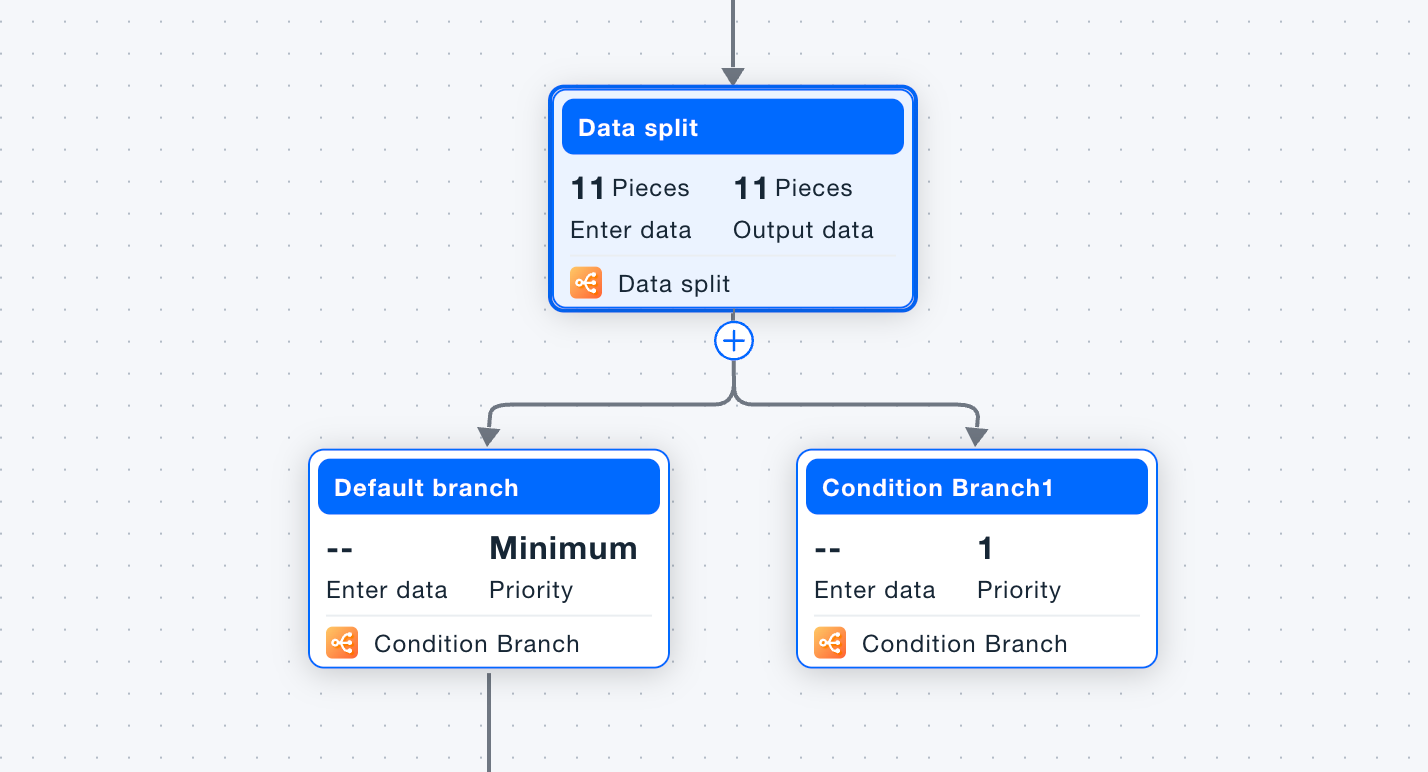
Add the Conditional Routing component where data routing is needed.
-
By default, two branches will be created: Conditional Branch 1 and the Default Branch.
-
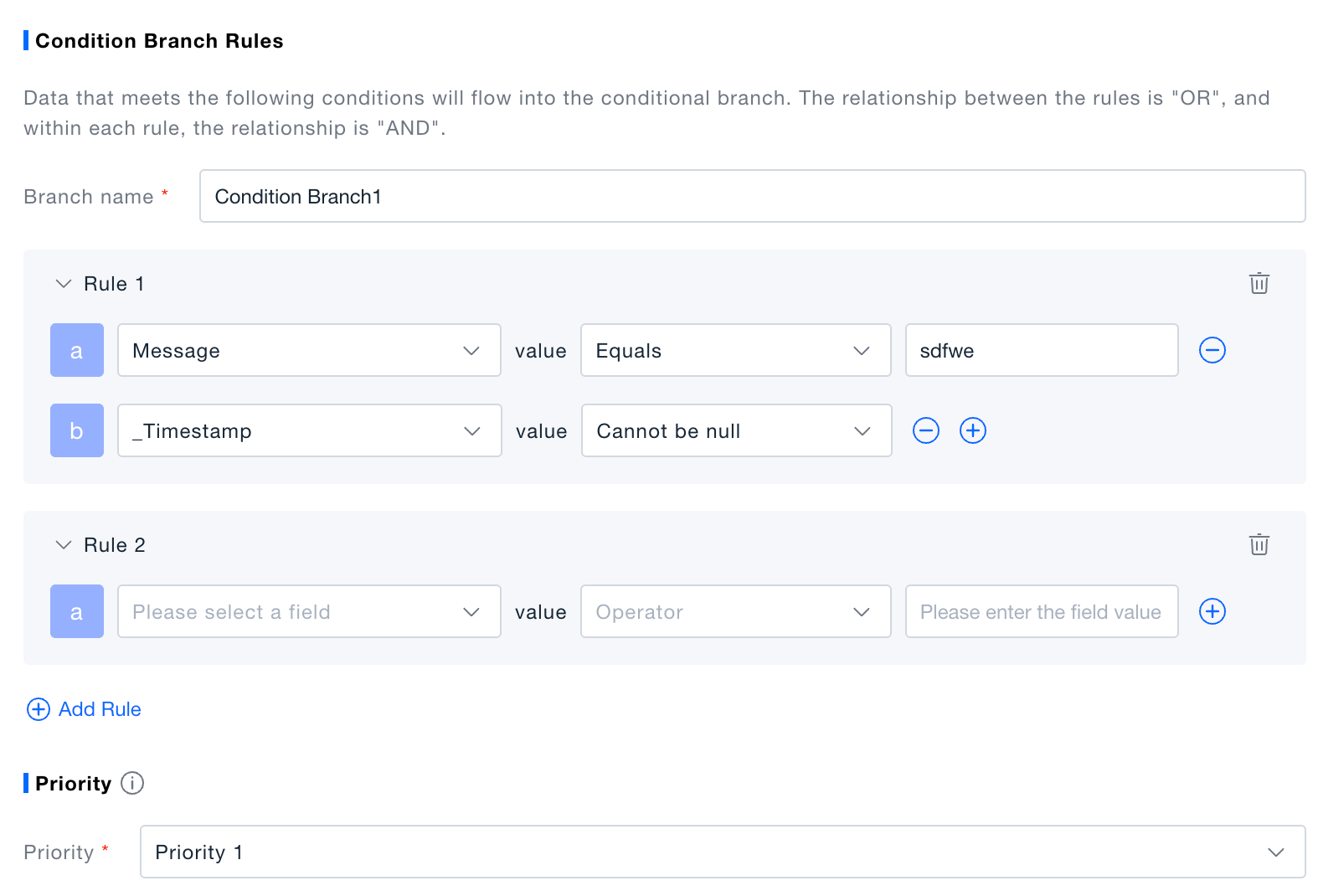
Create rules for the conditional branch. Data that matches the rules will stream into the branch for subsequent processing actions. You can add multiple rules to a single branch component, and each rule can contain multiple conditions. Rules are in an "OR" relationship with each other, while conditions within a rule are in an "AND" relationship.
Different judgment conditions are supported for different field types. The platform supports conditional judgments for Long, Double, Bool, Timestamp, String, and List data fields. The supported judgment conditions are subject to the actual functionality provided.
-
Adjust the priority of the conditional branches. The platform will provide a default priority based on the order of branch creation, but you can manually adjust the priority according to your actual needs.
Validation
- Click "Execute Preview" to view the results in the data preview panel. In the execution preview state, this is a simulation of data processing, and no real data will be generated in the platform.
- In the card view, the conditional branch panel will display the number of data entries that have passed through the current branch.