Alert Blocking Strategy
Prerequisites
Functional Menu: Includes the alert blocking policy function menu
Operational Permissions: Includes create, read/write, and read-only permissions for alert configuration
Data Permissions: Has access to at least one resource domain within an environment
Data Prerequisites: The alert configuration includes alert rules and response strategies, with conditions for alert notification triggering to take effect.
Overview
The alert suppression policy is used to configure the blocking of alert notifications. In certain scenarios, alerts generated by detection rules do not need to trigger notifications.
This policy supports defining the scope and effective time of alert notifications, thereby improving configuration efficiency and consistency.
Value
- Noise Reduction & Focus By precisely defining suppression rules, the system automatically filters out known, non-actionable, or frequently recurring alert notifications. This enables teams to concentrate on critical issues that truly require attention, thereby preventing alert fatigue.
- Enhanced Configuration Efficiency & Consistency A unified policy configuration interface is provided, supporting batch definition of notification scope and effective timeframes. This eliminates the need for redundant settings across multiple rules, ensuring standardized and consistent operational practices within the team.
- Automation & Intelligence in Operations It institutionalizes operational expertise—such as "when to mute" and "whom to mute"—into executable automated strategies. This reduces manual intervention and serves as an indispensable component in achieving AI-driven operations (AIOps).
Use Cases
- Planned Maintenance Windows During planned maintenance activities such as system upgrades or infrastructure changes, a large number of alerts are expected to be generated. In such cases, relevant notifications should be temporarily suppressed to avoid unnecessary disruption.
- Silencing Known Issues For non-urgent alerts where the root cause has been identified but resolution requires additional time, or for secondary alerts caused by third-party service unavailability, notifications can be temporarily suppressed until the issues are fully resolved.
- Business Cycle Silencing Alerts that are generated during specific business cycles (such as nightly batch processing tasks or weekend low-traffic periods) and represent normal phenomena can be periodically suppressed.
Operational Scenario
-
Search
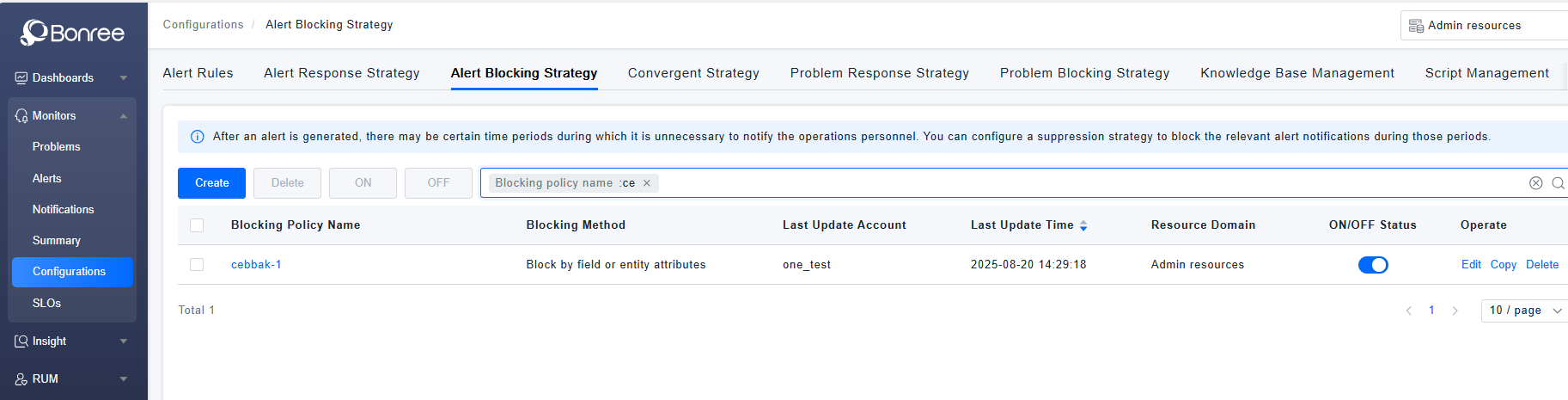
When users need to search for records in the alert suppression policy list, they can filter based on the policy name, suppression method, and enable/disable status in the search box.
-
Create
When users need to define an alert notification suppression policy, they can click the 【Create】 button to create a new one.
-
Delete If certain alert blocking policies are no longer applicable, users can click the 【Delete】 button in the action column or select multiple policies and click the 【Delete】 button above the list to remove them.
-
Copy When a user needs to create an alert suppression policy and can modify it based on an existing one, they can click the 【Copy】 button to duplicate an alert suppression policy.
-
Edit When users need to adjust an alert suppression policy, they can locate the created policy and click the 【Edit】 button to modify it.
-
Enable/Disable To activate a created alert blocking policy, click the 【Enable】 button. To deactivate it, click the 【Disable】 button.
Get Started
- Log in to Bonree ONE.
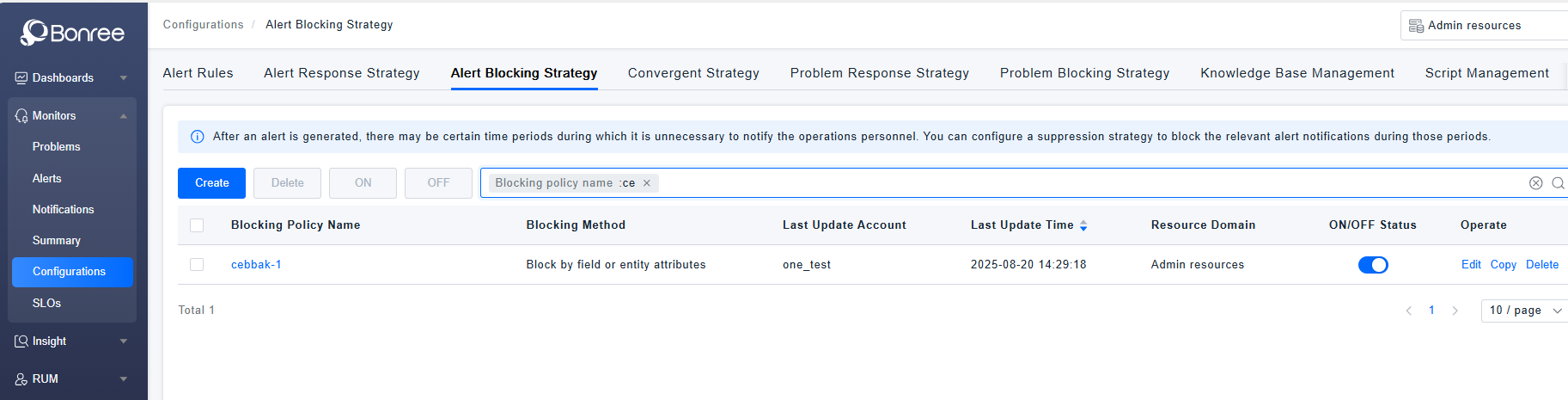
- Navigate to Intelligent Alerting > Alert Configuration > Alert Blocking Policies.
- The system supports querying, creating, editing, copying, enabling, disabling, deleting alert blocking policies.
- The list provides the following fields: Blocking Policy Name, Blocking Method, Last Updated Time, Last Updated Account, Associated Resource Domain, Enable/Disable Status, and Action Column.
Alert Blocking Policy Details
-
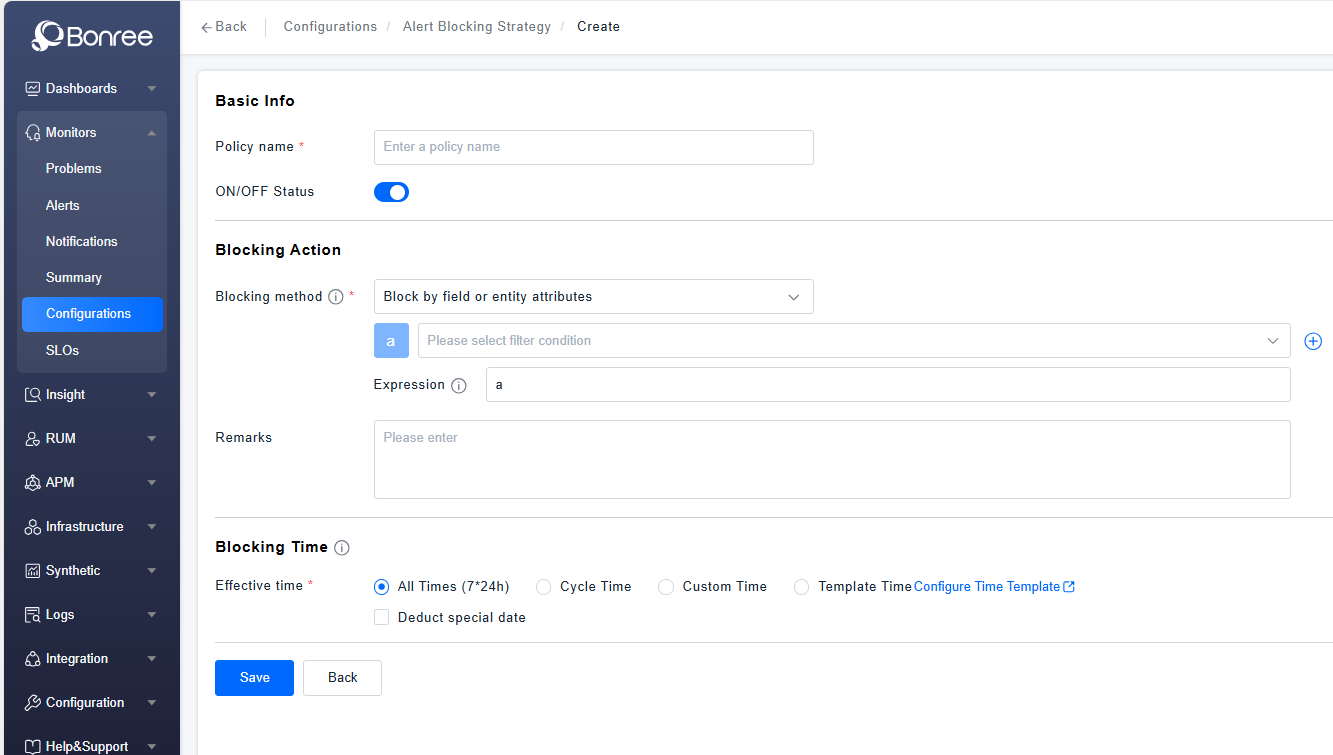
Click Create / Edit / Copy Alert Blocking Policy to configure the details of an alert blocking policy.
-
The detailed configuration includes Basic Information, Suppression Action, and Suppression Time.
-
Basic Information includes filling in the policy name and an enable/disable toggle (enabled by default).
-
The blocking method supports blocking based on alert-related fields and entity attributes, allowing for the addition of multiple filter conditions and the definition of operators between these conditions. It also supports blocking according to Alert Response Strategies, and users can click to preview the strategy details. The remarks field is optional and can be used to describe the definition of this strategy.
-
Blocking Timing
All Hours: 7×24 uninterrupted coverage.
All Hours Excluding Special Dates: Supports excluding pre-defined special dates (i.e., deducting pre-configured time templates) from the "All Hours" schedule.
Cyclical Time: Operates on a weekly cycle, allowing selection of specific times for each day of the week. Also supports excluding special dates (i.e., time templates).
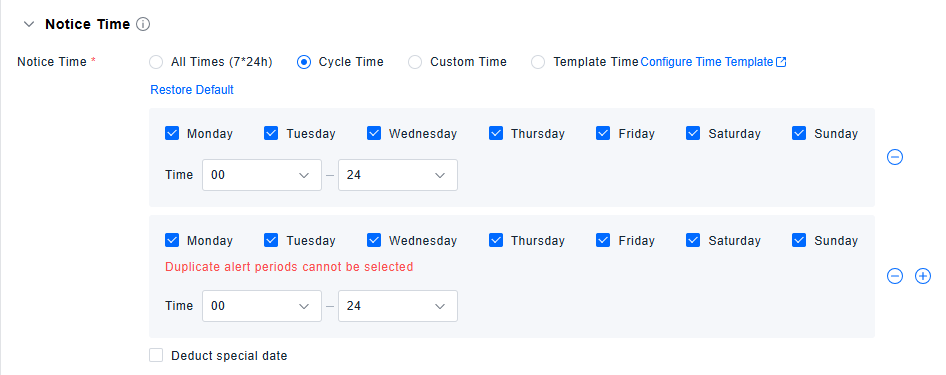
Custom Time: Enables defining one or multiple specific time periods for this policy.
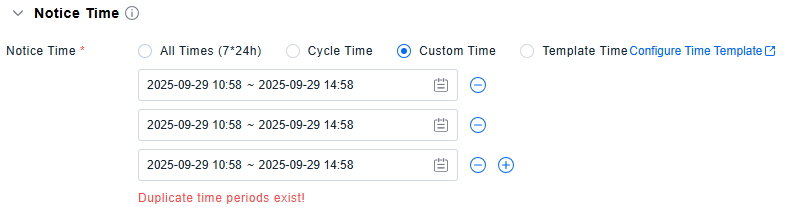
Template Time: Directly uses special dates defined in the Time Template list.