Recipient Management
This module has been deprecated in ONE version 4.0. Its capabilities have been merged into IAM User Management, which supports configuring WeChat Work ID, a specified user ID, and Feishu ID for IAM users.
As an observability platform, ONE platform supports sending information via email, phone calls, and other methods to corresponding recipients to facilitate information notification and alerts. The Recipient Management page displays all recipients under the current account who can receive information and supports creating new recipients.
This page is only used to maintain person-level notification information (email, mobile number, WeCom ID, etc.). To maintain IM bot and Webhook group/system notification channels, please go to Notification Target.
Use Cases
- When an alert is triggered, notify the corresponding recipients of the alert information through response policies.
- Configure automatic report rules to periodically send reports to selected recipients.
Getting Started
Recipient List
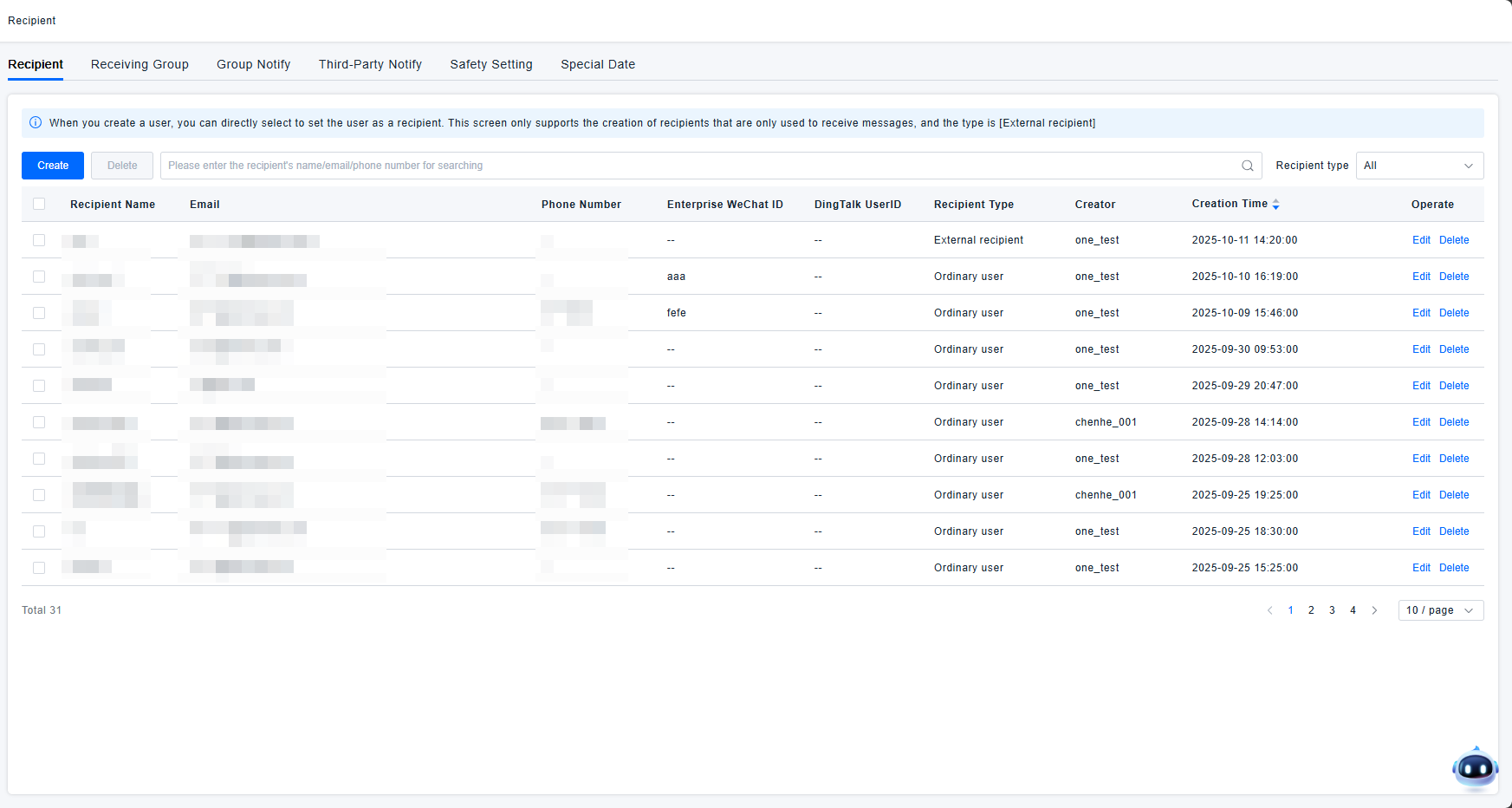
The list displays all recipient information for the current account, including:
- Recipient Name: Used to distinguish between different recipients; can be customized.
- Email: The email address where the recipient receives information notifications.
- Mobile Number: The mobile number where the recipient receives information, sent via voice call or SMS.
- WeCom ID: The ID required for the recipient to receive information via WeCom (Enterprise WeChat).
- DingTalk UserID: The UserID required for the recipient to receive information via DingTalk.
- Recipient Type: Includes the following three types:
- Primary Account: Created directly by the admin account. The email, mobile number, etc., of the primary account can be edited.
- Regular User: A regular user can both log into the platform as a sub-account and act as a recipient for external information notifications. Regular users are created synchronously when adding users in Access Control.
- External Recipient: Can only receive external information notifications and cannot log into the ONE platform. External recipients can be created on the Recipient Management page.
- Creator: The user who created the recipient. Recipients created by sub-accounts are also visible in the primary account.
- Creation Time: The timestamp when the recipient was created.
- Actions: Edit and delete options are available for each recipient. The recipient type cannot be modified. The names of Primary Accounts and Regular Users cannot be modified.
- The recipient list can be searched by recipient name, email, or mobile number.
Creating a Recipient
Creating an External Recipient
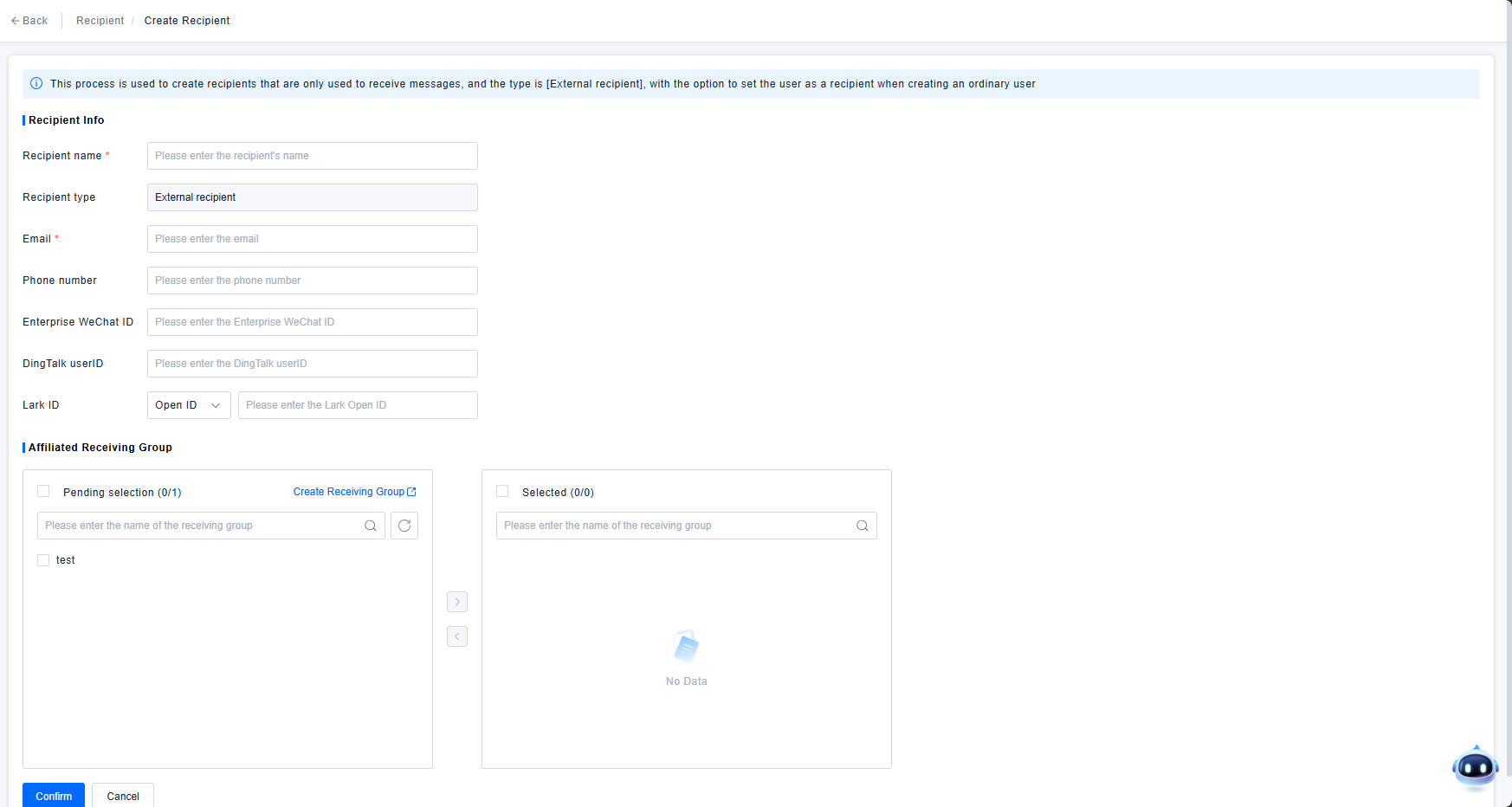
All recipients created on the Recipient Management page are of the External Recipient type. The creation form includes:
- (Required) Recipient Name: Used to distinguish between different recipients; can be customized.
- Recipient Type: Cannot be modified; fixed as External Recipient.
- (Required) Email: The email address where the recipient receives information notifications.
- Mobile Number: The mobile number where the recipient receives information, sent via voice call or SMS.
- WeCom ID: The ID required for the recipient to receive information via WeCom.
- DingTalk UserID: The UserID required for the recipient to receive information via DingTalk.
- Lark ID: The ID required for the recipient to receive information via Feishu (Lark).
- Associated Recipient Group(s): Recipients can be assigned to groups for easier management. One recipient can belong to multiple groups.
Creating a Regular User
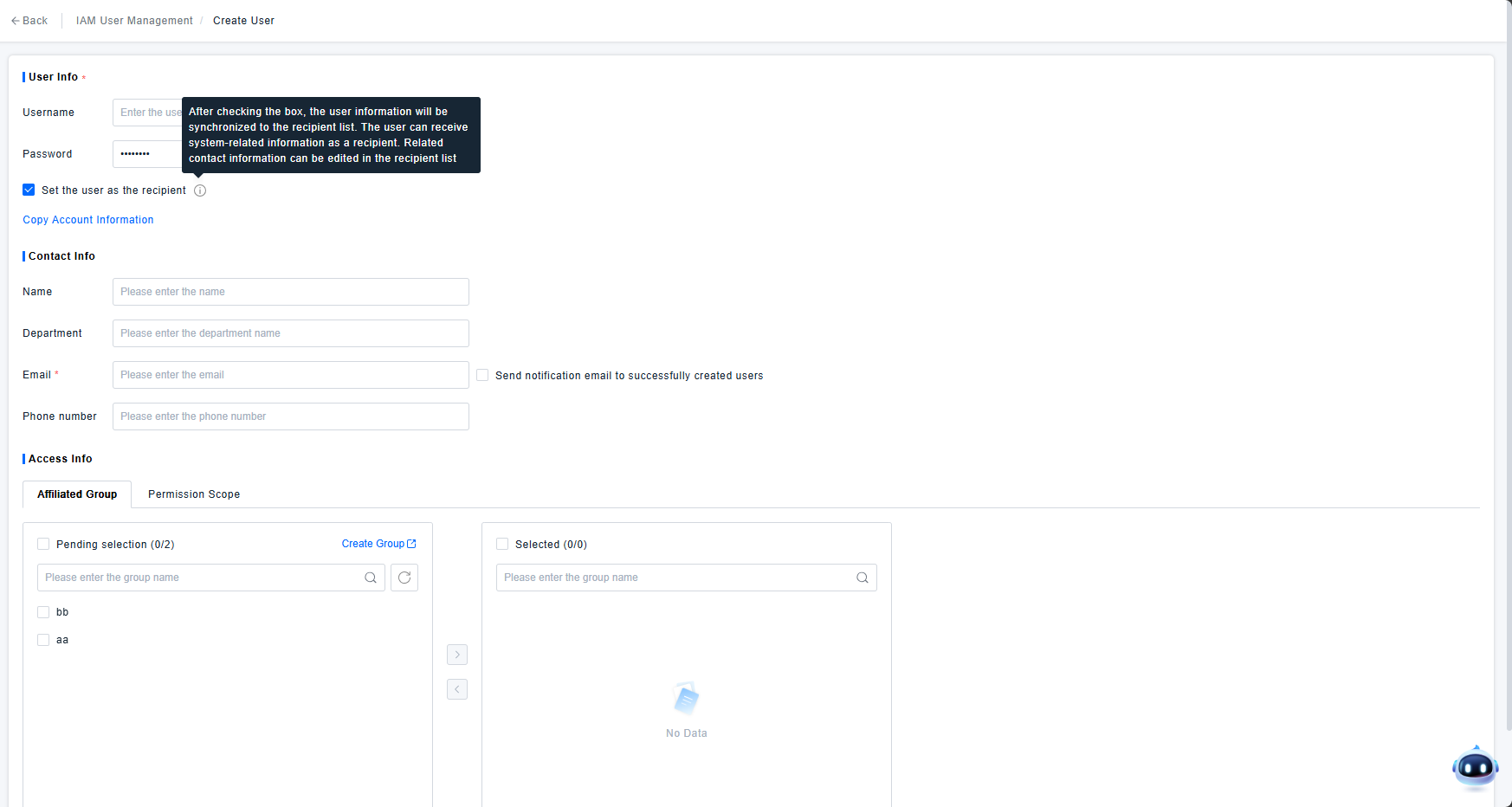
Navigation: User > Access Control > IAM Role Management > Create User. Check the box Set user as a recipient to synchronously generate a Regular User recipient.
Recipient Notification
Alert Response Policy
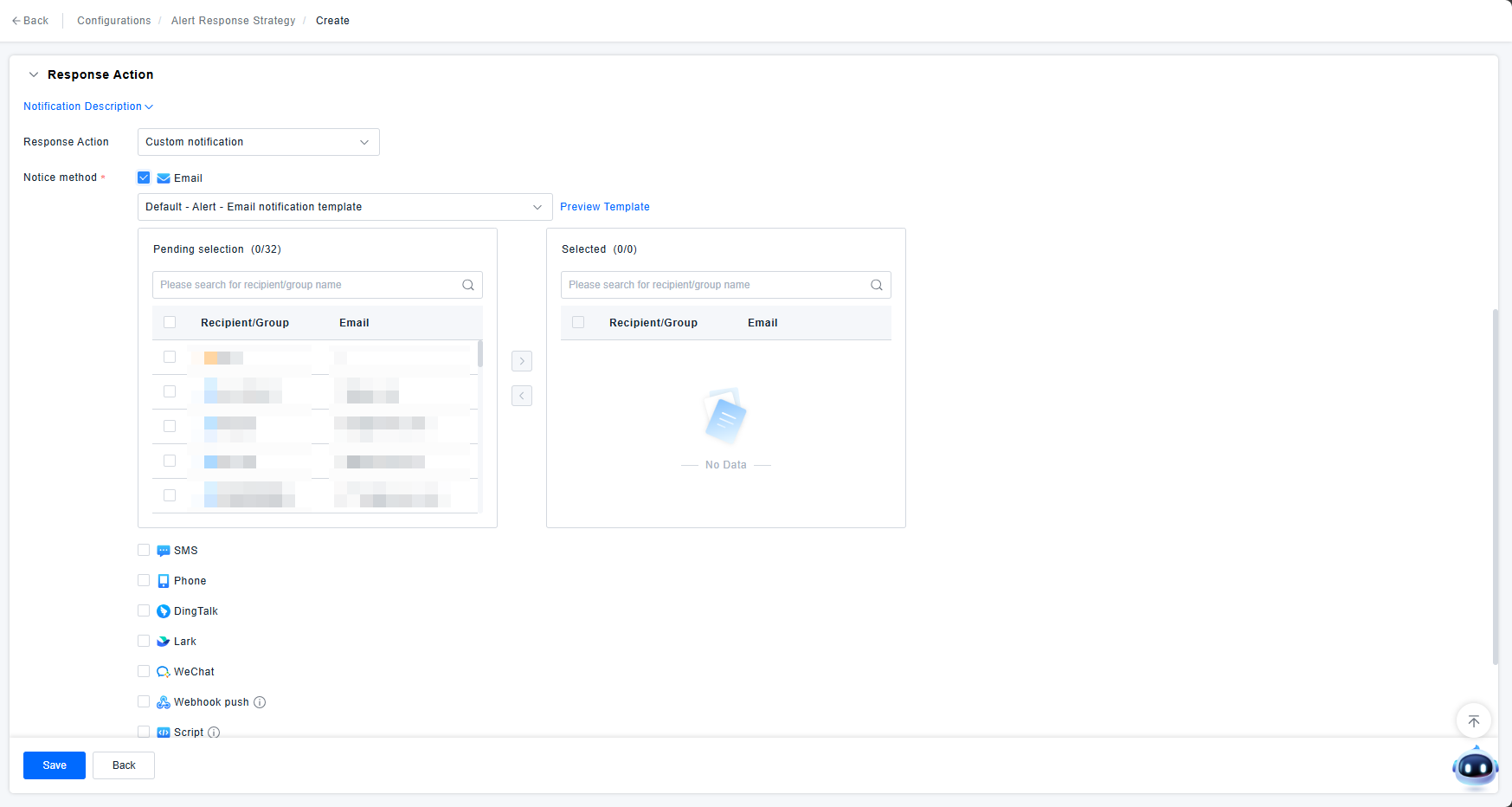
When configuring an alert response policy, notifications can be sent via Email, SMS, Phone Call, DingTalk, Lark, WeCom, etc. After selecting a notification method, choose the recipient(s) or group(s) to receive the alert notifications. Notifications will be sent via the selected method when the alert triggers.
Automatic Reports
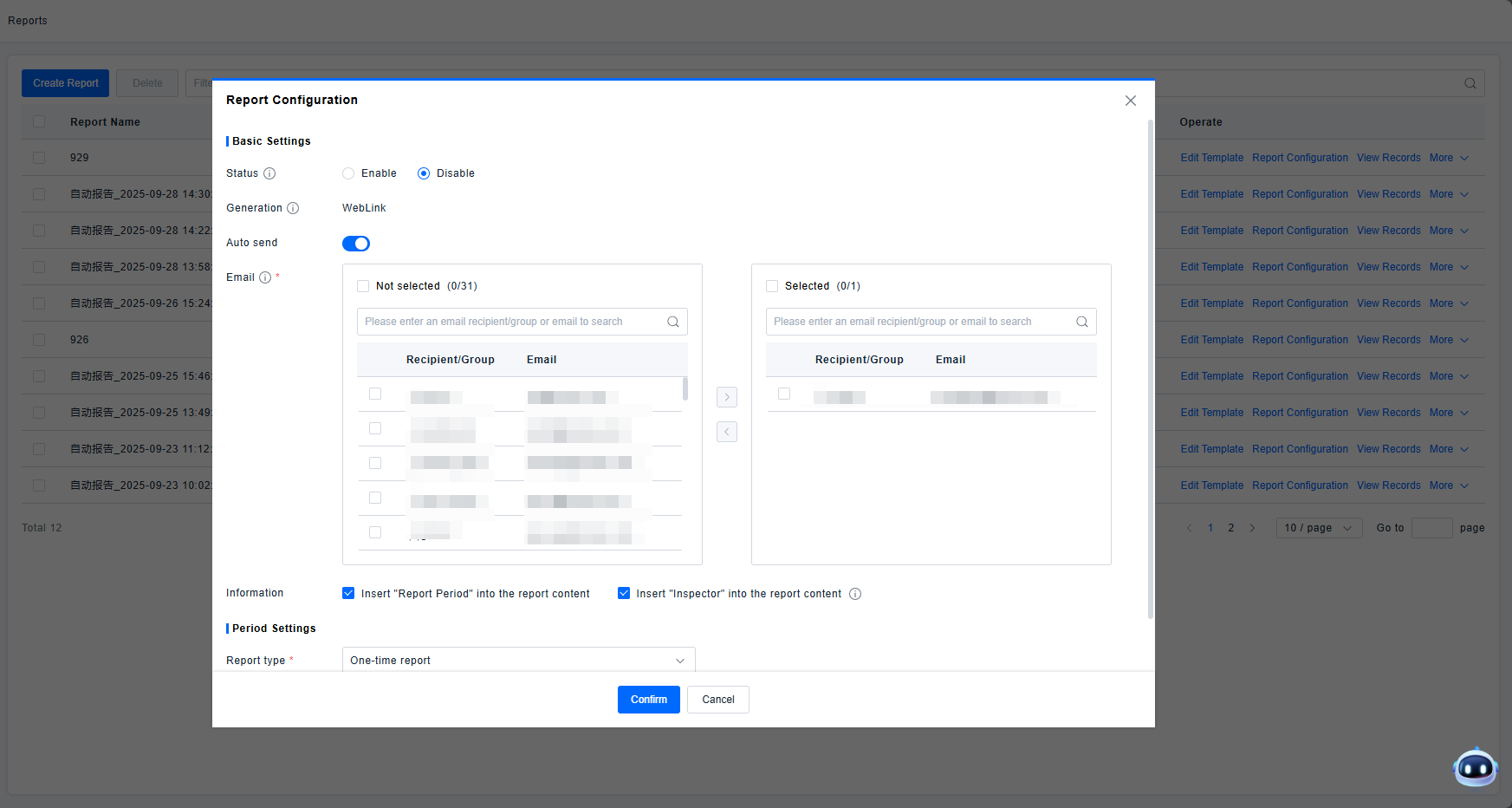
After an automatic report template is configured, reports are sent via email. In the report configuration, you can select recipient(s) or group(s). The selected recipients/groups will receive the automatic report information in their email inbox.