External Log Integration
The platform supports integrating logs from external systems through various methods such as API, Logstash, FluentBit, and OpenTelemetry. This enables flexible ingestion of log data from diverse sources, meeting a wide range of log collection and integration requirements.
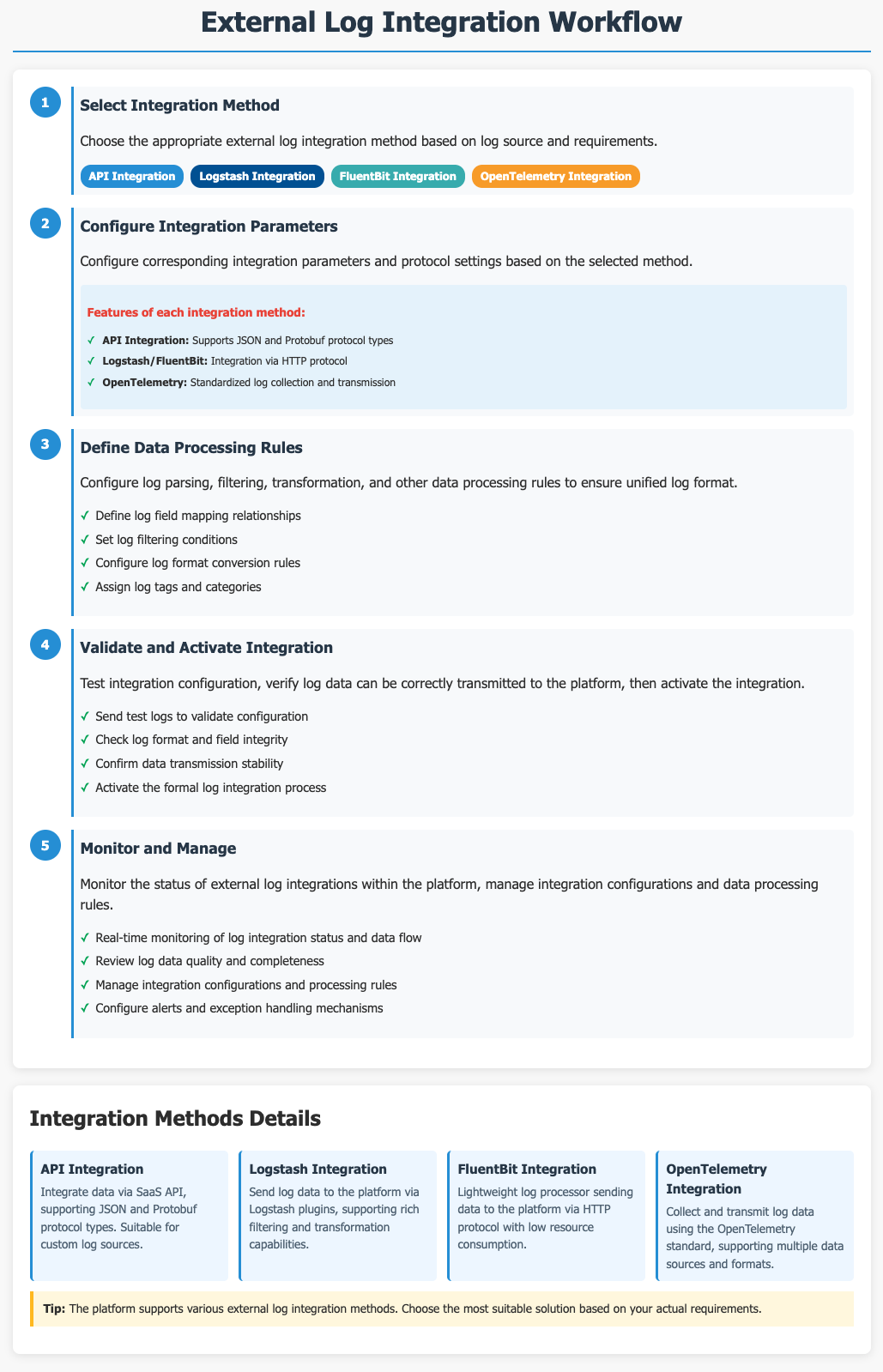
Getting Started
Navigate to the Log Configuration > Add Log page and switch to the External Log Integration tab.
Ingest logs via the API
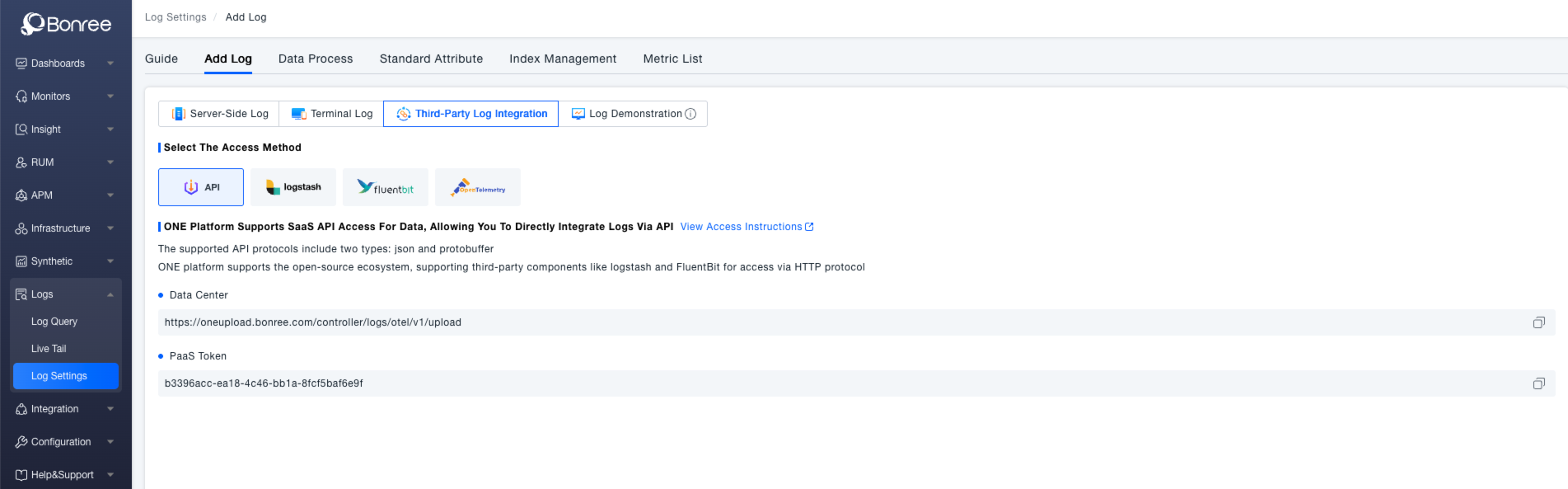
The ONE platform supports data ingestion via its SaaS API, which supports both JSON and Protobuf protocols. If using Logstash or FluentBit, logs can be sent via the HTTP protocol.
To complete the integration, configure the data center endpoint (e.g., https://oneupload.bonree.com/controller/logs/otel/v1/upload) and your PaaS Token (e.g., b3396acc-ea18-4c46-bb1a-8fc5baf6e9f) in your configuration management system (e.g., Nacos). The interface will display the configured data center endpoint and PaaS Token for verification purposes.
Ingest logs from Logstash
Download and Installation
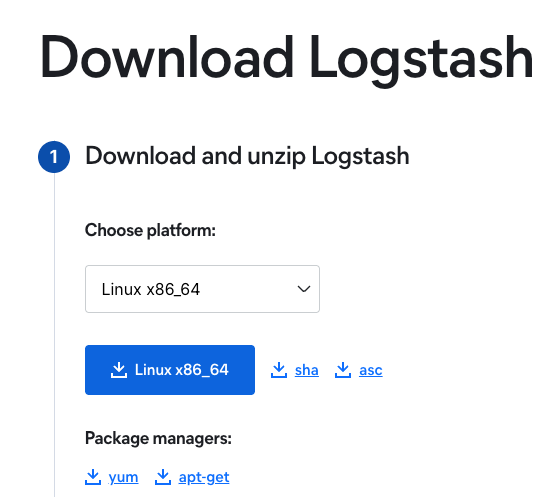
First, download and install Logstash.
Plugin Installation Documentation
- Working with plugins: Working with plugins | Logstash Reference [8.7] | Elastic
- Offline installation: Offline Plugin Management | Logstash Reference [8.7] | Elastic
Implementation Process
# After downloading the agent, extract it on the server, then navigate to the extracted agent directory

# Modify configuration file
vi config/logstash-sample.conf   # Adjust settings according to integration configuration

input {
  file {
    path => "/var/log/nginx/access.log"
  }
  stdin{}  # Standard input integration
}
output {
 stdout{}  # Standard output
 http {
        id => "bonree_output_1"
        url => "https://oneupload.bonree.com/logs/otel/v1/logs?token=xxxxxxxx-xxxx-xxxx-xxxx-xxxxxxxxxxxx"
        http_method => "post"    # Fixed configuration, not adjustable
        format => "json_batch"   # Fixed configuration, not adjustable
        content_type => "application/json" # Fixed configuration, not adjustable
     }
 }

# Install logstash-output-http extension
bin/logstash-plugin install --no-verify logstash-output-http

# Run command
 nohup ./bin/logstash -f config/logstash-sample.conf &
Configure Log Collection
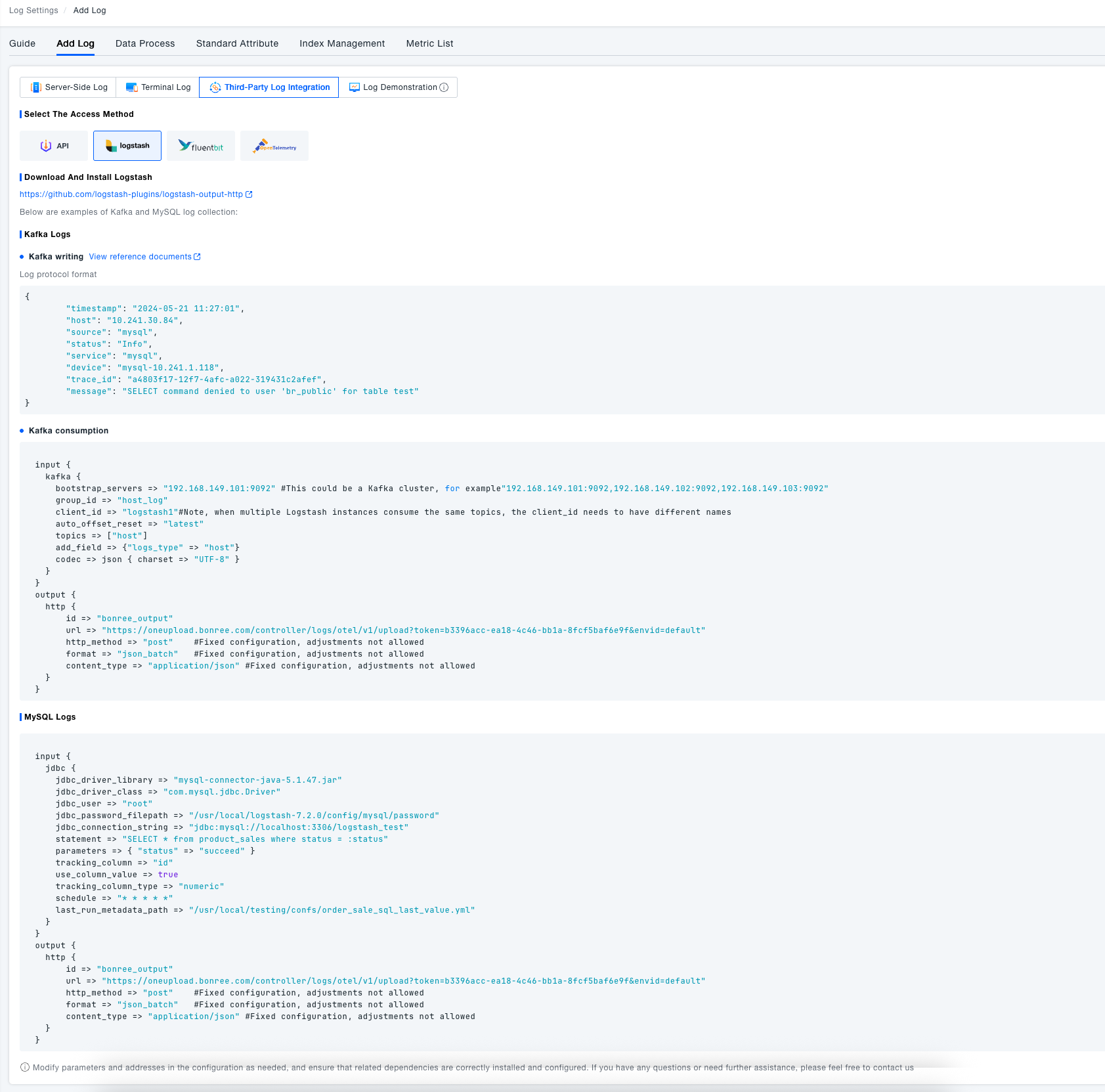
Logstash supports collecting logs from various sources including specific files, Kafka, MySQL, and other components.
The platform interface provides ready-to-use configuration examples for typical scenarios like Kafka and MySQL, including complete log protocol format definitions. These can be directly referenced to quickly implement Logstash-based log integration.
Collect from specific files
input {
  file {
    path => "/var/log/nginx/access.log"
  }
}
output {
    http {
        id => "bonree_output"
        url => "https://oneupload.bonree.com/logs/otel/v1/logs?token=xxxxxxxx-xxxx-xxxx-xxxx-xxxxxxxxxxxx"
        http_method => "post"    #Fixed configuration, not adjustable
        format => "json_batch"   #Fixed configuration, not adjustable
        content_type => "application/json" #Fixed configuration, not adjustable
    }
  }
Collect from Kafka
Kafka write - log protocol format
{
	"timestamp": "2024-05-21 11:27:01",
	"host": "10.241.30.84",
	"source": "mysql",
	"status": "Info",
	"service": "mysql",
	"device": "mysql-10.241.1.118",
	"trace_id": "a4803f17-12f7-4afc-a022-319431c2afef",
	"message": "SELECT command denied to user 'br_public' for table test"
}
Kafka consumption
input {
    kafka {
      bootstrap_servers => "192.168.149.101:9092" # Kafka cluster support: "192.168.149.101:9092,192.168.149.102:9092,192.168.149.103:9092"
      group_id => "host_log"
      client_id => "logstash1" # When multiple Logstash instances consume the same topic, each must have a unique client_id
      auto_offset_reset => "latest"
      topics => ["host"]
      add_field => {"logs_type" => "host"}
      codec => json { charset => "UTF-8" }
    }
  }
  output {
    http {
        id => "output"
        url => "https://oneupload.ibr.net.cn/controller/logs/otel/v1/upload?token=b4cc0268-8ebe-11f0-8dea-1a8fb3c08f30&envid=prd"
        http_method => "post"    # Fixed configuration, not adjustable
        format => "json_batch"   # Fixed configuration, not adjustable
        content_type => "application/json" # Fixed configuration, not adjustable
    }
  }
Collect from MySQL
  input {
    jdbc {
      jdbc_driver_library => "mysql-connector-java-5.1.47.jar"
      jdbc_driver_class => "com.mysql.jdbc.Driver"
      jdbc_user => "root"
      jdbc_password_filepath => "/usr/local/logstash-7.2.0/config/mysql/password"
      jdbc_connection_string => "jdbc:mysql://localhost:3306/logstash_test"
      statement => "SELECT * from product_sales where status = :status"
      parameters => { "status" => "succeed" }
      tracking_column => "id"
      use_column_value => true
      tracking_column_type => "numeric"
      schedule => "* * * * *"
      last_run_metadata_path => "/usr/local/testing/confs/order_sale_sql_last_value.yml"
    }
  }
  output {
    http {
        id => "output"
        url => "https://oneupload.ibr.net.cn/controller/logs/otel/v1/upload?token=b4cc0268-8ebe-11f0-8dea-1a8fb3c08f30&envid=prd"
        http_method => "post"    # Fixed configuration, not adjustable
        format => "json_batch"   # Fixed configuration, not adjustable
        content_type => "application/json" # Fixed configuration, not adjustable
    }
  }
Ingest logs from FluentBit
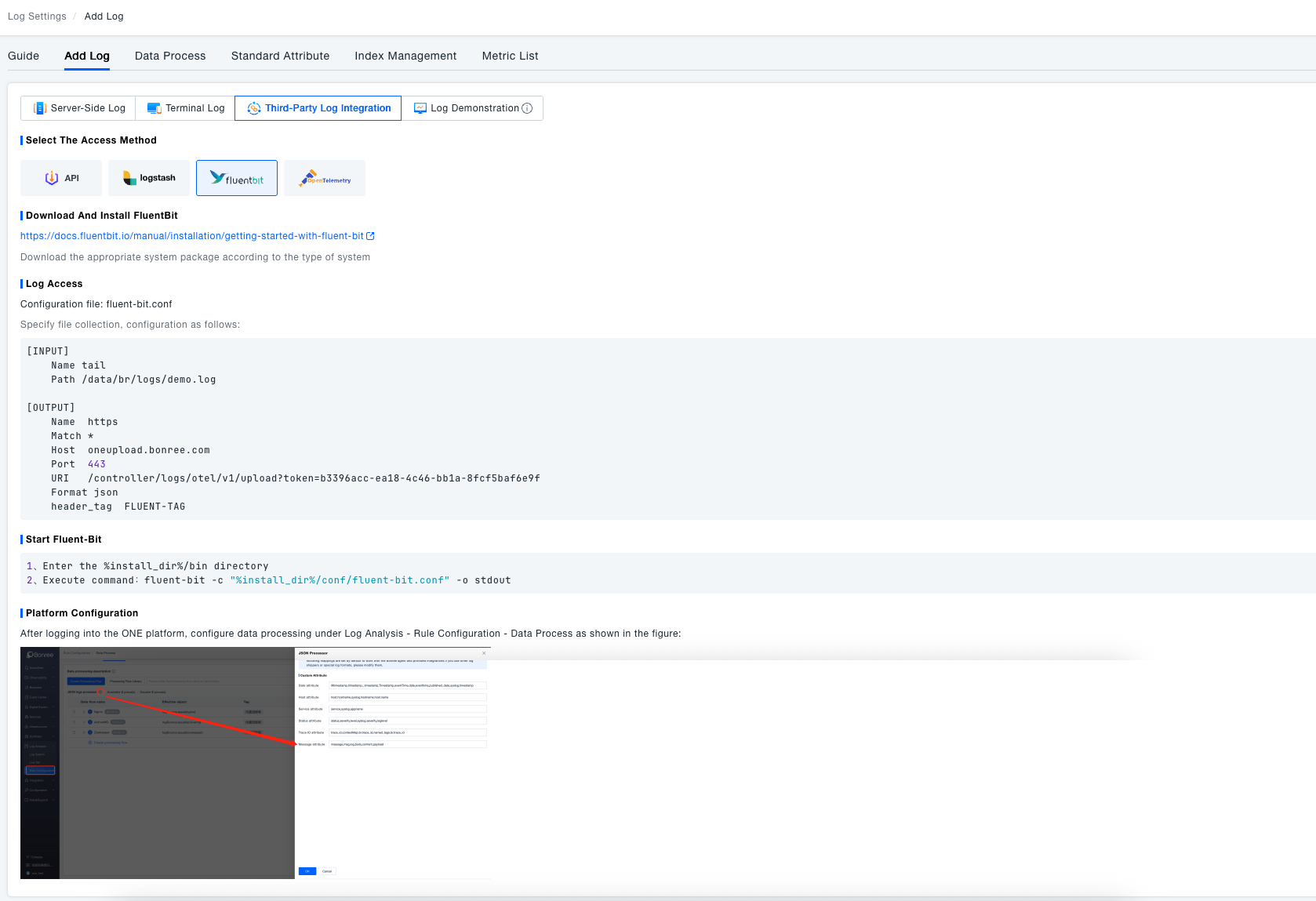
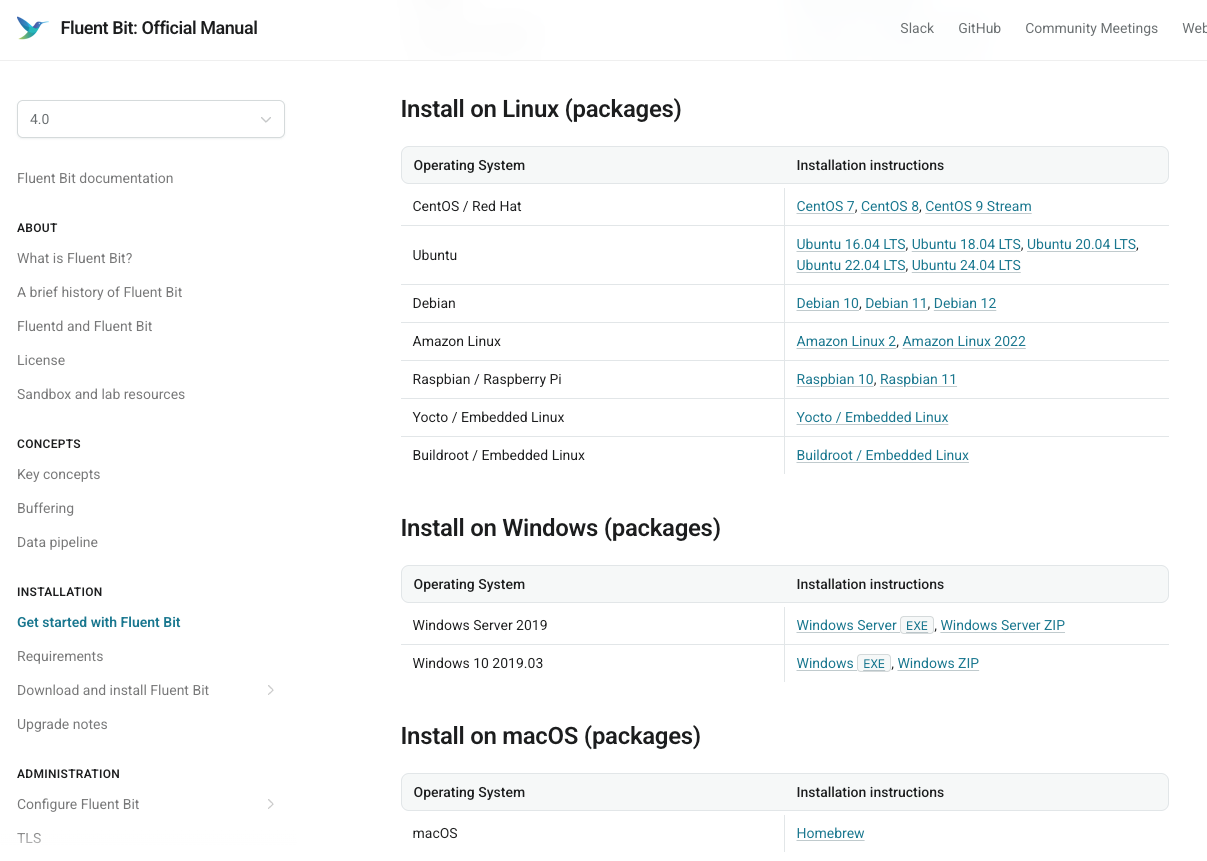
Download and Installation
First, download the appropriate FluentBit package for your system type from the official documentation and complete the installation.
Configure Log Collection
Edit the fluent-bit.conf configuration file to specify:
- Input parameters (e.g., paths to log files to be collected)
- Output parameters (ONE platform address, port, format, etc.)
[INPUT]
    Name tail
    Path /data/br/logs/demo.log

[OUTPUT]
    Name  https
    Match *
    Host  oneupload.ibr.net.cn
    Port  443
    URI   /controller/logs/otel/v1/upload?token=b4cc0268-8ebe-11f0-8dea-1a8fb3c08f30
    Format json
    header_tag  FLUENT-TAG
Start FluentBit
Navigate to the bin directory within the installation directory and execute the appropriate command to start FluentBit.
1. Navigate to the %install_dir%/bin directory
2. Execute the command: fluent-bit -c "%install_dir%/conf/fluent-bit.conf" -o stdout
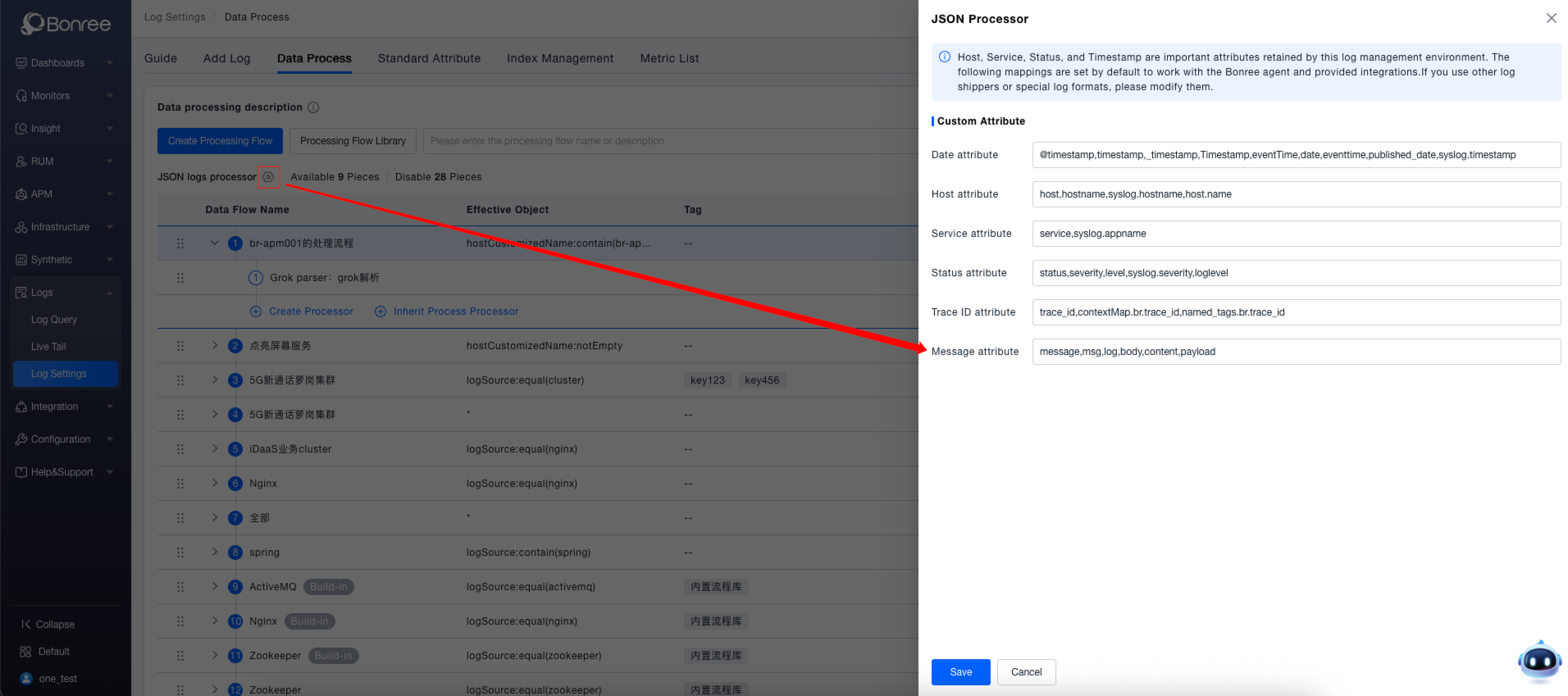
Data Processing
Finally, complete the relevant platform configuration in the ONE platform under Log Analysis -> Rule Configuration -> Data Processing module.
Ingest logs via OpenTelemetry
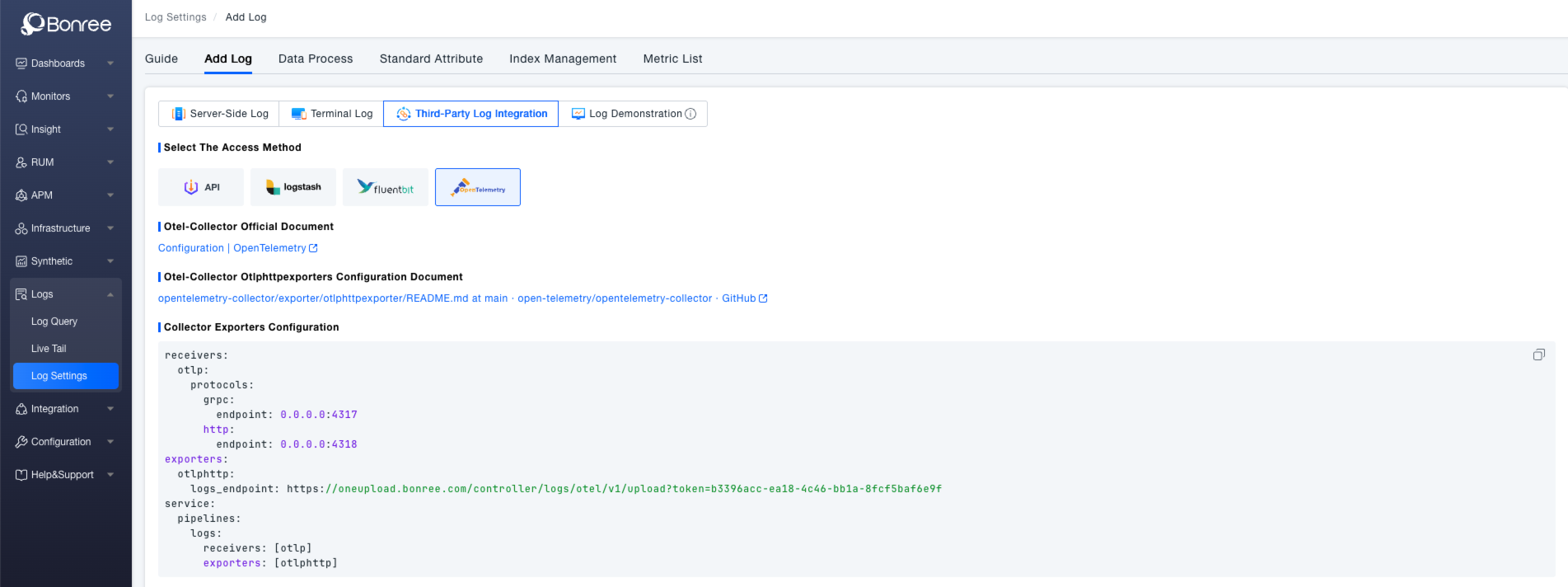
Download and Installation
Refer to the OpenTelemetry Collector official documentation and Otelhttptexporters configuration documentation for basic configuration specifications.
Configure Log Collection
Configure the Collector Exporters by setting parameters such as receivers and exporters in the configuration file to export logs to the specified ONE platform address, enabling log integration.
receivers:
  otlp:
    protocols:
      grpc:
        endpoint: 0.0.0.0:4317
      http:
        endpoint: 0.0.0.0:4318
exporters:
  otlphttp:
    logs_endpoint: https://oneupload.ibr.net.cn/controller/logs/otel/v1/upload?token=b4cc0268-8ebe-11f0-8dea-1a8fb3c08f30
service:
  pipelines:
    logs:
      receivers: [otlp]
      exporters: [otlphttp]