Data Processing
Log data flows into the data processing pipeline stage after preprocessing and enters the corresponding processing pipeline by matching filter conditions.
Getting Started
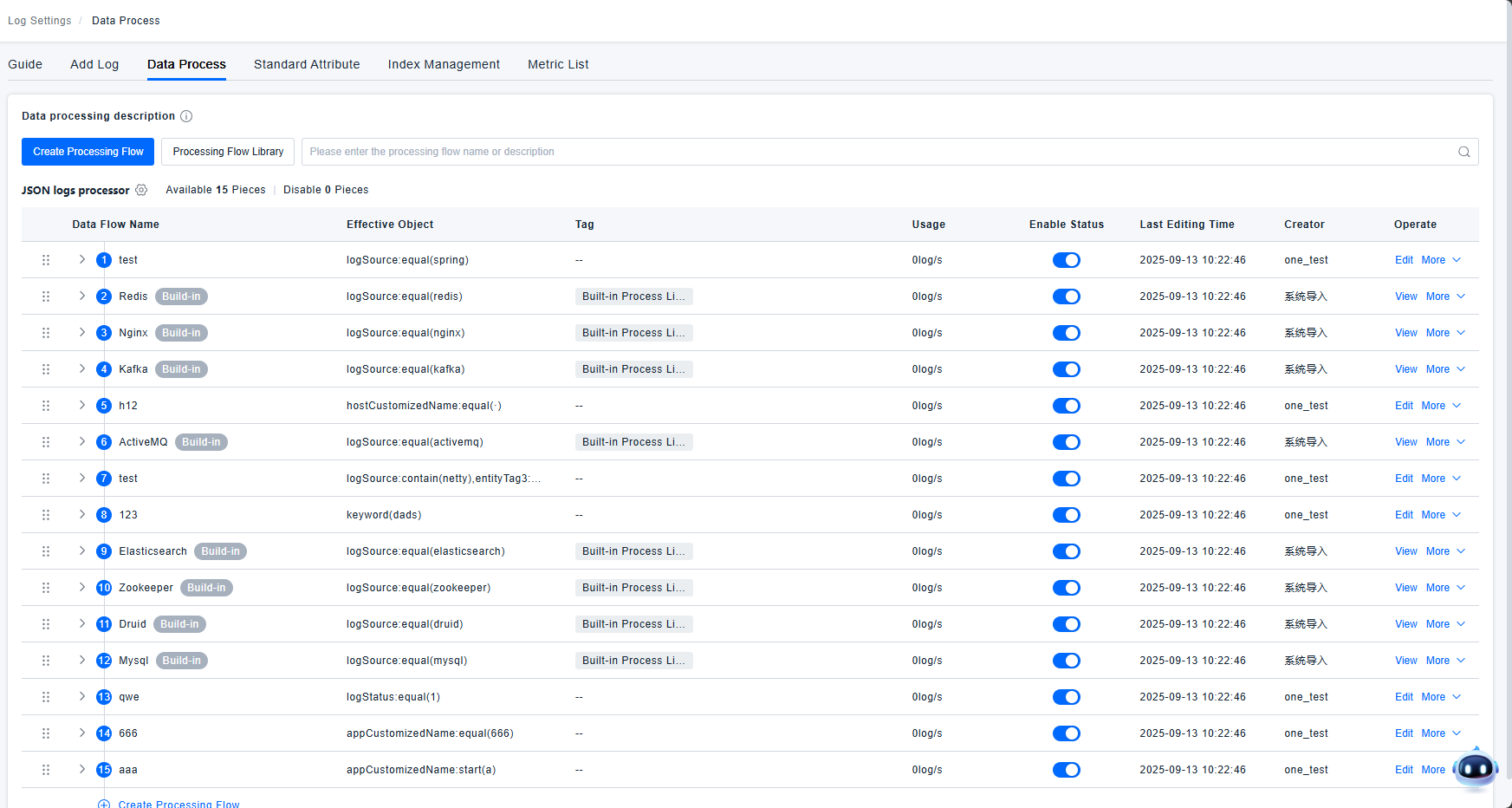
Processing Pipeline List
Data is only processed by a single pipeline; the highest priority pipeline takes effect. Each pipeline can use a maximum of 20 processors. A single Grok processor can use up to 10 parsing rules. The platform automatically identifies data sources and loads the corresponding data processing pipelines, requiring no manual user configuration. Users can click on the Processing Pipeline Library to view which pipelines the platform supports.
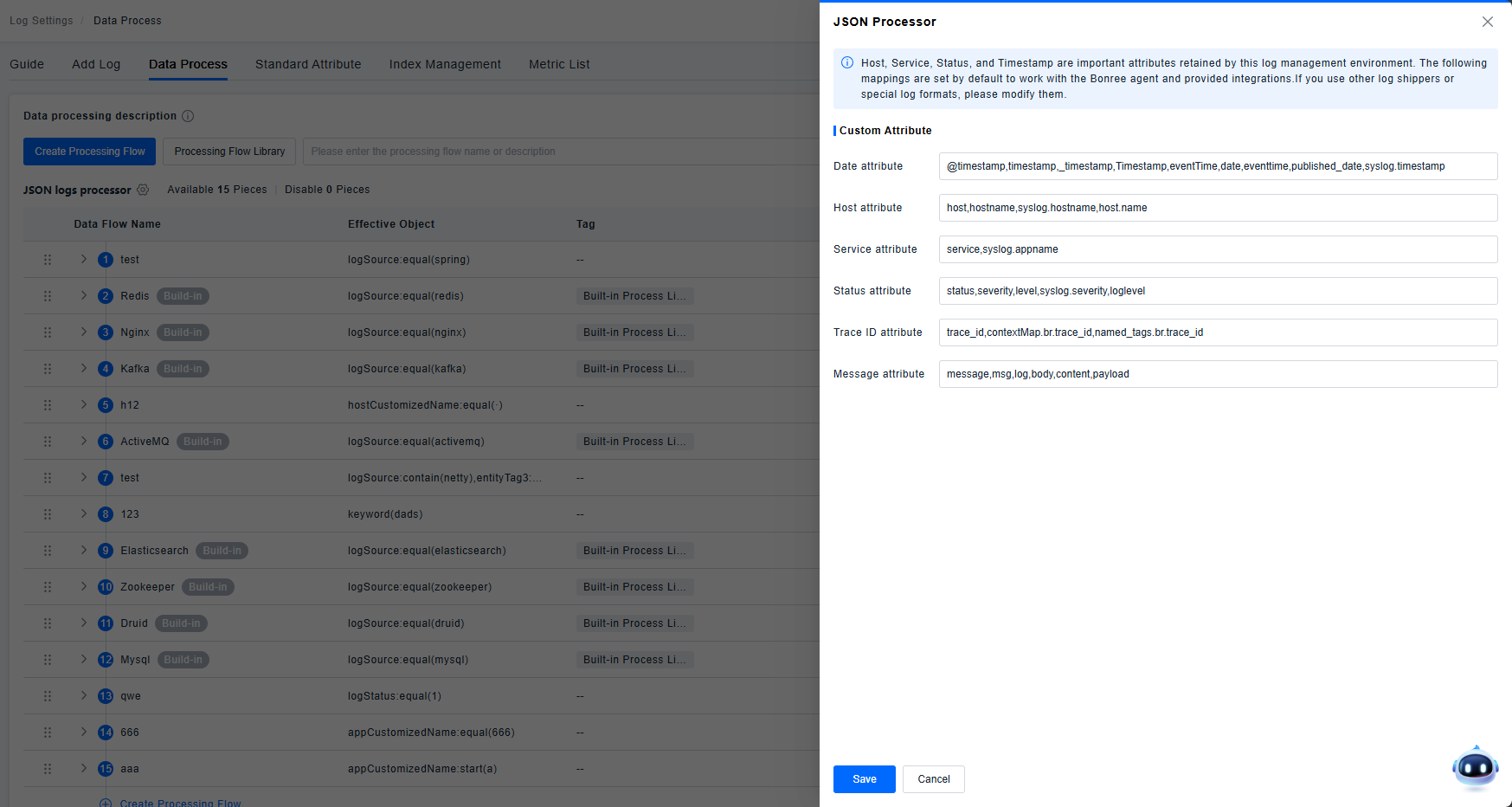
JSON Parsing
The platform automatically parses JSON-formatted data; no configuration is needed.
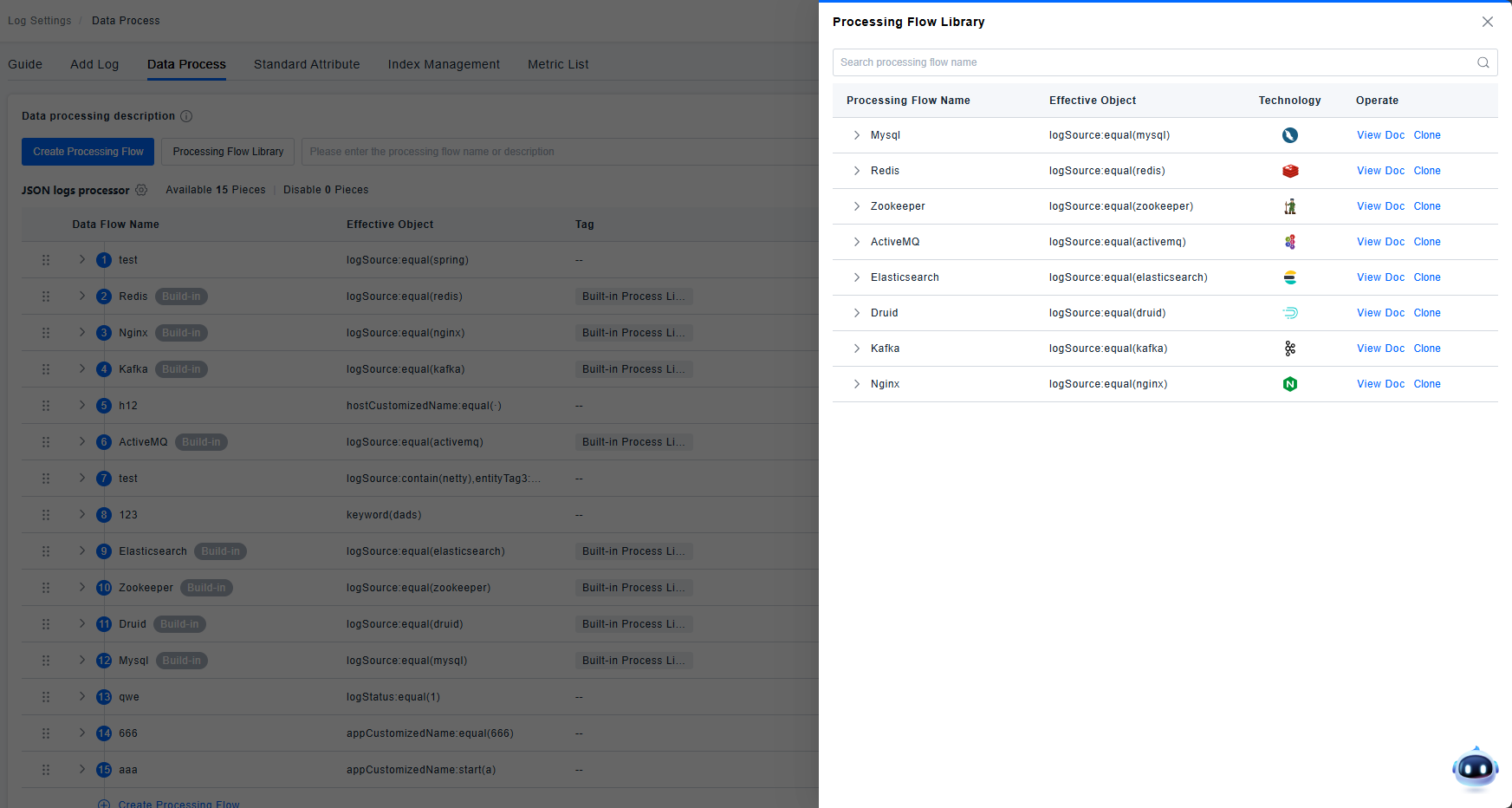
Processing Pipeline Library
The platform automatically identifies data sources and loads the corresponding data processing pipelines, requiring no manual user configuration. Data processing pipelines are composed of processors and inherited data processing flows, working together to parse logs.
Creating a New Processing Pipeline
When the default processing pipelines do not meet user requirements, a new pipeline can be created. A processing pipeline consists of processors or nested processing pipelines.
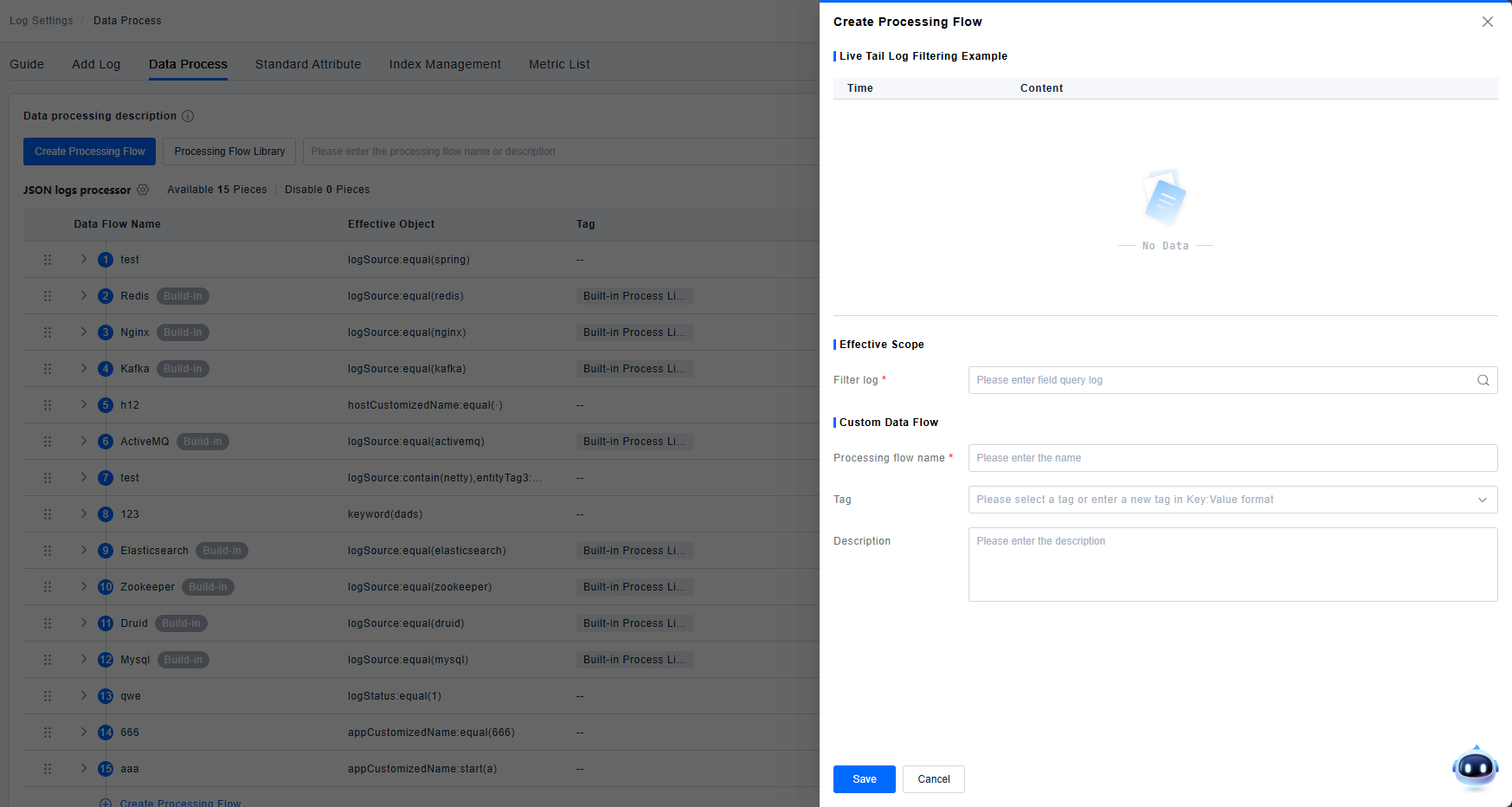
There are two types of processing pipelines: platform-built-in (read-only) and user-defined (custom).
Read-only pipelines support the following actions: View, Query Logs, Log Tail, Move, Clone, Enable/Disable.
| Action | Effect |
|---|---|
| View | Displays the pipeline details page; all information is grayed out and unmodifiable. |
| Query Logs | Opens a new page for log querying. |
| Log Tail | Opens a new page for LiveTail. |
| Move | Displays the move dialog. |
| Clone | Creates a new, identical pipeline based on the current one, but with edit permissions. The old pipeline is automatically disabled, and the new one is enabled and placed directly after the cloned pipeline. |
| Enable/Disable | When enabled, the rule is active; when disabled, the rule is inactive. |
Custom pipelines support the following actions: Edit, Query Logs, Log Tail, Move, Clone, Delete, Enable/Disable.
| Action | Effect |
|---|---|
| Edit | Opens the pipeline details page where information can be modified. |
| Query Logs | Opens a new page for log querying. |
| Log Tail | Opens a new page for LiveTail. |
| Move | Displays the move dialog. |
| Clone | Creates a new, identical pipeline based on the current one. The old pipeline is not automatically disabled. The new pipeline is placed below the original one with lower priority. |
| Delete | Clicking prompts a confirmation dialog. Upon confirmation, the rule is deleted. New data will no longer be processed by this rule (accepts a propagation delay, recommended not to exceed 3 minutes). |
| Enable/Disable | When enabled, the rule is active; when disabled, the rule is inactive. |
Processors
The platform supports Grok Parser, Remapper, User-Agent Parser, URL Parser, GeoIP Parser, Date Remapper, Body Remapper, Status Remapper, Service Remapper, Category Processor, Arithmetic Processor, String Builder Processor, Trace Id Remapper, and Lookup Processor.
There are two types of processors: platform-built-in (read-only) and user-defined (custom).
Read-only processors support the action: View. Displays the processor details page; all information is grayed out and unmodifiable.
Custom processors support the actions: Edit, Clone, Move, Delete, Enable/Disable.
| Action | Effect |
|---|---|
| Edit | Opens the processor details page where information can be modified. |
| Clone | Creates a new, identical processor based on the current one. The old processor is not disabled. The new processor is placed below the original one with lower priority. |
| Move | Allows moving the processor to a different processing pipeline (nesting). Direct drag-and-drop is also supported. |
| Delete | Clicking prompts a confirmation dialog. Upon confirmation, the rule is deleted. New data will no longer be processed by this processor (accepts a propagation delay, recommended not to exceed 3 minutes). |
| Enable/Disable | When enabled, the rule is active; when disabled, the rule is inactive. |
Grok Parser
Grok: Parses fields based on GROK syntax for field extraction. By default, it extracts fields from the body field. The "Extract from" option in advanced settings allows specifying any field for extraction. For complex nested rules, sub-rules can be used.
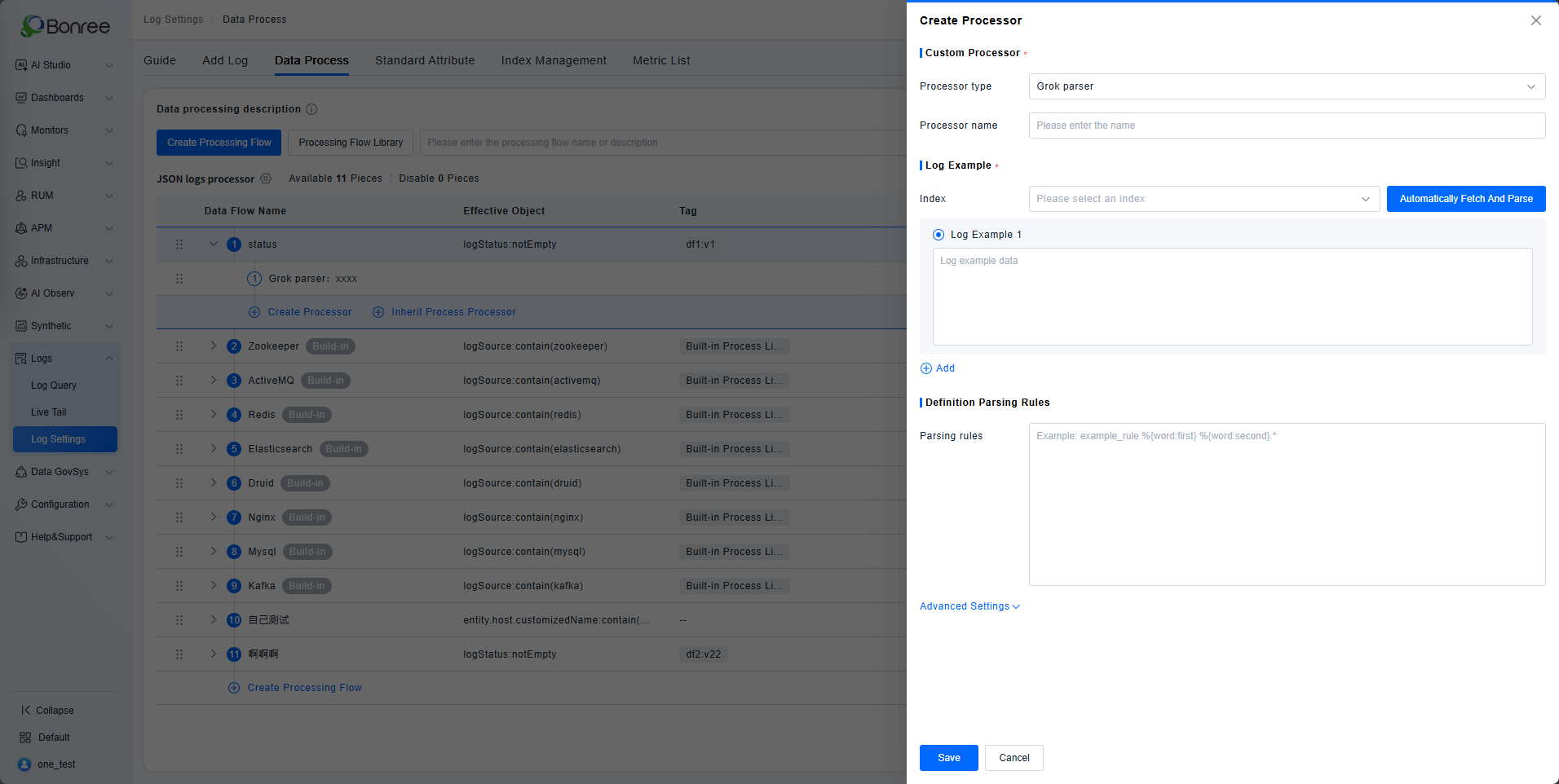
Supports automatic parsing. The system automatically fetches newly ingested logs and suggests corresponding parsing rules. If no logs are ingested, it prompts: "We haven't found recent indexes matching this processing pipeline." If logs are visible in LiveTail but cannot be parsed automatically, verify if these logs are stored in an index, as they might be excluded by an exclusion processor.
Logs matching the rule are flagged as a rule match; those not matching are flagged as a rule mismatch.
Here is the English translation of the Grok parser registration logic.
Grok Parser Attribute Registration
The Grok parser extracts all specified field keys from the configured parsing rules and registers them as parsed attributes. These attributes can then be used in subsequent queries, added as quick‑filter fields, and used in dashboards and alerts.
The registration logic is as follows:
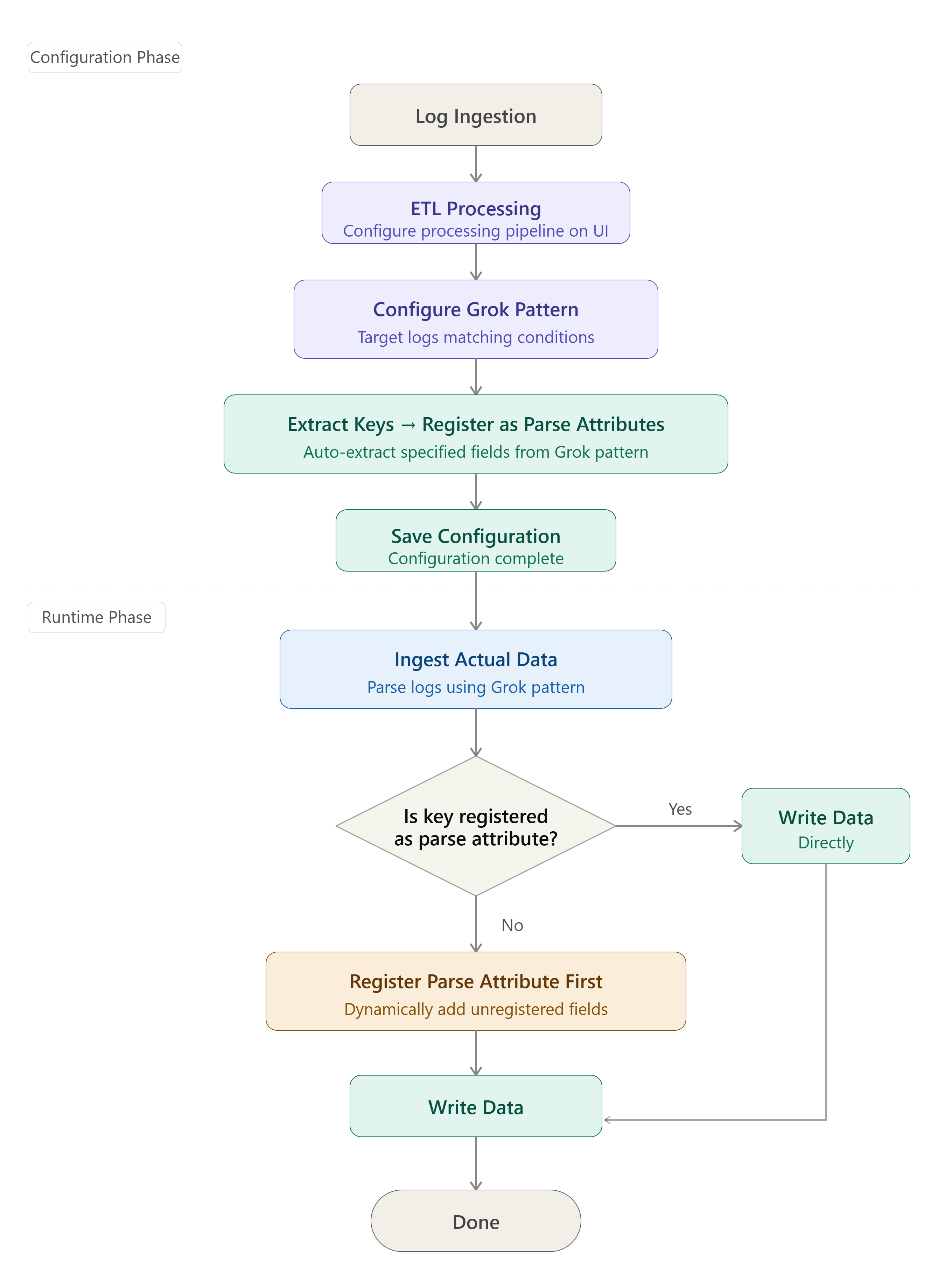
Configuration Phase
During configuration, the Grok parser extracts registerable attribute fields from the parsing rules. When the configuration is saved, these fields are registered as parsed attributes.
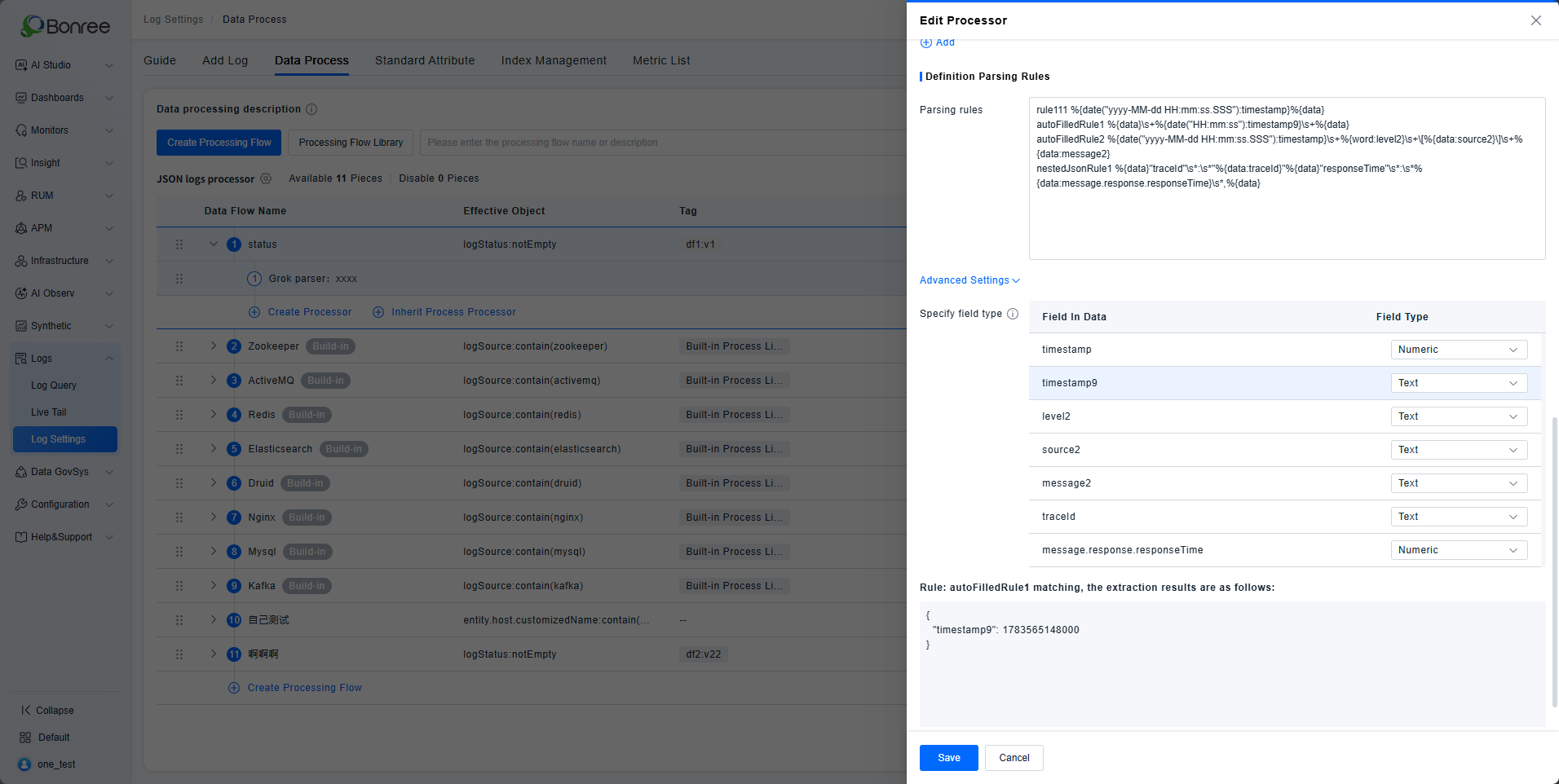
- The fields extracted from the Grok parsing rules are automatically read and their types are inferred – either text or numeric. The field type cannot be modified by the user.
- A global validation is performed at save time: fields with the same key but different types are not allowed. For example, if field
abcalready exists as a text type, it cannot be re‑specified as a numeric type. This applies to fields explicitly named in the Grok syntax or in scenarios where the user can determine that a fixed field is extracted from the log data.
Runtime Phase
During actual data ingestion, the system checks whether the parsed fields have already been registered as parsed attributes. If not, they are dynamically registered.
- Incoming log data is processed according to the data flow. Extracted fields are checked against the registered parsed attributes. If already registered, the field value is written directly. If not registered, a new parsed attribute is registered and the value is written.
- When checking whether a field in the processing result is already registered, if a field with the same key but a different type was previously registered, the newly parsed data is discarded and no new parsed attribute is registered.
- Note: “For JSON data, dynamic registration applies. If a field with the same key but a different type is parsed, the data will be discarded and will not be stored as a parsed attribute.”
- During runtime registration, field types are automatically inferred – including text, numeric, and array. Array‑type data may be encountered during dynamic registration.
Example
Configured parsing rules:
rule1 %{data::json}
rule2 \{\{\"time\":"%{data:time}","message":\{"receiveTime":%{data:message.receiveTime}\,%{data}
rule1parses all JSON logs and flattens all JSON fields from the log.rule2extracts only thetimeandmessage.receiveTimefields from logs that match a certain format; other content is not extracted.
Configuration Phase:
- The system automatically identifies fields from the parsing rules. From
rule1, it extractstimeandmessage.receiveTime, both defaulted to text type. When the rules are saved, these two fields are registered as parsed attributes.
Runtime Phase:
- An incoming log:
{{"time":"2026-06-08 15:11:26.234","message":{"receiveTime":1780902686233,"response":{"responseTime":1780902686234,"responseBody":{"code":0,"data":[{"appId":211,},{"appId":212,}]}}}}
- According to the configured rules, the
%{data::json}syntax is used to parse the full log. The resulting parsed structure is:
{
  "time": "2026-06-08 15:11:26.234",
  "message": {
    "receiveTime": 1780902686233,
    "response": {
      "responseBody": {
        "code": 0,
        "data": {
          "appId": [
            211,
            212
          ]
        }
      },
      "responseTime": 1780902686234
    }
  }
}
- The extracted fields are:
time,message.receivetime,message.response.responseTime,message.response.responseBody.code, andmessage.response.responseBody.data.appId.- Only
timeandmessage.receiveTimewere registered during configuration; the other fields are not yet registered and will be registered at ingestion time. - If
rule2extractedreceiveTimeinstead ofmessage.receiveTime, then at runtimemessage.receiveTimewould still be registered, but the two field values might be identical.
- Only
- The field
message.response.responseBody.data.appIdis registered as an array type.
Remapper
Remaps an existing attribute/tag key to a new attribute path/tag key.
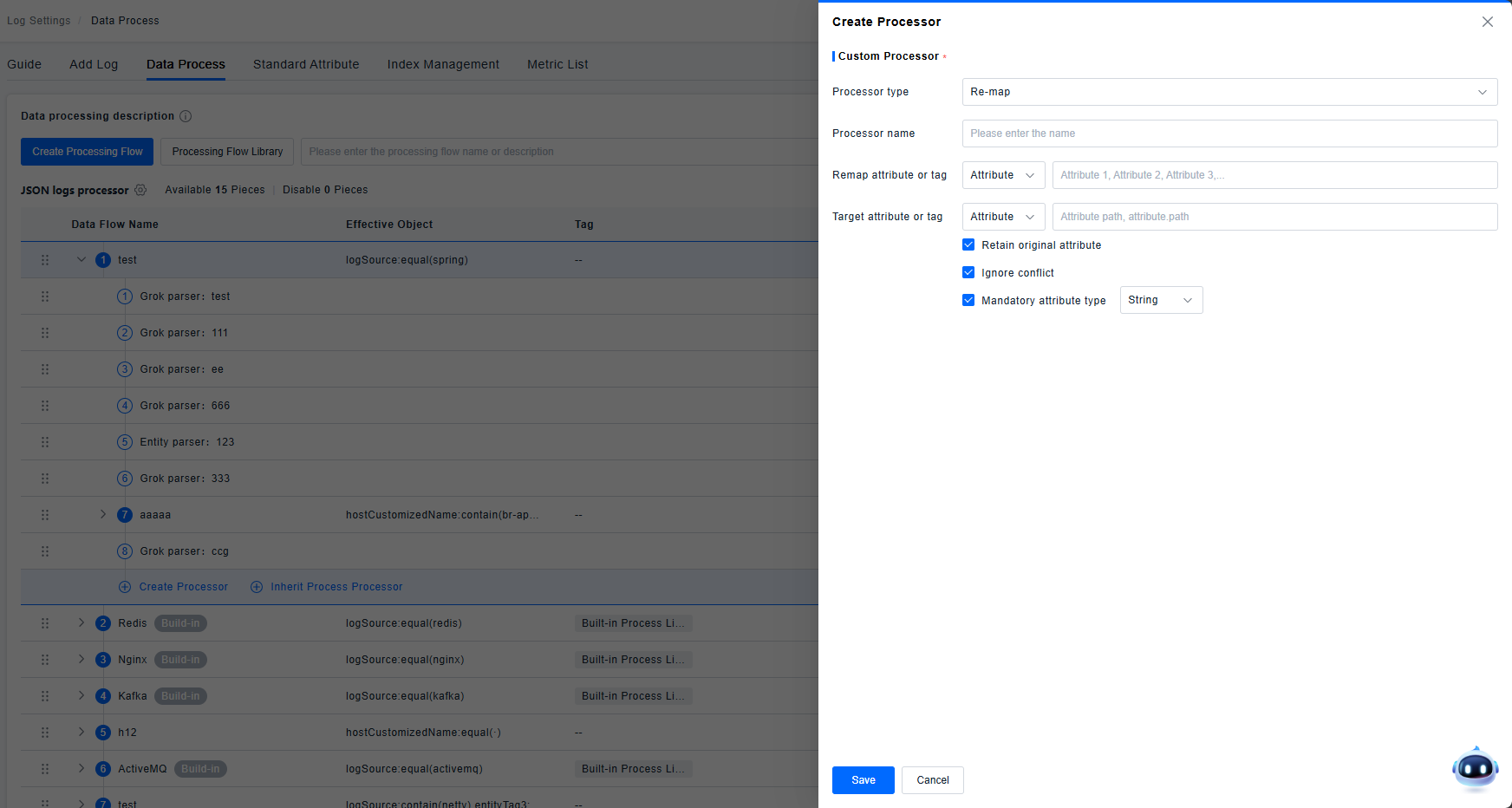
- Keep Source Attribute: If enabled, the original attribute remains saved and visible. If disabled, the original attribute is not saved or displayed.
- Ignore Conflicts: If enabled, proceeds with replacement logic; if disabled, does not replace in case of conflict.
- Force Attribute Type Change: Supports changing type to string, integer, or double. Default is string, and this option is enabled by default.
- When remapping to a tag, only "Keep Source Attribute" and "Ignore Conflicts" configurations are supported.
User-Agent Parser
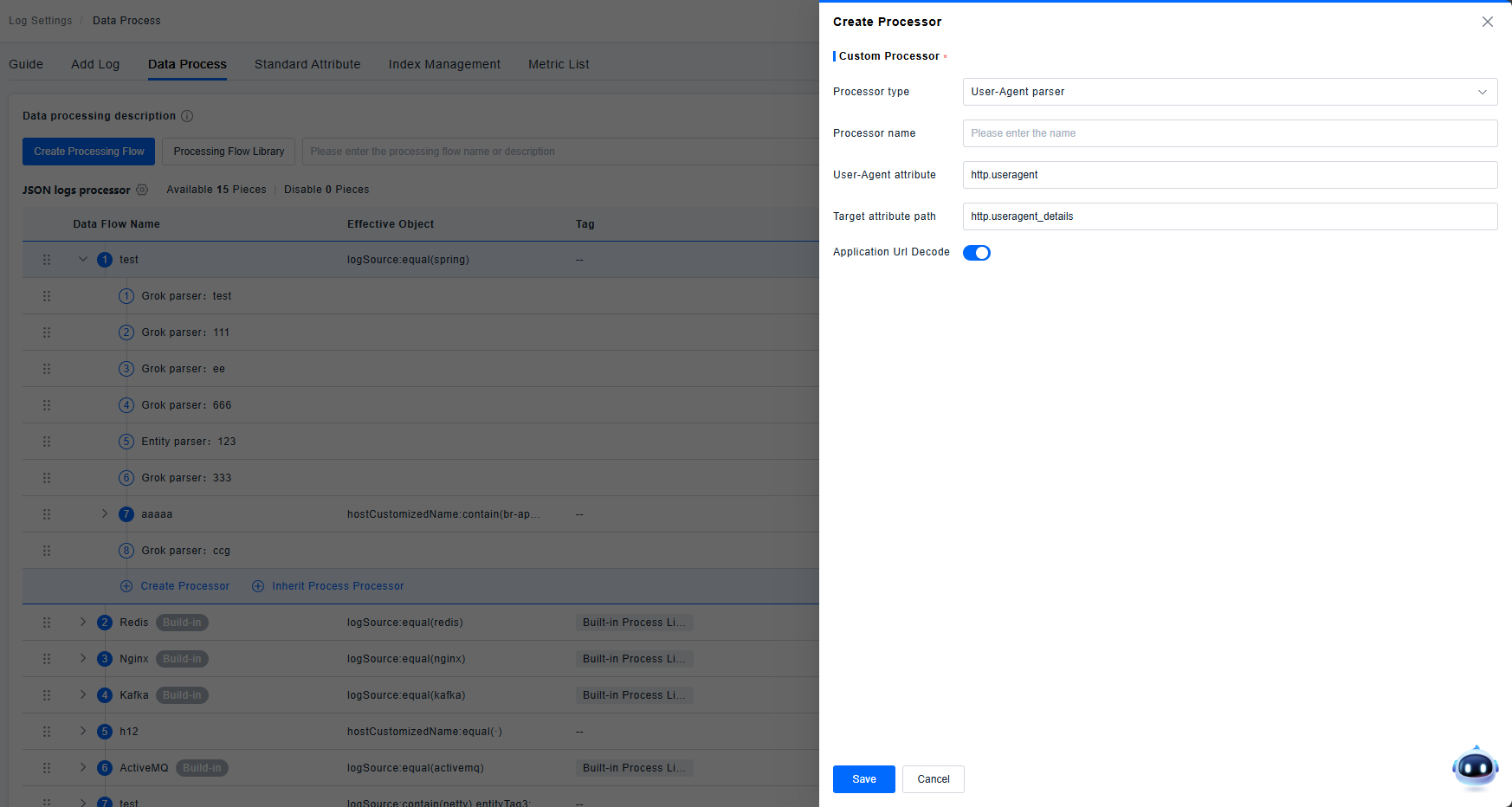
Parses the User-Agent field according to its specification to identify information such as location and device.
Supports configuring UrlDecode. UrlDecode is an encoding processing function that decodes URL-encoded strings. Strings encoded via urlencode can be decoded using UrlDecode.
URL Parser
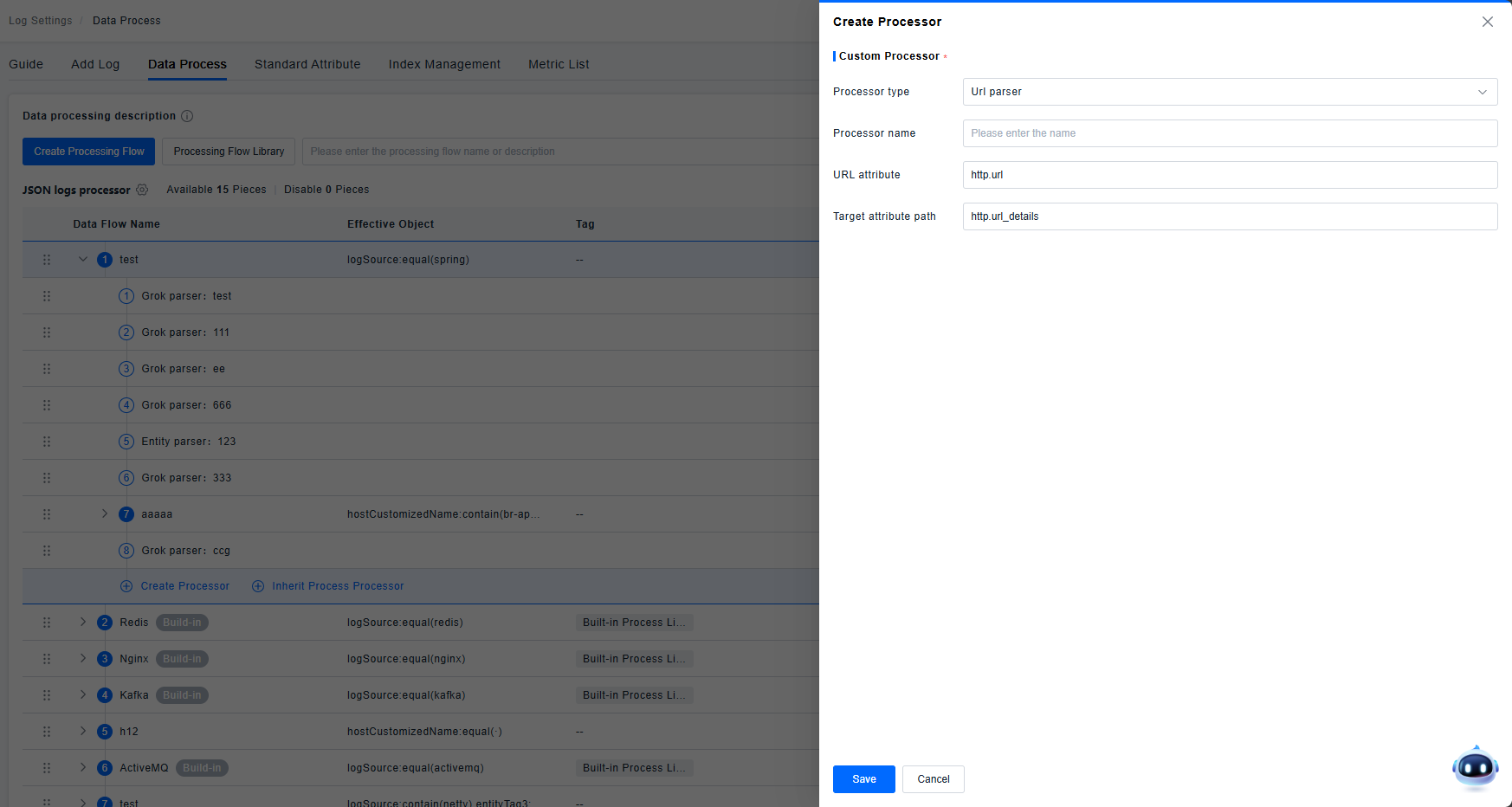
Used for URL parsing. Interprets the URL field based on its specification to identify scheme, host, path, queryString, etc.
GeoIP Parser
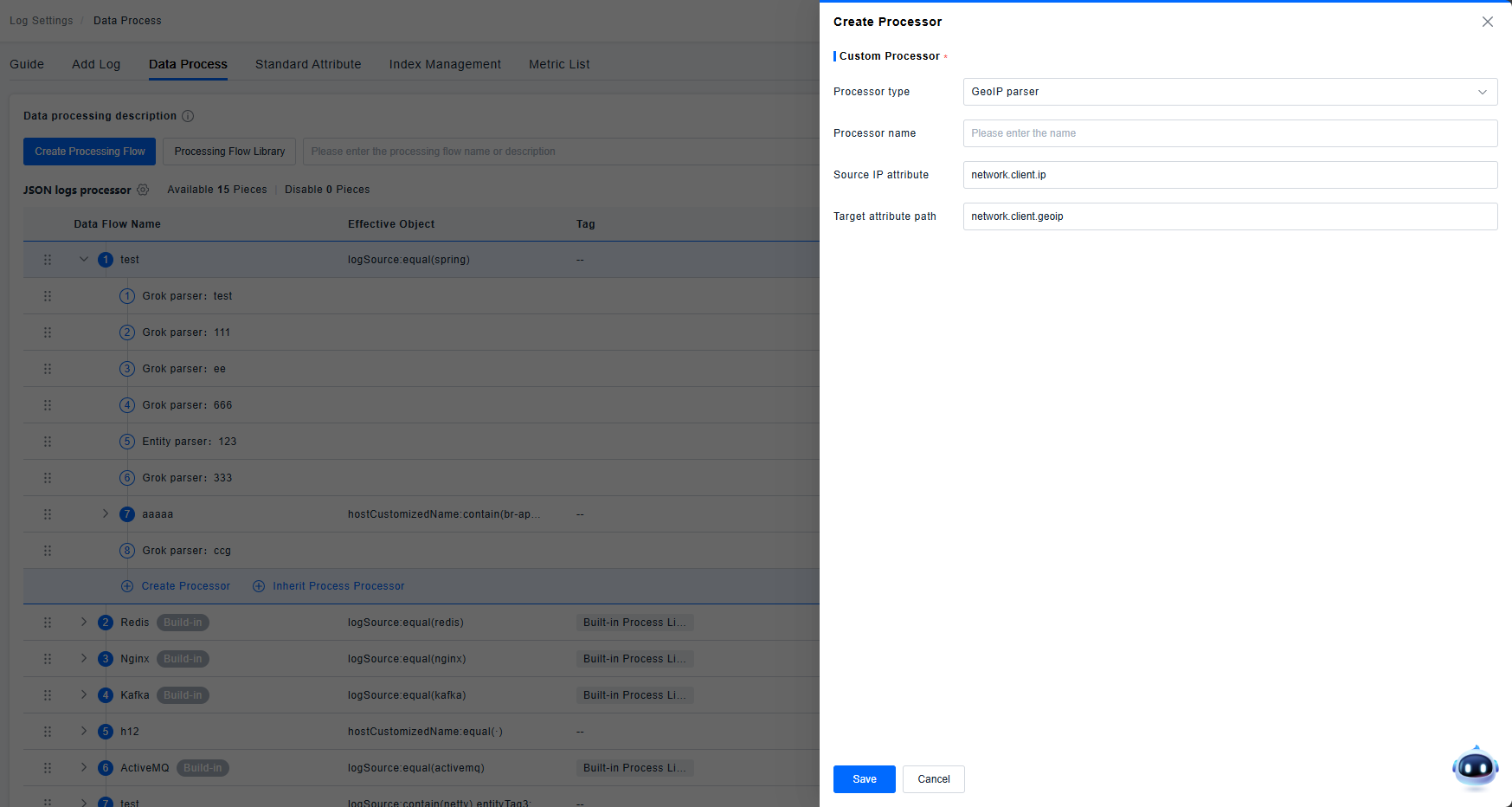
Used for IP address parsing. Takes an IP address attribute and extracts country, region, or city information into the target attribute path.
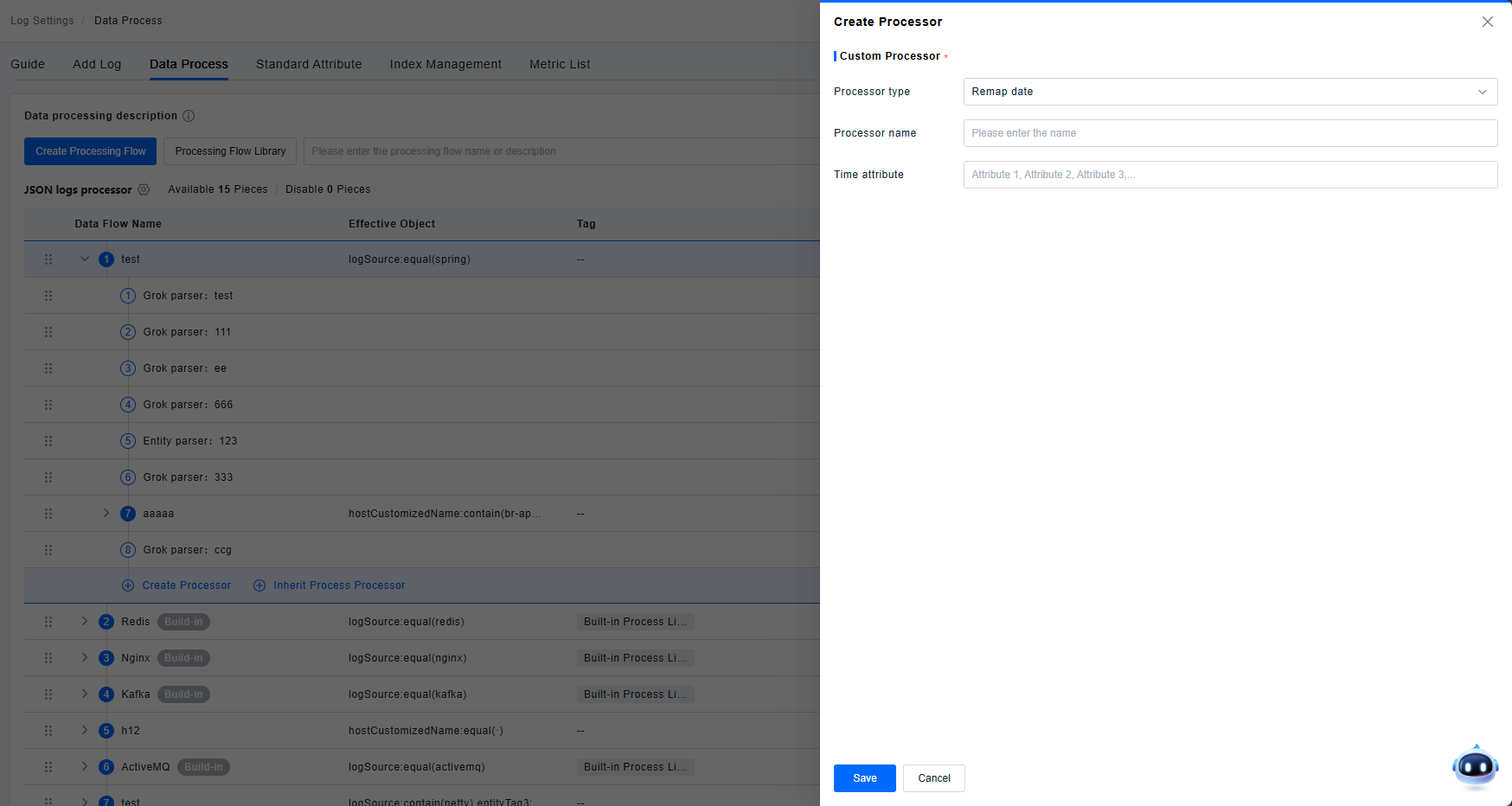
Date Remapper
Maps a specified attribute to the timestamp field.
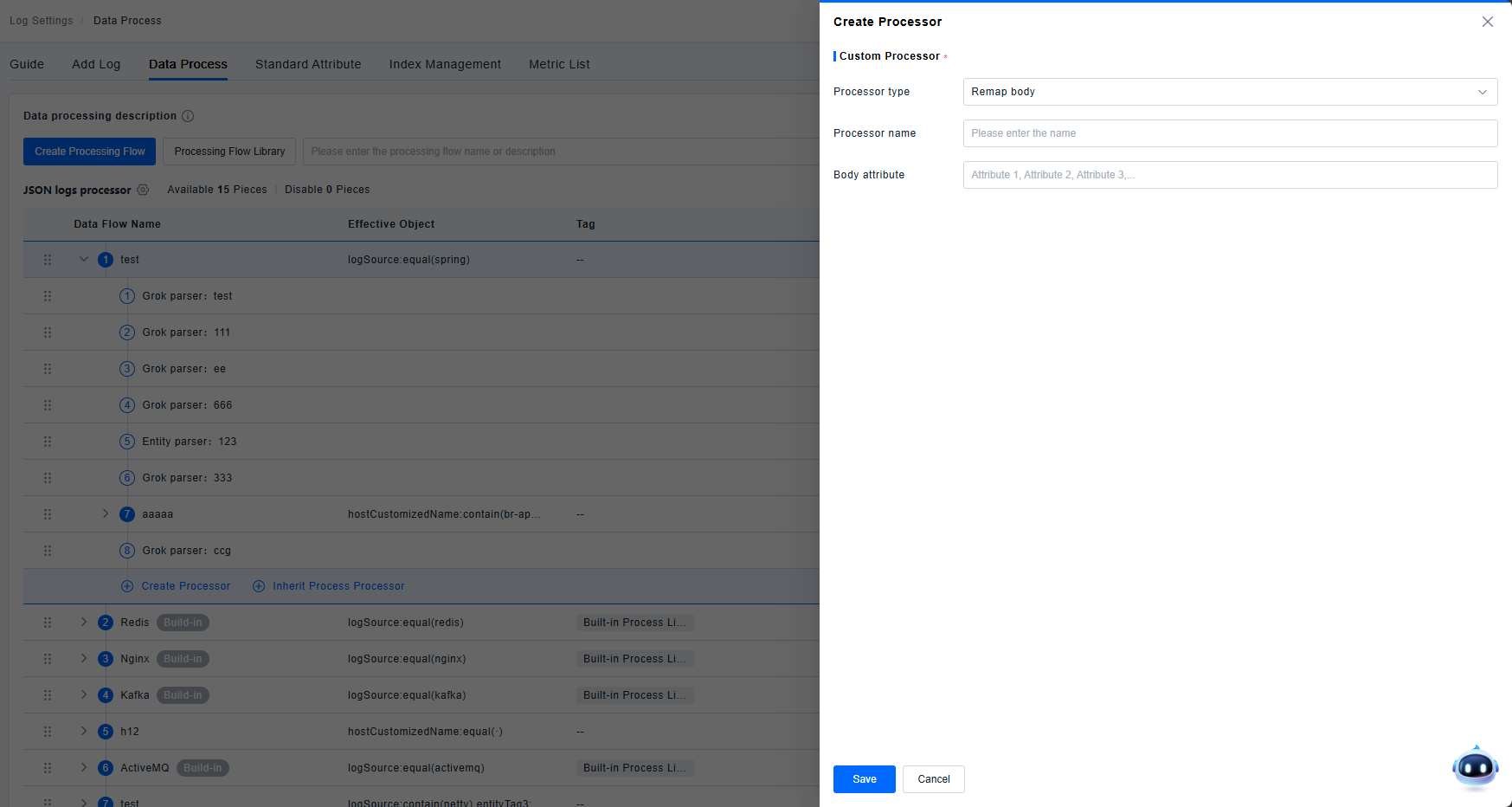
Body Remapper
Maps a specified attribute to the Body field.
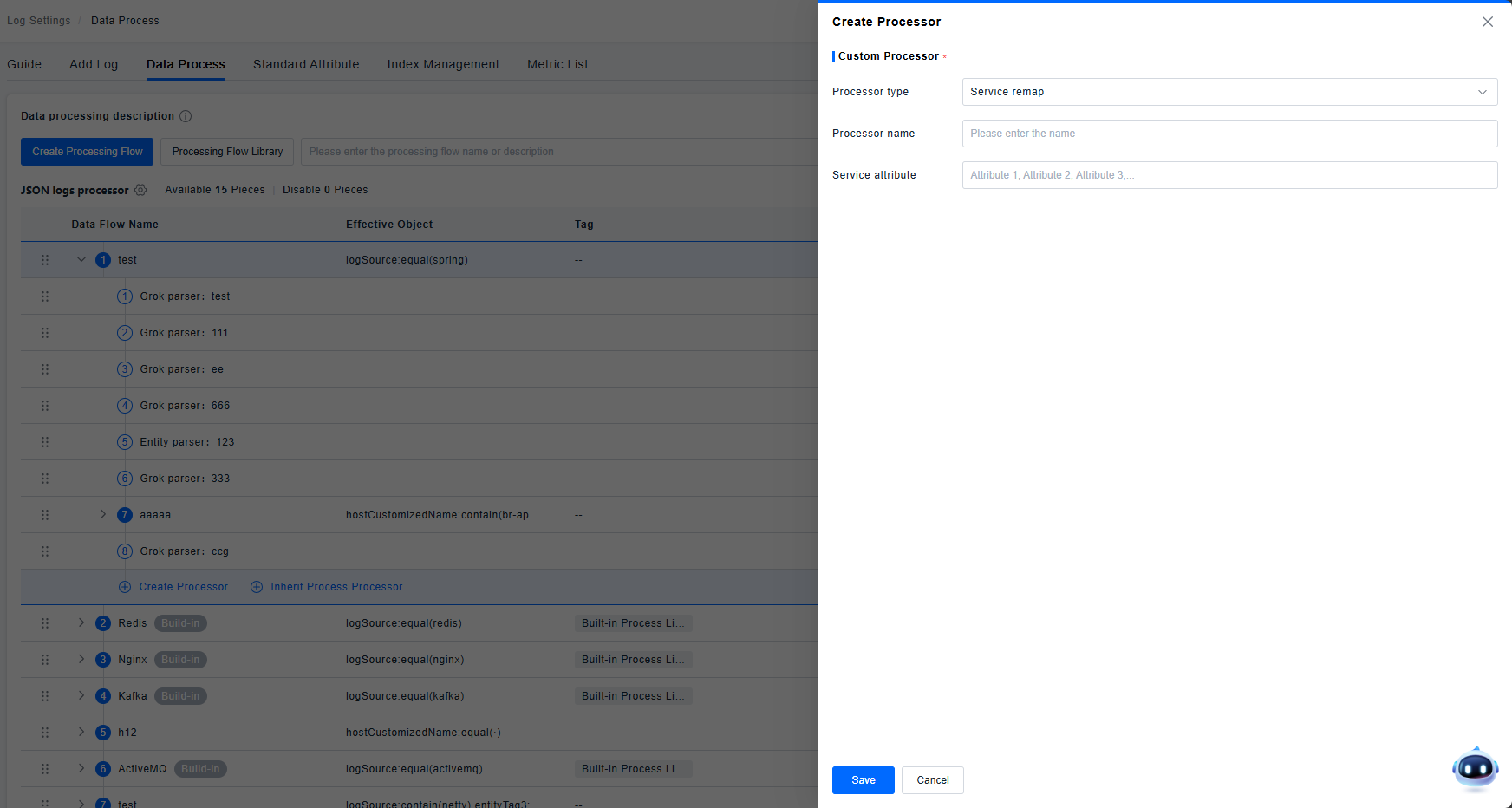
Service Remapper
Maps a specified attribute to the Service field.
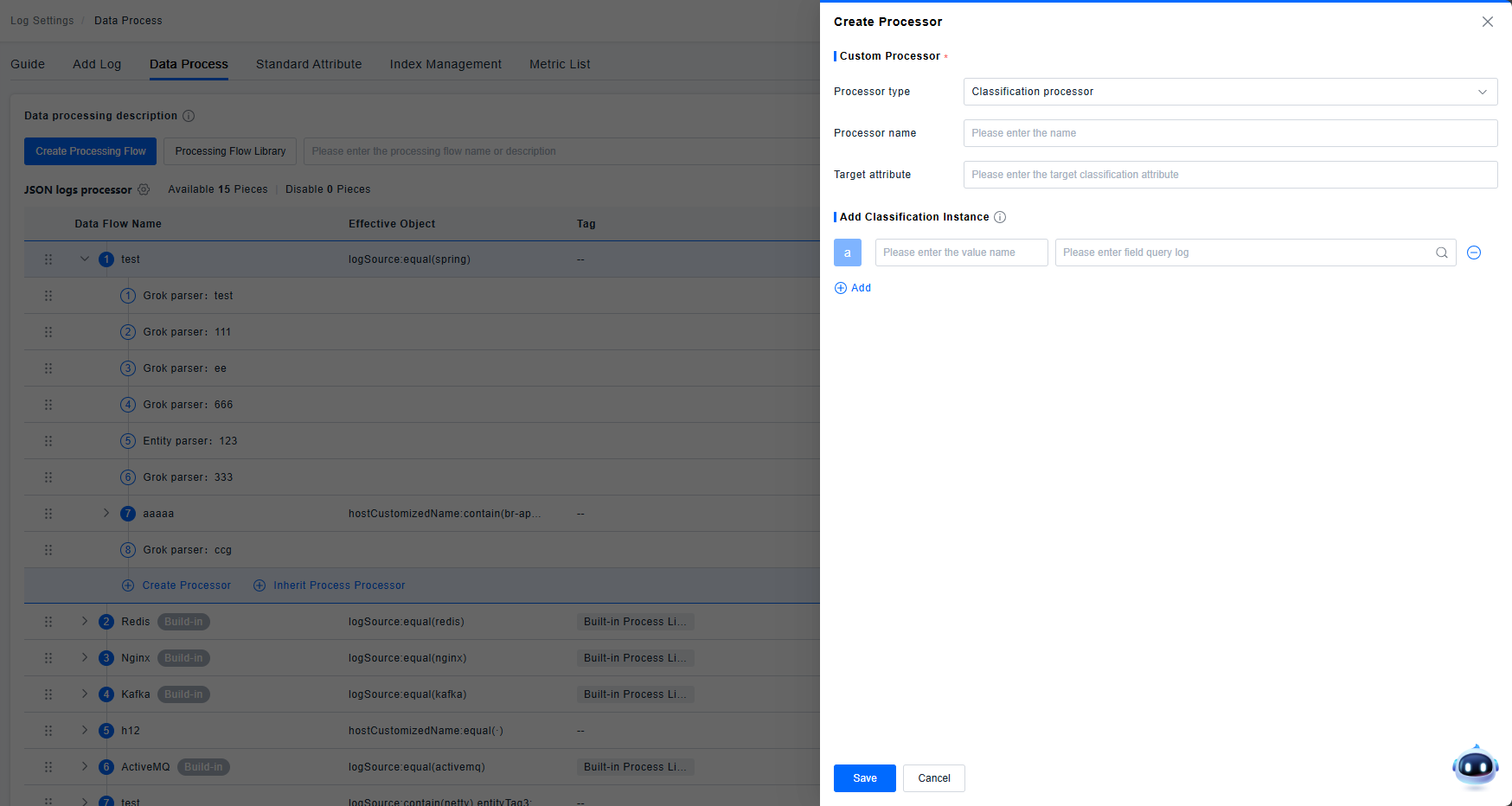
Category Processor
Supports filtering log attributes to generate new categories. Uses input query filters to match objects and maps qualifying logs to a set name. Up to 50 categories can be added. Supports adding, editing, and deleting category items. Clicking a value name reflects the input in the edit box; modifications are synchronized with the added instance.
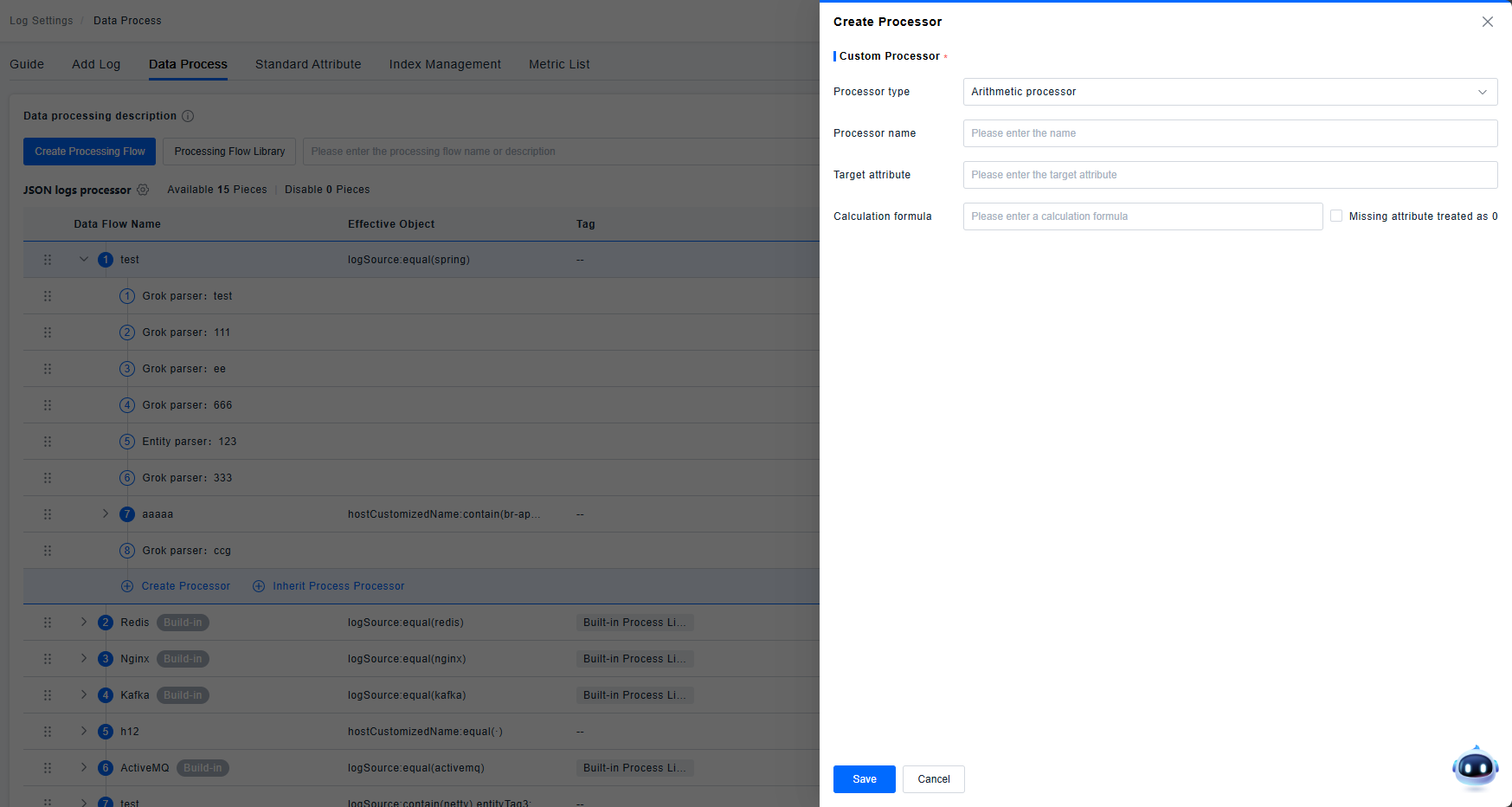
Arithmetic Processor
Supports calculations on attribute values. Allows computation using addition, subtraction, multiplication, and division, supporting calculations between one or more attributes. Supports configuring missing attributes to be treated as 0.
Supported operators: + - * / ( )
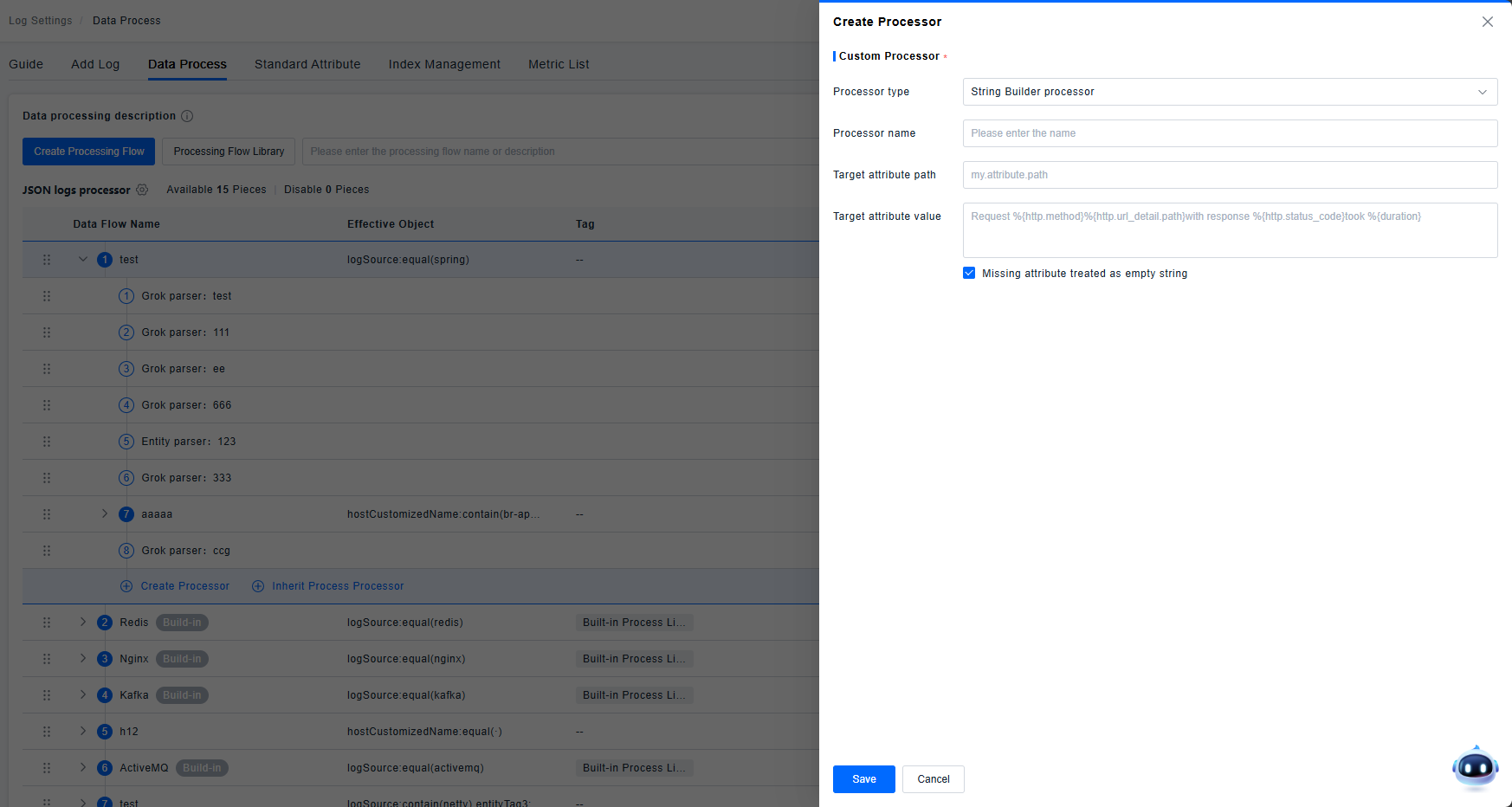
String Builder Processor
Supports combining multiple attributes into a new single attribute. Supports configuring missing attributes to be treated as empty strings.
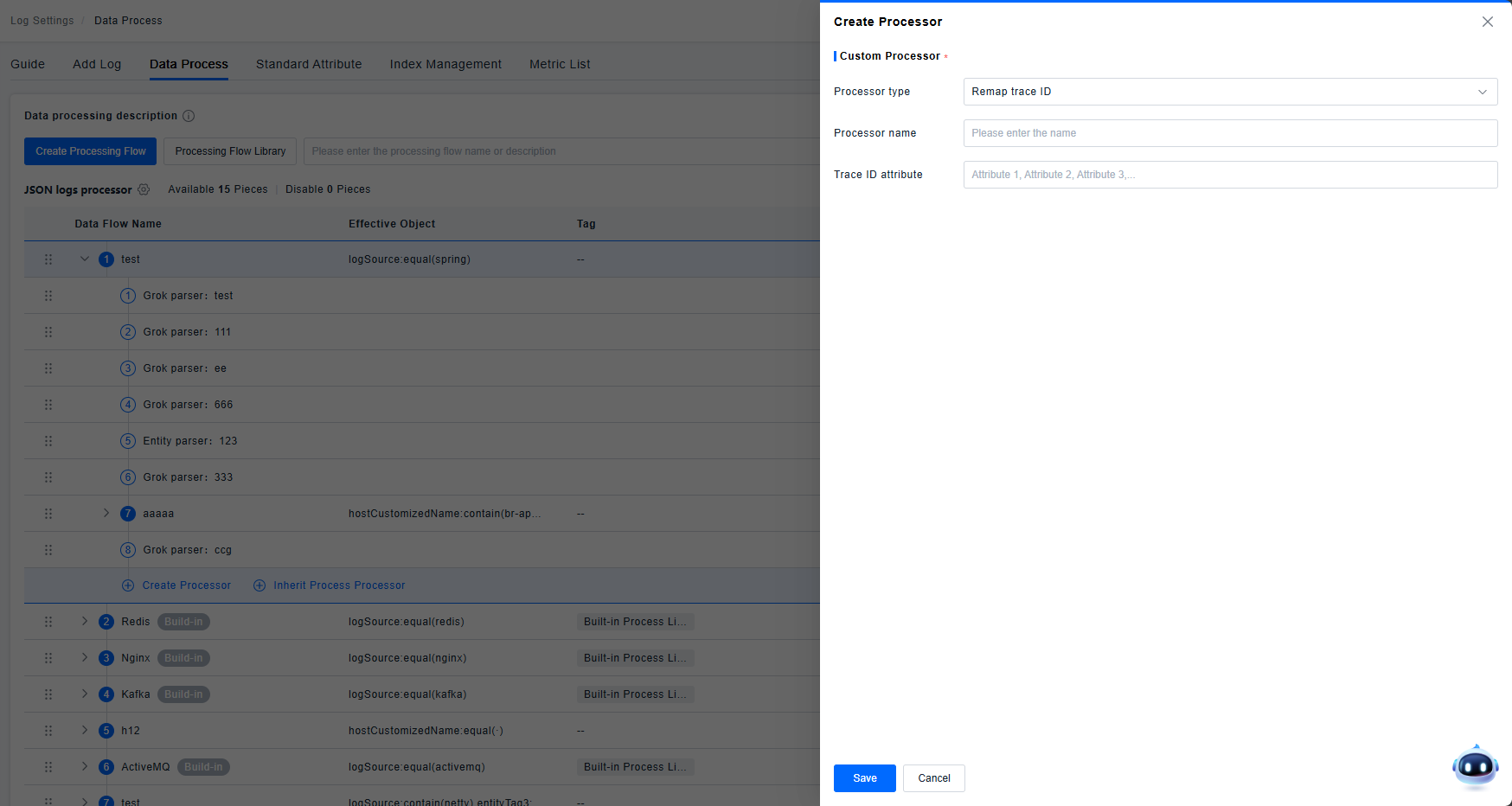
Trace Id Remapper
Maps a specified attribute to the Trace ID field.
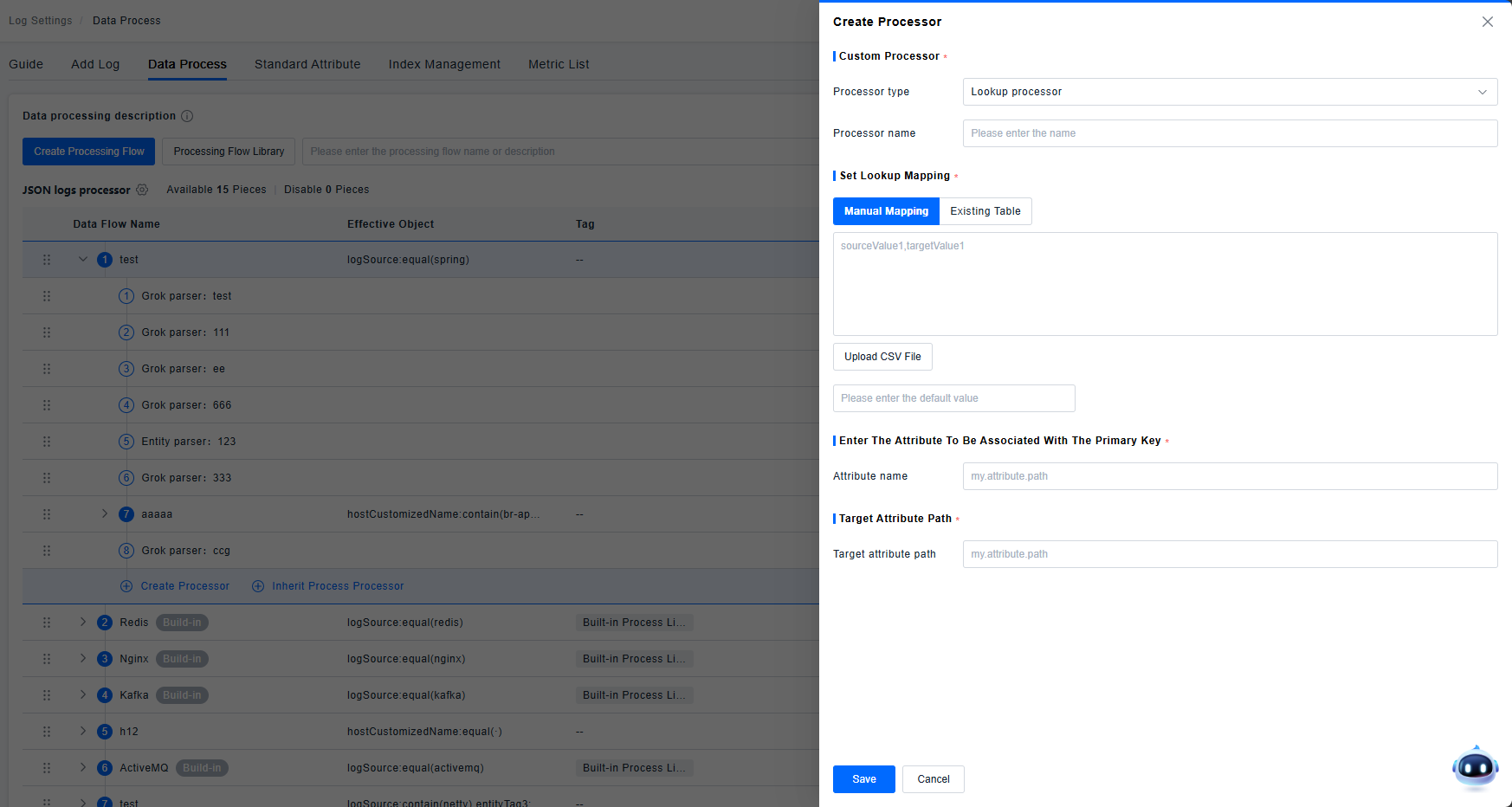
Lookup Processor
Supports enriching log data by associating it with external data.
Supports two methods: manual mapping and table mapping (CSV format supported for tables).
Associates data based on matching primary key values. Supports configuring a Fallback Value: this value is displayed if no matching field value is found.