Key Methods Collection Configuration
Key Methods are user-defined Java methods created for monitoring and performance analysis. Each Key Method rule can include one or more methods. Users configure these methods to specify the method calls that require focused attention. The platform supports such configurations for Java methods, helping users identify performance bottlenecks and optimization opportunities.
Adding a Key Method
Navigate to Deployment Configurations > Rule Configurations > Data Collection > Key Methods and click the Create button to create a Key Method.
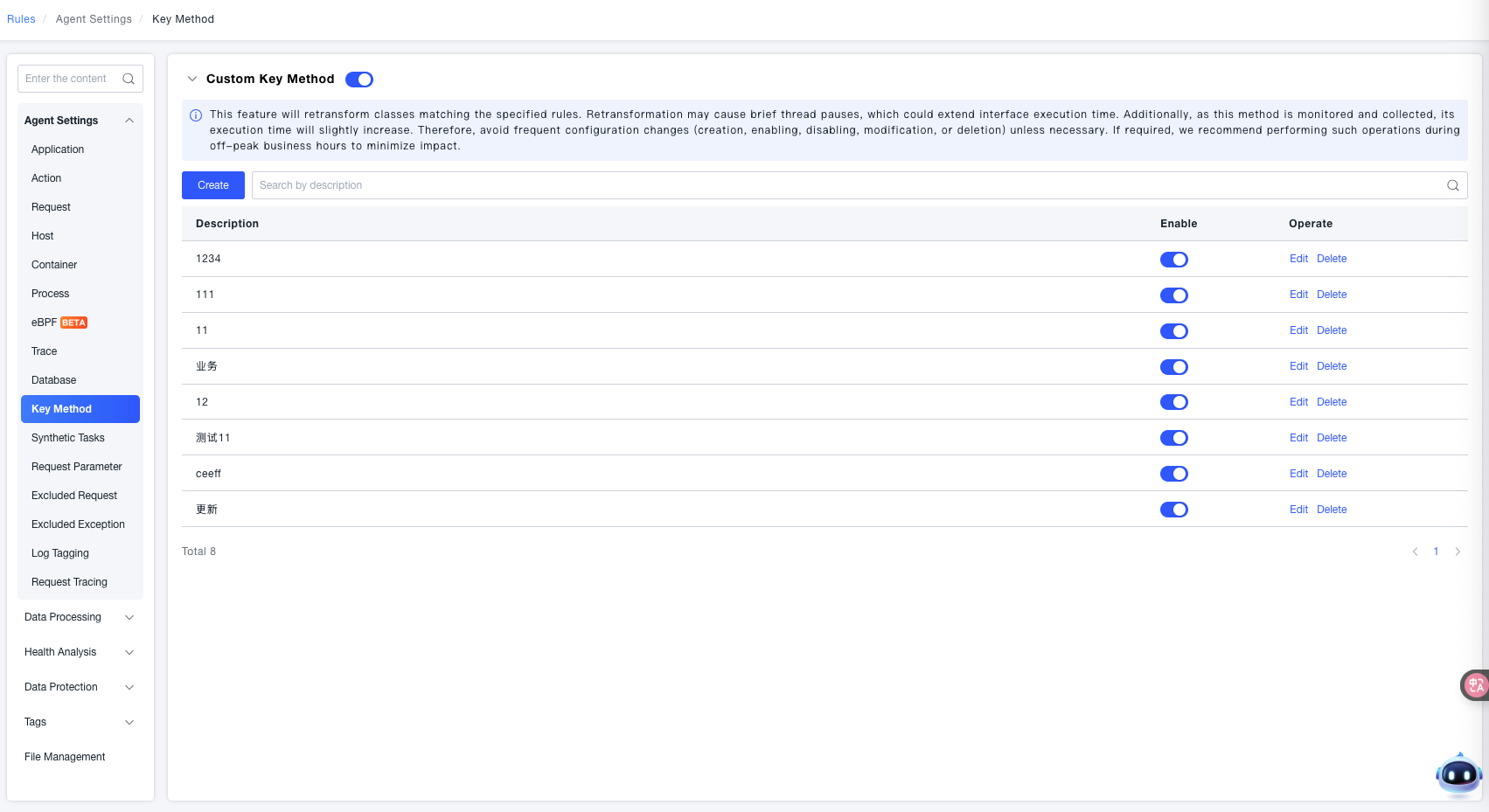
After entering the creation page, configure the Key Method.
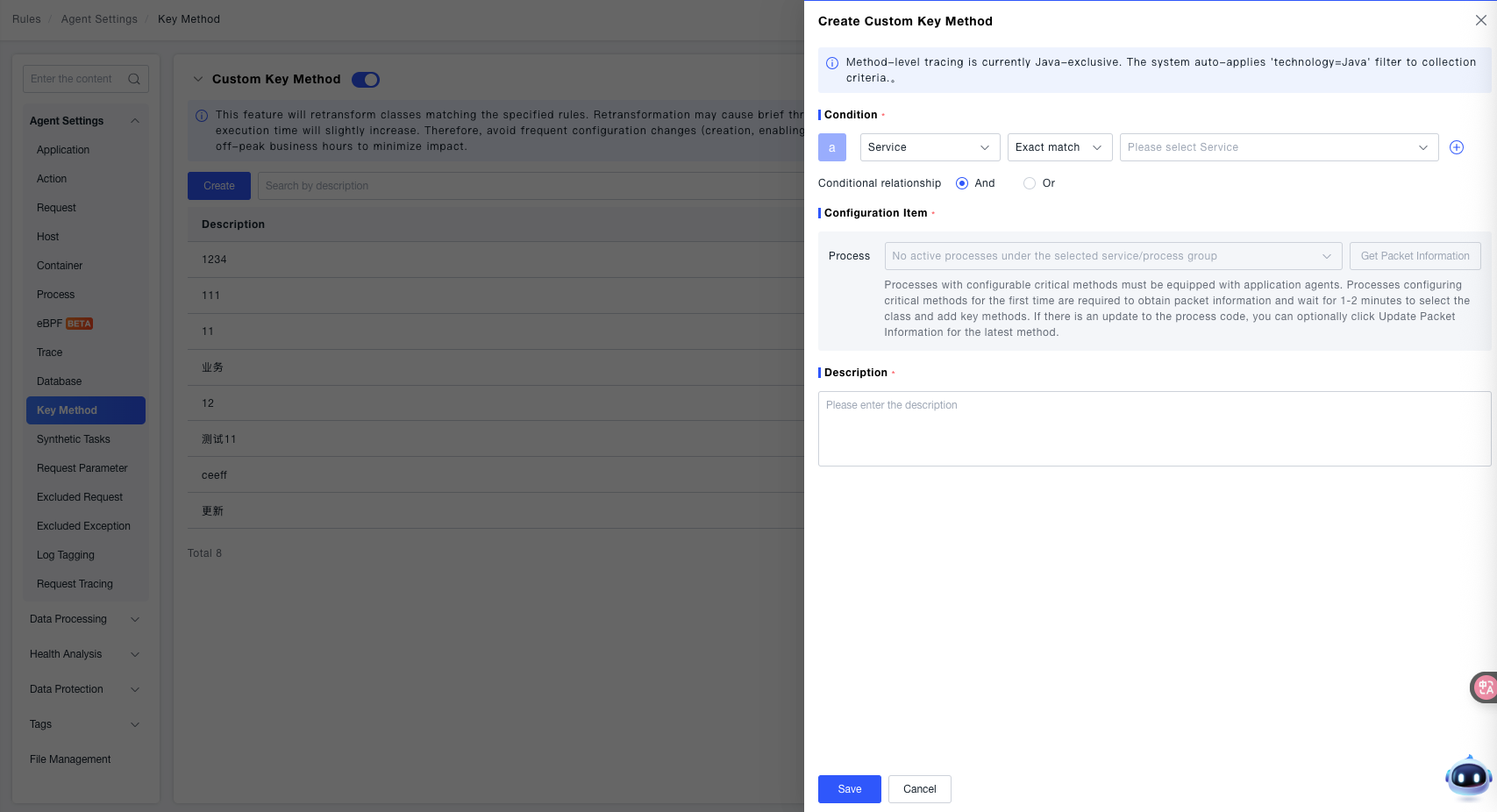
-
Condition: In the condition, you can specify the target for collecting Key Methods, including Services, Service Tags, Process Groups, and Process Group Tags.
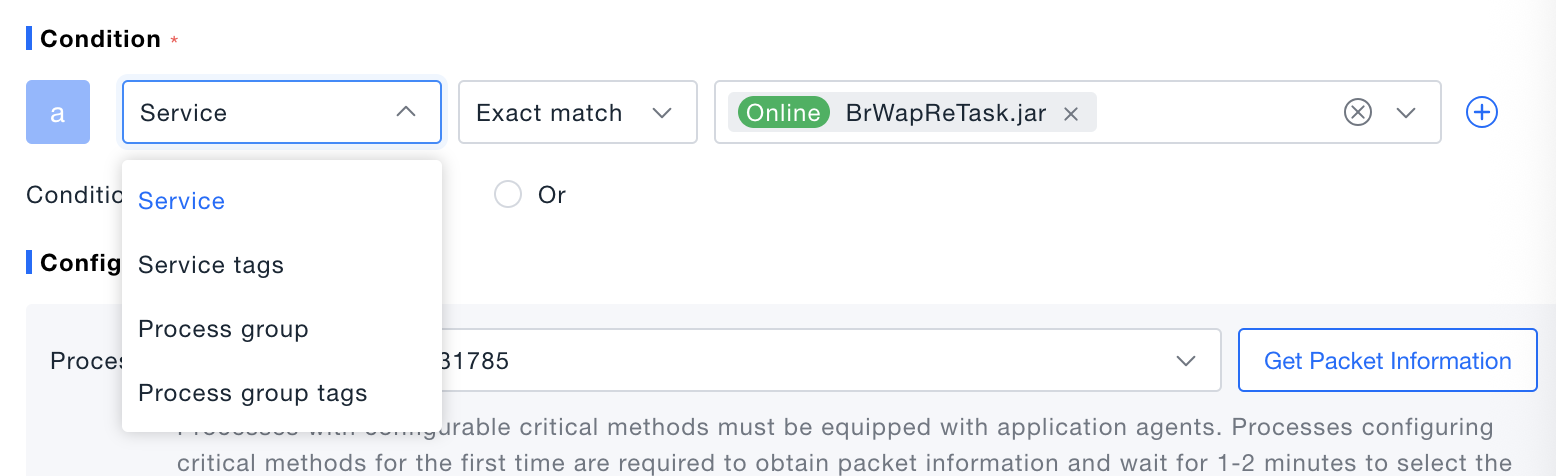
-
Configuration Item: You can specify a process from which to collect Key Methods. For a process being configured for Key Methods for the first time, you need to fetch the package information. Wait for 1-2 minutes, and then you can select a class and add Key Methods. If the process code is updated, you can click the 'Refetch Package Info' button to get the latest methods.
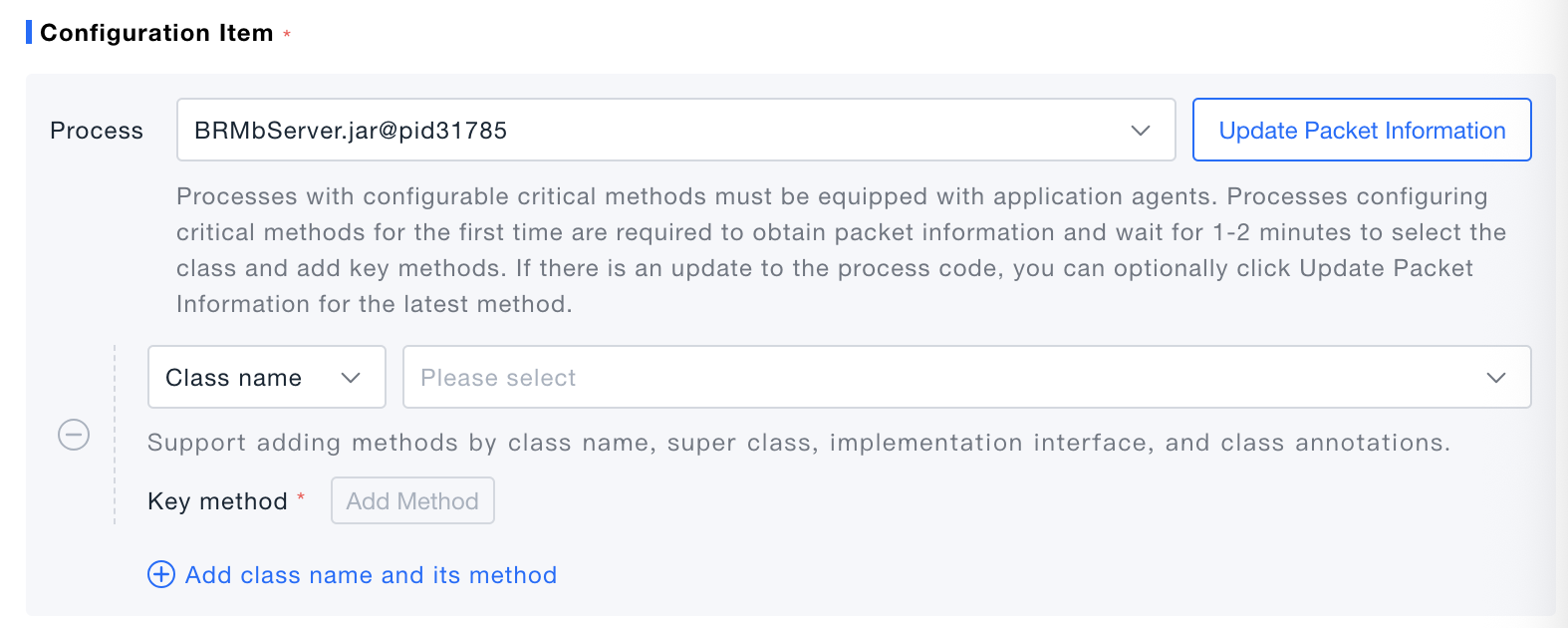
-
Description: Select a class (or parent class, class annotation, implemented interface) under this process to view its corresponding methods. Then, you can select one or more methods as Key Methods. Each method is displayed with its name and signature.
