Excluded Request
The Server-Side Request Deny List feature allows you to filter out requests that do not need to be processed by configuring specific conditions. When a request matches the conditions set in the deny list, the system will not process it.
Matching server-side requests and business transactions will not be monitored. Related metrics and errors will be filtered, and associated traces will not be collected.
How to Configure the Server Request Deny List
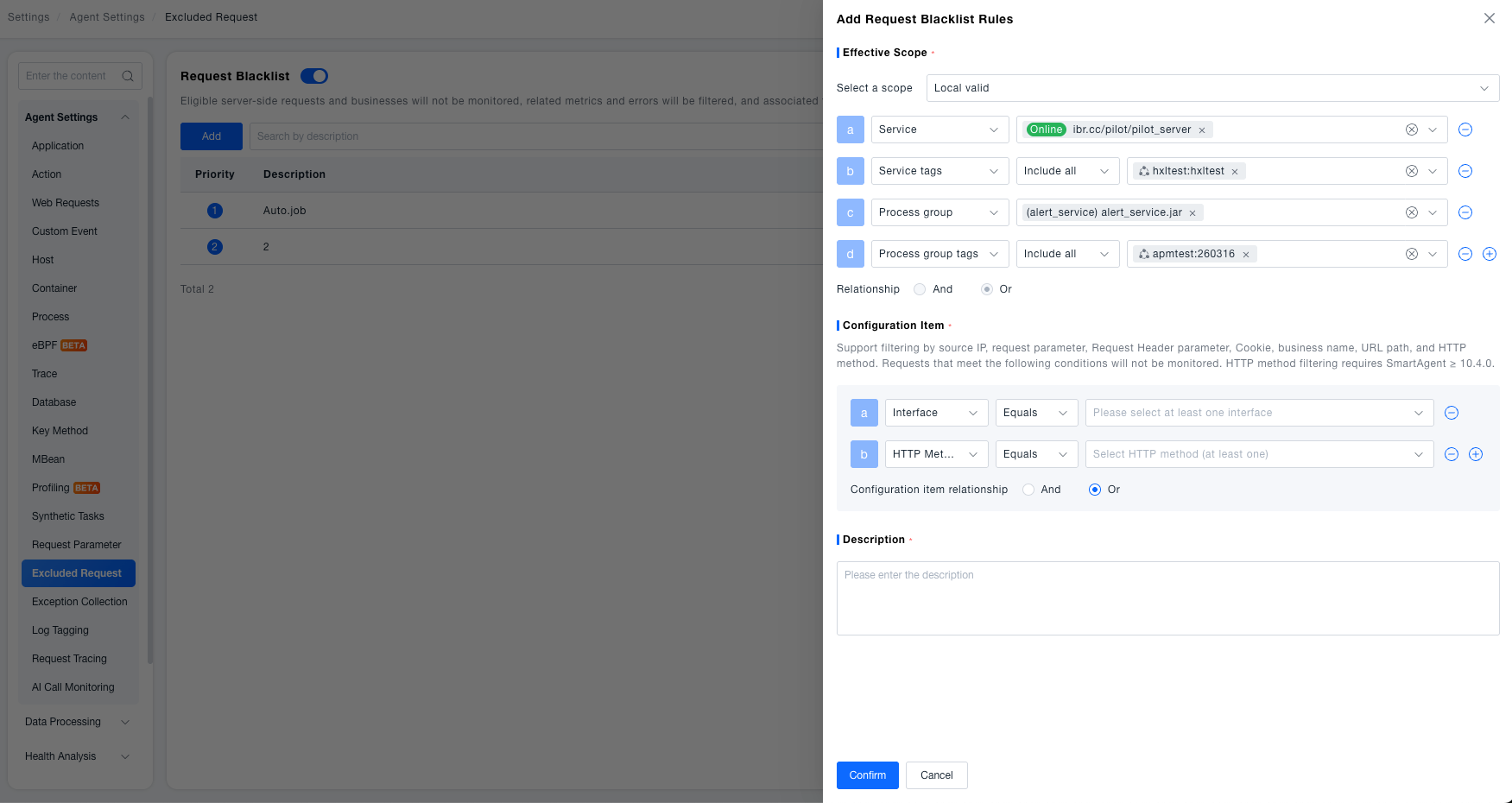
Navigate to Deployment Configuration > Rule Configuration > Data Collection > Server-Side Request Deny List .

Click the Add button to access the configuration page.
-
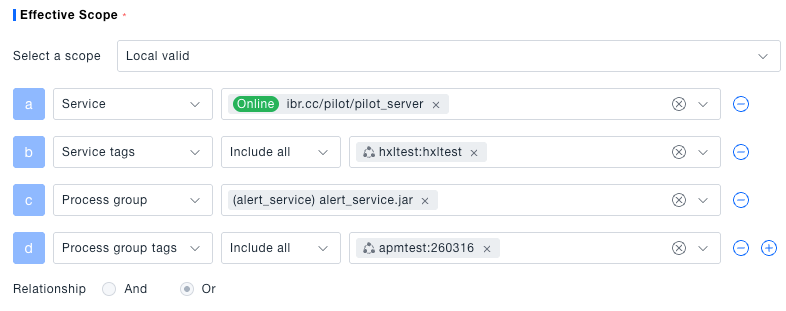
Effective Scope : Supports Global or Local. For Global, the rule applies to all supported objects and you do not need to select services. For Local, you can define the data scope by Service, Service Tags, Process Group, and Process Group Tags. Multiple scope conditions always use an OR relationship.

-
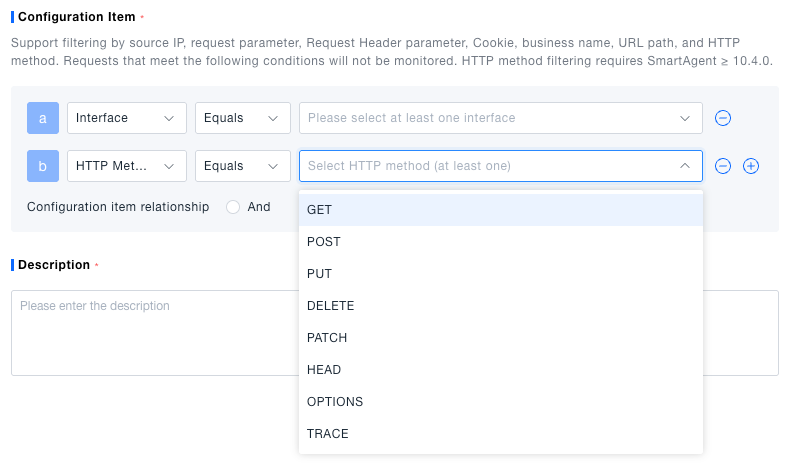
Configuration Item : Supports filtering by Source IP, Request Parameters, Request Header Parameters, Cookie, Business Name, URL Path, and HTTP Method. Requests meeting the following conditions will not be monitored. HTTP Method supports Equals / Does Not Equal, and the available values are GET, POST, PUT, DELETE, PATCH, HEAD, OPTIONS, and TRACE. To filter multiple methods, add one HTTP Method condition for each method and set the configuration-item relationship to OR.
 tip
HTTP method filtering requires SmartAgent ≥ 10.4.0. Earlier agents can receive the rule but do not execute the HTTP Method condition. Other conditions in the rule continue to use their existing behavior.
-
Description : Explain the content of the configuration item via the description.

After the rule takes effect, you can view the HTTP Method column in Observability Insights > Search Center > Traces to verify whether requests such as OPTIONS and HEAD are still collected. Non-HTTP requests do not contain an HTTP Method field and cannot match this condition.