Request Tracing
Request Tracing enables complete tracking of third-party integrated calls and full-link call information by correlating traces between frontend and backend applications and integrating with Bonree APM's collected traces.
Only supports correlation with trace data compliant with the OpenTelemetry protocol. Therefore, you need to convert your trace data to the OpenTelemetry protocol before ingesting it.
How to Configure Request Tracing
Frontend Application Configuration
-
Navigate to Deployment Configuration > Rule Configuration > Data Collection > Request Tracing > Frontend Applications.
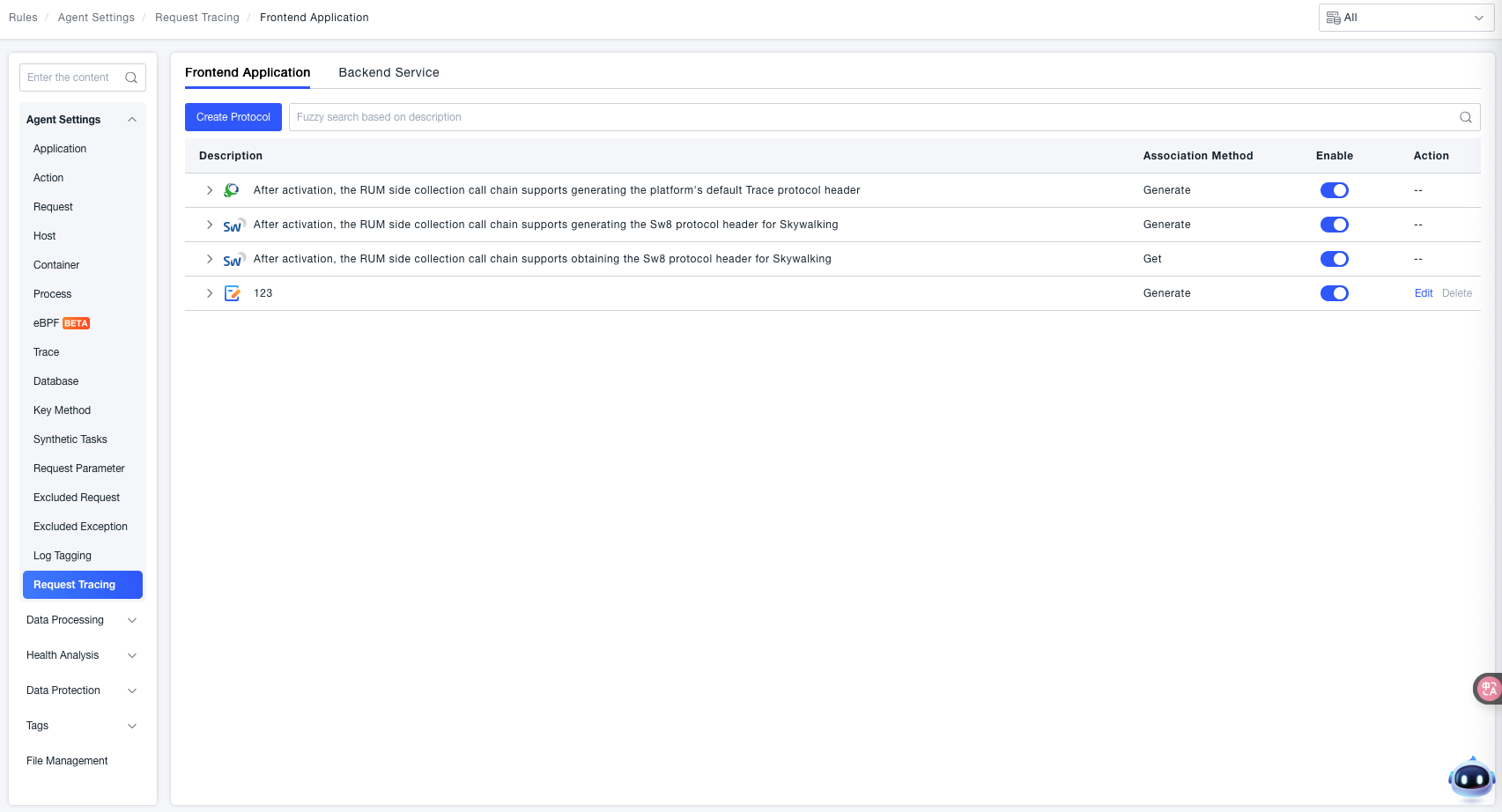 Select the third-party platform you need to correlate with. When enabled, the corresponding TraceID information for the third-party platform will be injected into the trace.
- Bonree: Whether to insert Bonree's request header information into the trace.
Format: version "-" trace-id "-" parent-id "-" trace-flags
version = 2HEXDIGLC ; this document assumes version 00. Version ff is forbidden
trace-id = 32HEXDIGLC ; 16 bytes array identifier. All zeroes forbidden
parent-id = 16HEXDIGLC ; 8 bytes array identifier. All zeroes forbidden
trace-flags = 2HEXDIGLC ; 8 bit flags. Currently, only one bit is used. - SkyWalking - Generate Sw8 Header: Whether to insert the Sw8 protocol header information into the trace.
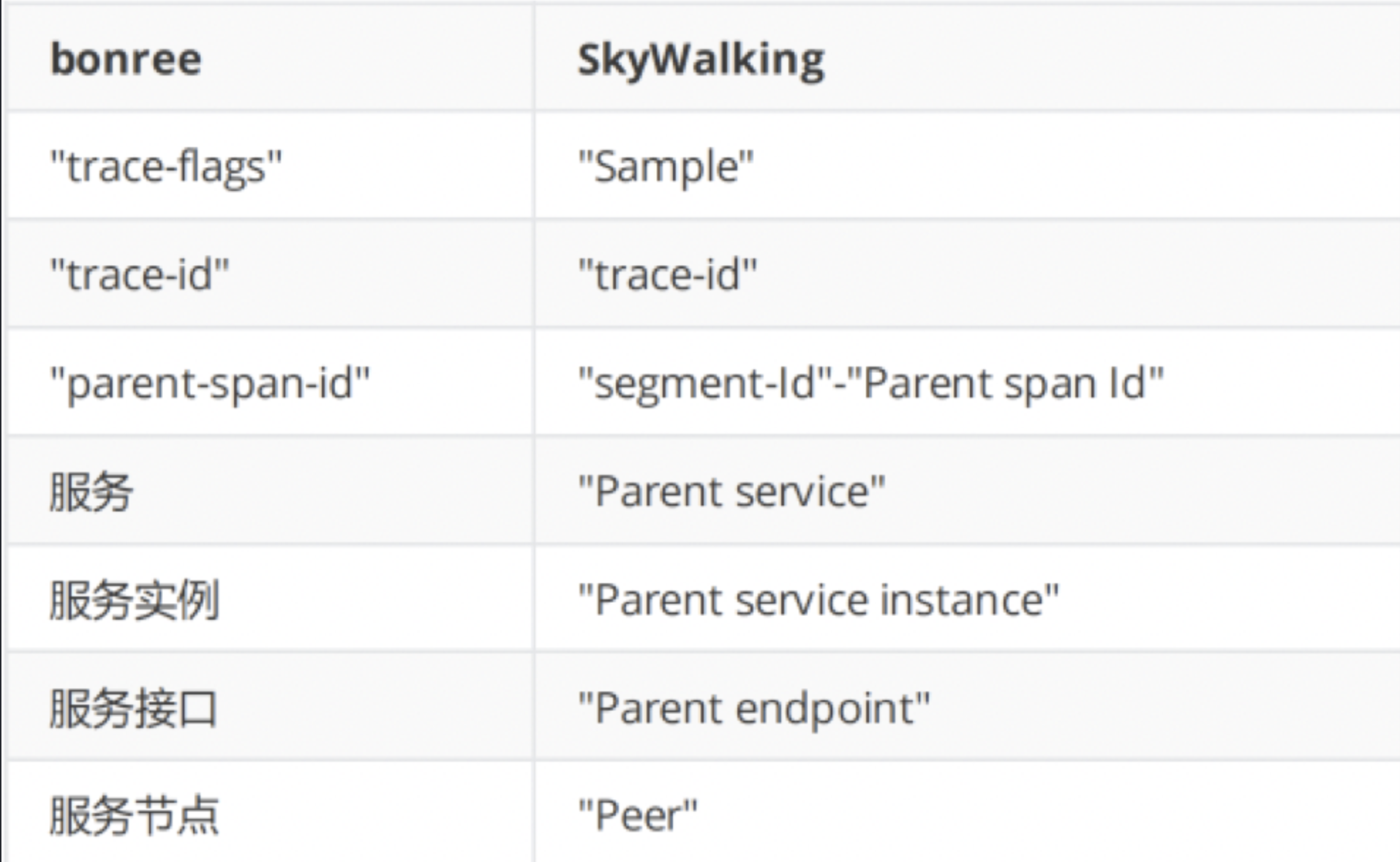
Format: "Sample"-"trace-id"-"segment-Id"-"Parent span Id"-"Parent service"-"Parent service instance"-"Parent endpoint"-"Peer" - SkyWalking - Obtain Sw8 Header: When SkyWalking trace information is passed to Bonree, supports obtaining the Sw8 header information for mapping.
- Bonree: Whether to insert Bonree's request header information into the trace.
-
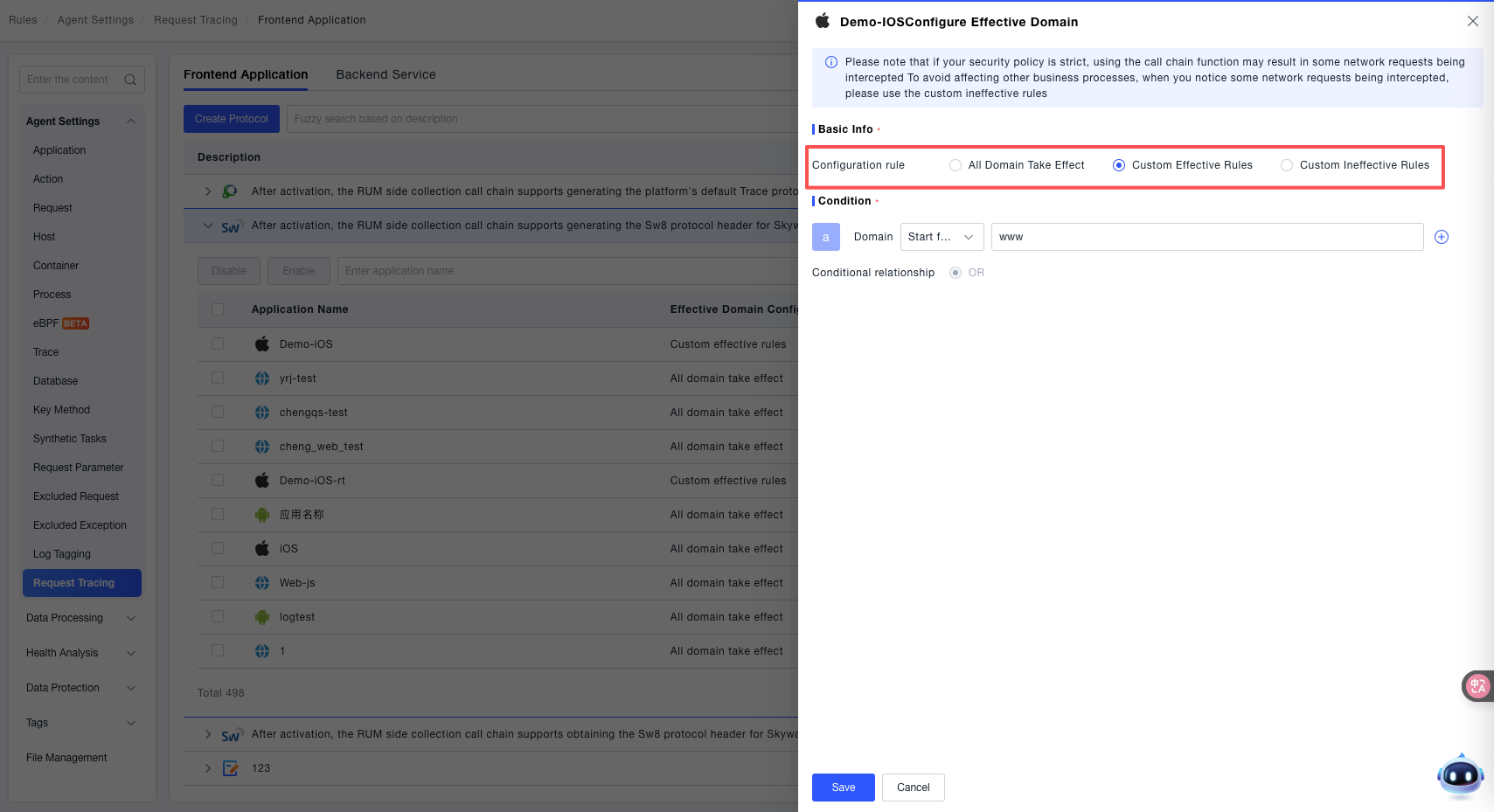
If you want the configuration to apply only to all or specific domains, the platform provides configuration rules. After clicking Enable, it applies to all your application domains by default. If your scenario requires, or for security reasons, you need to control it to apply only to specific domains or exclude specific domains, click "Expand Applications" to configure specific applications and domains.
-
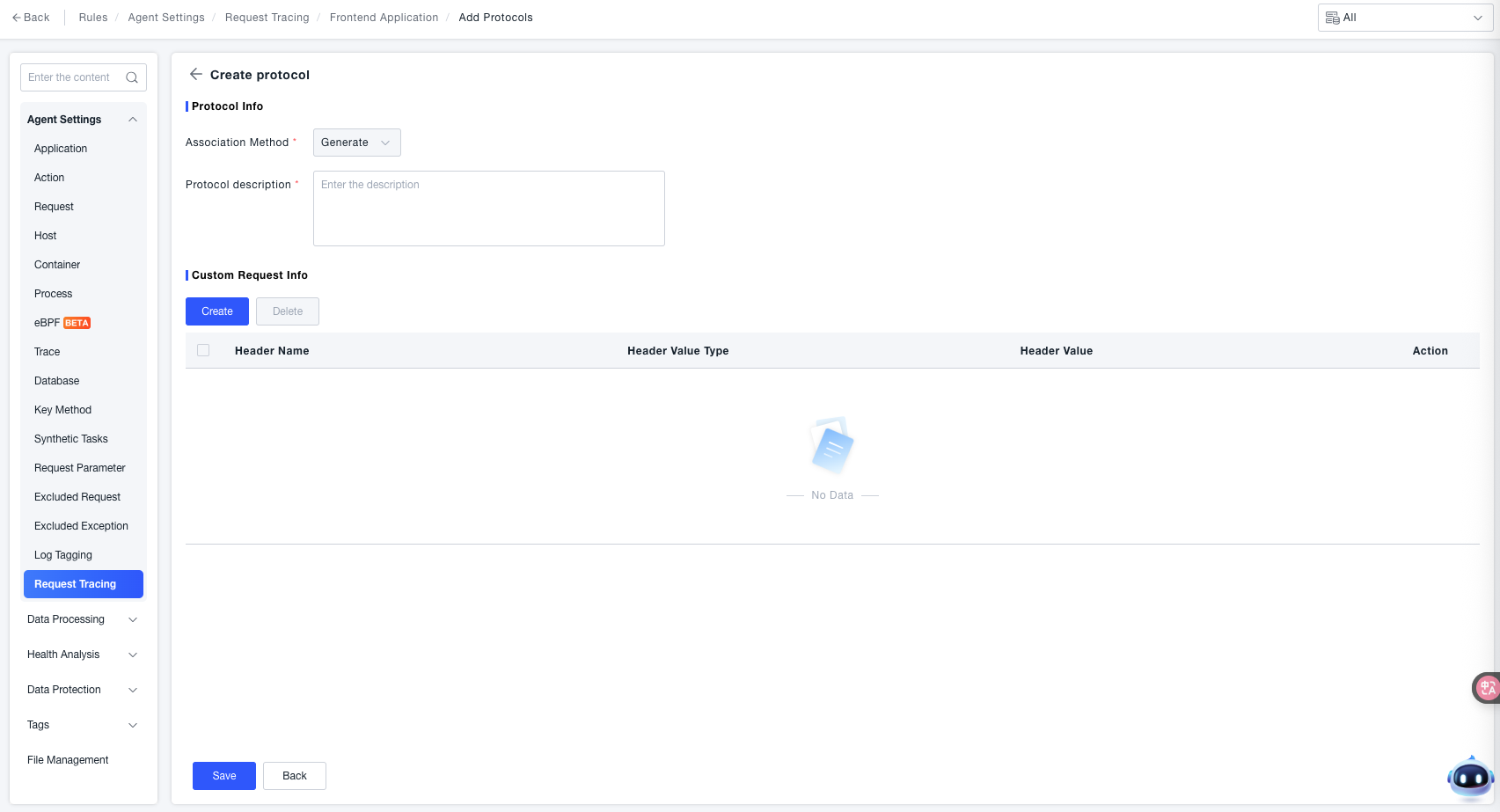
If the standard protocols cannot meet your scenario needs, meaning you are using a protocol that has been custom-developed or is fully customized, you can create a custom protocol scheme to address your scenario. Click "Create Protocol" to enter the creation page. Currently, only creating custom protocols with the association method set to "Generate" (i.e., inserting request header information) is supported, with a maximum of 10 headers. After creation, the corresponding request header information will be automatically inserted into your trace.
tipCustom request header information supports fixed values and randomly generated 16-bit or 32-bit UUIDs.
Backend Service Configuration
- Navigate to Deployment Configuration > Rule Configuration > Data Collection > Request Tracing > Backend Services.
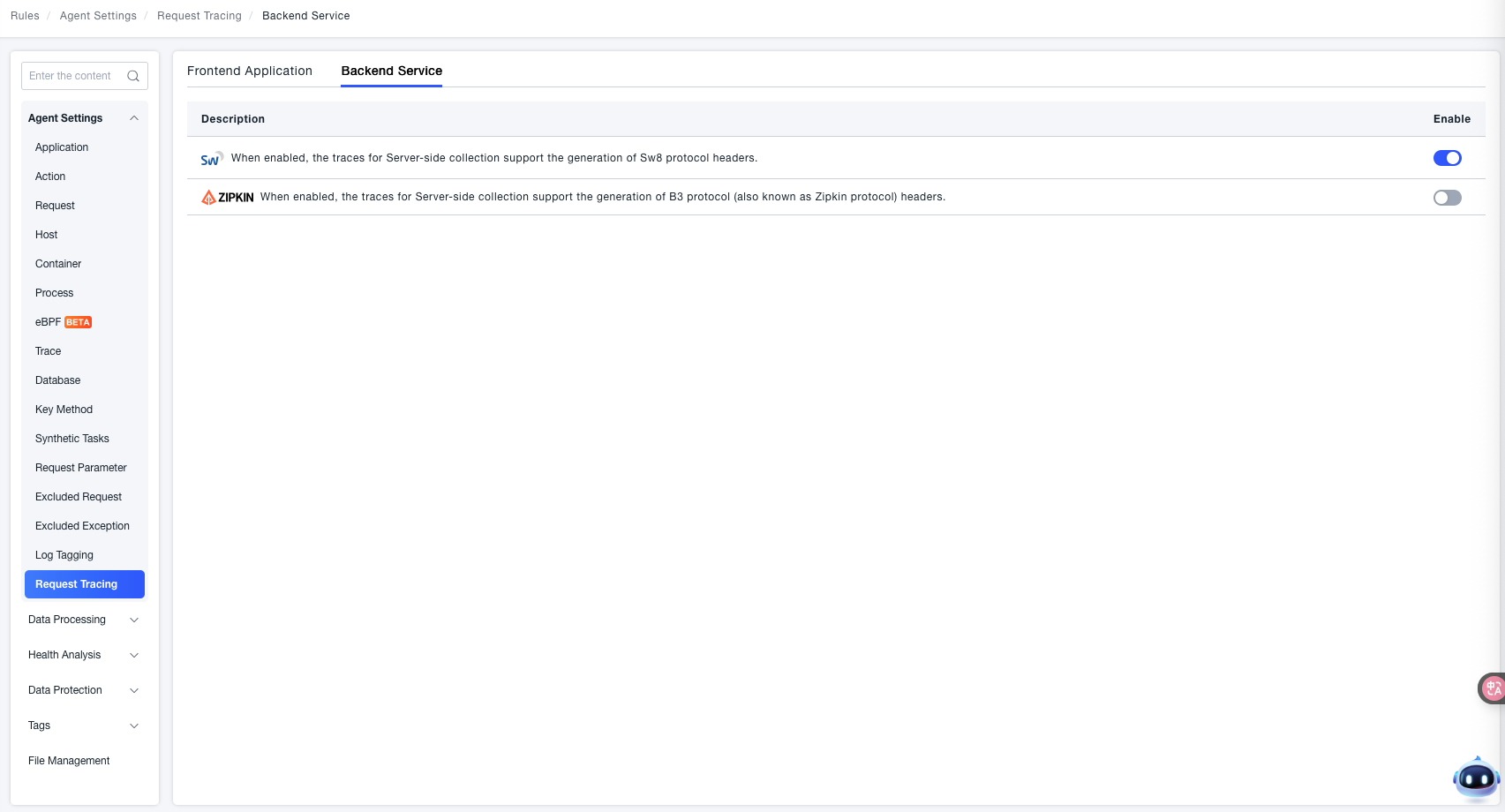 Select the third-party platform you need to correlate with. When enabled, the corresponding TraceID information for the third-party platform will be injected into the trace.
- Bonree: Whether to insert Bonree's request header information into the trace.
Format: version "-" trace-id "-" parent-id "-" trace-flags
version = 2HEXDIGLC ; this document assumes version 00. Version ff is forbidden
trace-id = 32HEXDIGLC ; 16 bytes array identifier. All zeroes forbidden
parent-id = 16HEXDIGLC ; 8 bytes array identifier. All zeroes forbidden
trace-flags = 2HEXDIGLC ; 8 bit flags. Currently, only one bit is used. - SkyWalking - Generate Sw8 Header: Whether to insert the Sw8 protocol header information into the trace.
Format: "Sample"-"trace-id"-"segment-Id"-"Parent span Id"-"Parent service"-"Parent service instance"-"Parent endpoint"-"Peer" - SkyWalking - Obtain Sw8 Header: When SkyWalking trace information is passed to Bonree, supports obtaining the Sw8 header information for mapping.
- Bonree: Whether to insert Bonree's request header information into the trace.
Verification Method
For both pre-configured and custom schemes, after the feature configuration is complete, you need to contact Bonree sales personnel to configure the redirect address for your protocol. The configuration will take effect only after this step.
- In the ONE platform, go to Observability Insights > Search Center > Traces to view the corresponding trace information.
- Also supports jumping from the trace to the third-party platform.