Request Attribute Collection
Define request parameters to enrich monitored requests with metadata. You can view attribute key-value pairs in trace details and filter based on these attributes.
tip
This feature performs retransformation on classes matching the rules, which may briefly pause threads and consequently affect interface execution latency. Furthermore, these methods will be monitored and collected, slightly increasing their execution time. Therefore, avoid frequent configuration changes (create/enable/disable/edit/delete) unless necessary. If changes are required, it is recommended to perform configuration during off-peak business hours.
How to Configure Request Parameters
- Navigate to Deployment Configuration > Rule Configuration > Data Collection > Server-Side Request Parameters.
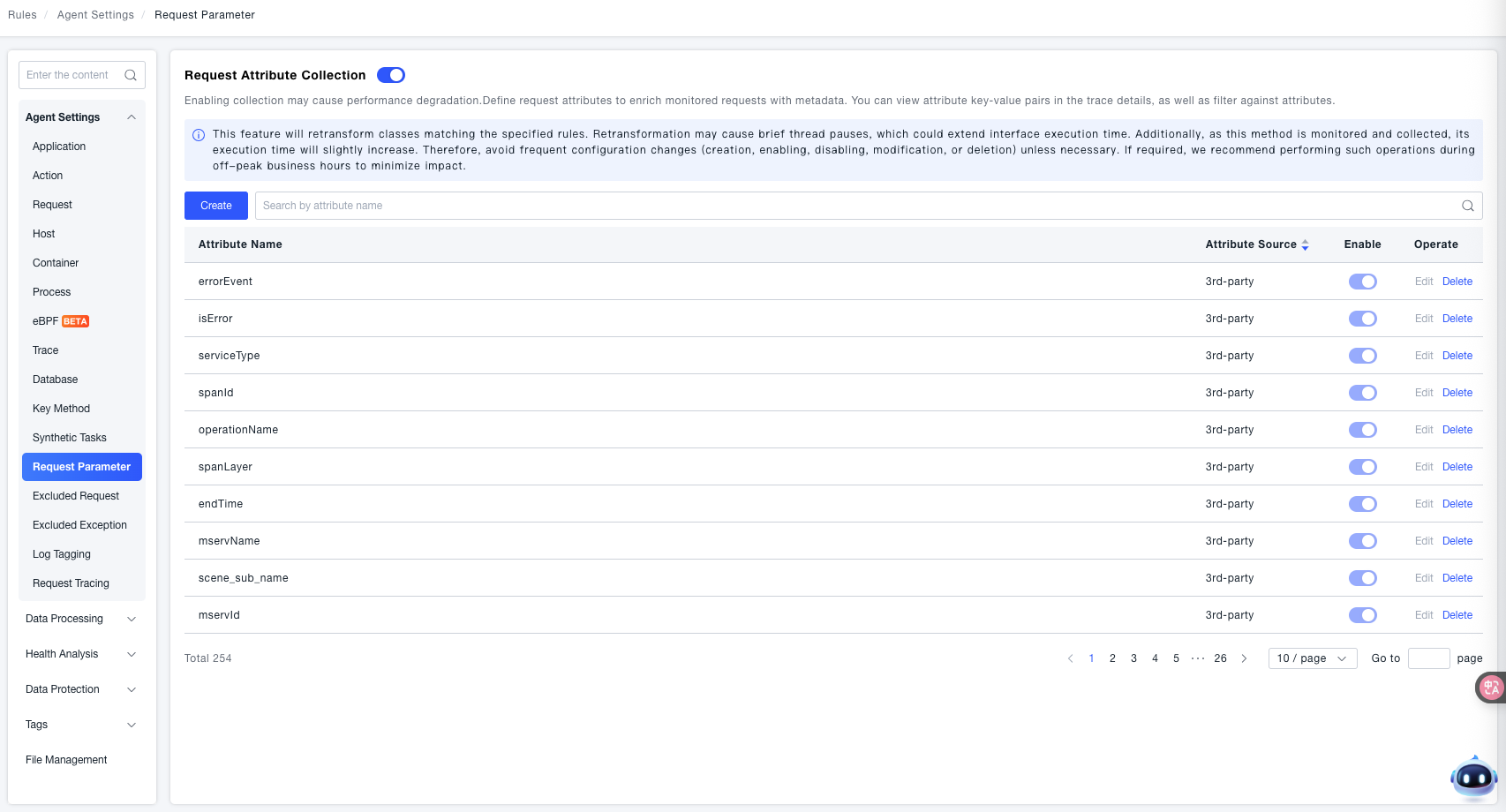
- Click Create to enter the creation page.
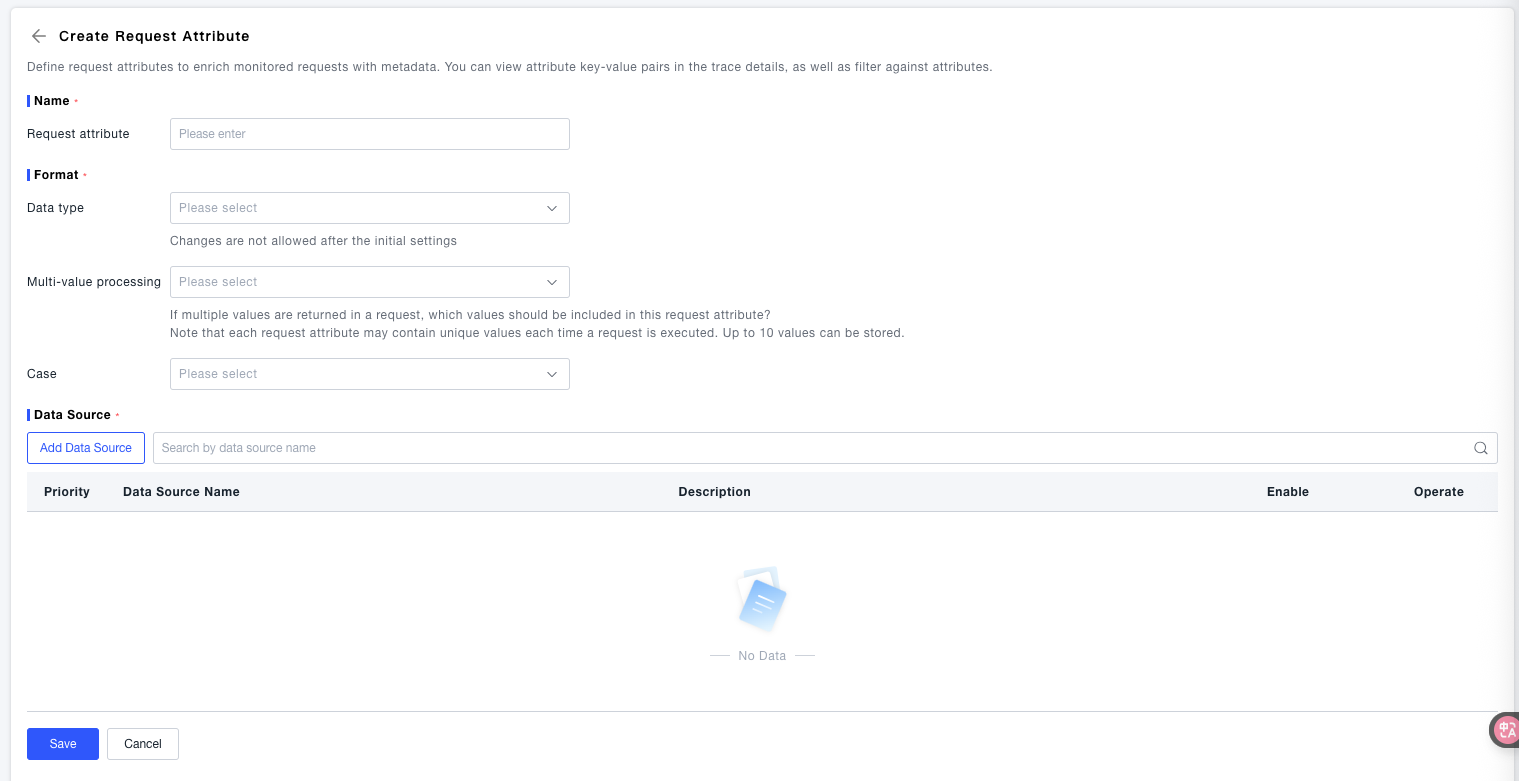
- Request Attribute: A unique name identifying the current request attribute, used for subsequent identification and management.
- Data Type: Specifies the data type of the request attribute. Cannot be modified after initial setup. Options are Text, Integer, and Float.
- Multi-value Handling: Specifies which values to retain for this attribute when a request returns multiple values (each attribute stores up to 10 values per request).
- Case Sensitivity: Sets the case handling rules for the attribute value.
- Click Add Data Source to open the configuration window.
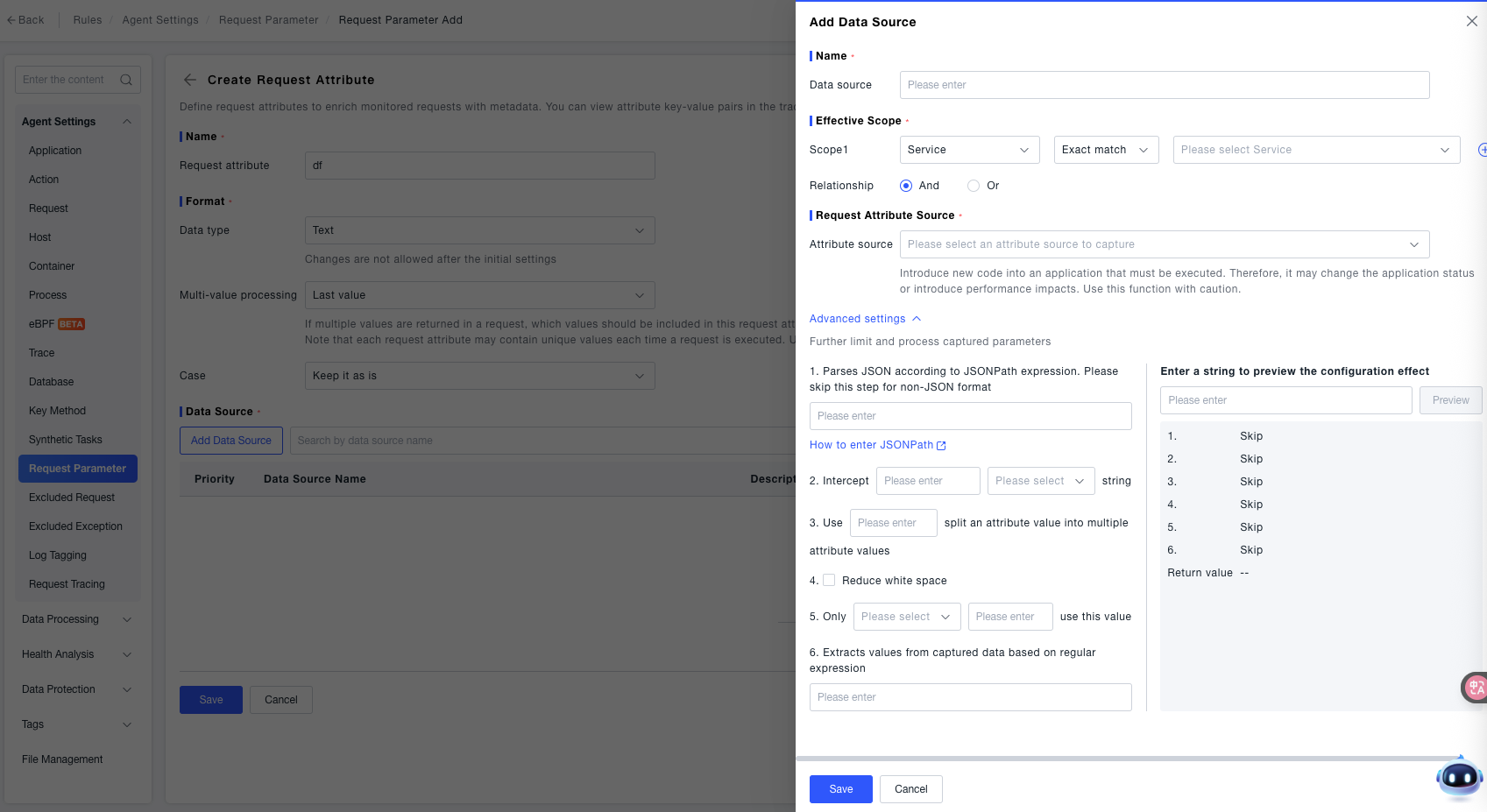
- Data Source Name: A unique name identifying the current request attribute, used for subsequent identification and management.
- Effective Scope: Specifies the service scope where this data source is effective.
- Attribute Source: Select the source from which to capture the attribute.
- Advanced Settings: Used to further restrict or process the captured parameters, including the following capabilities:
- JSONPath Parsing: If the data is in JSON format, parse it using a "JSONPath expression" (skip if not JSON format). After entering the expression, click "Preview" to view the parsing result.
- String Truncation: Configure the "Start Position" and "Truncation Rule" to extract a specified segment from the original data.
- Split Multi-value Attributes: Enter a "Separator" to split the attribute value into multiple values (e.g., splitting
"a,b,c"with,into["a","b","c"]). - Trim Whitespace: When checked, automatically removes extra whitespace characters (like spaces, line breaks) from the attribute value.
- Conditional Filtering: Use the return value only if the attribute value meets the "Condition" (e.g., "Equals", "Contains") and the "Target Value".
- Regex Extraction: Enter a regular expression to extract the target value from the captured raw data.
- Save: After configuration is complete, click the Save button to finish creating.