Excluded Exception
Filters exceptions based on class name and message content. During fault detection, exceptions matching the defined rules are ignored to prevent ineffective exceptions from interfering with fault analysis, allowing APM to focus on critical exception scenarios.
Entry Point
Navigate to Configuration → Settings → Exception Collection → Excluded Exception.
This page shares the Exception Collection module with Exception Field Extraction; switch via the top tabs. The list shows priority, description, and enable status, and supports search by description.
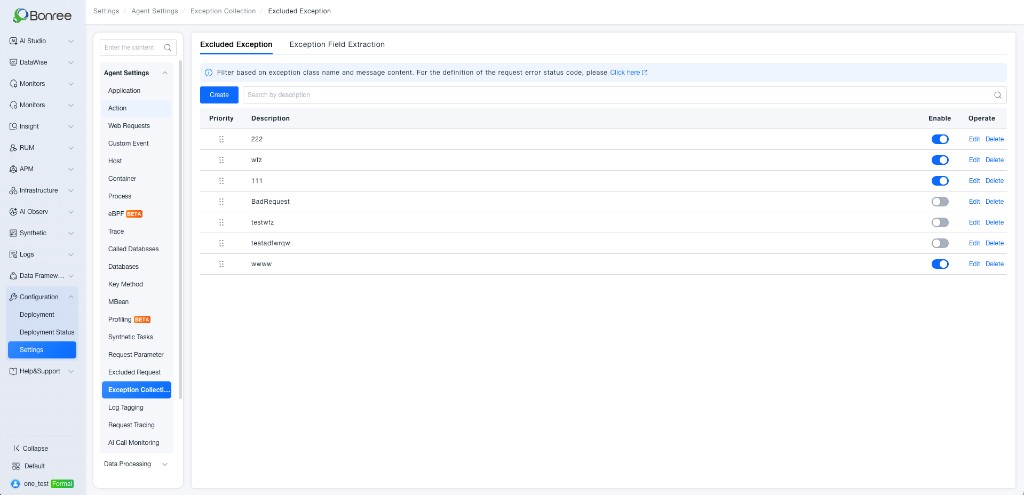
| Action | Description |
|---|---|
| Create | Add a deny list rule |
| Edit | Modify an existing rule |
| Delete | Remove a rule |
| Enable / Disable | Control whether the rule takes effect |
You can drag rules to adjust priority order.
How to Configure
Click Create to open the configuration drawer on the right.
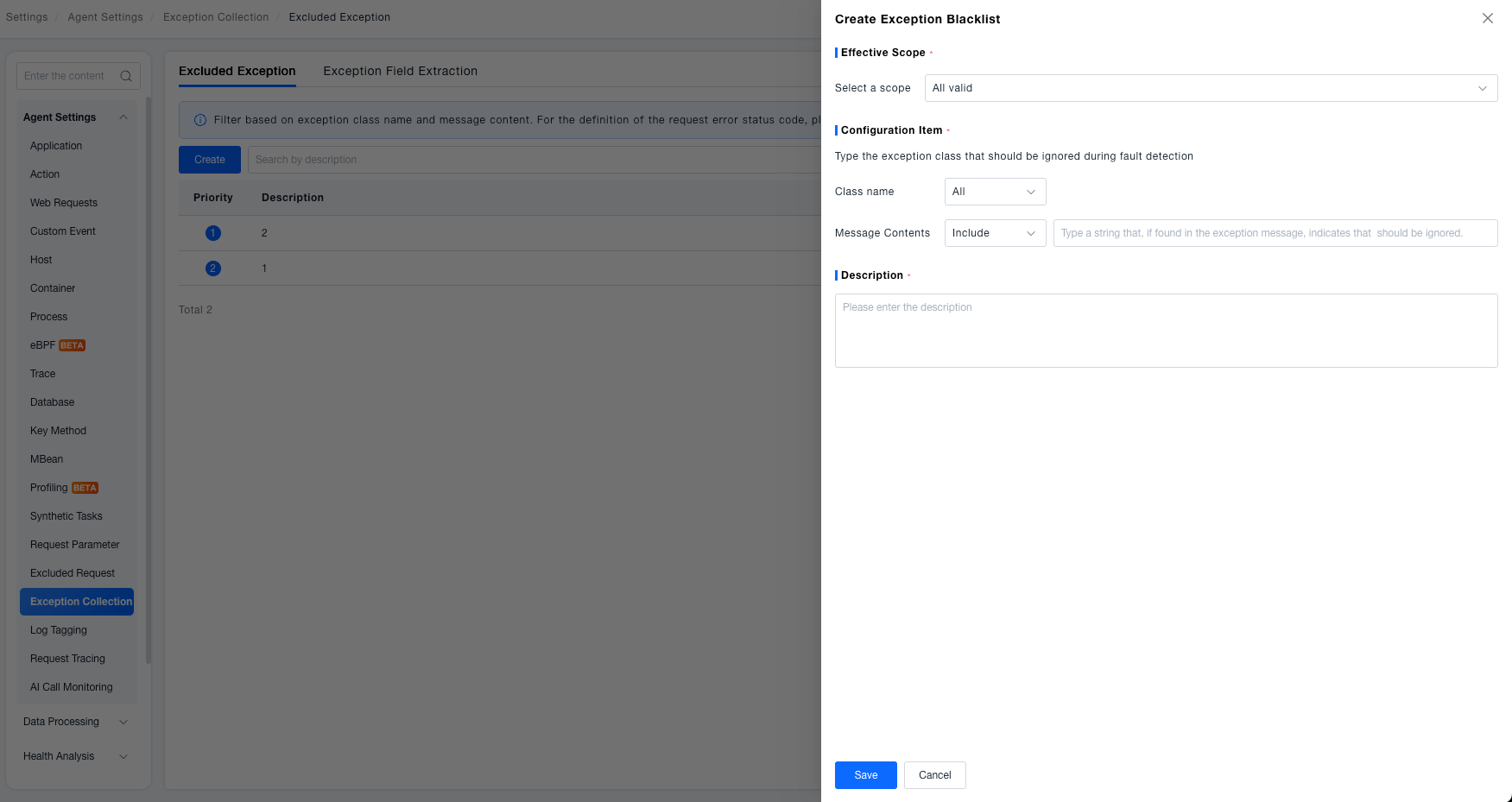
1. Effective Scope
Select Global to apply the rule to all supported objects without conditions. Select Local and choose at least one object from the following dimensions:
| Dimension | Description |
|---|---|
| Service | Select specific services |
| Service tags | Match by service tags |
| Process group | Select specific process groups |
| Process group tags | Match by process group tags |
When multiple condition rows are configured, combine them with And / Or.

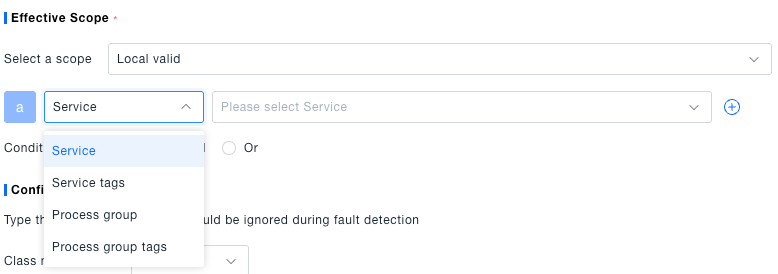
2. Configuration Item
Define the exception types to ignore during fault detection.
Class name
| Operator | Description |
|---|---|
| All | No class name filter; the class name input is hidden |
| Include / Exclude | Class name contains or does not contain the specified string |
| Equals / Not equal to | Exact match or non-match (including package path) |
| Start from / End at | Class name starts or ends with the specified string |
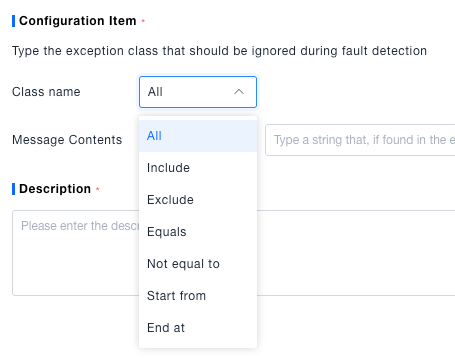
When an operator other than All is selected, enter the class name (including package path if needed, e.g. com.br.TraceController):
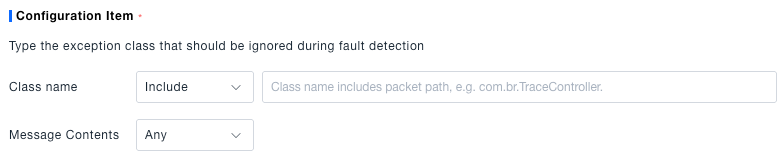
Message Contents
Further filter by message content after class name matching:
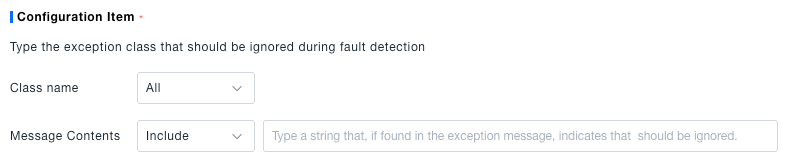
- When class name is All, message contents is fixed to Include, and a match string is required
- When class name is not All, choose Include or Any; Any skips content filtering
Example: Select Include and enter "timeout" to ignore exceptions whose messages contain that string.
3. Description
Enter a description for the rule. It appears in the list Description column for search and management.

Click Save when finished.