Service Instance Identification
Through custom naming rules, you can flexibly name the configuration alias of service instances based on process attributes (such as Kubernetes pod name, environment variables, etc.), making it easier to quickly identify instances in the service instance list and details. Note: This rule modifies the configuration alias, not the service instance identification name.
Core Capabilities
- Flexible Process Attribute Naming:Supports selecting up to 5 attributes from over 70 process attributes (including environment variables, process metadata, Java system properties, Kubernetes pod name, etc.) to concatenate and generate configuration aliases.
- Fine-grained Scope Control:Supports limiting the rule's scope to all hosts or custom host ranges (host conditions/host tags).
- Multi-rule Priority Management:Multiple rules take effect in priority order, with lower numerical values indicating higher priority. The order can be adjusted at any time.
- Globally Visible Configuration Alias:The generated configuration alias is displayed by default in the service instance list and detail property panel, supporting sorting and searching.
Use Cases
- K8s Environment Instance Tracing:In production environments where multiple pods run the same service, you can use the
Kubernetes full pod nameas the configuration alias to quickly locate specific instances. - Multi-environment Hybrid Deployment:When test and production environment instances are reported simultaneously, you can concatenate aliases using
environment variables+service nameto distinguish environment ownership at a glance in the list. - Business-Dimension Naming:If applications pass business line information through Java system properties, you can set this property as a naming item to make the configuration alias directly reflect the business identity.
Getting Started
Navigate to Deployment Configuration → Rule Configuration → Entity Identification → Service Instance to access the service instance identification rule configuration page.
Rule List
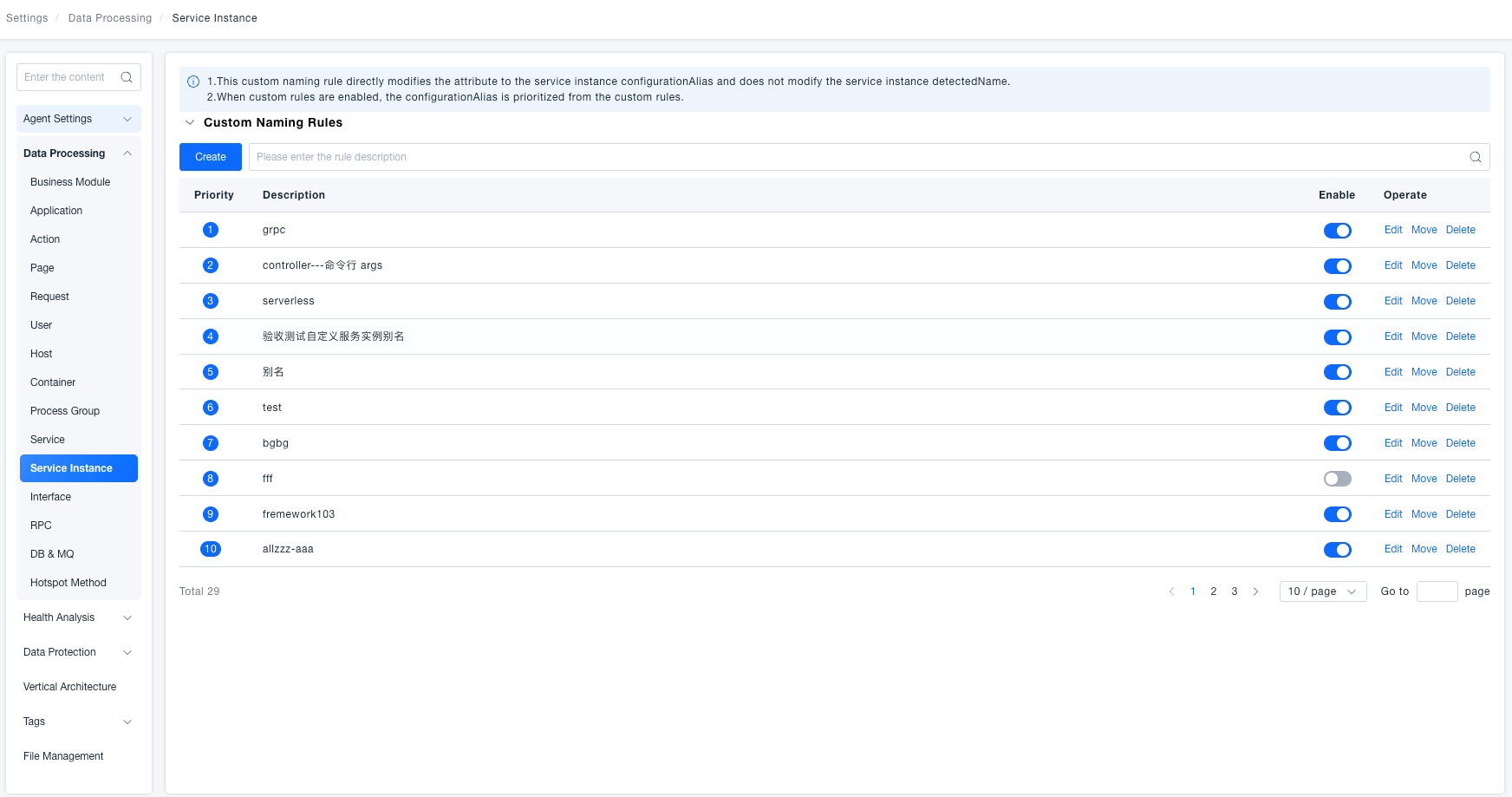
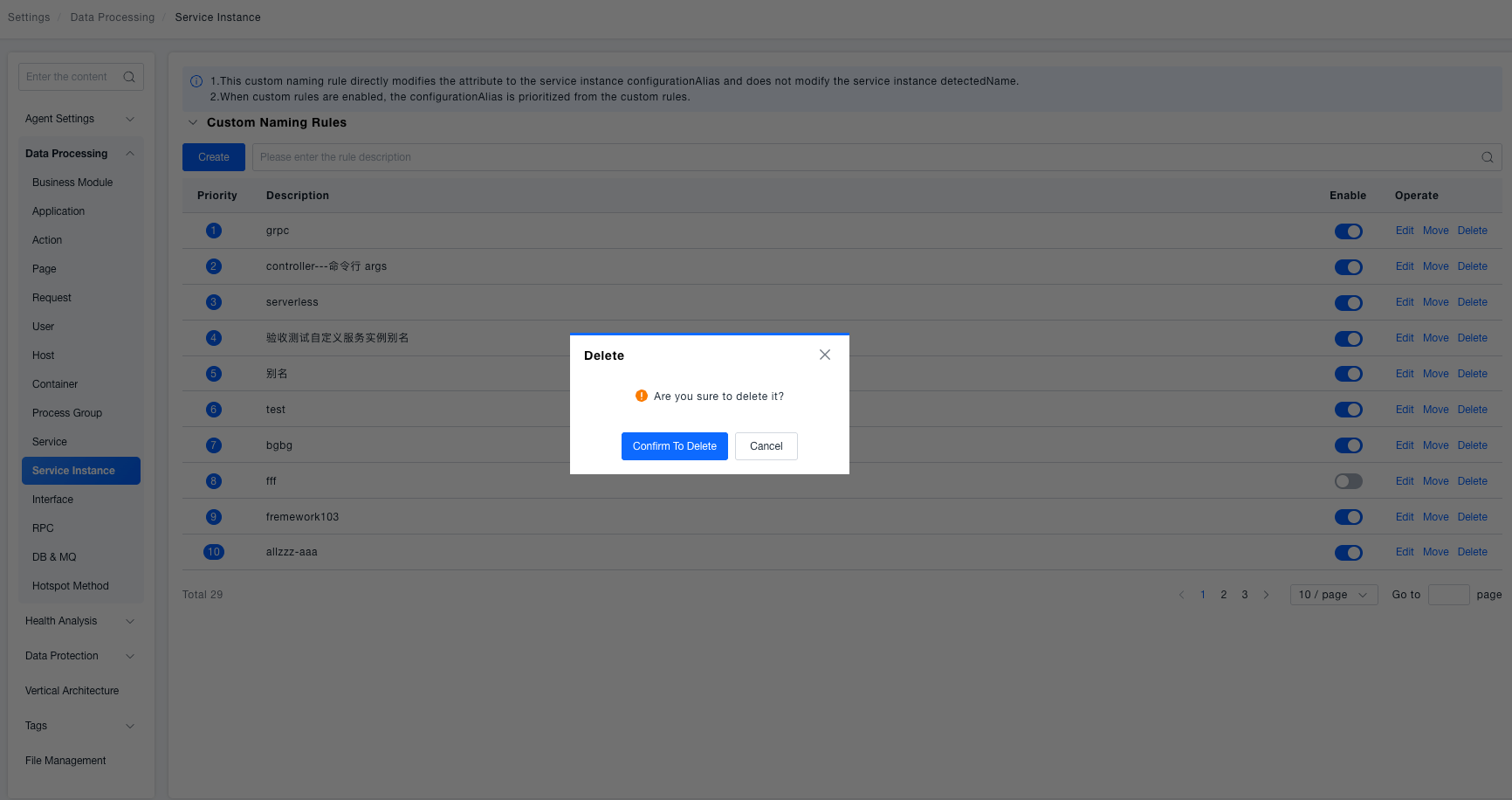
The list displays all custom naming rules in order of priority from highest to lowest, including priority number, description, enable status, and edit, move, and delete operations. It supports fuzzy search by rule description and paginated display.
Create / Edit Rule
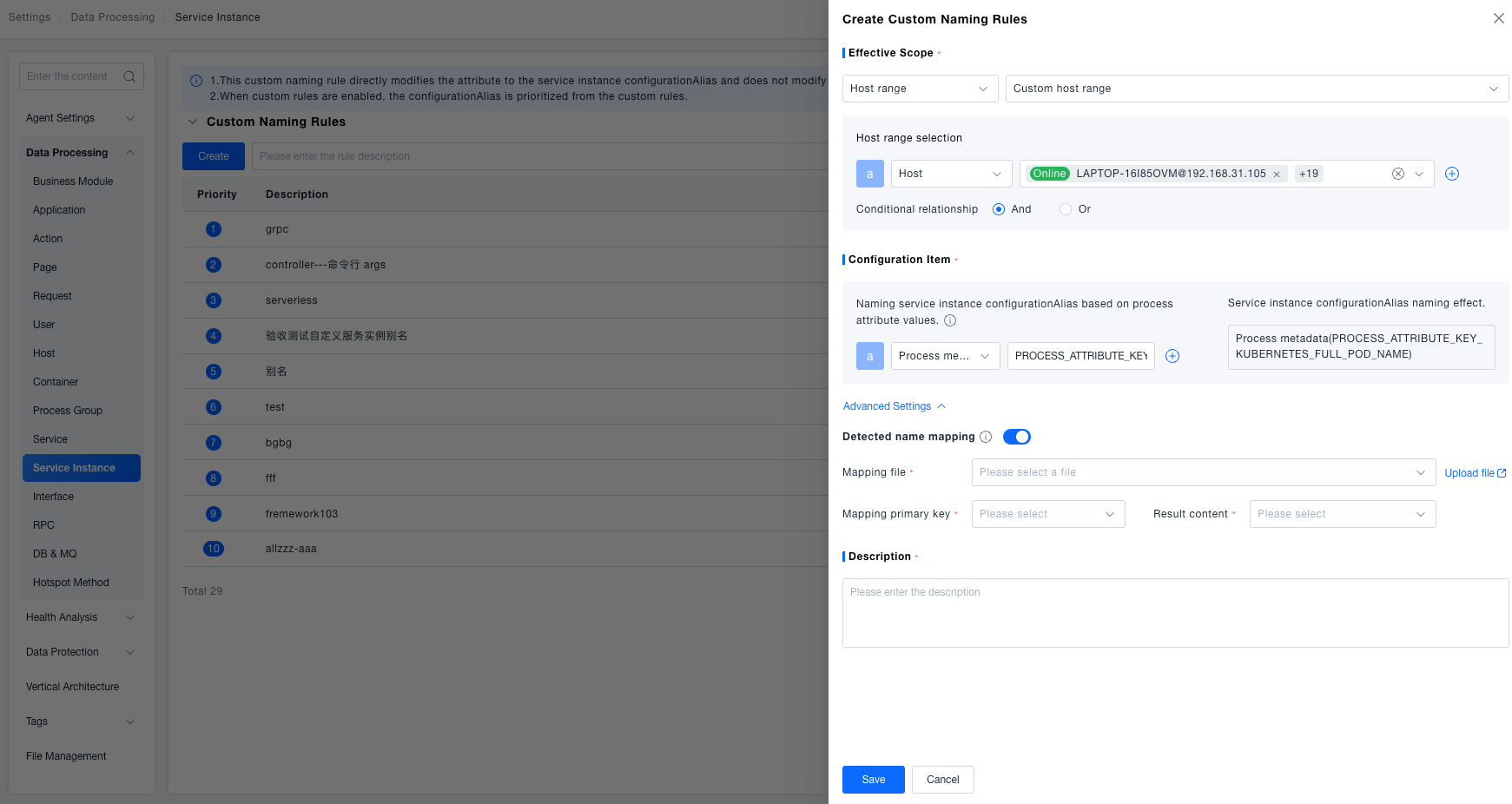
Click Create or Edit in the list row to complete the configuration in the right drawer:
- Effective Scope:Select "All Hosts" or "Custom Host Range". For custom, add conditions by host name or host tag (up to 10), and select the condition relationship (AND/OR).
- Configuration Items:Select the process attribute type for naming (such as process metadata, service name, etc.), and fill in the corresponding attribute Key. You can add up to 5 items, with multiple items concatenated by underscores. The naming effect is previewed in real-time on the right.
- Advanced Settings (Optional):After expanding, you can enable identification name mapping. After uploading the mapping file, the system will automatically identify names that match the mapping primary key and replace them.
- Description:Required, used to identify the rule in the list.
- Click Save. If there are configuration changes, the system will pop up a confirmation prompt. After confirmation, the rule takes effect immediately.
New rules are inserted as the highest priority by default (sequence number 1).
Adjust Priority (Move)
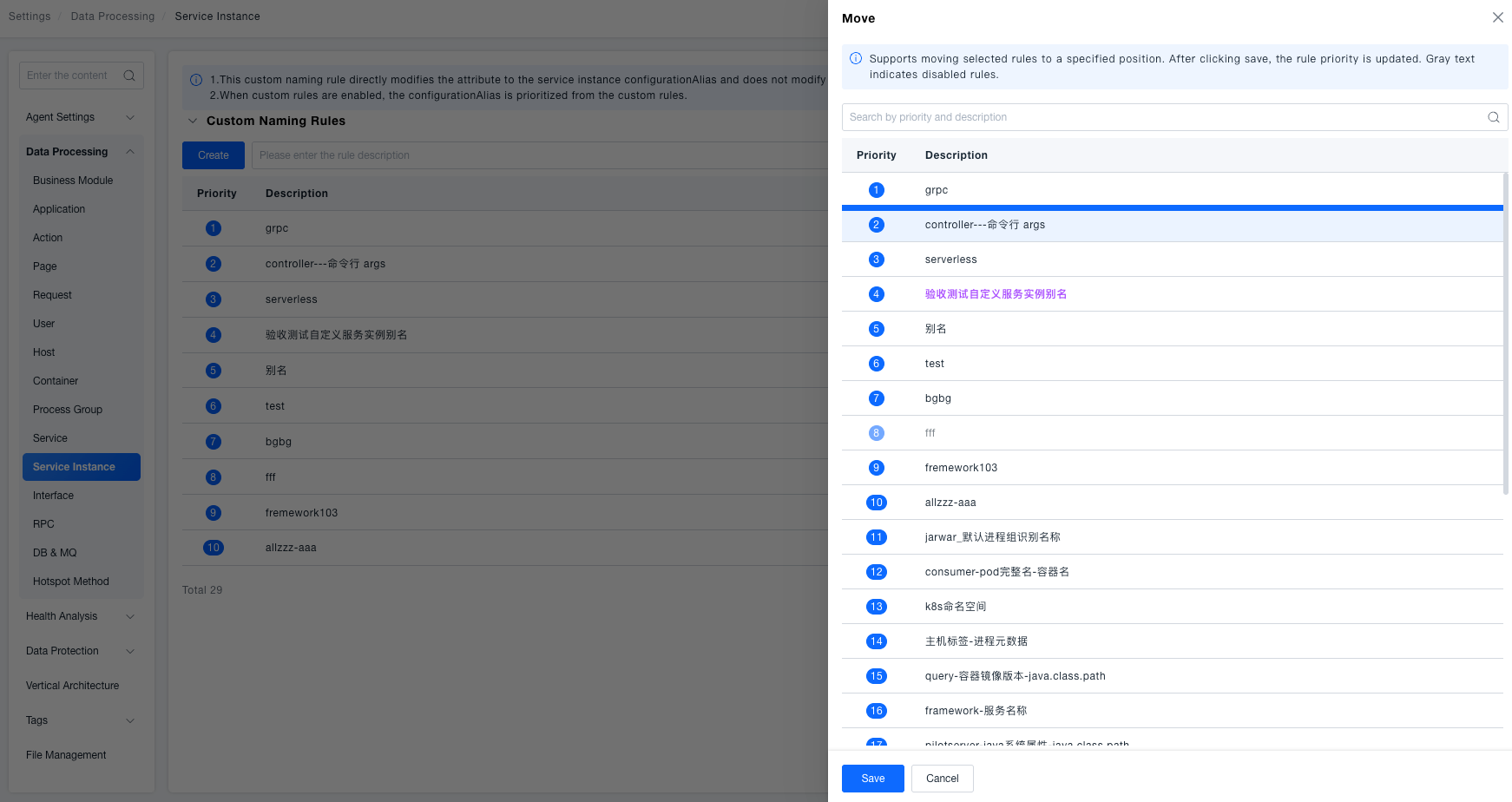
Click Move in the rule row. In the pop-up move panel, click the target position to complete the priority adjustment, and click Save to take effect. The currently moved rule is highlighted in purple, and gray text indicates disabled rules.
Enable / Disable Rule
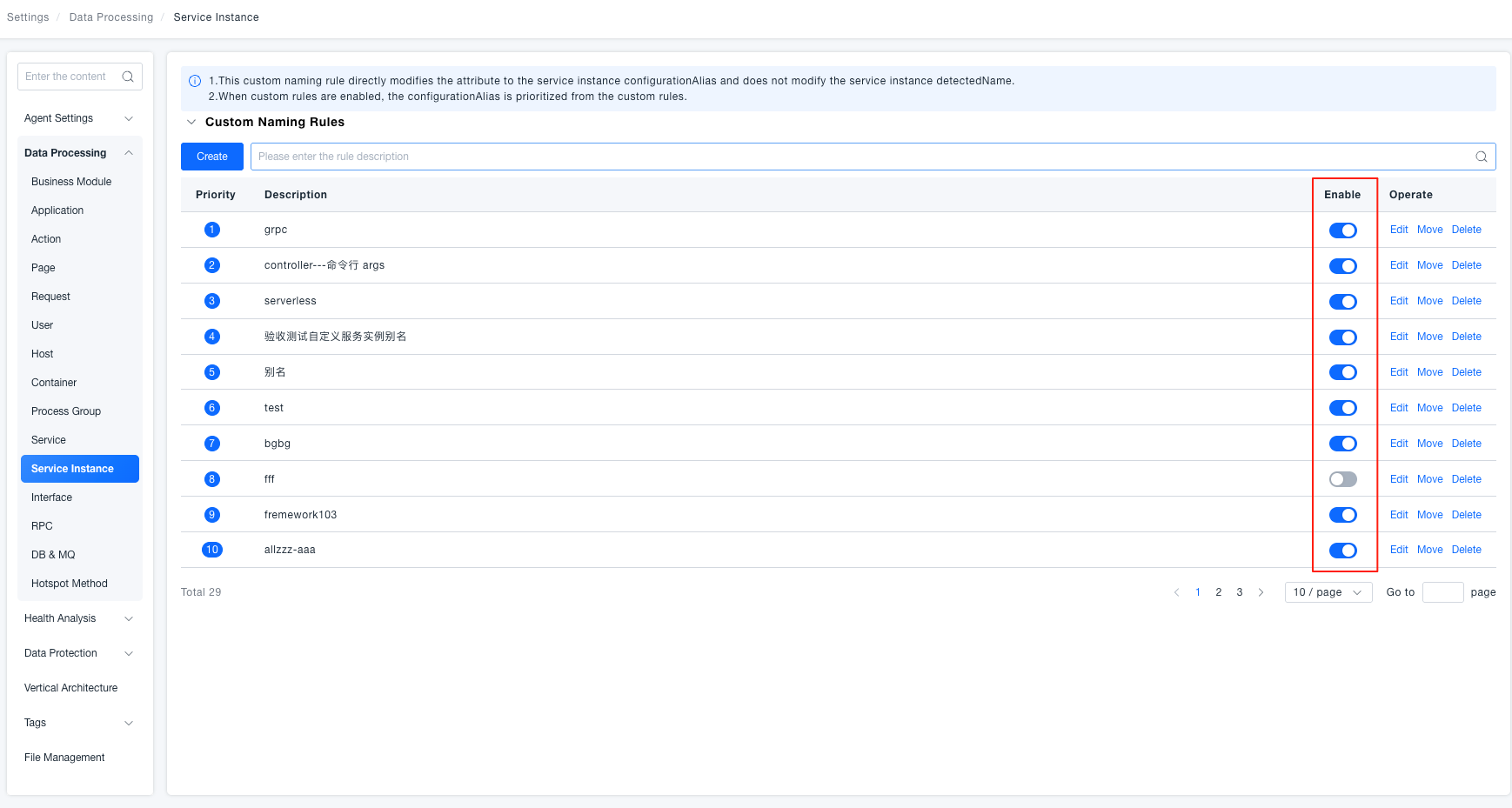
Toggle the enable switch in the rule row to take effect immediately. When disabled, the rule does not participate in the generation of configuration aliases.
Delete Rule
After clicking Delete, a confirmation pop-up will prompt "Are you sure you want to delete?" Click Confirm Delete to permanently remove the rule.
Special Notes
Configuration Alias ≠ Identification Name:Custom naming rules only write to the service instance's configuration alias (configurationAlias), not modifying the system's automatically identified instance name.
Alias Reading Priority:When enabled custom rules exist, the configuration alias is prioritized from the rules; if there are no rules or all are disabled, the configuration alias is empty.
Multiple Rules: Take the First Matching Item by Priority:The system starts matching from the rule with the highest priority (smallest sequence number), and the first rule whose effective scope includes the instance is the final naming basis.
Configuration Alias Length Limit:When the generated configuration alias exceeds 512 characters, the system automatically truncates it before storage.
Service Instance List Display:The configuration alias is displayed as a default column header after the service instance identification name column, supporting sorting and search filtering.