RPC
A remote interface refers to an interface identified by the remote call addresses collected by the request end according to rules, not an interface identified by probes in traditional services. By configuring custom rules for HTTP protocol remote interfaces, custom remote calls, and request attributes, refined identification and management of remote interfaces can be achieved.
Custom Rules for HTTP Protocol Remote Interfaces
It is used to customize the identification logic of remote interfaces under the HTTP protocol, supporting rule configuration through dimensions such as IP/domain name, URL, and parameters.
Create Custom Rules for HTTP Protocol Remote Interfaces
Click the Create button in the Custom Rules for HTTP Protocol Remote Interfaces area, and configure as follows:
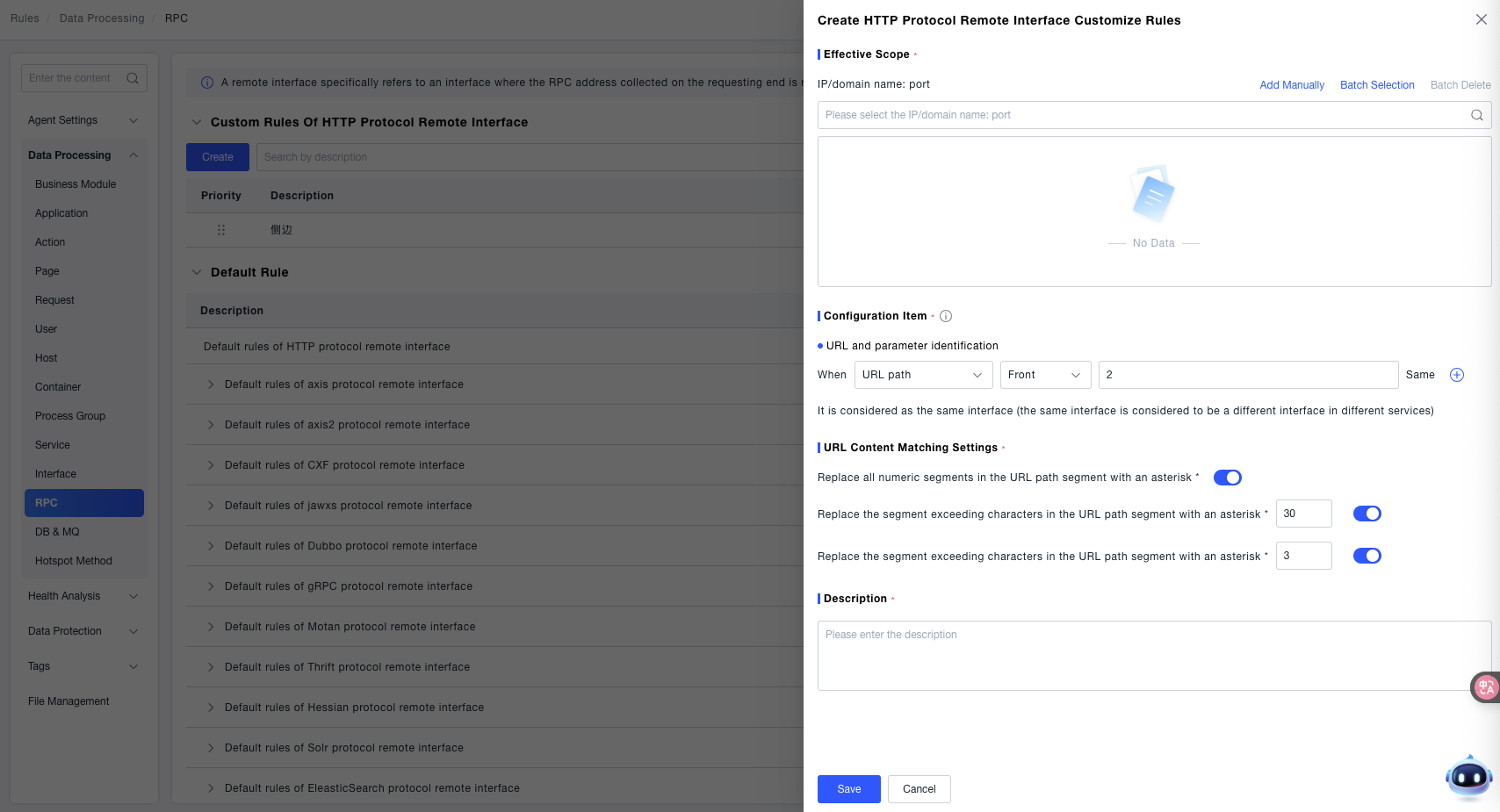
Effective Scope: Select "IP/Domain Name: Port" as the effective dimension. It supports manual addition, "batch selection", and "batch deletion" of target IPs/domain names and ports. The rule only takes effect for remote interfaces within the selected scope.
URL and Parameter Identification: Configure the matching rules for the URL path:
- Select the matching dimension (e.g., URL path) and matching method (e.g., prefix);
- Enter the path value (example:
/api/remote) to identify remote interfaces with specific paths.
URL Content Matching Settings: Supports using an asterisk * to replace qualified segments in the URL path. You can enable the following switches and configure thresholds:
- Replace all numeric segments in the URL path with an asterisk
*: After enabling, pure numeric path segments will be replaced with an asterisk to unify the identification logic. - Replace segments in the URL path with more than N characters with an asterisk
*: Enter a threshold (e.g.,30), and path segments exceeding this length will be replaced with an asterisk. - Replace segments in the URL path with numeric characters exceeding N in length with an asterisk
*: Enter a threshold (e.g.,3), and path segments with numeric length exceeding this value will be replaced with an asterisk.
Description: Enter a description of the rule (e.g., "Identify order service HTTP remote interfaces") for easy subsequent management.
Custom Remote Calls
This function will re-encode classes that match the rules.
Re-encoding may cause temporary thread suspension, affecting the execution time of the interface; it will also be collected by monitoring, increasing the execution time. It is not recommended to modify the configuration frequently unless necessary. It is advisable to operate during off-peak business hours.
Create Custom Remote Call Identification Rules
Click the Create button in the Custom Remote Calls area, and configure as follows:
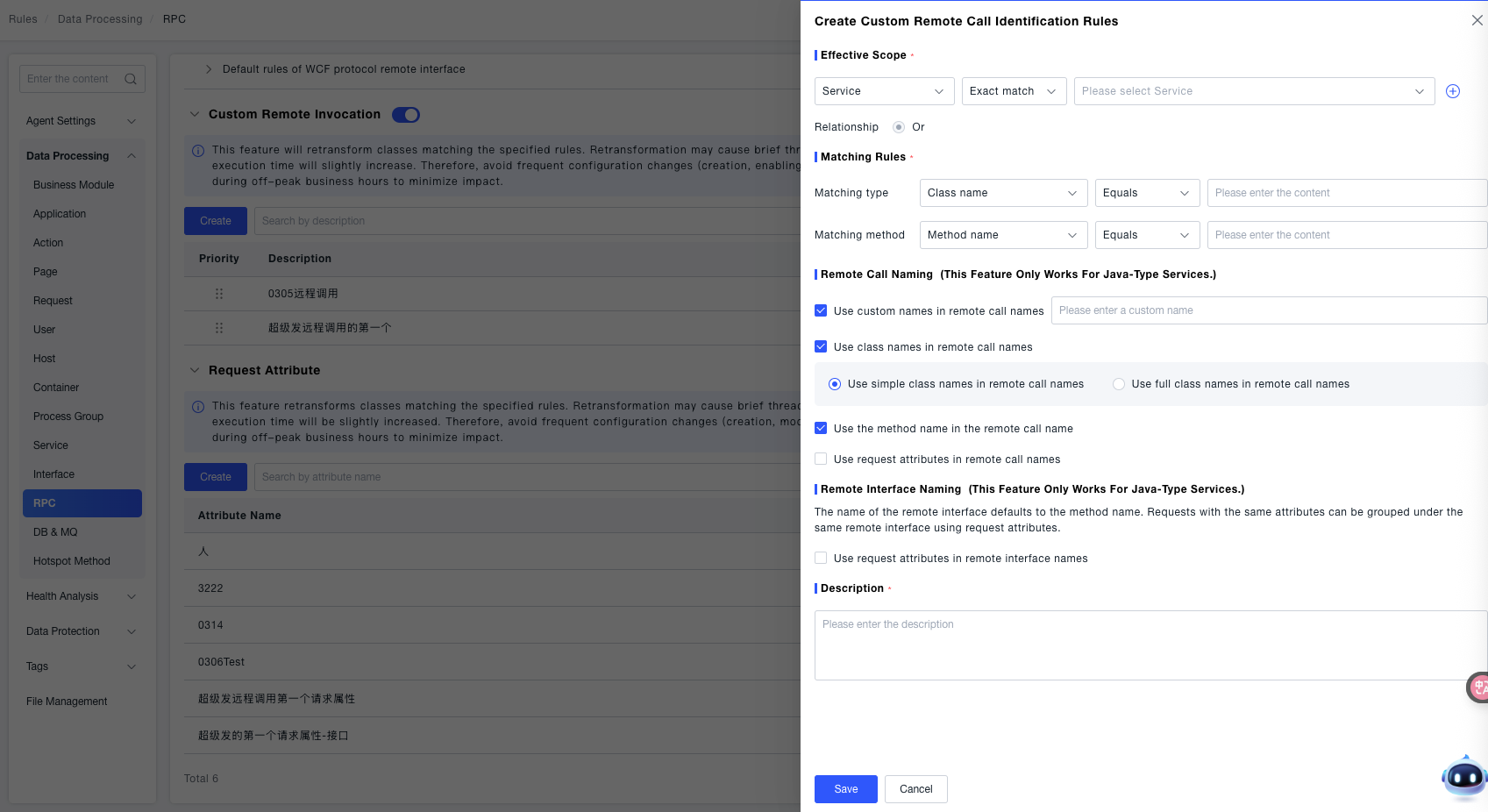
Effective Scope: Select the service as the effective dimension, choose "exact match" as the matching method, and select a specific service from the drop-down list (the rule only takes effect for remote calls of the selected service).
Matching Rules: Configure matching conditions for classes and methods:
- Matching class: Select the dimension (e.g., class name), matching method (e.g., equal to), and enter the target class name;
- Matching method: Select the dimension (e.g., method name), matching method (e.g., equal to), and enter the target method name.
Remote Call Naming (only effective for Java-type services): You can combine and check naming rules:
- Use a custom name in the remote call name: manually enter a custom name;
- Use the class name in the remote call name: select simple class name or full class name;
- Use the method name in the remote call name: include the method name in the remote call name;
- Use request attributes in the remote call name: associate request attributes with the remote call naming.
Remote Interface Naming (only effective for Java-type services): The remote interface name uses the method name by default. You can optionally use request attributes in the remote interface name to attribute request attributes to the same remote interface.
Description: Enter a description of the rule's purpose (e.g., "Custom order service remote call identification").
Request Attributes
This function will re-encode classes that match the rules (the impact is the same as "Custom Remote Calls", so operation with caution). It is used to define the identification rules for request attributes of remote interfaces.
Create Request Attributes
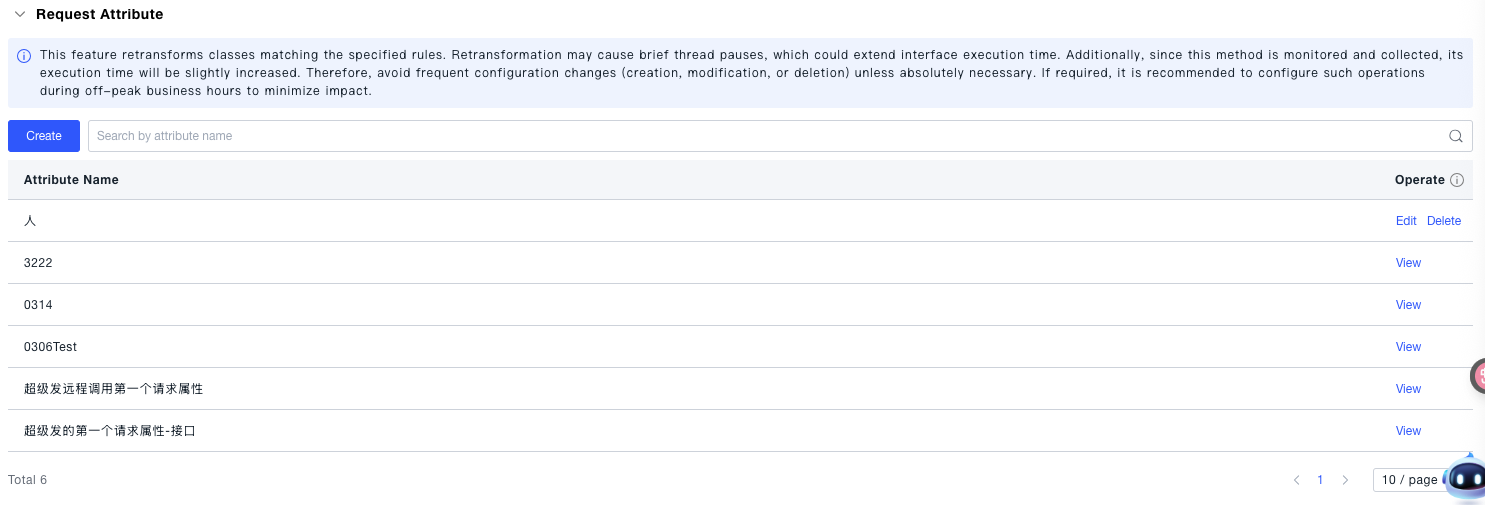
Click the create button in the request attributes area to configure information such as the attribute name, which is used to associate request attributes during subsequent remote interface identification.