Third-Party Application Notifications
The platform supports personal notifications via communication software such as WeCom (Enterprise WeChat), DingTalk, and Lark. Users need to create an application (APP) within WeCom, DingTalk, or Lark, then record the connection information for the created app in the Third-Party Application Notifications settings. After adding the recipient's ID from the communication software to their recipient information, personal notifications via the communication software can be used for alerting.
Getting Started
Since the configuration process for group notifications is similar across these communication platforms, this documentation uses the configuration of WeCom personal notifications as an example. Users can refer to the respective administrator manuals for DingTalk and Lark for their specific configurations.
-
Log in to the WeCom Management Background (Access to the management background requires assistance from your organization's WeCom administrator). WeCom supports third-party application integration configuration.
-
Create a New Application for Alerts Follow the prompts in the WeCom management background to create a new application for alerts and save it.
-
Obtain the specific IP as the trusted IP
On the application management page, the enterprise's trusted IP list must include a specific IP address.
- For Public Cloud: The enterprise's trusted IP list must include
120.133.79.132. - For Private Deployment: The IP must be replaced with the outbound IP of the node where
one-framework-alertis deployed, and this node must be able to access the official WeCom API endpointqyapi.weixin.qq.com. The IP can be obtained by running the following command:curl -s https://qyapi.weixin.qq.com/cgi-bin/get_api_domain_ip
- For Public Cloud: The enterprise's trusted IP list must include
-
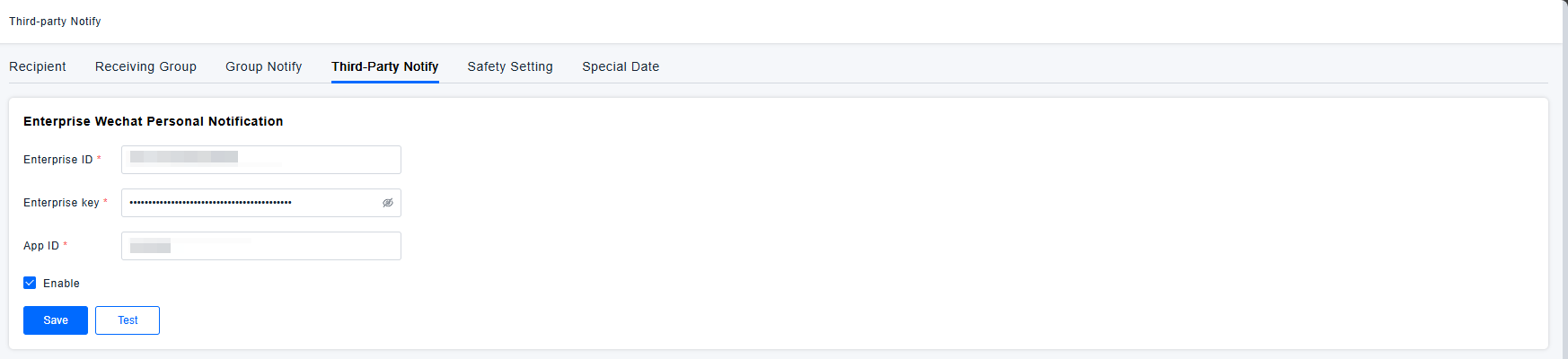
Configure WeCom Personal Notifications in the Platform Enter the information from the application you just created into the WeCom Personal Notification configuration within the platform's Settings Center.
-
Enable and Test the Configuration Enable the saved WeCom personal notification configuration and perform a test.
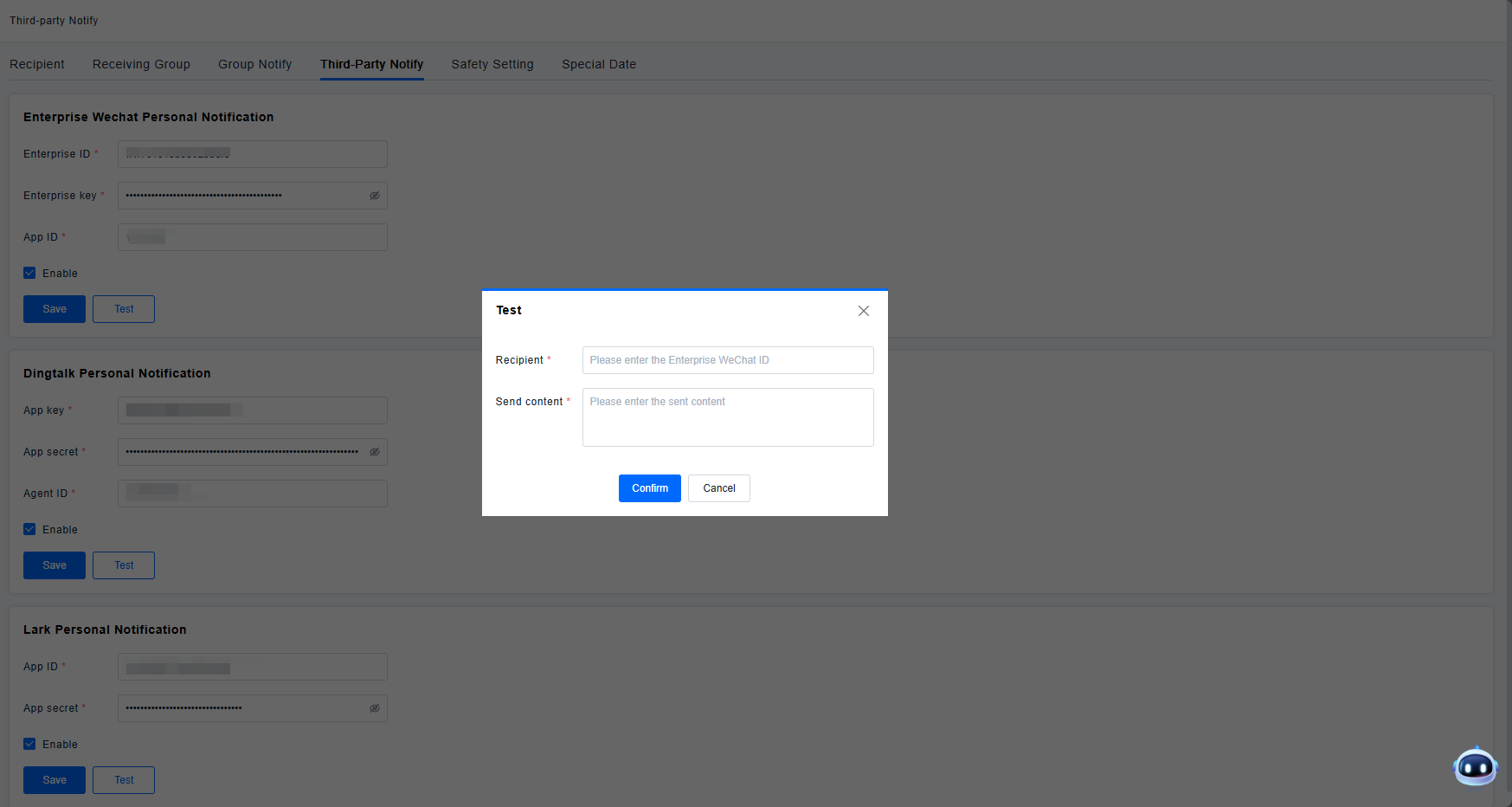
Note: The WeCom ID used in the recipient configuration must also be this same ID. The recipient's WeCom ID must be included within the visible scope of the current application.