Problem Notifications
Prerequisites
Feature Menu Access: Availability of the problem notifications feature menu. Operation Permissions: Create, read-write, and read-only permissions for alert page. Data Permissions: Access to at least one resource domain within an environment.
Overview
Problem Notification Records form a centralized, historical tracking list specifically designed to log and store incident notifications generated and dispatched by the Bonree ONE monitoring platform. These records capture notifications triggered when alerts—created by detection rules and condensed into incidents through consolidation strategies—activate incident response policies.
Functioning as the "communication black box" for operations teams, Incident Notification Records do not directly resolve issues. However, by faithfully documenting every incident notification, they provide critical data support for enhancing operational transparency, establishing accountability, and improving efficiency. This capability constitutes an indispensable operational management feature within modern observability platforms.
Value
-
Enhanced Observability: Provides observability into operational activities, enabling teams to not only understand what problems the system generated but also clearly visualize whether "the human response to problems" was adequate. This forms a closed-loop management process for operations.
-
Clear Accountability: Provides an immutable "chain of evidence" that clearly documents the flow of problem information. This helps clarify responsibilities in team collaborations and prevents mutual blame-shifting.
-
Improved Operational Efficiency: Rapid query and verification capabilities significantly reduce time spent on disputes such as "whether notifications were sent." This allows operations teams to focus more on resolving the problems themselves, thereby enhancing overall operational efficiency.
Use Cases
-
Problem Troubleshooting and Review:
- When a problem is received but the handling personnel claim they "did not receive it," you can verify whether the notification was successfully sent and to whom, clarifying whether it was a notification configuration issue or human oversight.
- Trace the occurrence and notification process of historical problems for post-incident review.
-
On Duty and Shift Handover:
- Newly assigned duty personnel can quickly understand currently active problems and their notification history through the records, avoiding information omissions.
-
Configuration Validation and Debugging:
- After modifying or creating new "problem response strategies," you can verify whether the strategy was triggered and executed as expected by reviewing notification records. This is an important means to debug whether the configuration is correct.
-
Performance and Reliability Analysis:
- Analyze the stability and latency of notification channels. For example, calculate the delivery success rate and average delivery time of text messages and emails to evaluate the reliability of operational communication links.
Operational Scenario
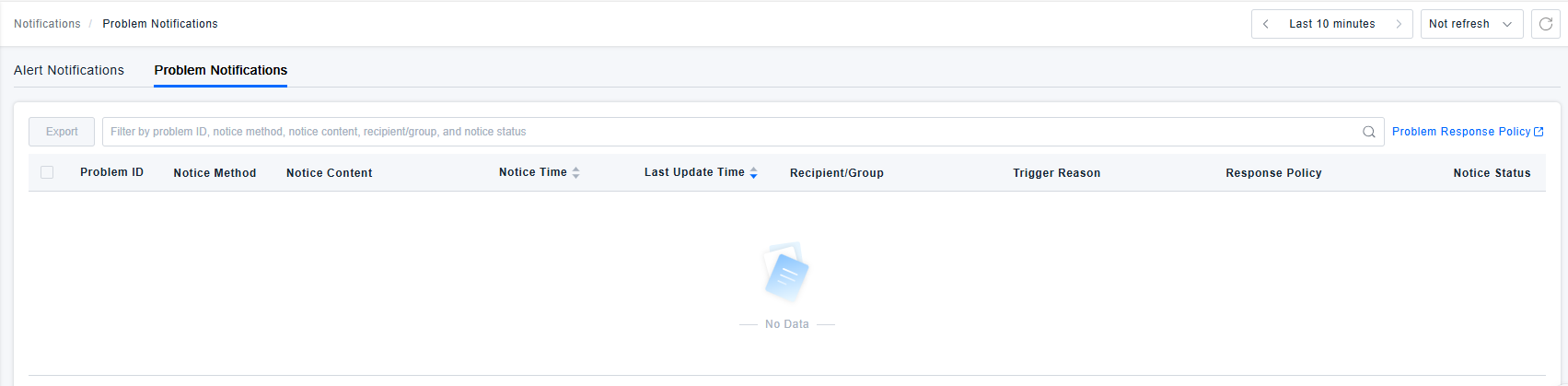
- Search: When users need to query notification records in the problem notification template list, they can filter based on Problem ID, Notification Method, Notification Content, Response Strategy, and Notification Status in the search box.
- Export: When users need to export problem notification records, they can batch select the data and click the 【Export】 button to generate a CSV file locally for statistical analysis, post-incident review, and other purposes.
Get Started
- Log in to Bonree ONE.
- Navigate to Intelligent Alerting > Problem Notifications.
- The following operations are supported: Search, Export time templates.
- The list provides the following fields: Problem ID, Notification Method, Notification Content, Notification Time, Last Updated Time, Recipient/Group, Trigger Reason, Response Policy, and Notification Status.
- Notification Status includes: Success, Failure, Unknown, and Partial Success.
- Failure may be due to reasons such as network connection failure, code errors, etc.
- Partial Success indicates that some recipients in a group received the notification successfully while others failed.
- Unknown refers to a state where the notification was triggered but no confirmation of its success has been returned yet. Once a result is returned, the status will be updated to either Success or Failure.
- If a problem triggers a response policy and generates a notification, a record with the status Unknown will appear in the problem notification list. Once the platform confirms successful execution, a signal will be received under the corresponding notification method, and the status will be updated to Success. If the execution is very fast, the status may directly show Success or Failure.