Managing the Data Lifecycle
To ensure the platform prioritizes displaying entity instance data that users care about, the platform provides lifecycle management capabilities, allowing users to define rules for controlling the lifecycle of instances by entity.
Feature Overview
Currently, the platform categorizes the instance lifecycle into three states: Online, Offline, and Archived. Online means the monitored instance is normally providing services in the user's system; Offline means the monitored instance has been decommissioned and no longer adds value in the user's system, but its historical monitoring data still holds analytical value; Archived indicates that the monitored instance has been in an offline state for a long time and its historical monitoring data is rarely accessed, so the system archives the data. Archived data is not displayed on the platform by default.
Lifecycle Rule Management
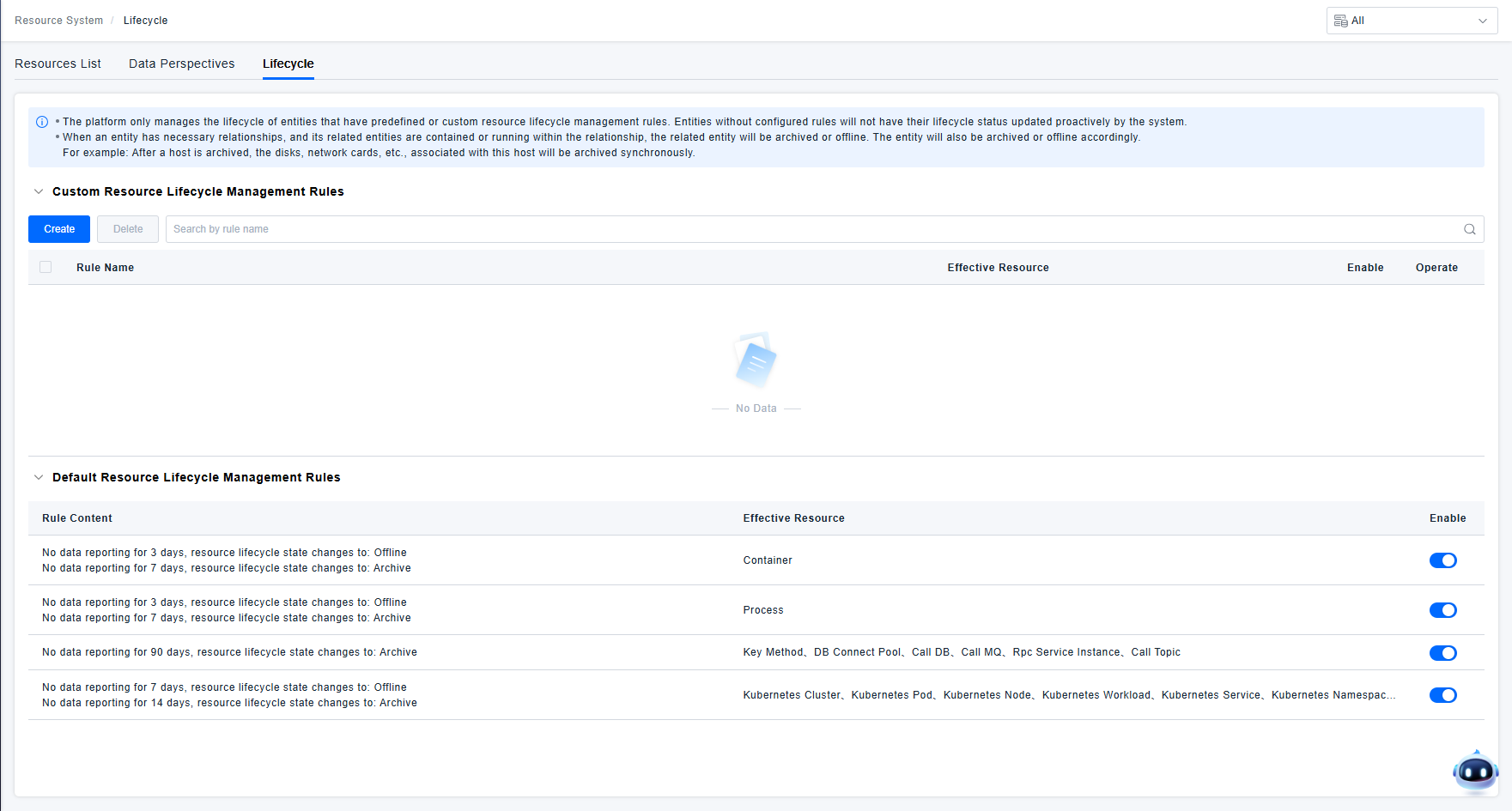
The platform provides both preset and custom lifecycle rules for users. You can manage instance lifecycle rules as described below.
Default Lifecycle Management Rules: For platform-preset entities such as containers, processes, and K8s entities, which typically have short lifecycles in actual user business systems, the platform predefines default lifecycle management rules to prevent the accumulation of invalid instance data. When an instance reports no data for an extended period, the system will proactively change its lifecycle status according to the default rules until it is archived.

If the default lifecycle rules do not meet your management needs, you can disable the default lifecycle management rules.
Custom Lifecycle Management Rules: If the default lifecycle management rules are insufficient, users can define custom lifecycle management rules for specific entities to manage their lifecycles.
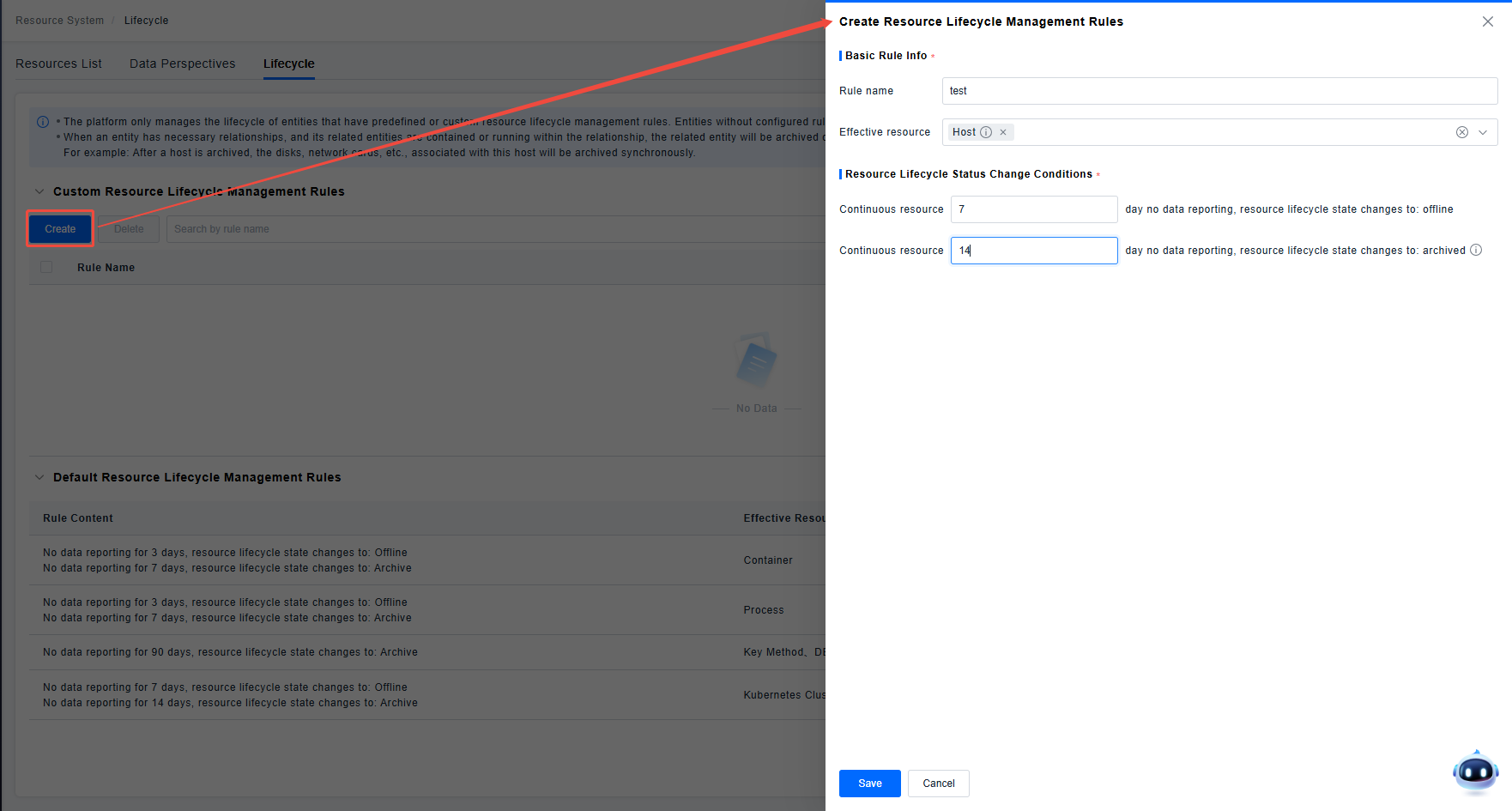
- Only one lifecycle management rule per entity is supported at any given time. Custom rules have higher priority than default rules.
- The data archiving time must be greater than the data offline time.
- The platform's data lifecycle management operates strictly based on rules. If no rule is defined, data will remain in a specific state permanently until the database TTL takes effect.
Feature Permission Description
Lifecycle rule management is currently an environment-level functional permission. Once a user configures or modifies a lifecycle management rule, it will take effect for all resource instances under the corresponding rule within that environment.

As changes to lifecycle management rules will affect all resource instances in the environment, this functional permission should be classified as an administrator permission. Do not assign this permission to sub-users who are not administrators, to prevent operations by individual users from impacting others.