Resource List
The Resource System is a unified entity management center provided to customers based on the platform's lightweight CMDB capability. Within the Resource System, users can view and manage all entity and entity relationship data registered on the platform. Furthermore, the Resource System offers advanced features like Data Perspective Management and Lifecycle Management, supporting users in managing and utilizing entity and entity relationship data on-demand and efficiently. The Resource List page intuitively displays all entity instance data and entity relationship data registered by the customer on the platform, and provides functionalities for adding, deleting, and modifying entity instance data on the page.
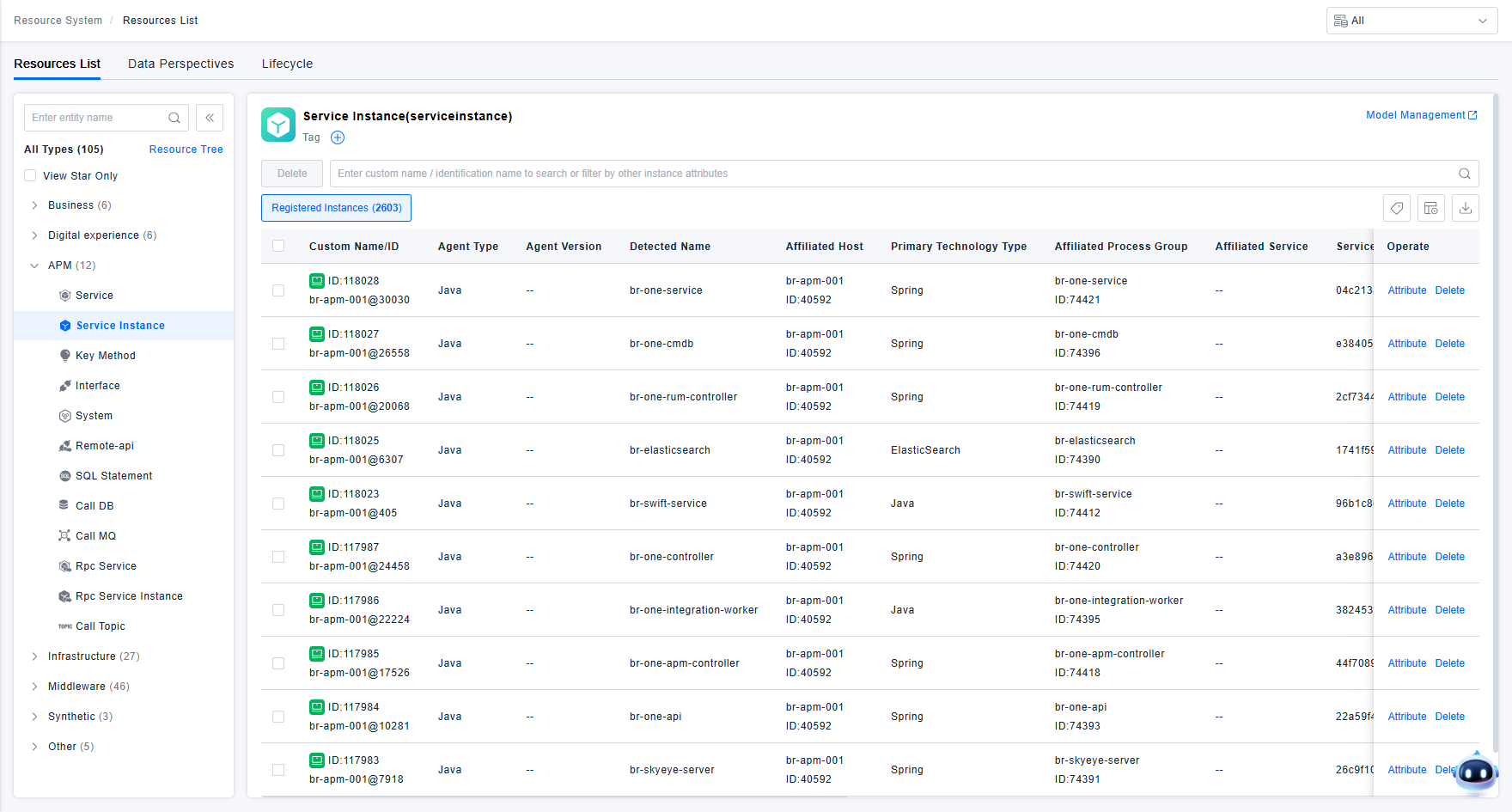
Resource System Management
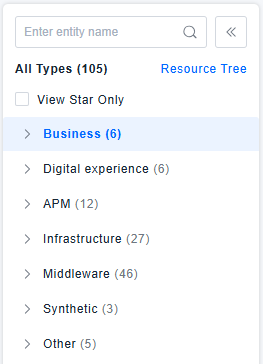
The platform displays the types of resources already registered by the user in the CMDB in a systematic tree structure. The page provides functionalities such as starring, resource display management, quick filtering, and expand/collapse, enabling users to manage the entity instance data registered on the platform more comprehensively and effectively.
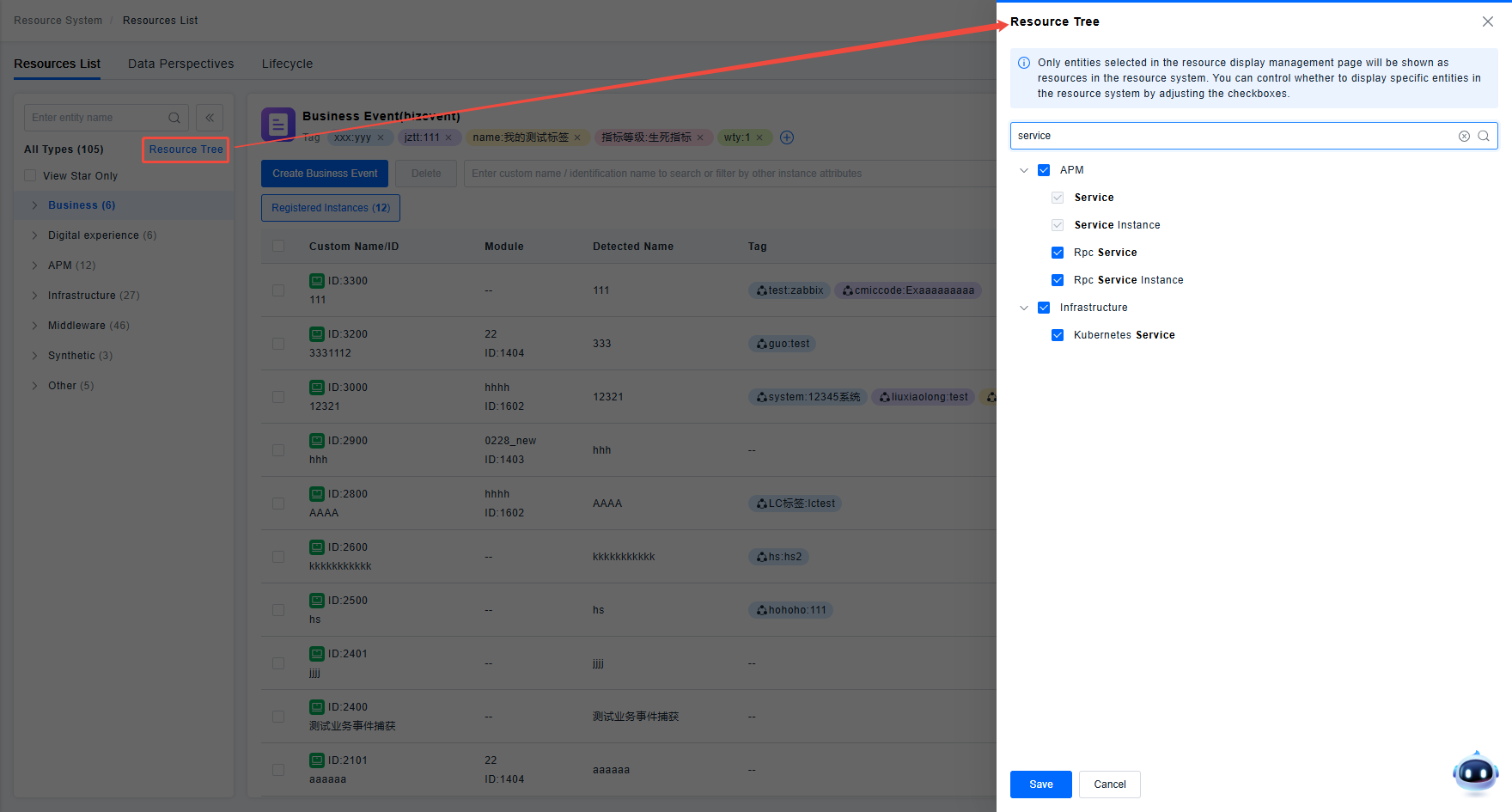
The CMDB defines a large number of entity models, and users register instance data into these models. However, from a resource management viewpoint, only some entities are managed as resources. For example, hosts are managed as resources, but most users do not manage host network cards as resources. To make resource management more focused, users can use the Resource Display Management function to specify which entities should be managed as resources. The page will only display these entities.
Resource List
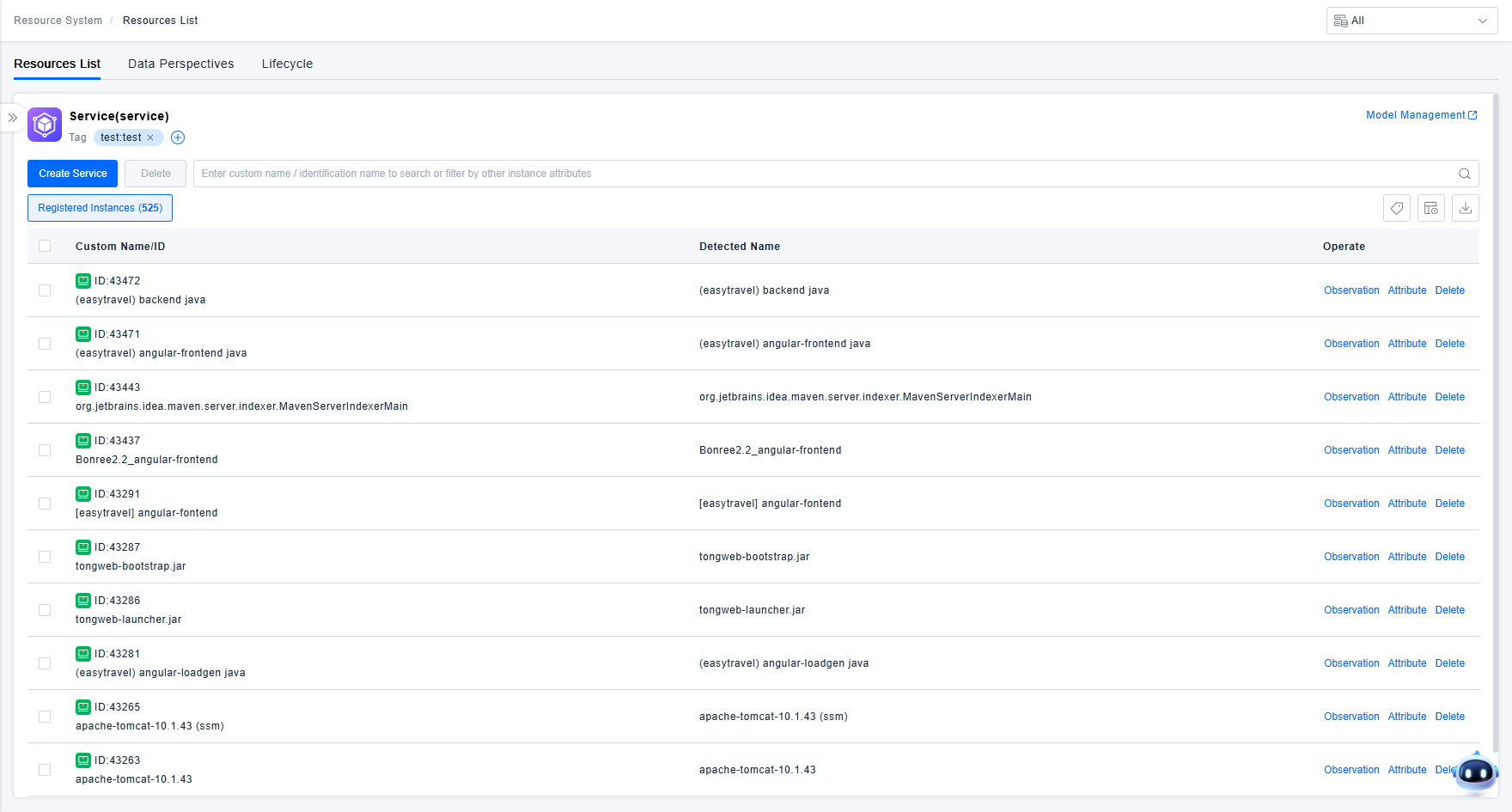
Users can click on a resource type in the Resource System tree to view the list of instances of that type already registered on the platform.
1. Instance Creation
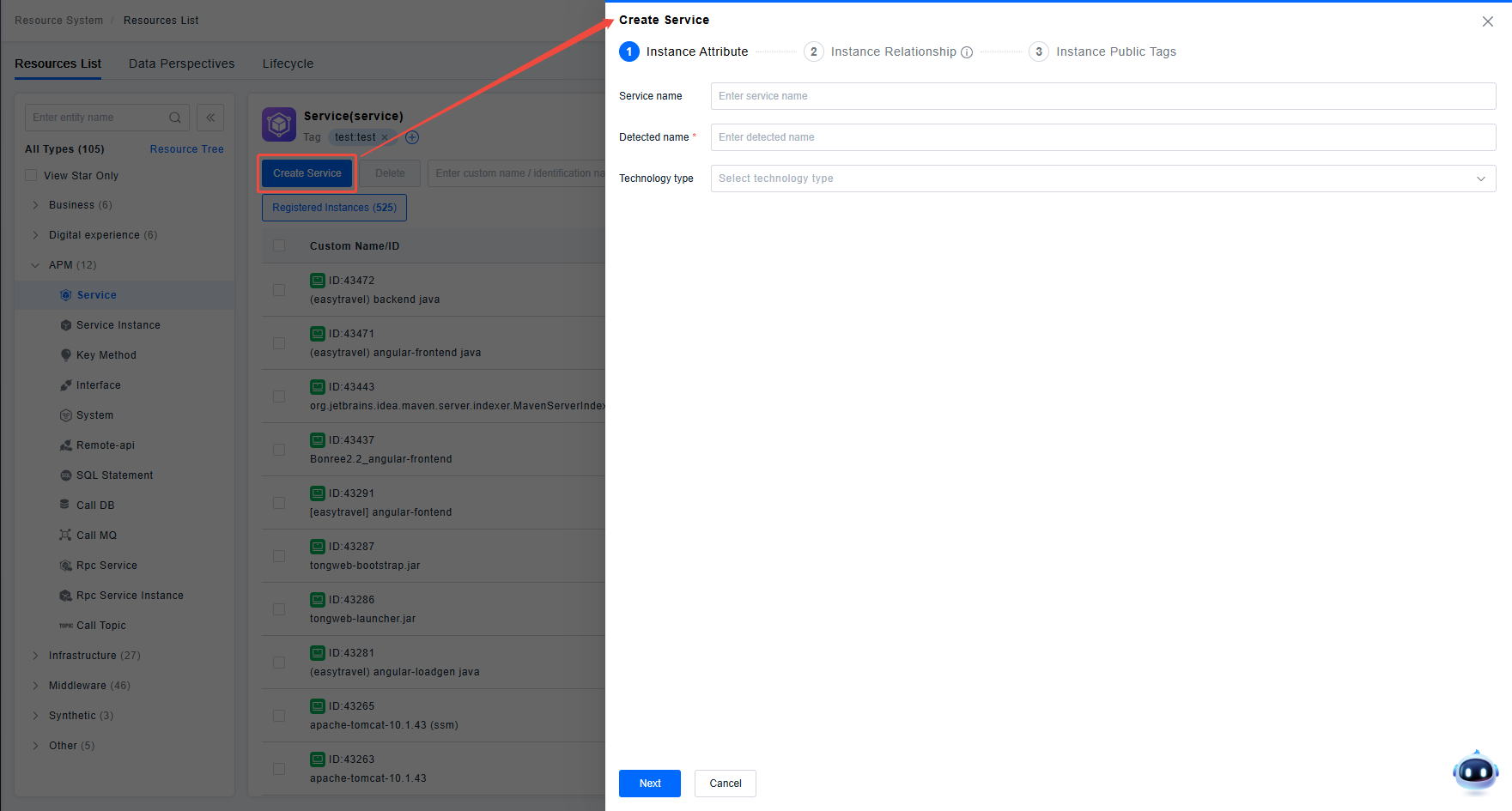
The Resource List page provides a general instance creation function. If users need to manually define new entity instances on the platform, they can go to the corresponding resource list and click "Create Instance" to add an instance and its related relationship data. Since the platform uses data tags to drive resource permissions, when creating instances via the page, users can directly assign the shared tags that the resource needs to be associated with, so that the resource is automatically governed by permission rules after creation.
2. Customize List Headers
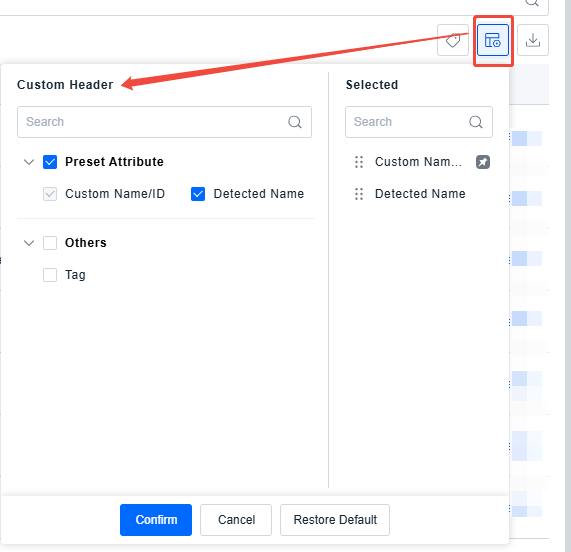
The resource instance list displays all attribute columns of the instances in the default system order. If you need to display only specific columns in the list or adjust the display order of columns based on usage habits, you can make these adjustments using the Customize List Headers function.
3. Batch Tag Operations
The ONE platform uses the tagging feature to meet users' needs for additional instance attributes and uses shared tags as data permission control characteristics to drive all data permissions within the platform. To ensure a good user experience for the above scenarios, the platform provides Batch Tag Operations to improve users' efficiency in managing instance tags.
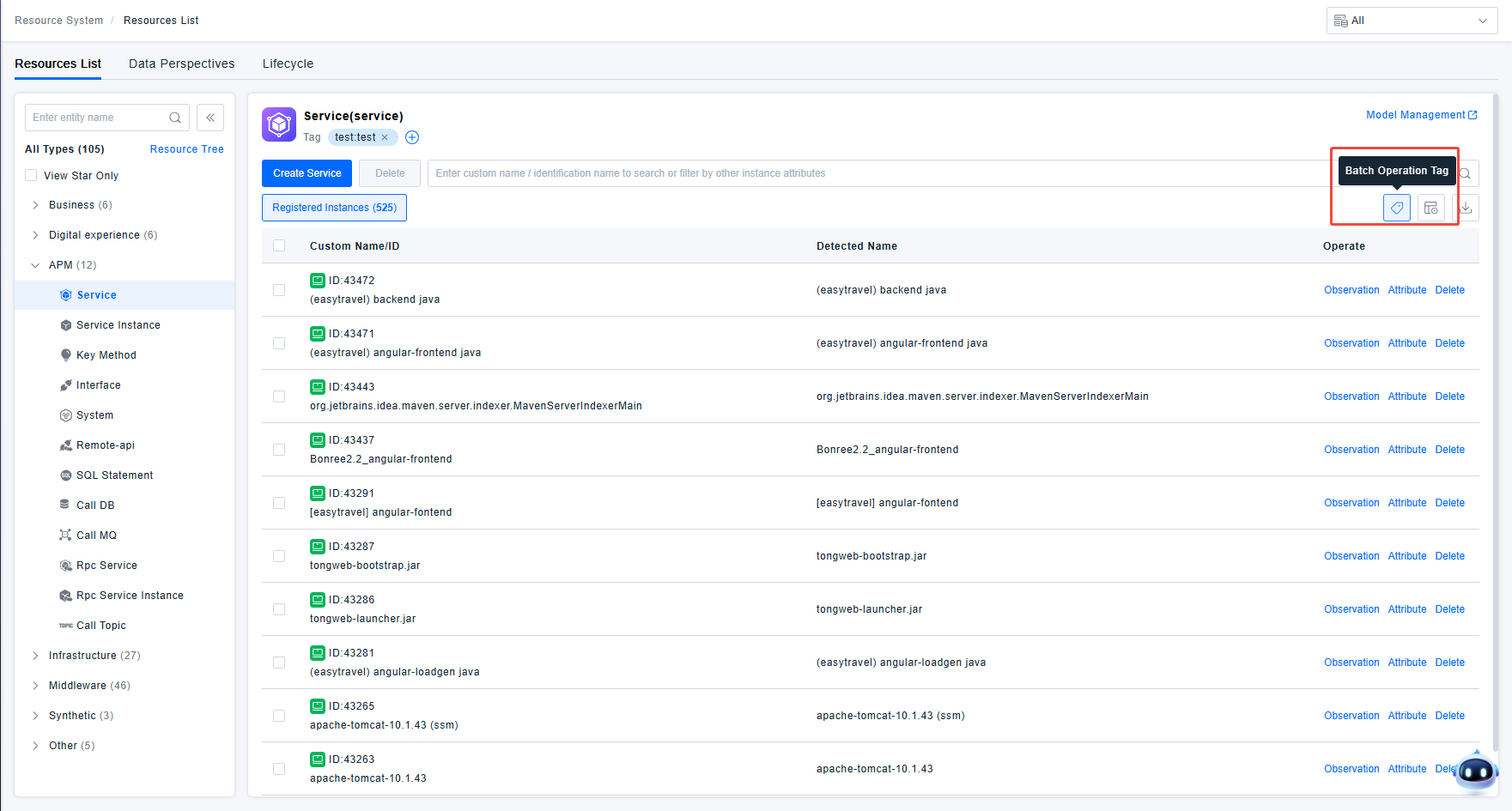
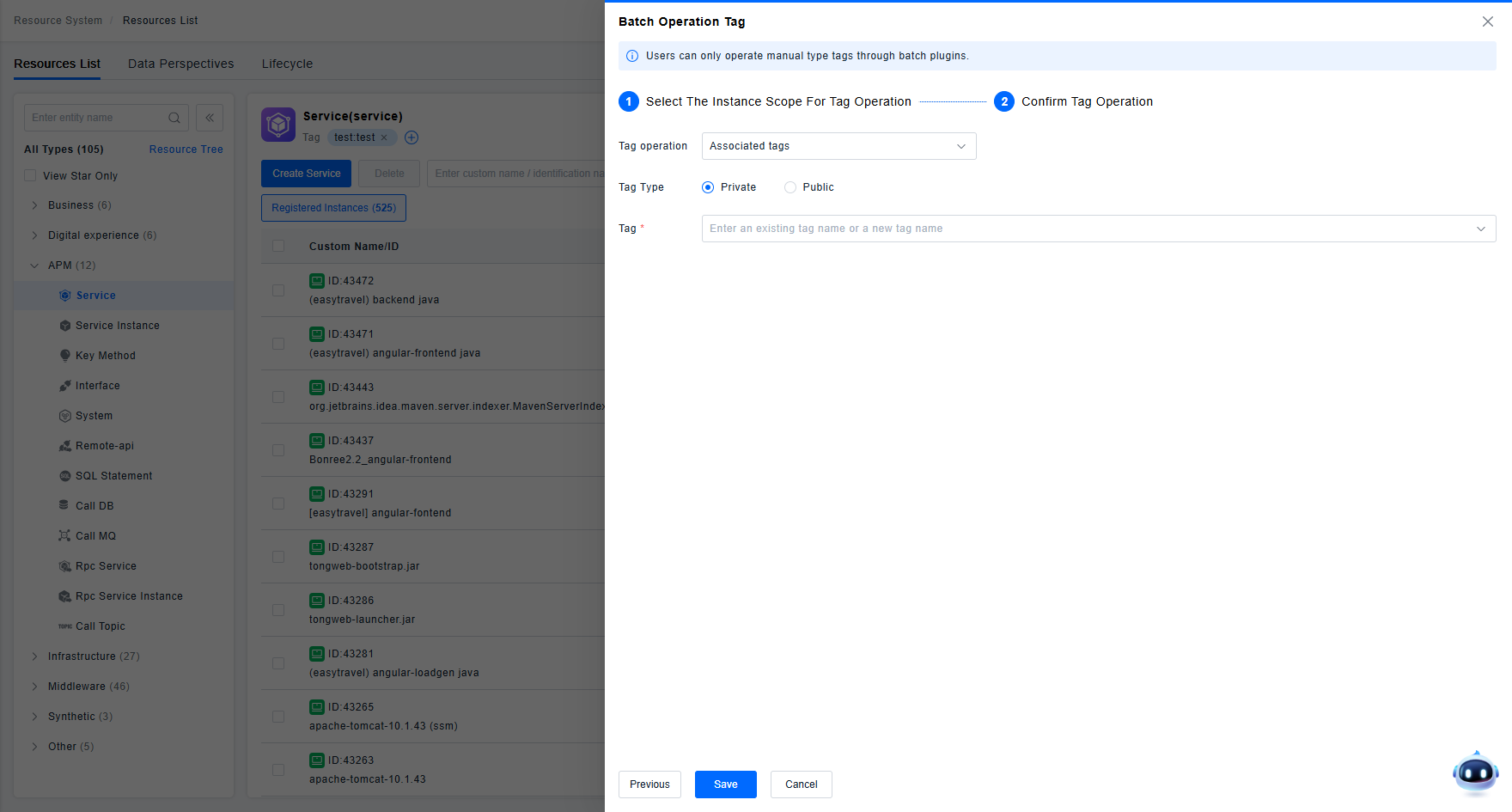
As shown in the figure below, to use the Batch Tag Operations function, users first need to specify the scope of instances for the tag operation. Users can view the list of instances matched by the selected filter conditions using the "View instances included in the scope" function on the page.
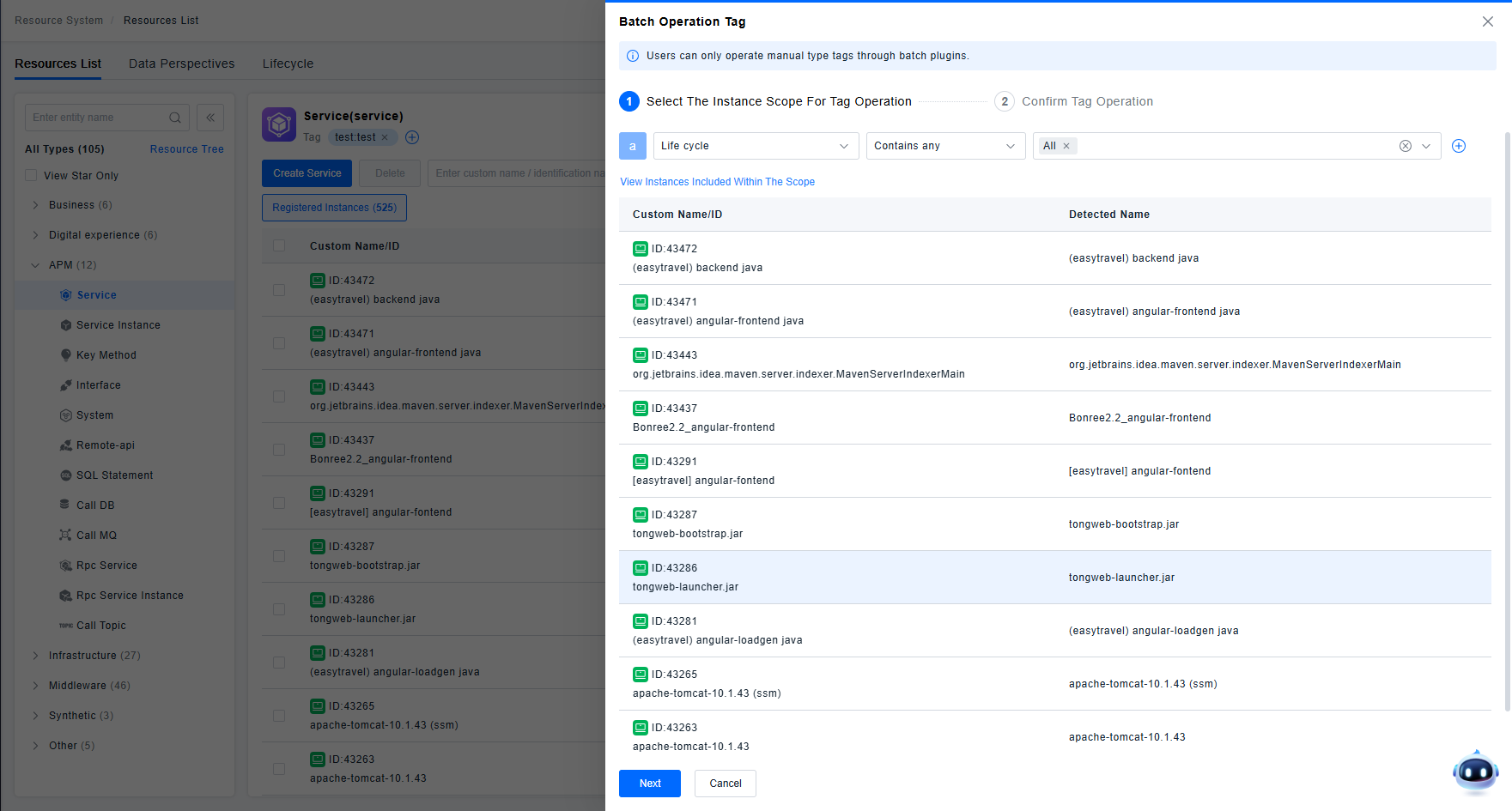
After confirming that the instances to be operated on meet expectations, users need to specify the tag operation to be performed (Associate Tags or Disassociate Tags) and the tags to be operated on. After confirming and saving, the system will perform the tag operation on the instances as desired by the user.
4. Other Key Operations
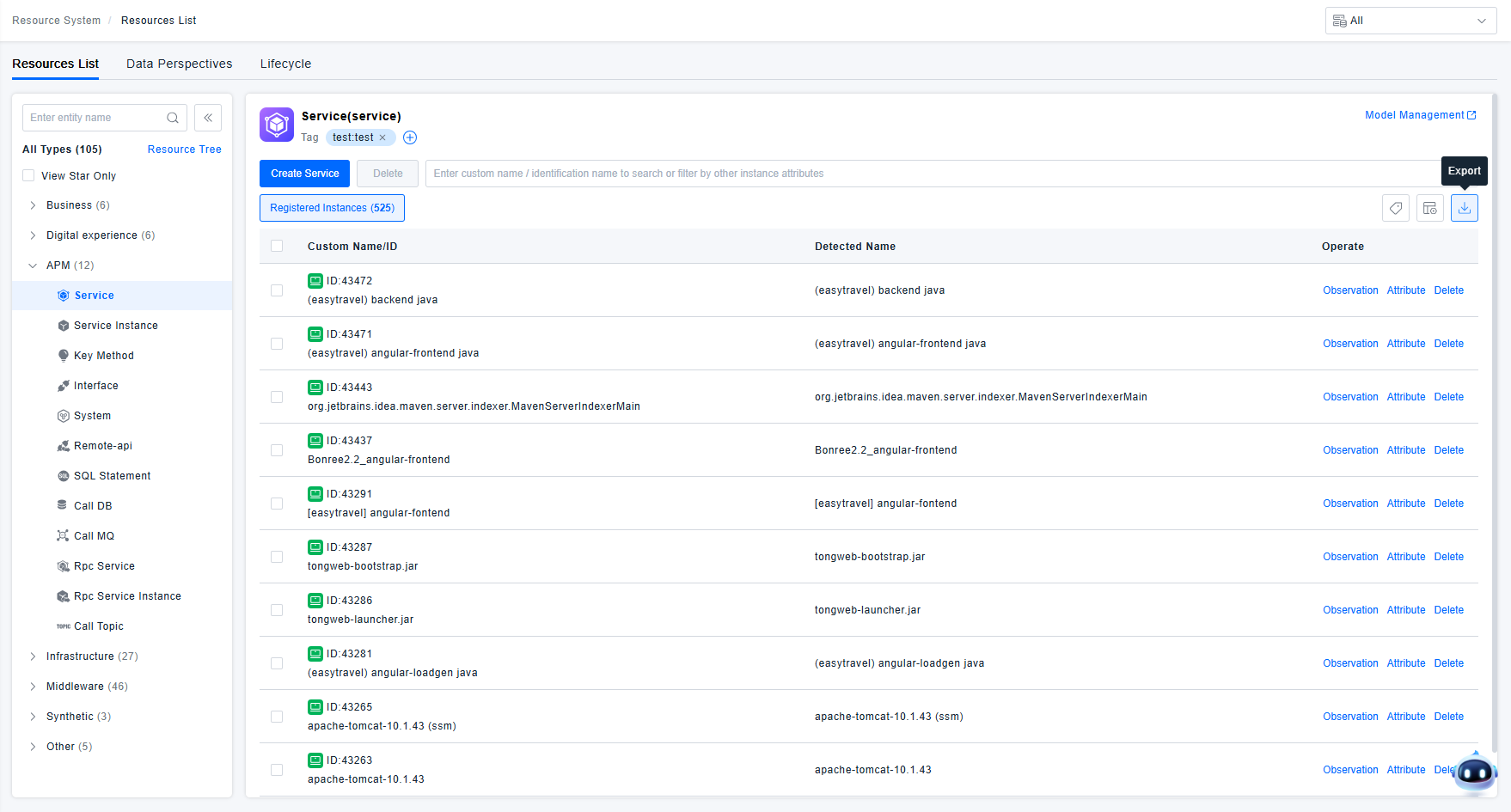
1) Export: If users need to export the registered instance data from the platform for use outside the platform, they can use the data export function provided in the resource list to export the list data as an Excel file.
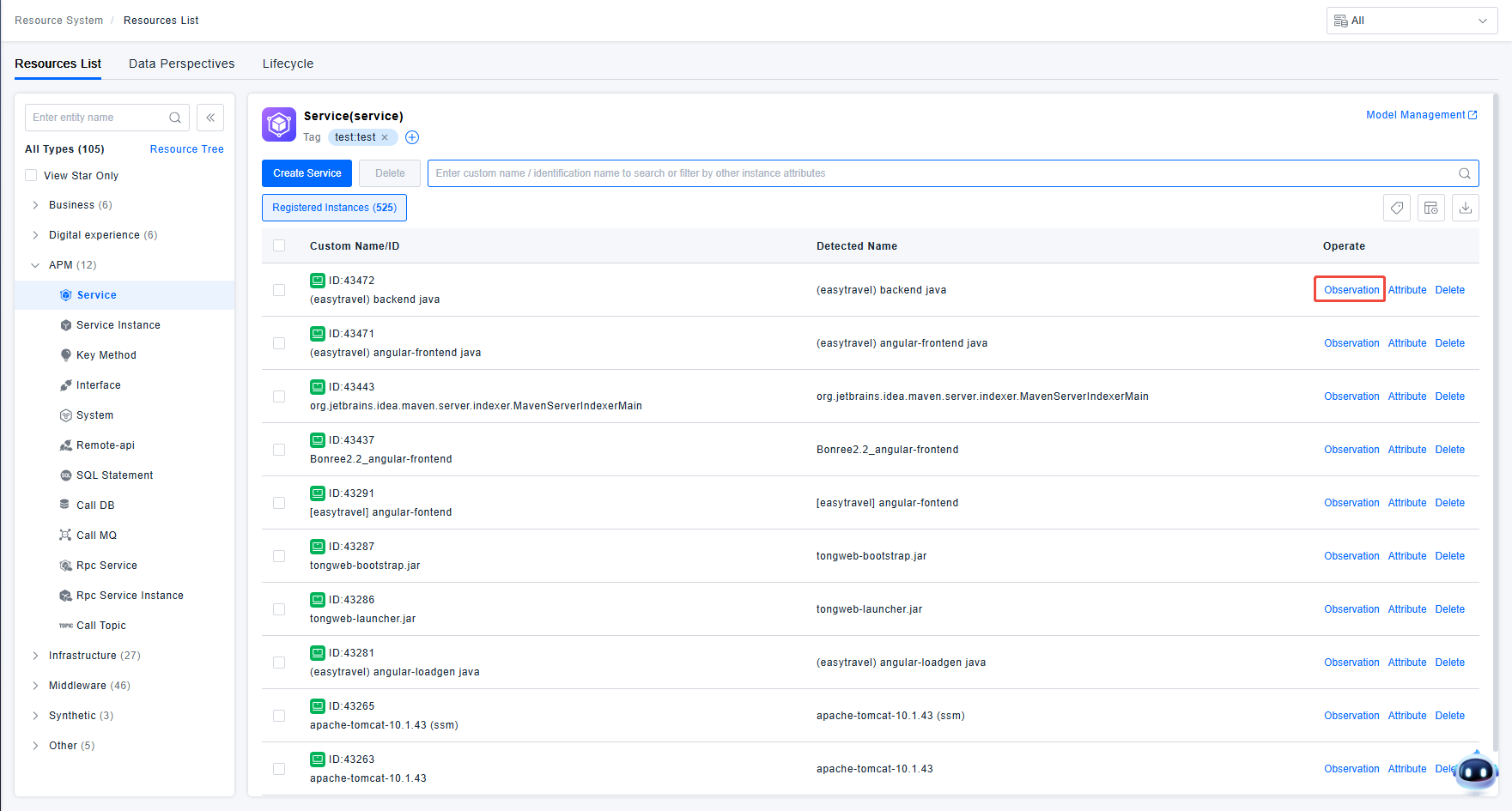
2) Performance Observation: The platform provides mature performance observation pages for common resource types (e.g., services, applications, hosts, etc.). You can quickly navigate to the observability page for the corresponding instance via the Performance Observation function in the list to analyze the instance's performance.
3) Instance Deletion: If invalid instance data is registered on the platform due to special circumstances (e.g., ETL parsing errors), users can delete these invalid instances using the Instance Deletion function in the list. Data cannot be recovered after deletion.
Attribute Management
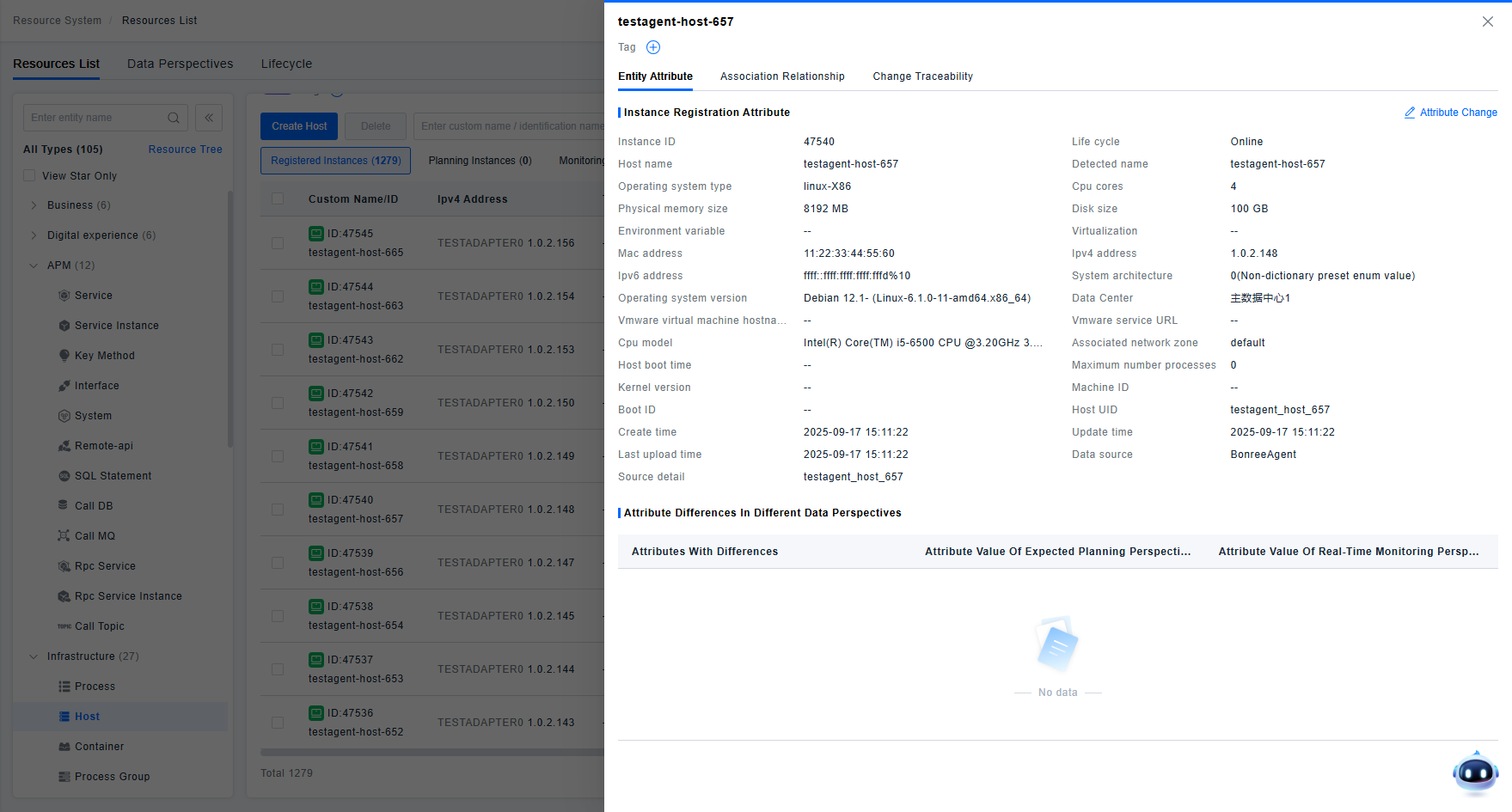
Using the Attribute Management function, users can view the currently registered attribute information of an instance on the platform and its related relationship information. If users find errors or omissions in the registered information, they can also adjust or supplement this content using the edit functions provided on the Attribute Management page.
Change Traceability
The lightweight CMDB automatically retains the last 6 changes of an instance as historical versions for 90 days. You can use the Change Traceability function to view the source and specific content of changes that occurred to the instance in the last 90 days.
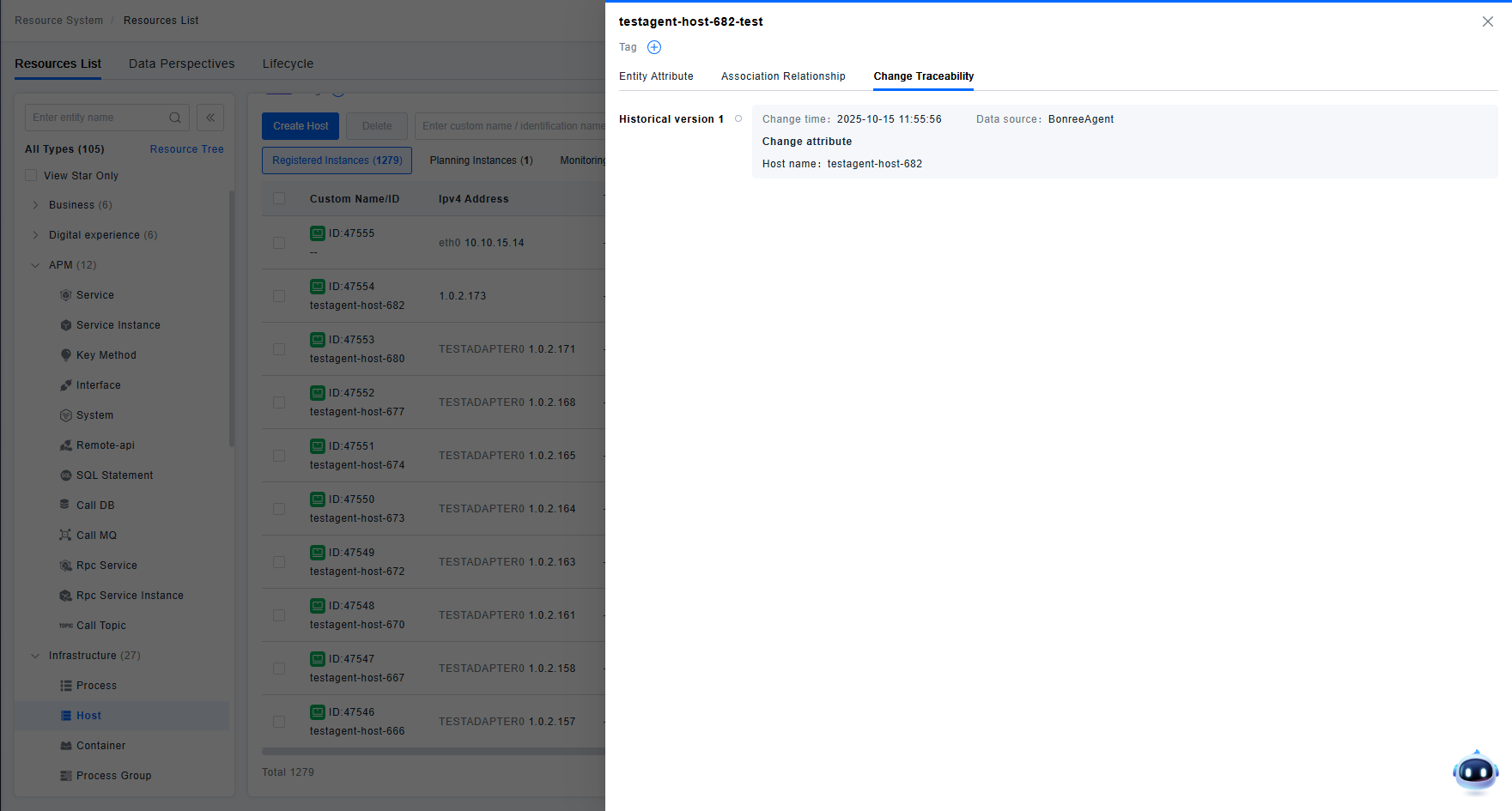
The change attribute content displayed on the page shows the attributes that were changed and their values before the change. To see the value after the change, please check the next historical version or the current attribute value.