Databases
- Database: Identified through APM based on the pattern: Protocol + Host IP + Port + Database Name. (e.g.,
jdbc:mysql://127.0.0.1:3306/imooc) - Statement: Refers to database statements, including SQL queries for relational databases and query operations for non-relational (NoSQL) databases.
- SQL Snapshot: A business snapshot of a single SQL/NoSQL execution, used to locate slow calls, error calls, and execution plan issues.
- Connection Pool: The connection pool used by the corresponding database.
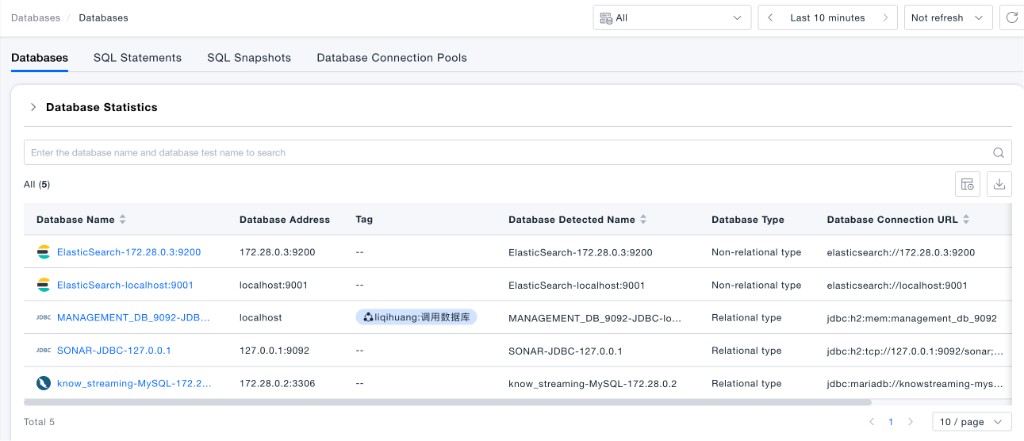
The Databases module provides four views—Databases, SQL Statements, SQL Snapshots, and Database Connection Pools—and supports unified cross-database search and analysis to help you quickly locate database-related performance issues.
Database Analysis
Anomaly Identification
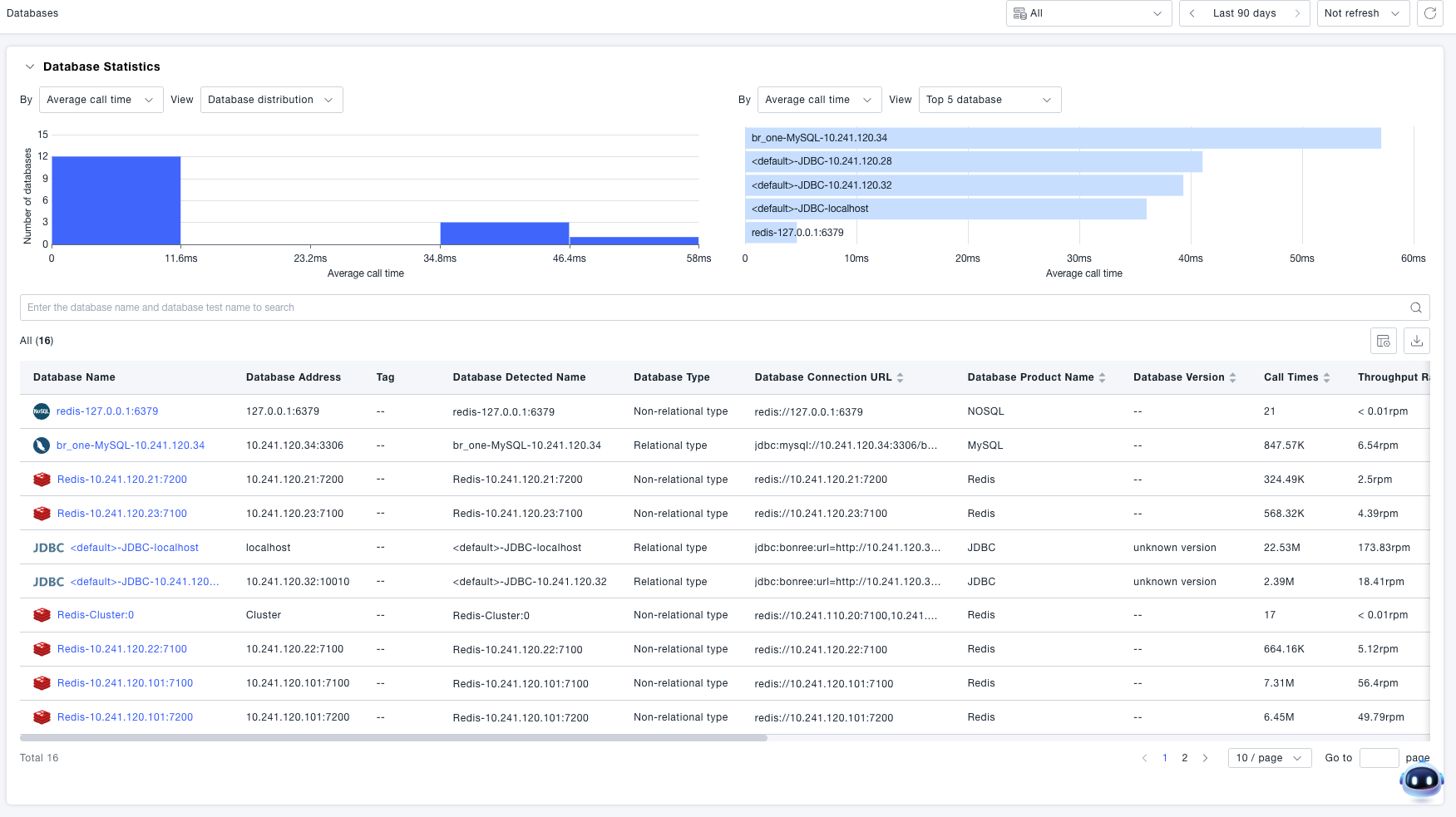
During daily monitoring, operations personnel can analyze metrics such as average call latency, call count, error rate, and error count. By reviewing database distribution charts, Top 5 databases lists, combined with metrics from calling services and alert status, they can quickly identify anomalous databases.
Drill-Down Analysis
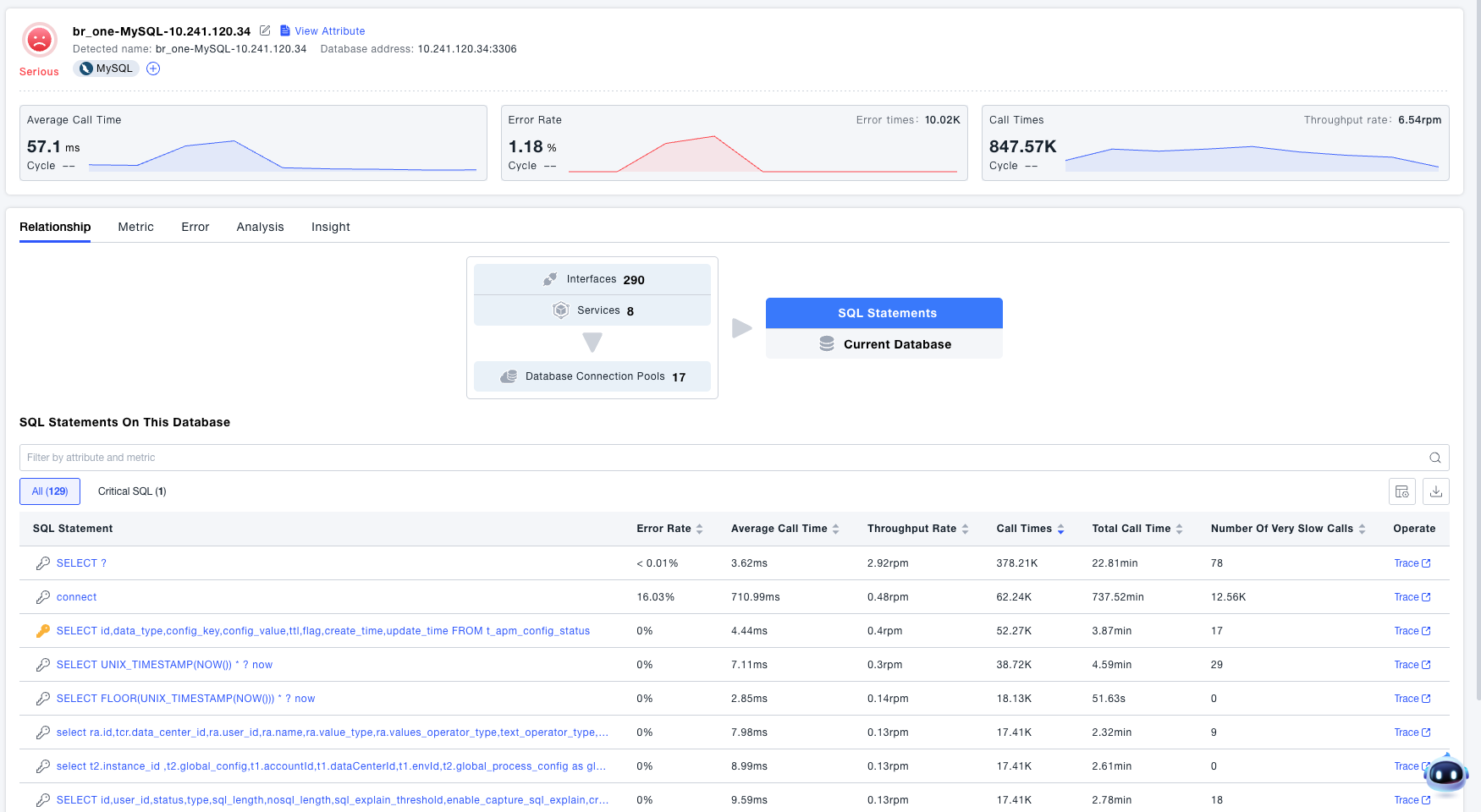
Provides functionality to view database relationships, metrics, errors, analysis, and insights. You can analyze database performance and status by examining horizontal/vertical relationships, metric data, and platform insights.
Relationships
-
View information about interfaces and services that are making requests to this database.
-
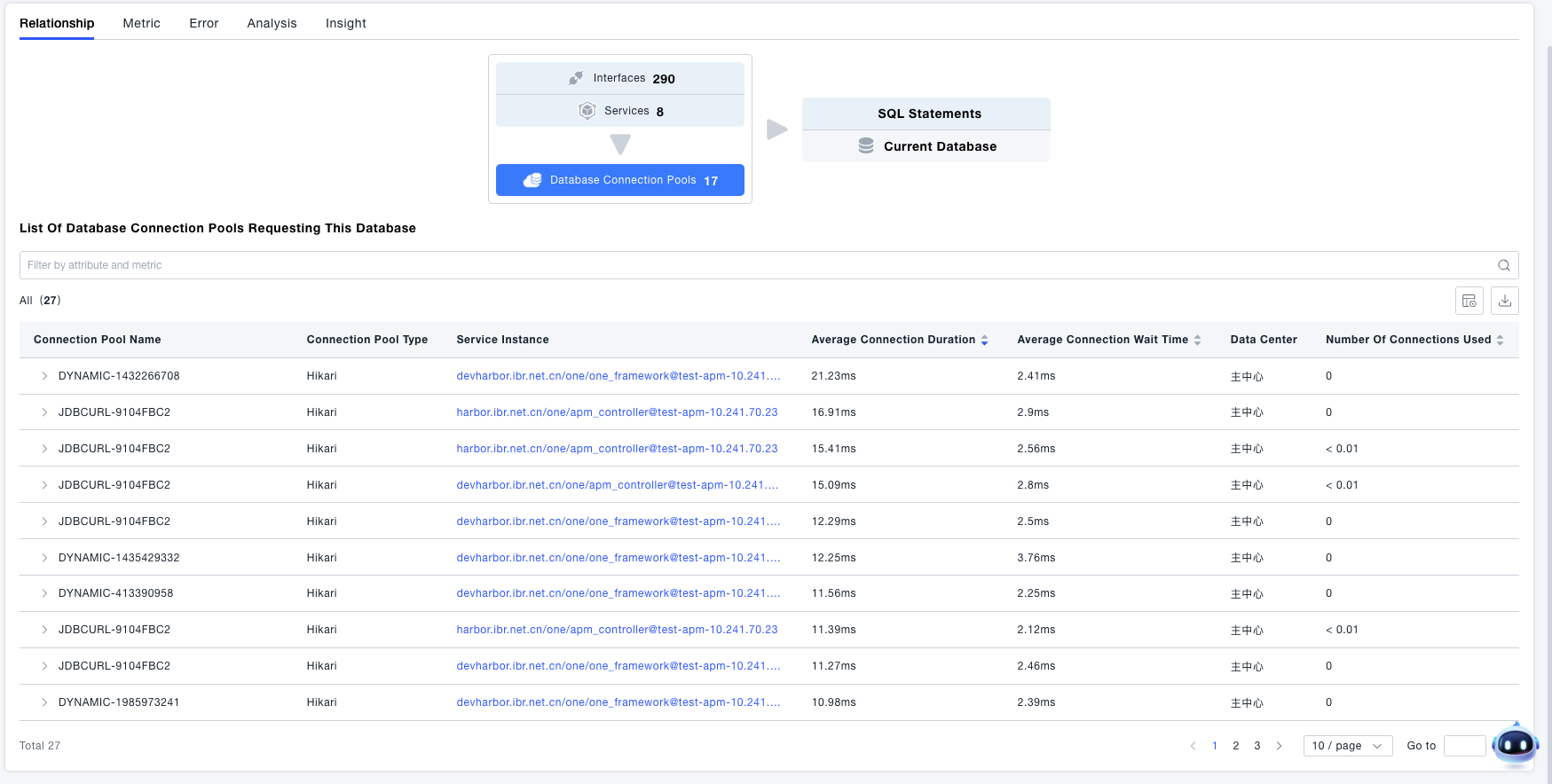
View connection pool information for applications connecting to this database.
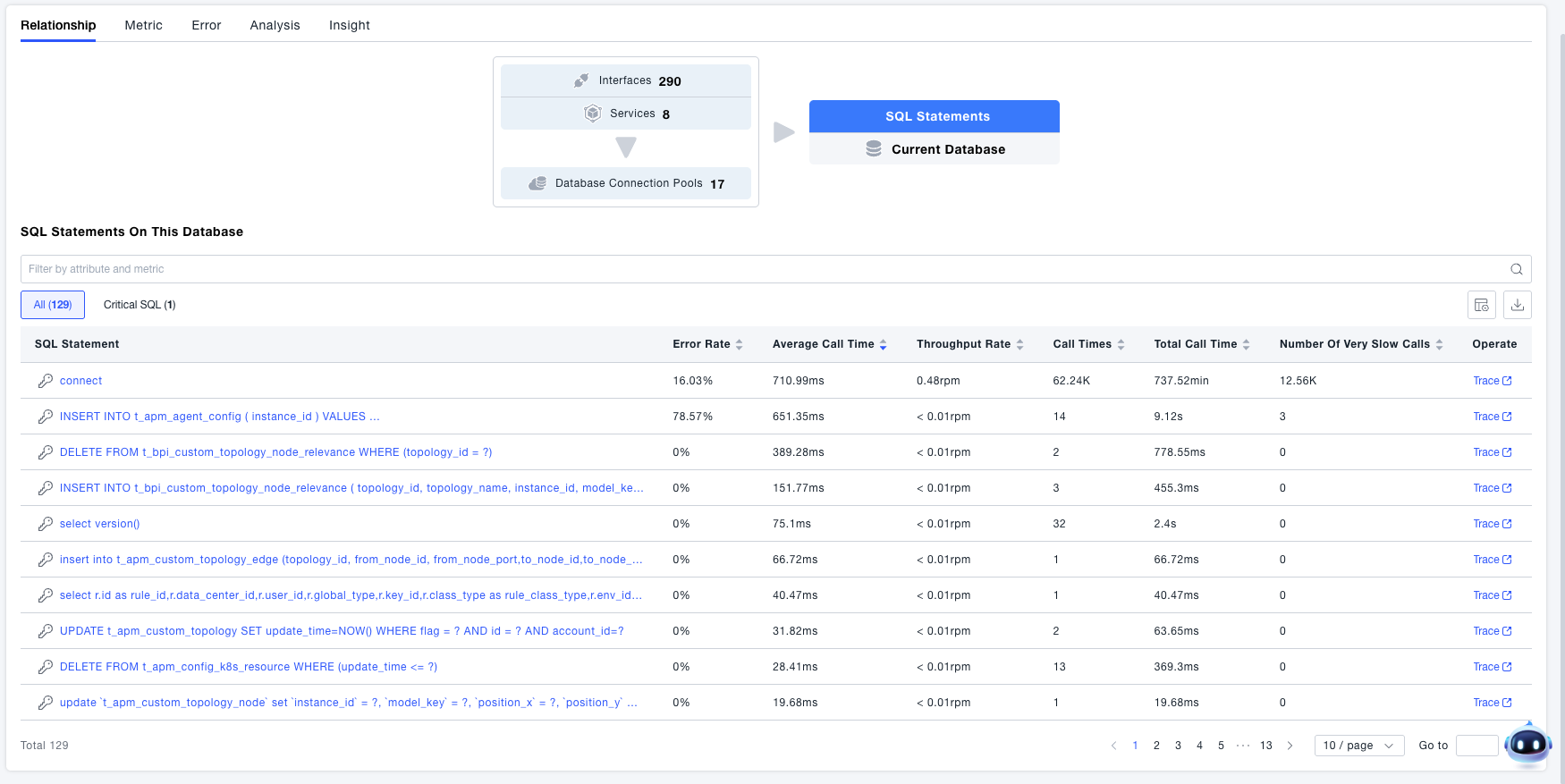
- View SQL statements executed on the database (or NoSQL operations for non-relational databases).
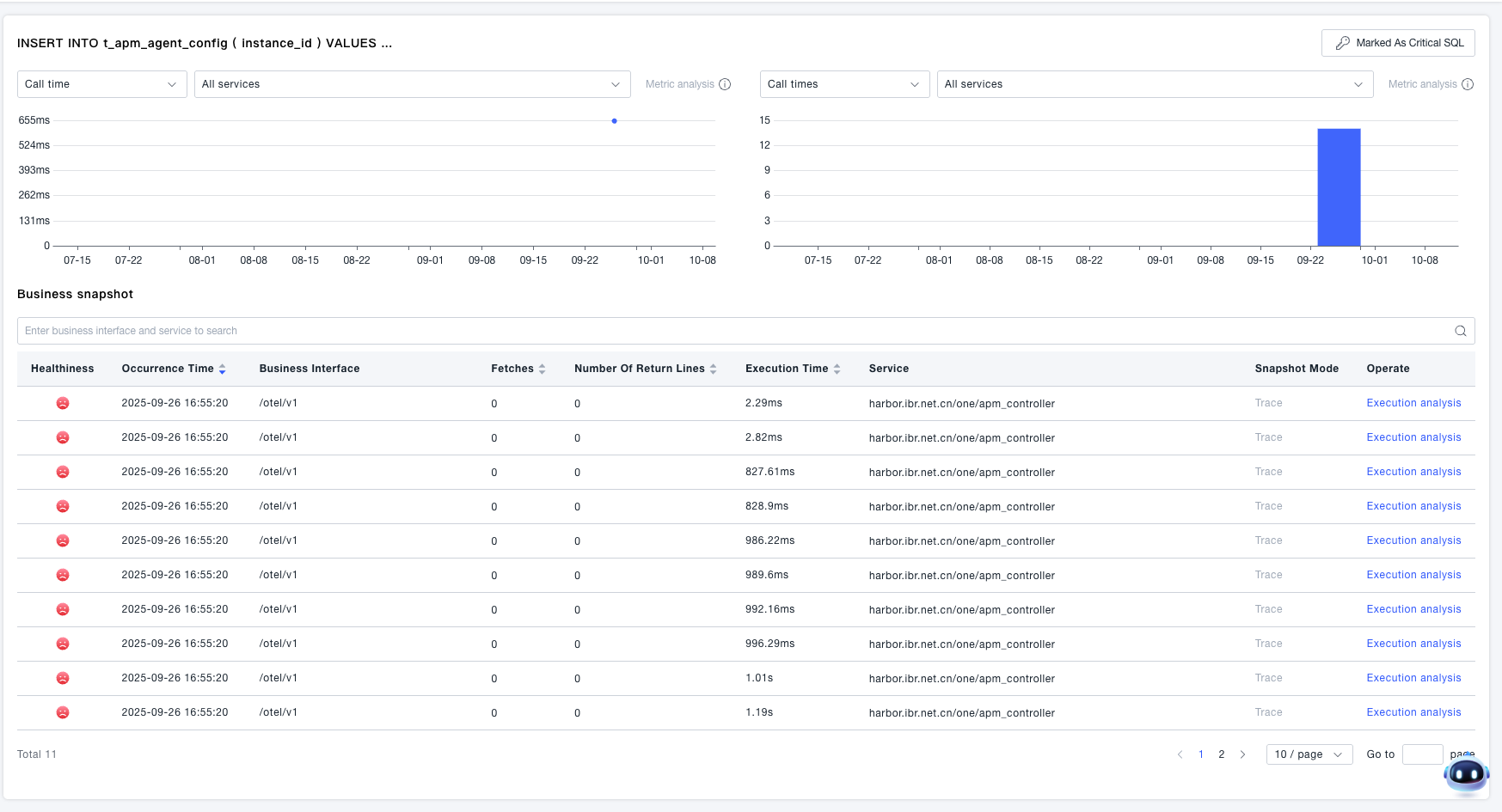
Drill into SQL/NoSQL operation details to analyze relevant information (such as occurrence time, business interface, rows returned, etc.). You can also view trace information or perform execution analysis.
Metrics, Errors, Analysis, Insights
Similar to the Service drill-down details, you can view data related to the current database. This section will not elaborate further; please refer to Services.
SQL Statements
In the SQL Statements view, you can review SQL/NoSQL statement performance across all identified databases in one place, without first opening a single database detail page.
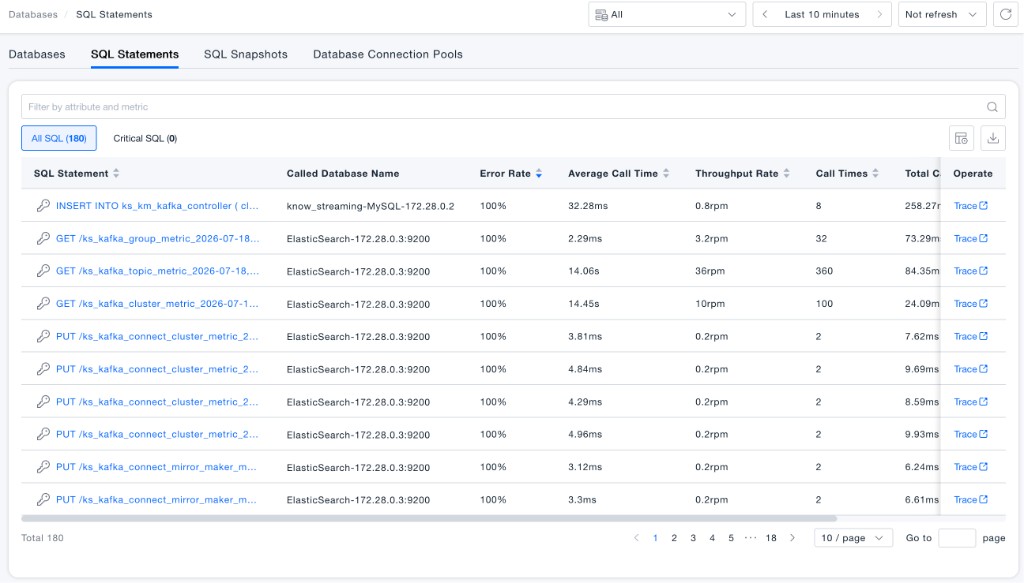
Statements can be grouped by All SQL and Critical SQL, and filtered by attributes and metrics. The list shows Called Database Name, Error Rate, Average Call Time, Throughput Rate, Call Times, Total Call Time, Very Slow Call Times, and more, and you can jump to Trace for further analysis.
Cross-Database Query
The SQL Statements list uses Called Database Name to show which database instance each statement belongs to. Relational databases (such as MySQL) and non-relational databases (such as ElasticSearch) can be aggregated in the same view, making it easier to compare slow SQL and high-error-rate statements across databases and shorten the troubleshooting path.
Total Call Time Dimension
The Total Call Time metric is added to show the cumulative time spent on a statement within the selected time range (for example, 258.27ms or 28.16min). Compared with Average Call Time alone, Total Call Time better reflects overall resource consumption: statements with moderate average latency but high call volume often become bottlenecks because of high total time. Sort by Total Call Time together with Call Times, Throughput Rate, and Very Slow Call Times to prioritize remediation.
SQL Snapshots
In the SQL Snapshots view, you can review business snapshots of individual SQL/NoSQL executions across databases to locate specific slow or abnormal calls.
The list shows Healthiness, Occurrence Time, SQL Statement, Called Database Name, Interface Detected Name, and more, and supports filtering by attributes and metrics. From the Operate column, you can open Trace or Execution analysis.
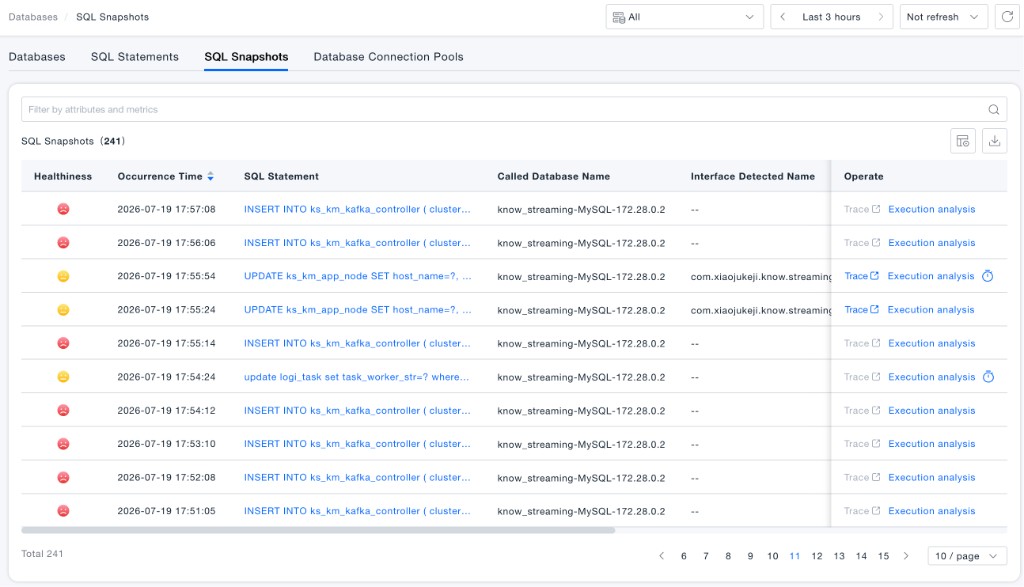
Cross-Database Query
Consistent with the SQL Statements view, SQL Snapshots associate each record with a database instance through Called Database Name. You can search and compare execution snapshots from different databases in one list to quickly identify which database, which statement, and when the issue occurred.
SQL Execution Plan Indicator
When an execution plan has been collected for a snapshot, an execution plan indicator (clock icon) appears next to Execution analysis in the Operate column. Click Execution analysis to switch between:
- SQL Statement: The full statement content for this execution
- Execution Plan Analysis: Execution plan details returned by the database (such as
SelectType,Table,Type,PossibleKeys,Key, andRows), helping you determine whether the query used the wrong index, performed a full table scan, or scanned too many rows
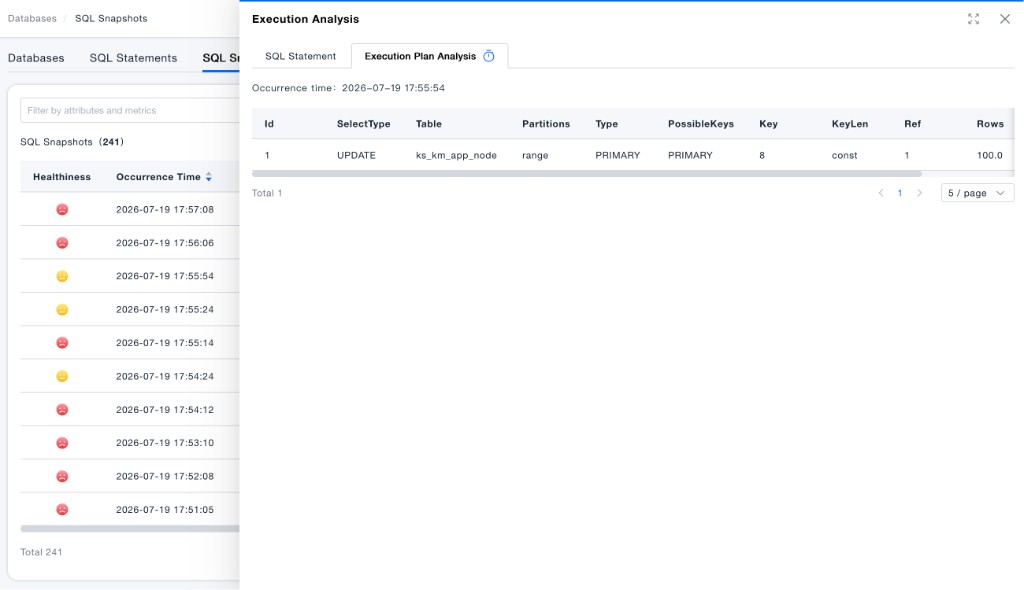
Follow the path abnormal Healthiness → execution plan indicator → Execution Plan Analysis / Trace to move quickly from discovery to root-cause analysis.
Database Connection Pools
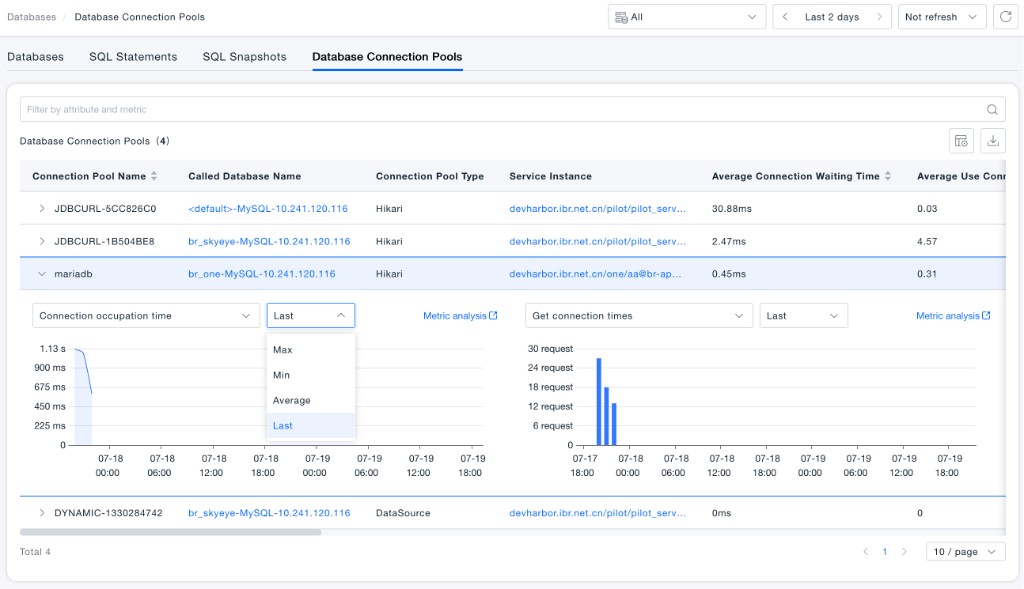
In the Database Connection Pools view, you can review Connection Pool Name, Called Database Name, Connection Pool Type, Service Instance, Average Connection Waiting Time, Average Use Connections, and more, and filter by attributes and metrics.
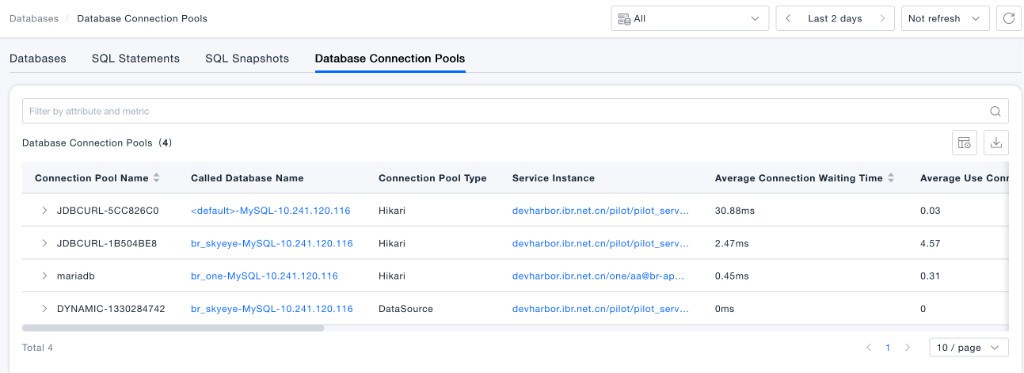
Expand a connection pool row to view trends such as Connection occupation time and Get connection times. Aggregation options include Max, Min, Average, and Last, and you can open Metric analysis for deeper investigation.