Creating and managing Roles
The previous document "Understanding the Role Concept in ONE" has explained in detail the concept and function of roles in the permission management process. This chapter will demonstrate how to create a role and explain key points to note during the creation process.
Creating a Role
Function Entry: Account Management / IAM Controls / Role Management. When creating a role, the administrator needs to define the role's basic information and permission content.
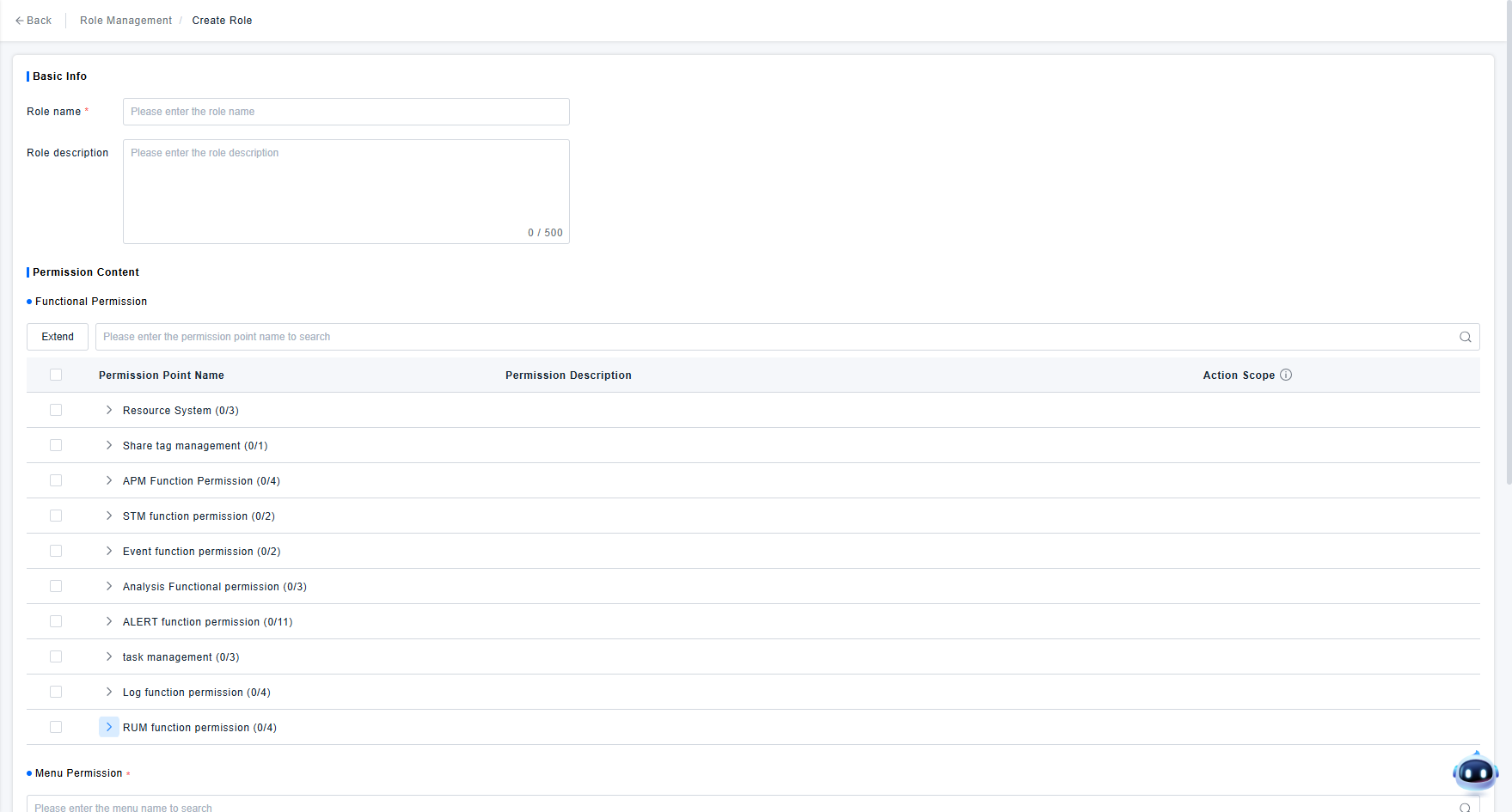
Explanation of functional elements on the role creation page:
- Role Name: Used solely to identify the role. It is recommended to use an easily understandable and highly recognizable name so that the corresponding role can be quickly found when configuring permissions for users and user groups later.
- Function Permissions: Primarily describe the operations that users with this role can perform on the platform. You can read the permission descriptions to understand the control effect of specific permission points under each function permission set. If you confirm the role needs a certain function permission, simply check the corresponding box.
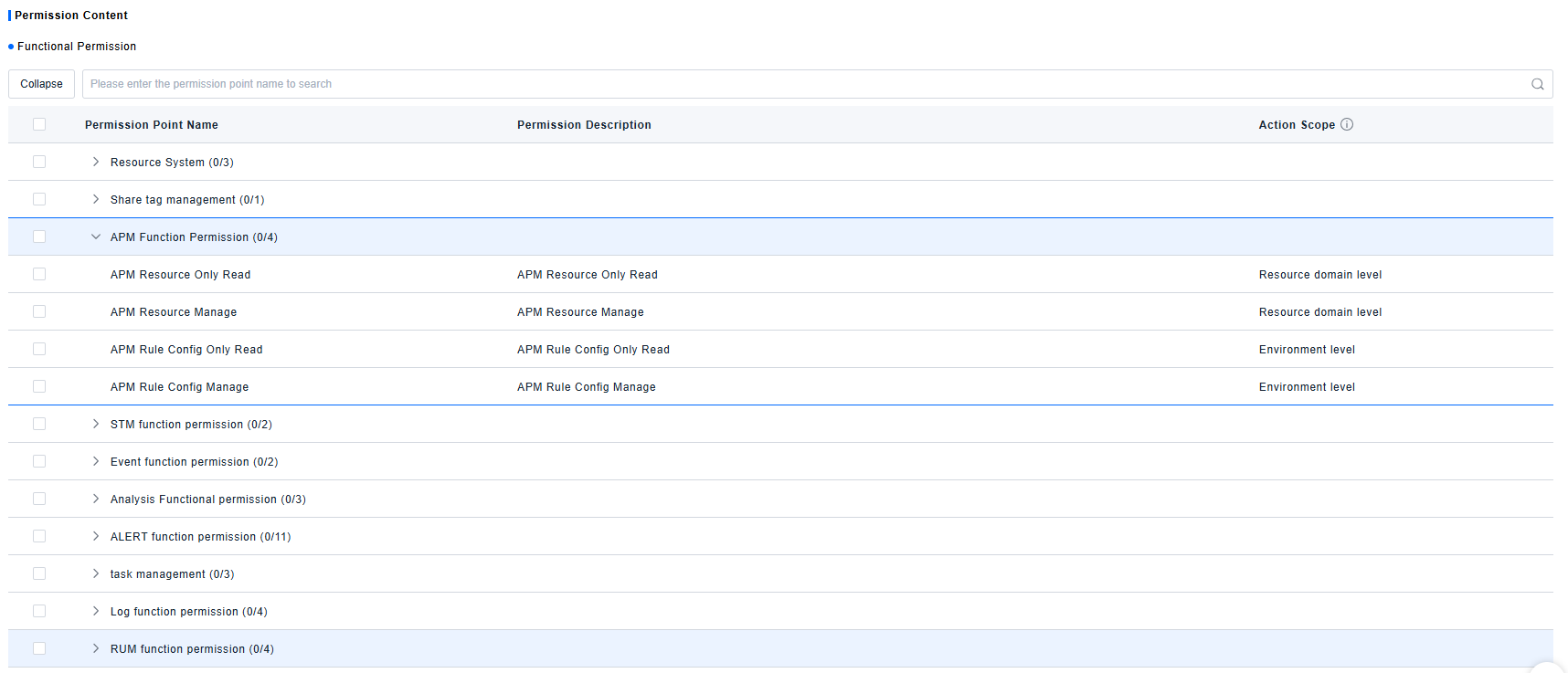
- Menu Permissions: Determine the set of menus that users with this role can see when accessing the platform. You can refer to the ONE platform's functional navigation and check the menu items that the currently created role needs to use.
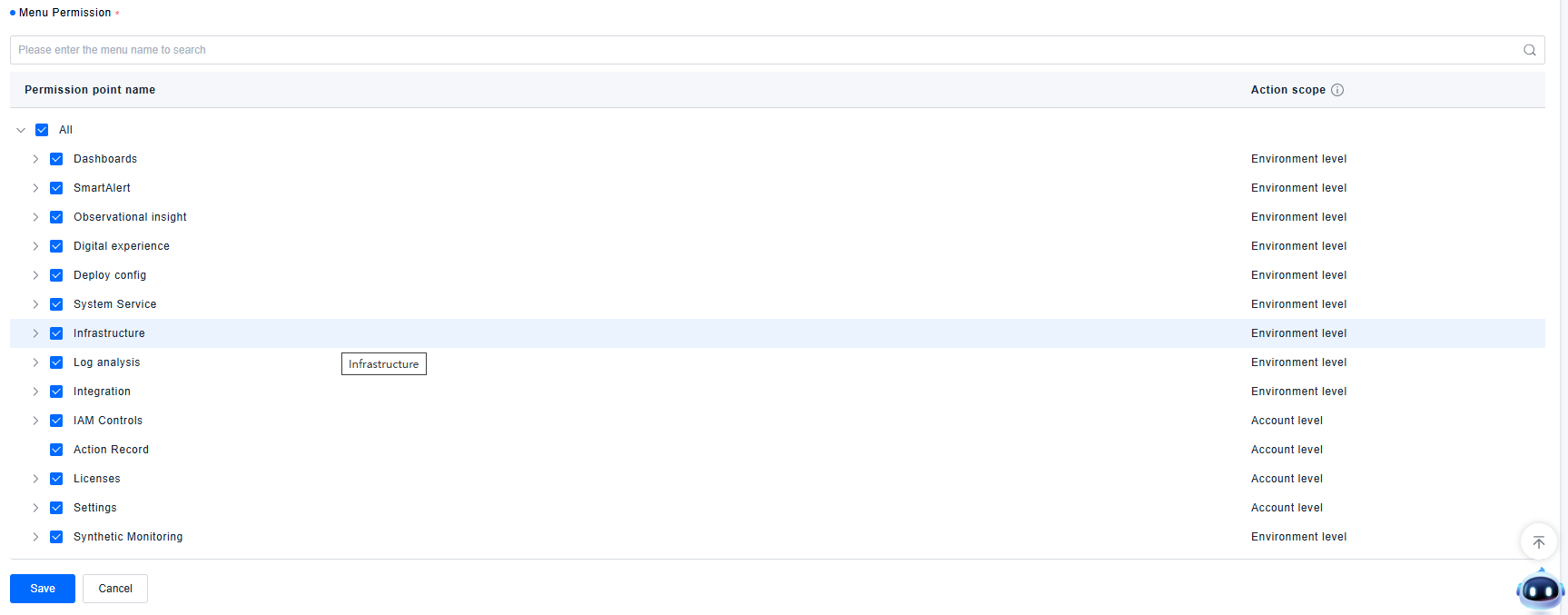
Explanation of the Scope of Function Permissions and Menu Permissions
The scope of permission points in the ONE platform can be divided into three types: Account-level, Environment-level, and Resource Domain-level. Their meanings are as follows:
- Account-level: Authorization based on the user account. Once a user obtains this permission, it remains unchanged regardless of which environment or resource domain the user accesses in the platform, and is independent of the user's environment or resource domain.
- Environment-level: Authorization based on the user's position within the scope of an environment. Within the same environment, the user's permission points do not change when accessing different resource domains.
- Resource Domain-level: Authorization based on the user's position within a specific resource scope. The user's permissions can vary depending on the resource domain they are in.
Because the ONE platform has a large number of function permission and menu permission control points, creating a role requires checking and recording a lot of content. If the role to be created is very similar to an existing role, the administrator can use the platform's role cloning function to create a new role, simplifying the page configuration work.
Managing Roles
For created roles, users can manage them according to the page functions, including editing the role's basic information and permission scope, and deleting roles that are no longer in use.
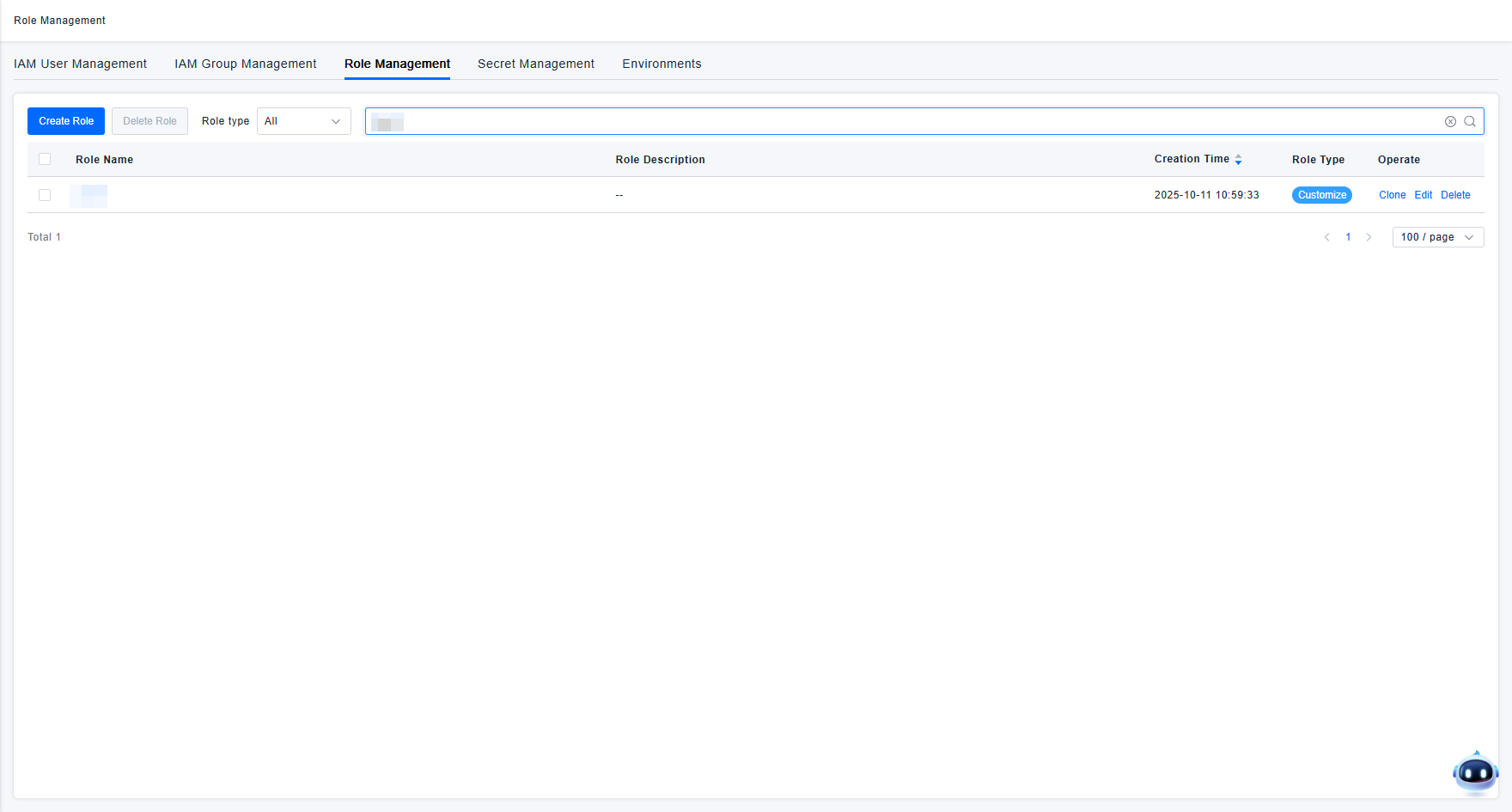
Deleting a role that is in use will cause user permissions to become invalid. Therefore, it is recommended to proactively confirm whether the role is still needed before deletion. If it is still needed, do not perform the deletion operation.