Resource Domains Overview and Usage
The ONE platform provides professional enterprise-level permission management capabilities, supporting multi-level permission management based on Environment and Resource Domain. To help users better plan the access control system within the ONE platform, this section provides a unified introduction to the concepts needed to understand the platform's access control capabilities and the usage of Environment and Resource Domain features.
Key Concepts of the Platform Access Control System
The following diagram illustrates the relevant concepts involved in ONE's resource management process and their interrelationships. You can understand the overall resource management approach of the ONE platform by combining the diagram with the subsequent concept explanations.
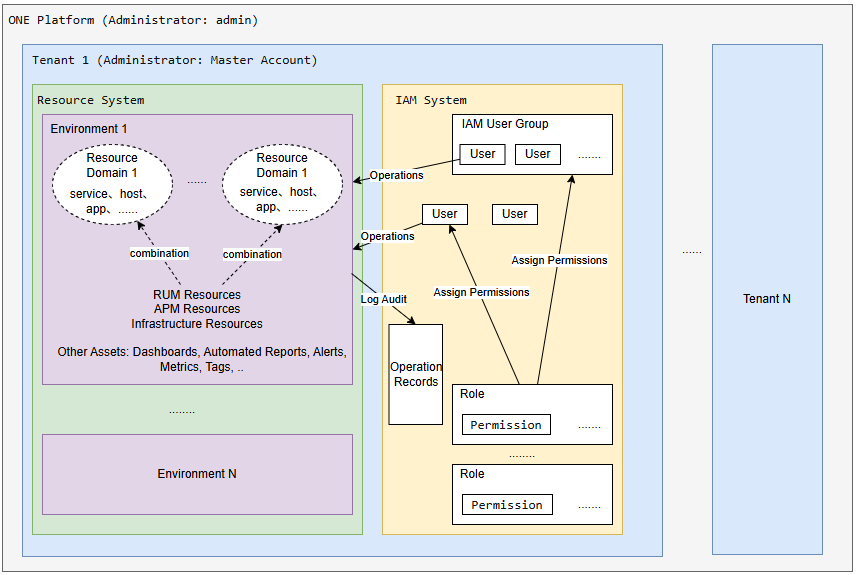
Concept Explanations:
-
ONE Platform: A complete set of deployed ONE functionalities, including various frontend/backend components and the underlying infrastructure on which services run;
-
Master Account (Tenant): A standard management unit under the ONE platform. Data is completely isolated between tenants. In the public cloud environment, one customer corresponds to one Master Account. User License applications and management are also based on the Master Account;
-
Environment: A resource management unit under a tenant. Data is isolated between environments. Data collected, integrated, or created by users must belong to a specific environment. Users' operational monitoring work on the platform must be based on a specific environment;
-
Resource Domain: A set of resource query conditions defined for a specific data query scenario within an environment, primarily used to control the data query scope of users within that environment;
-
IAM User: A user of the ONE platform functionalities. The features a user can use and the data they can read/write are controlled by user permissions.
In the diagram above, the Resource System and IAM System under the tenant represent two different types of functional collections within the platform, not direct product concepts presented to customers. They are only illustrative aids to help users understand the platform's functional architecture.
Environment and Resource Domain Usage Guide
Environment
As the most fundamental resource management concept, you can decide whether environment division is necessary based on whether data isolation scenarios exist within your tenant, and plan and manage environments according to actual usage needs.
Because data is isolated between environments and the platform currently does not support data migration between environments, it is essential to plan and divide environments correctly from the very beginning of data reporting, and report data according to the plan. If you adjust the data reporting environment later, historical data will be in different environments and cannot be correlated for analysis.
The platform pre-configures a Default environment by default. If no data isolation scenarios exist within the tenant, users can directly report data to this environment and use it subsequently.
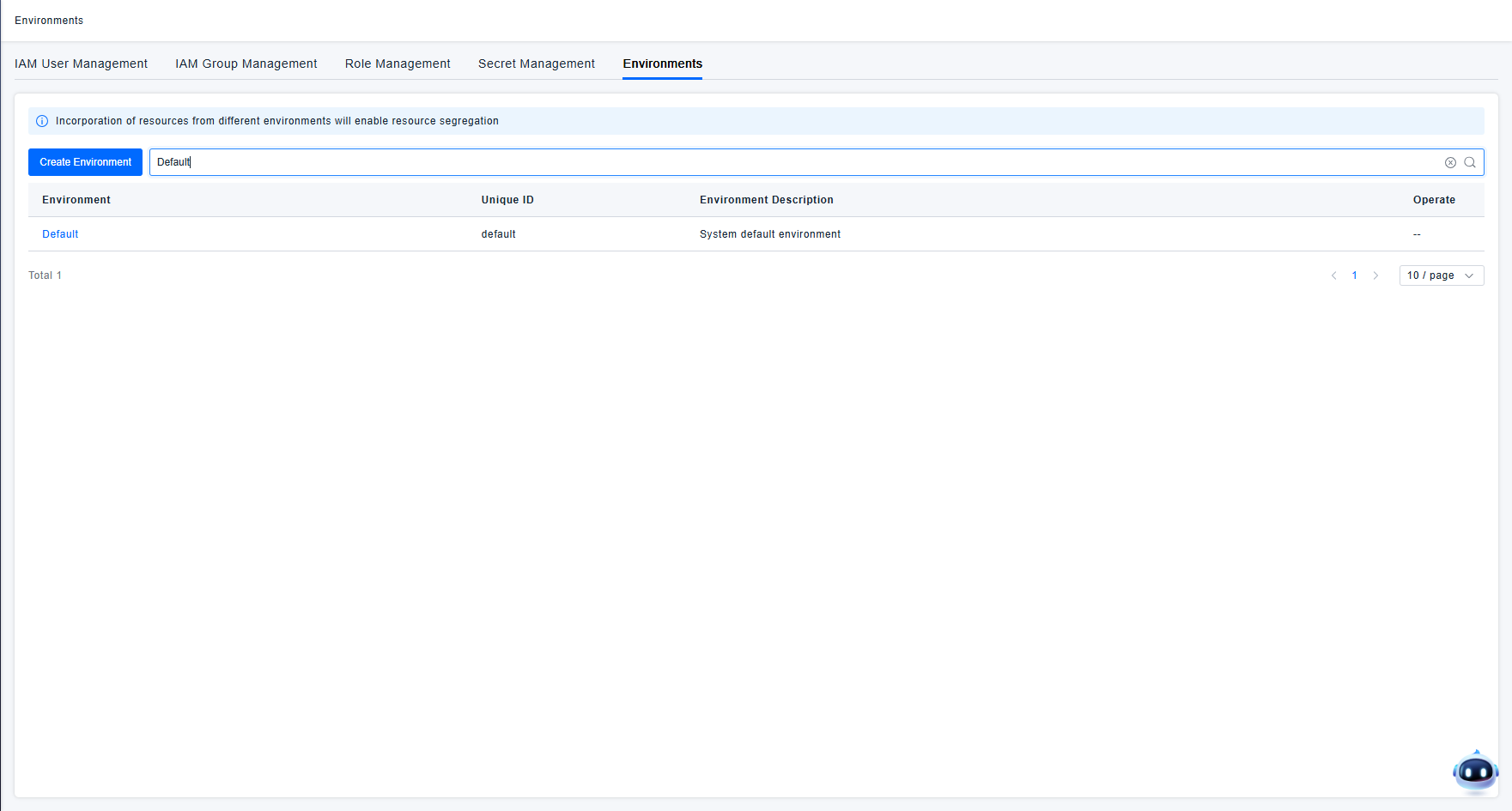
For scenarios like having test and production environment data reported to the same Master Account, because there are no correlation analysis needs between these production and test environments and having many services with the same name without isolation significantly impacts daily use, it is recommended to use the Environment concept for data isolation in such cases. Administrators can directly use the Create Environment function on the Environment & Resource Domain page to create environments.
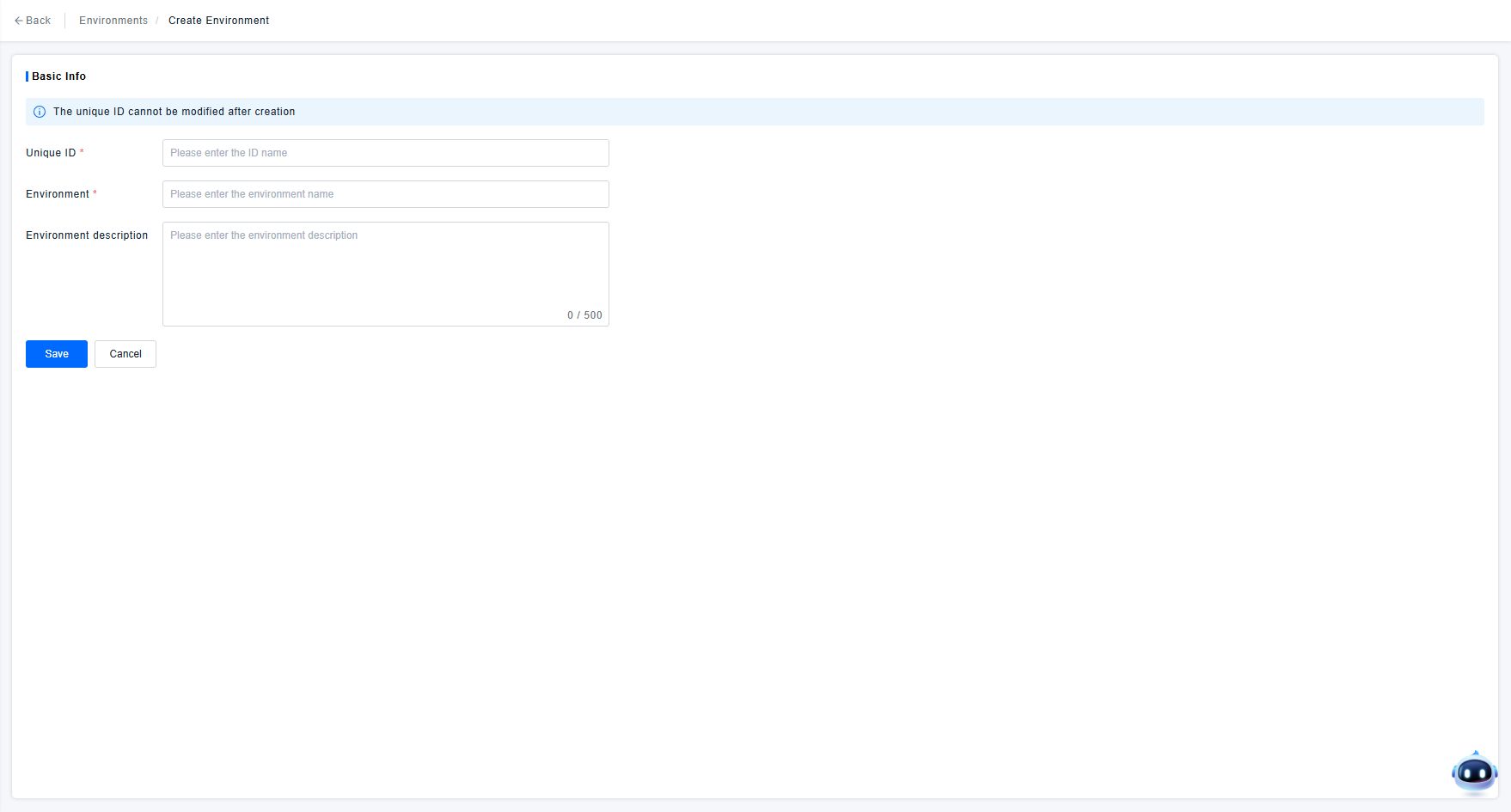
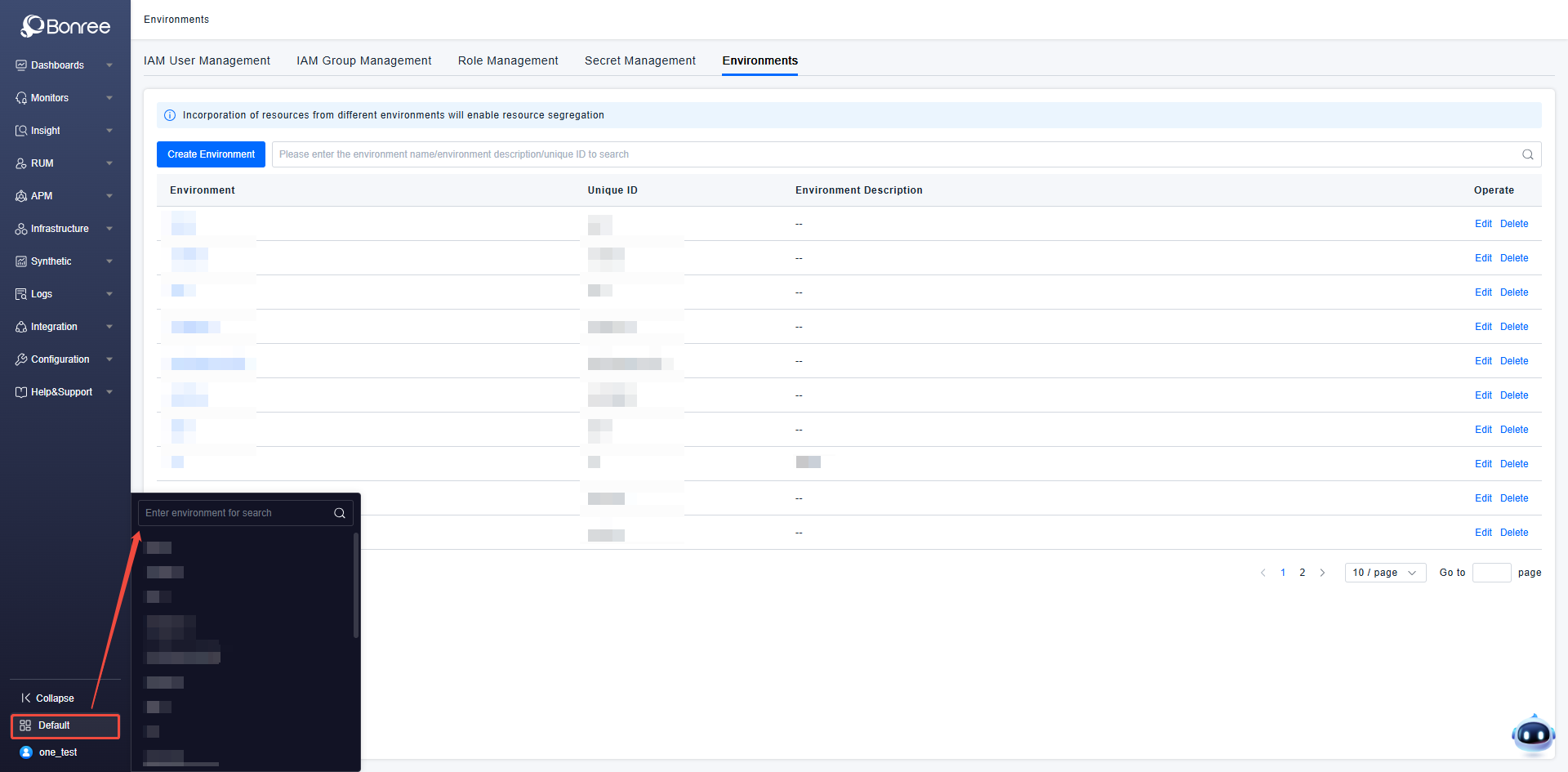
Created environments can be managed using the environment list functions, including: editing the environment name and description, and deleting environments that are no longer in use.
Deleting an environment will simultaneously delete all data under that environment. Deleted data cannot be recovered. Therefore, unless you are certain the environment is no longer needed, please do not perform environment deletion.
If the administrator creates multiple environments and assigns users access permissions to the corresponding environments, users can switch between different environments to use ONE platform functionalities via the navigation bar's environment switcher.
Resource Domain
Resource Domain is a crucial concept for permission management within an environment. If more fine-grained data permission management within an environment is required, you can go to the corresponding environment details page to create and manage Resource Domains.
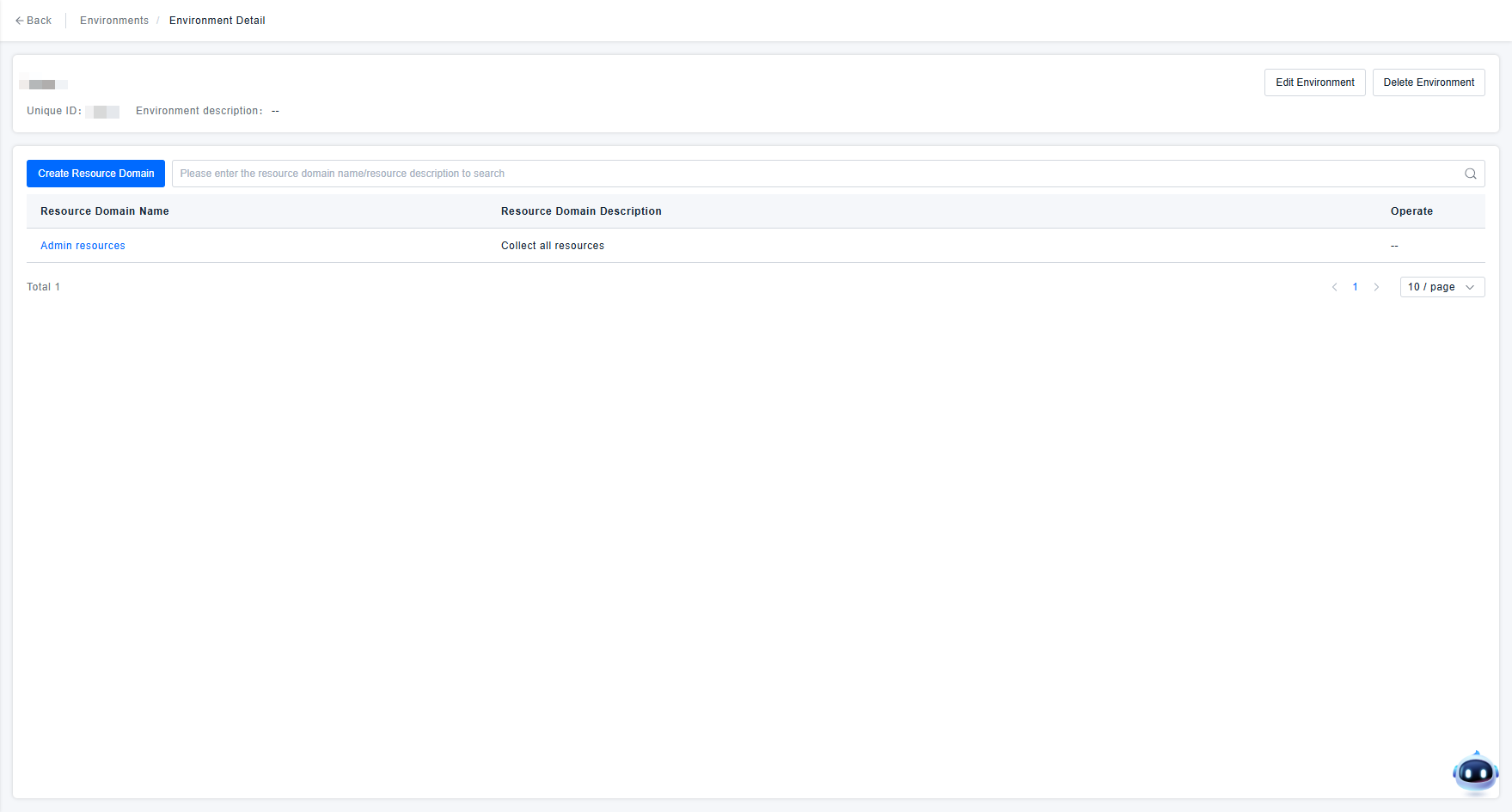
The platform pre-configures a default "Admin resource" Resource Domain, representing the environment administrator domain, which includes all resources under the environment. If no permission control is needed within the environment in practical usage scenarios, simply assign this Resource Domain to users during permission definition. Subsequently, users will be able to use all resources within the corresponding environment.
Since a Resource Domain essentially represents a set of resource query conditions defined for a specific data query scenario within an environment, users need to specify the query conditions for resources included in the Resource Domain when defining it. To simplify Resource Domain configuration and ensure the extensibility of Resource Domain definitions for user-defined data, the platform uniformly uses tags for Resource Domain definition starting from version 3.1.0. This means users add tags to data and specify which tags the data must have to be included in the Resource Domain during its definition.
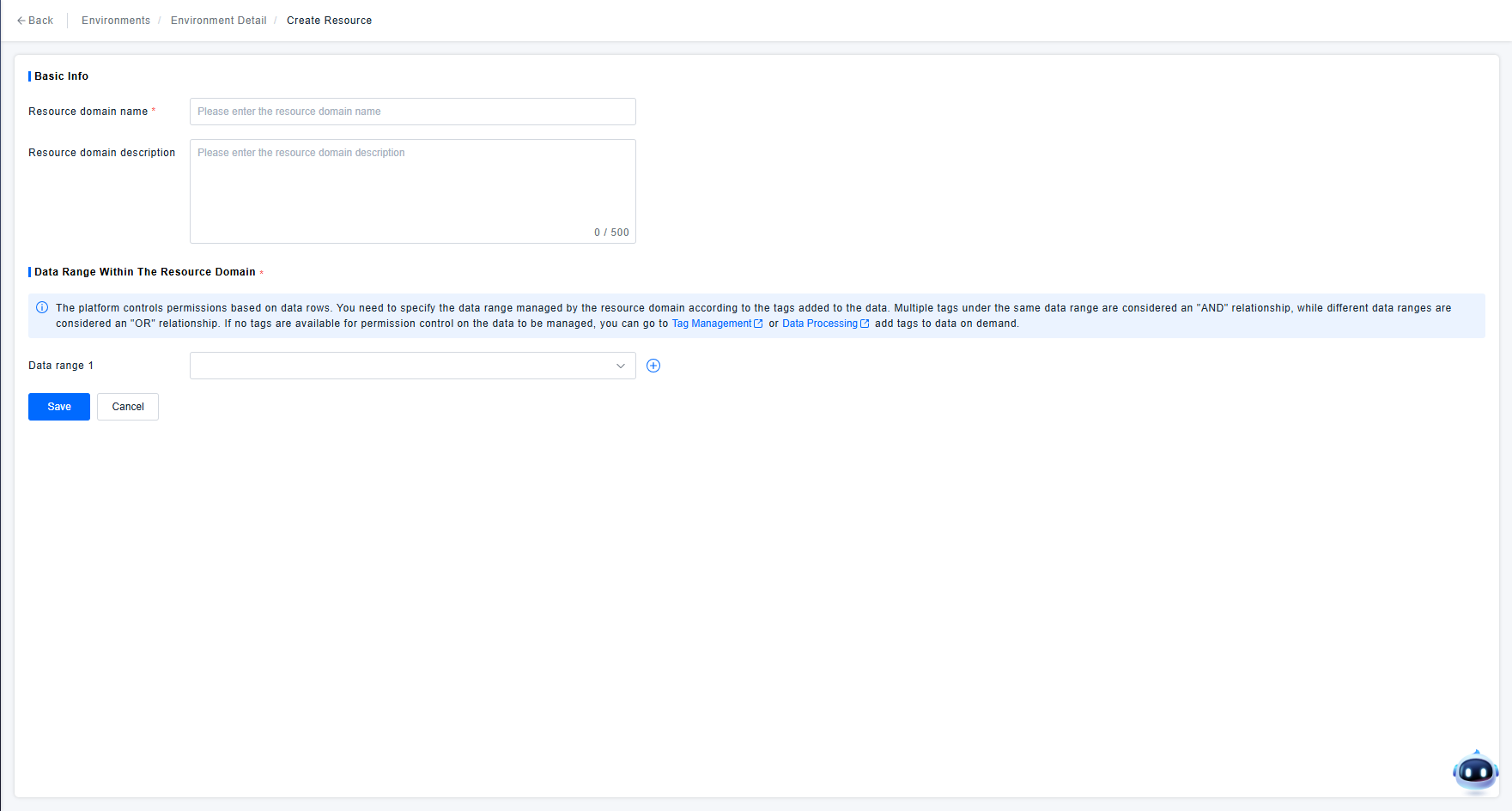
Platform pages that distinguish data display based on Resource Domain permissions are equipped with a Resource Domain switcher component. Users can switch to view data under different Resource Domains for which they have permissions.
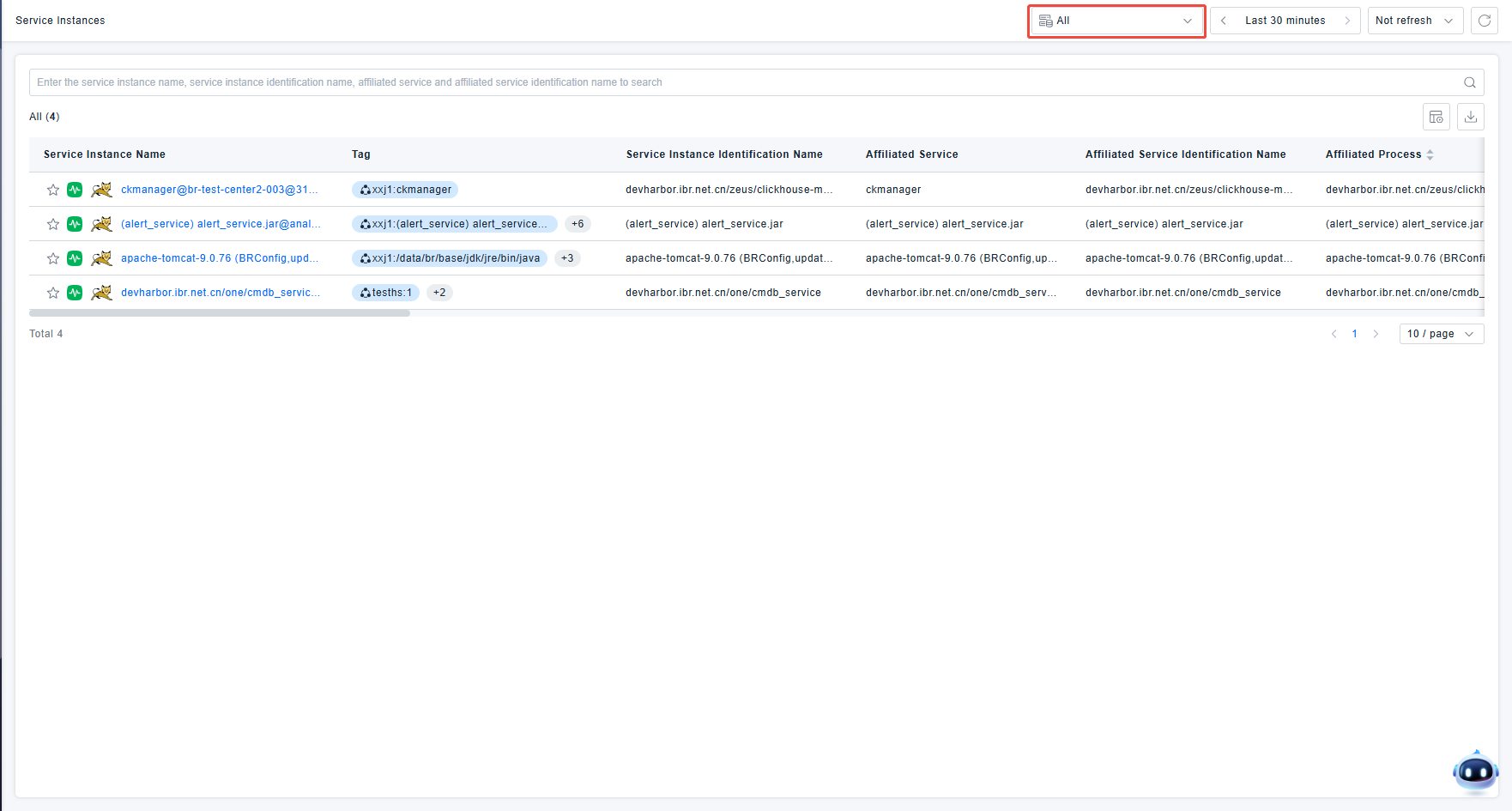
The page's Resource Domain switcher component defaults to the "All" option, which represents viewing the union of data from all Resource Domains the user has permission to access. If users need to view data under a specific Resource Domain, they can select the corresponding option from the dropdown to filter the data query.