Health Score
The Health Score quantifies the operational status of instances, providing operations staff with an intuitive health assessment to help quickly identify anomalies and prioritize critical issues.
Health Score Scope
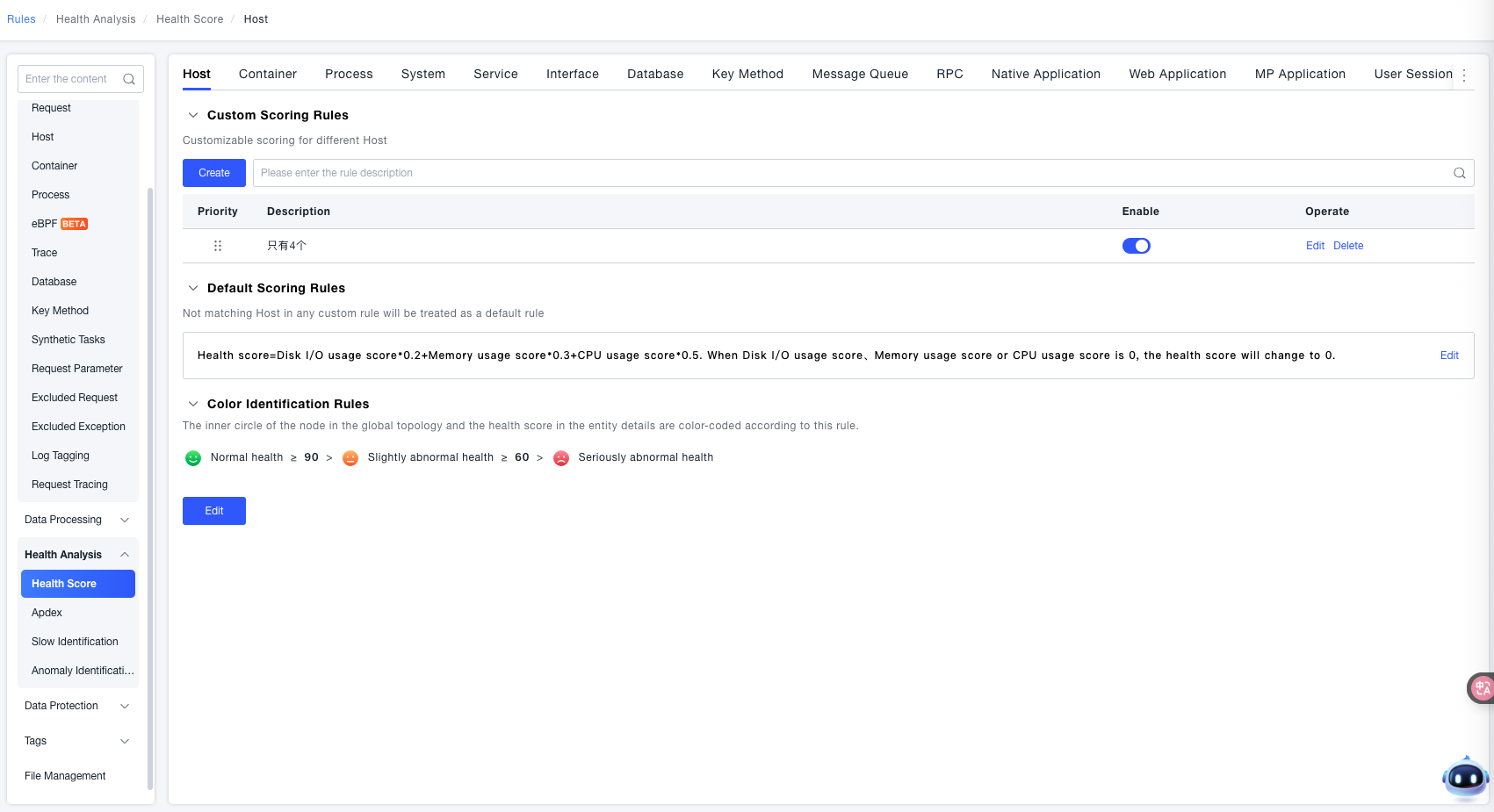
ONE provides the capability to configure health score rules for different instances, including settings for hosts, containers, process groups, process group instances, services & service instances, interfaces, databases, key methods, message queues, native applications, web applications, MP applications, views, pages, and network requests.
How to Set the Health Score
ONE provides a set of pre-configured health score rules for different instances, achieving an out-of-the-box effect. Simultaneously, it supports modifying the default rules and also allows for configuring separate health score rules for specific instances.
Default Scoring Rules
Navigate to Deployment Configuration > Rule Configuration > Health Determination > Health Score.
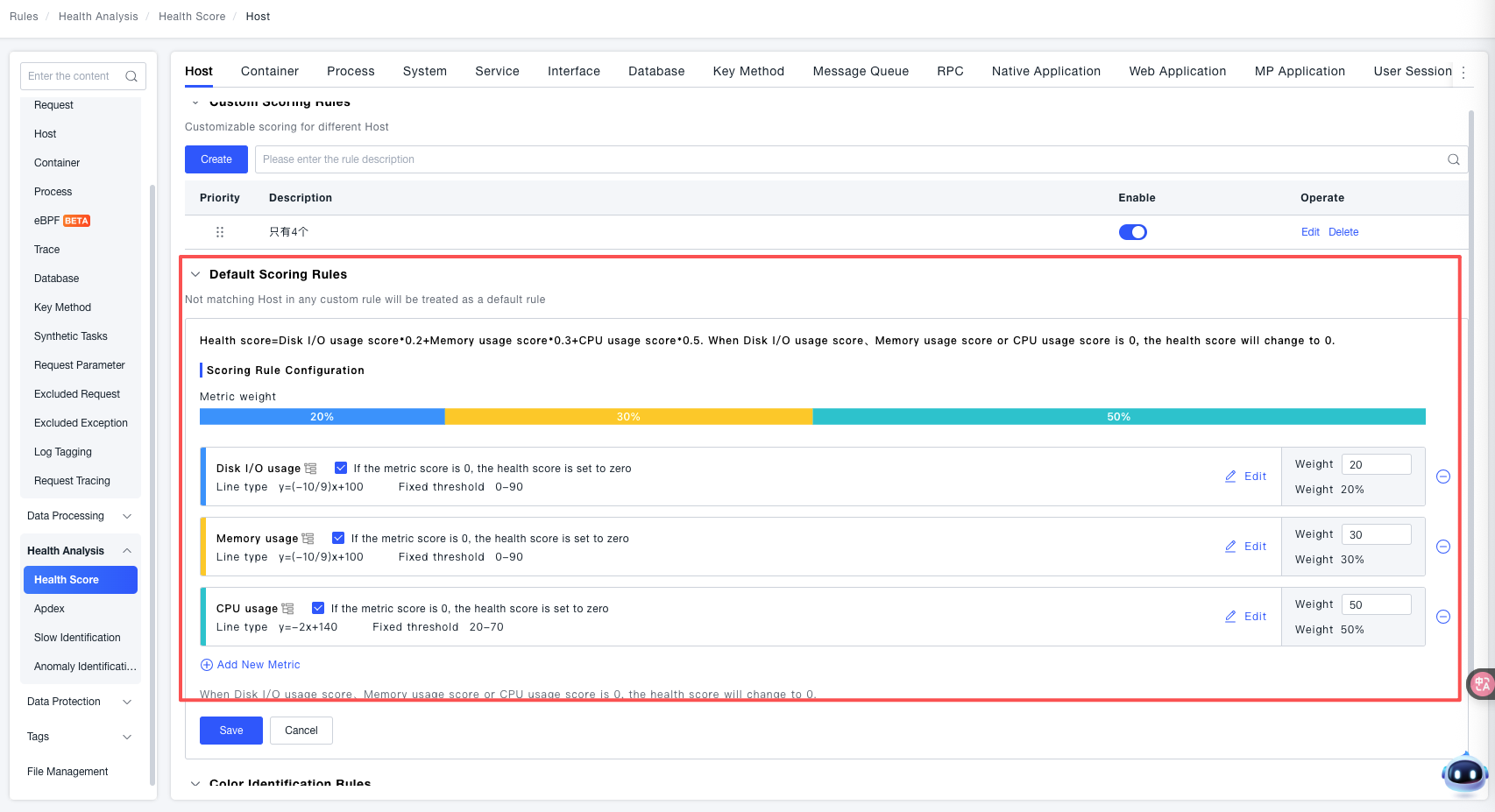
Each metric has a corresponding calculation method for its score. Each metric has a default basic judgment that determines the trend of its score. You can also change its judgment within the health score to alter its scoring direction to adapt to special scenarios. In the current version, the model only supports the Linear Model, and thresholds only support Fixed Thresholds. The value range for the linear score calculation is set through fixed threshold intervals.
The full score for each individual metric is 100. The weight of this metric is obtained by setting a Weight Value. The weight value supports integer input between 0 and 100. The weight determines the proportion of this metric's score relative to all metric scores. The full score for all metrics is also 100 points. Users can use the checkbox on the right side of the metric name to set whether the entire health score should be set to 0 when this specific metric score is 0. After confirmation, save the rule. In the outer rule list, you can adjust the priority, enable/disable, edit, or delete the rule.
Custom Scoring Rules
Users can set separate scoring rules for different objects.
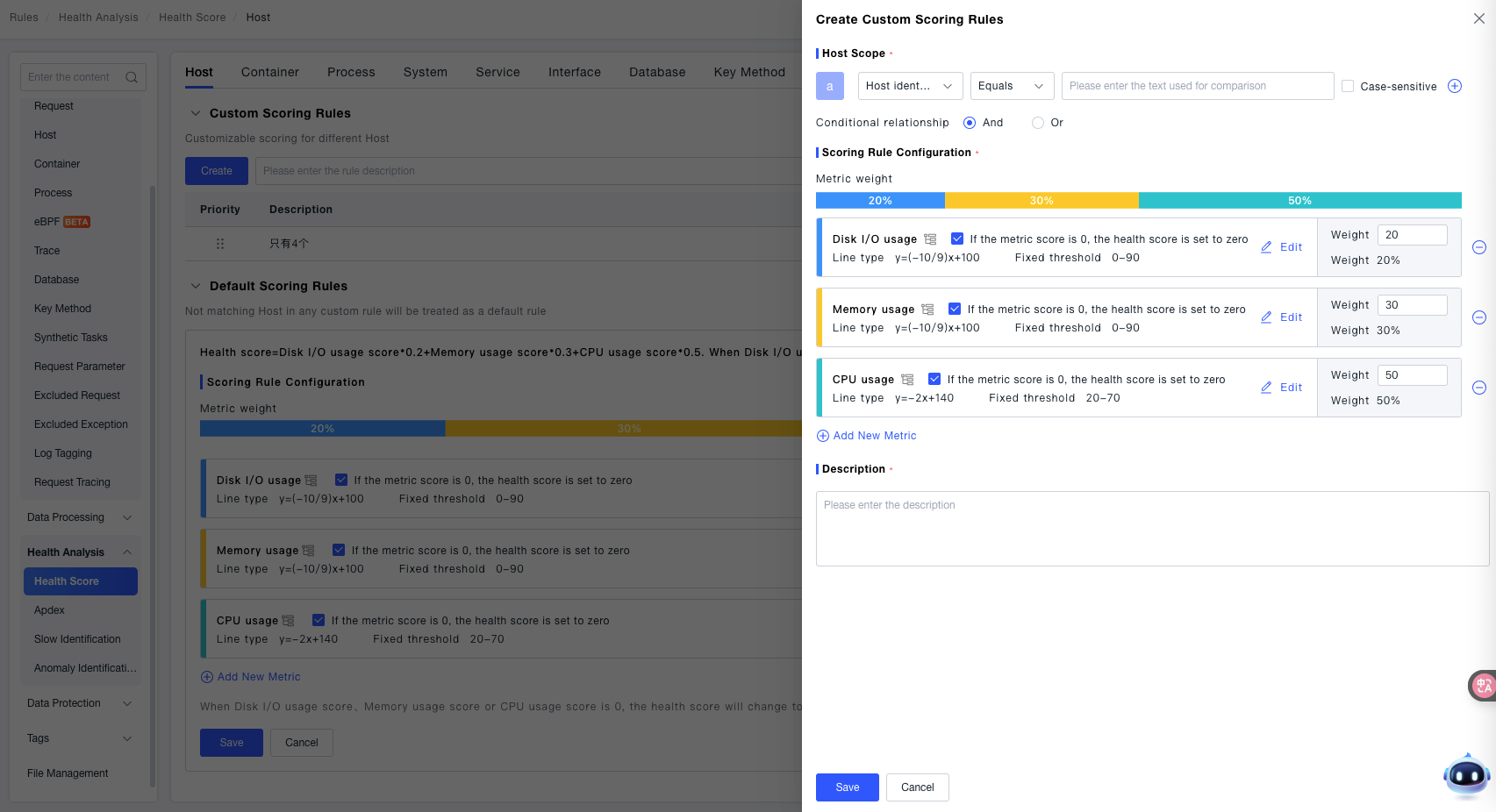
Use the "Add Condition" to target the objects for which this rule calculates the health score (using Host as an example here). You need to set the relationship between conditions to determine whether hosts meeting ALL conditions or hosts meeting ANY condition use this rule. The priority order can also be adjusted by dragging in the rule list. When a host matches multiple rules, the calculation uses the rule with the highest priority.
Special Scenario Explanation
How is the Process Group Health Score calculated?
In the Health Score configuration, you might notice the absence of a specific configuration for Process Group health scores. This is handled by a default configuration. The Process Group health score is calculated based on the scores of the individual Process Group Instances it contains. The average health score of all Process Group Instances within a Process Group is the health score for that Process Group.