Anomaly Identification
Applications
ONE supports managing stutter identification rules for end user applications. It identifies stutters using two methods: Main Thread Runloop Cycle Duration and Periodic Smoothness. Users can configure corresponding thresholds to achieve precise detection of stutter scenarios in end user applications.
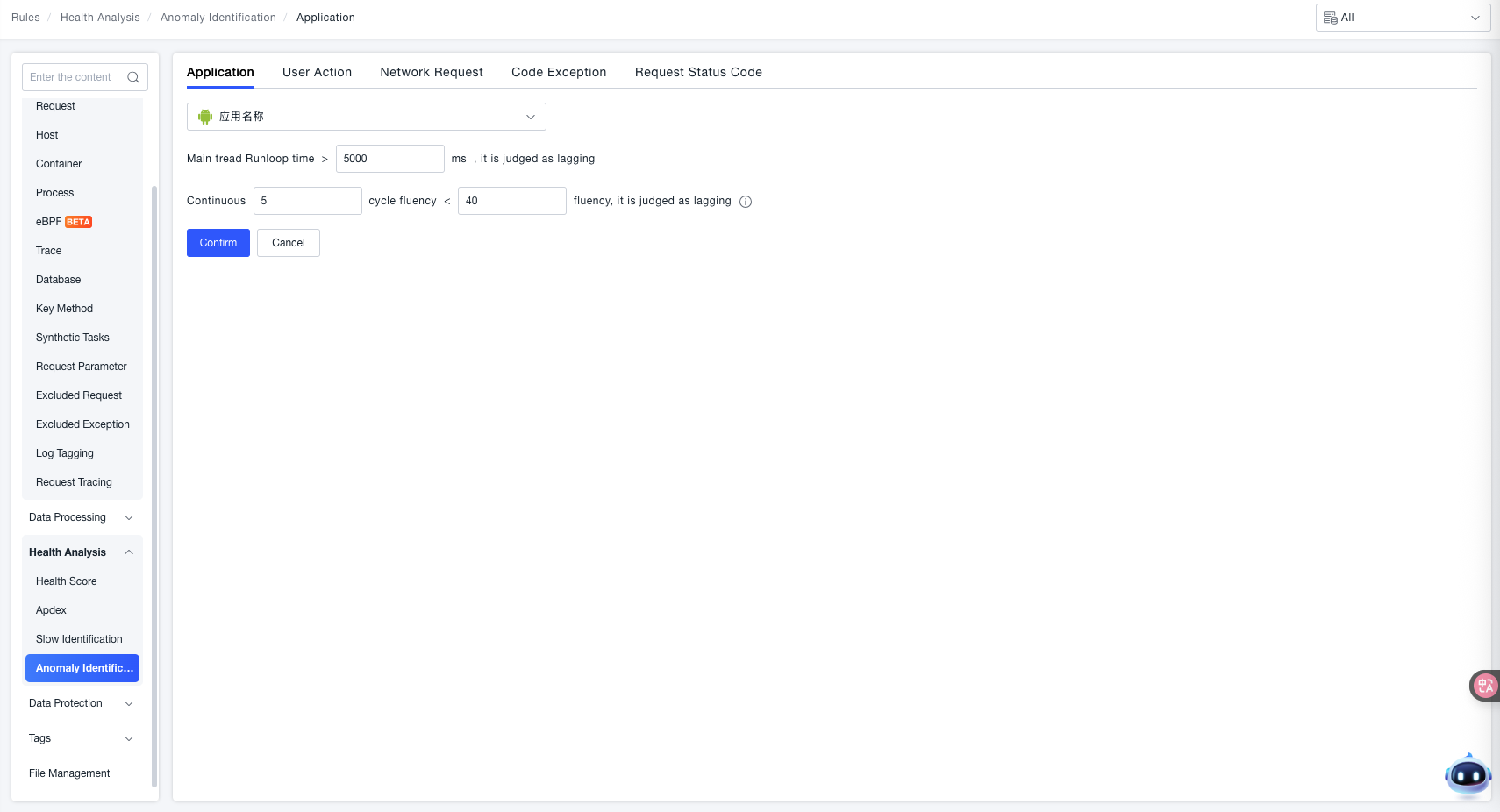
Main Thread Runloop Cycle Duration
A stutter is identified when the "Main Thread Runloop Cycle Duration > Set Threshold".
- Example Threshold:
5000 ms(Can be customized based on business expectations for application smoothness).
Runloop Description: RunLoop (Run Loop) is the core mechanism in iOS/macOS development for managing thread events and messages.
Periodic Smoothness
A stutter is identified when the "Smoothness for N consecutive periods < Set Threshold".
- Consecutive Periods: Example is
5periods (Customizable, represents how many consecutive periods must meet the condition simultaneously). - Smoothness Threshold: Example is
40(Customizable, a lower smoothness value indicates the main thread is less smooth).
Smoothness Description: Smoothness represents the number of cycles per second for the main thread vSync. This metric directly reflects the operational smoothness of the main thread; a lower value indicates a higher risk of stutter.
User Actions
The ONE platform supports anomaly identification rules for user actions in end user applications. It accurately identifies anomalous behaviors for three scenarios—Failed Request Actions, Crash Actions, and Blocked Actions—through both custom identification rules and default rules, providing a basis for application stability monitoring and user experience issue troubleshooting.
Failed Request Actions
Identifies scenarios where network requests or business requests triggered by user actions fail. Default rules are used for global failed request anomaly identification logic (effective when no custom rule matches).
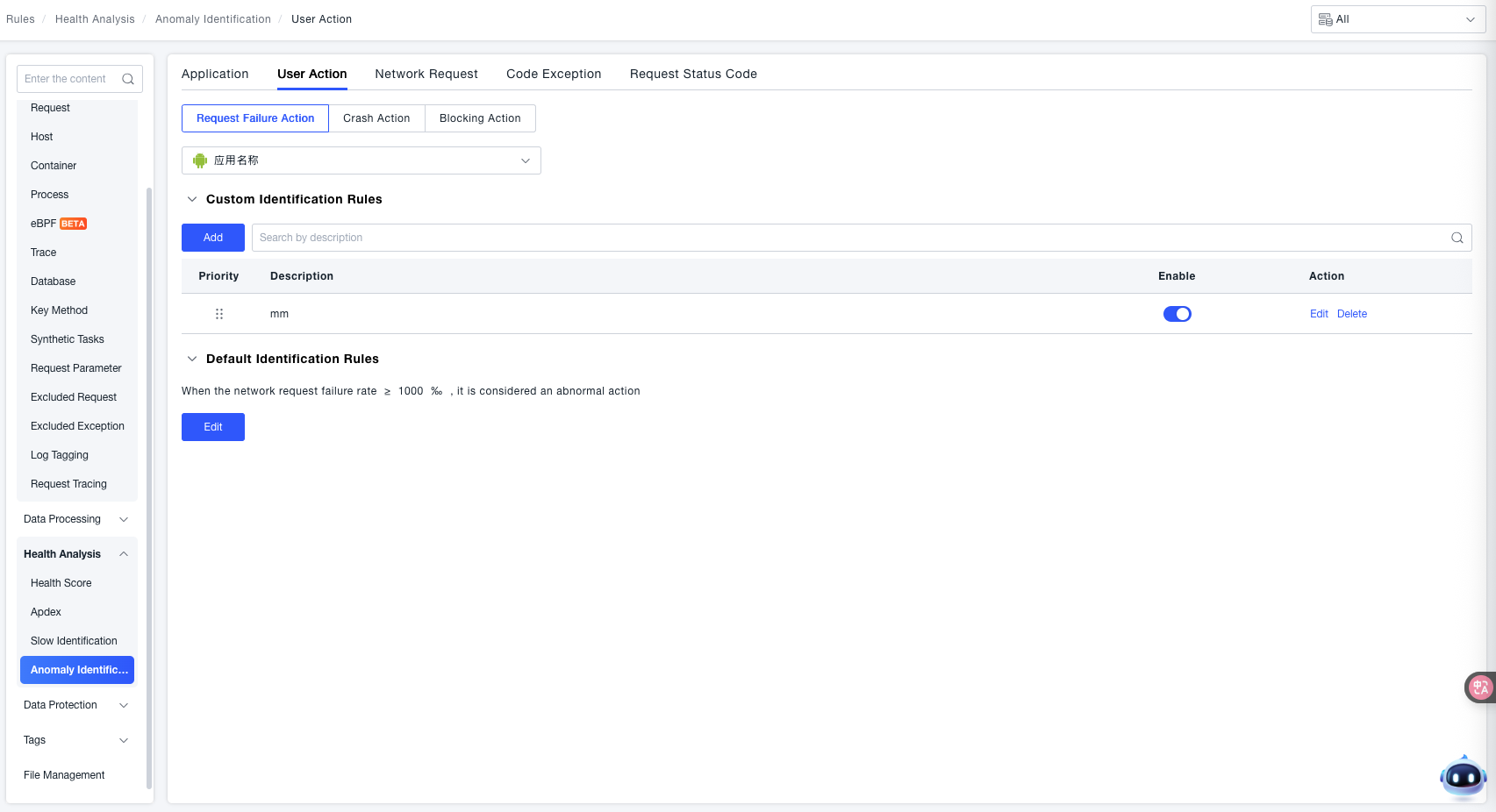
- Application Selection: Use the Application Name dropdown to select the target end user application for which you need to configure the "Failed Request Actions" anomaly rule.
- Custom Identification Rules: Used for granularly defining failed request anomaly rules for specific scenarios (priority is higher than "Default Identification Rules"):
- Add Rule: Click the Add button to create a new custom rule. Supports selecting specific user action names and configuring thresholds for network request failure rate. When the threshold is reached, it will be defined as a failed request for the application.
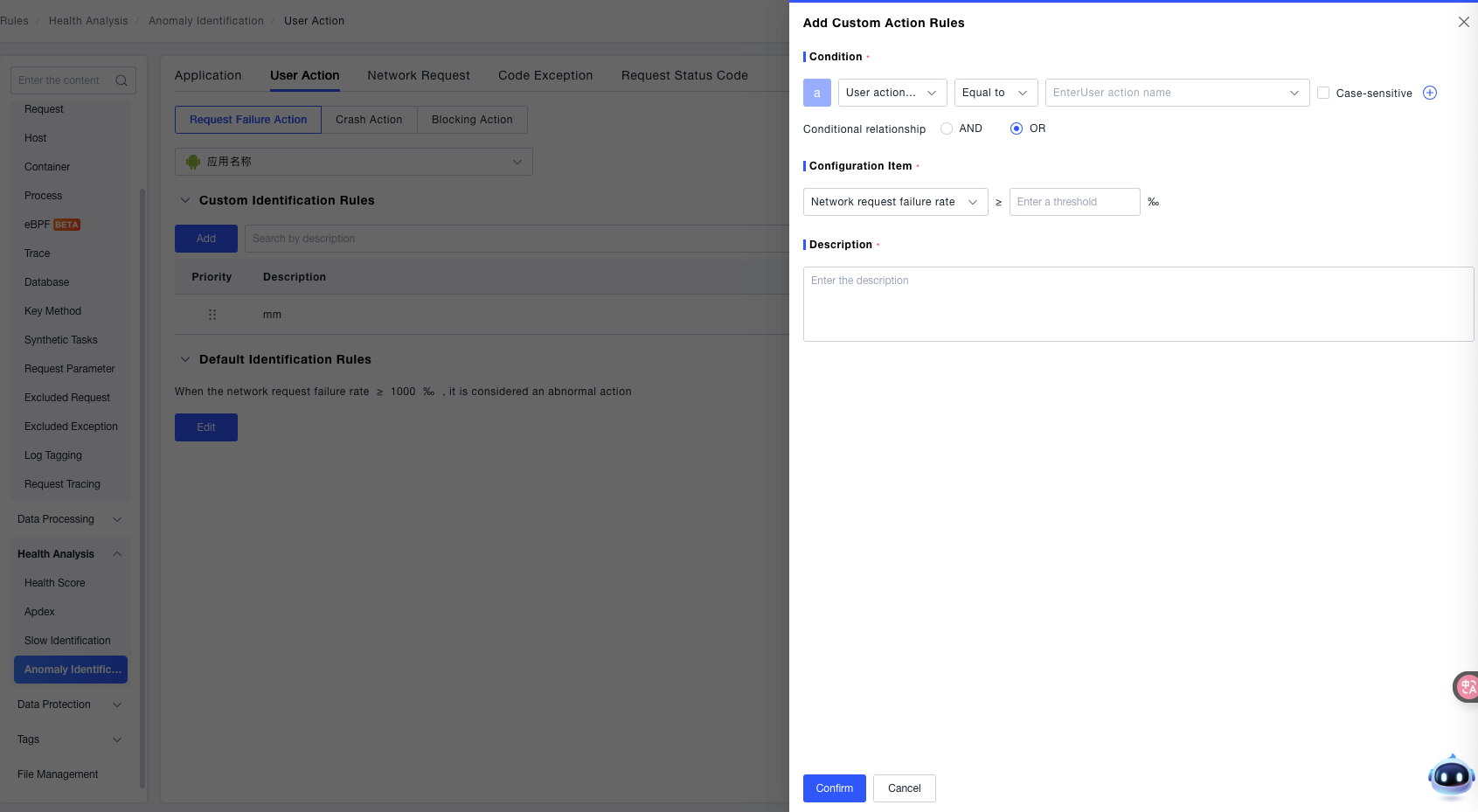
- Search Rules: Enter a "Rule Description" in the search box to quickly locate existing custom rules.
- Rule Management: Each rule includes a Priority (basis for sorting when multiple rules conflict) and a Description (explains the rule's purpose). Use the toggle switch to control whether a rule is active. Supports Edit (modify rule content) and Delete (remove rule) operations for flexible rule adjustment.
- Add Rule: Click the Add button to create a new custom rule. Supports selecting specific user action names and configuring thresholds for network request failure rate. When the threshold is reached, it will be defined as a failed request for the application.
- Default Identification Rules: Used for global fallback failed request anomaly identification logic (effective when no custom rule matches):
- Identification Logic: When the network request failure rate ≥ 1000‰, it is considered an anomalous action (Note: The "Failure Rate Threshold" can be modified via the Edit button to fit the business's criteria for identifying "Failed Request Anomalies").
Crash Actions
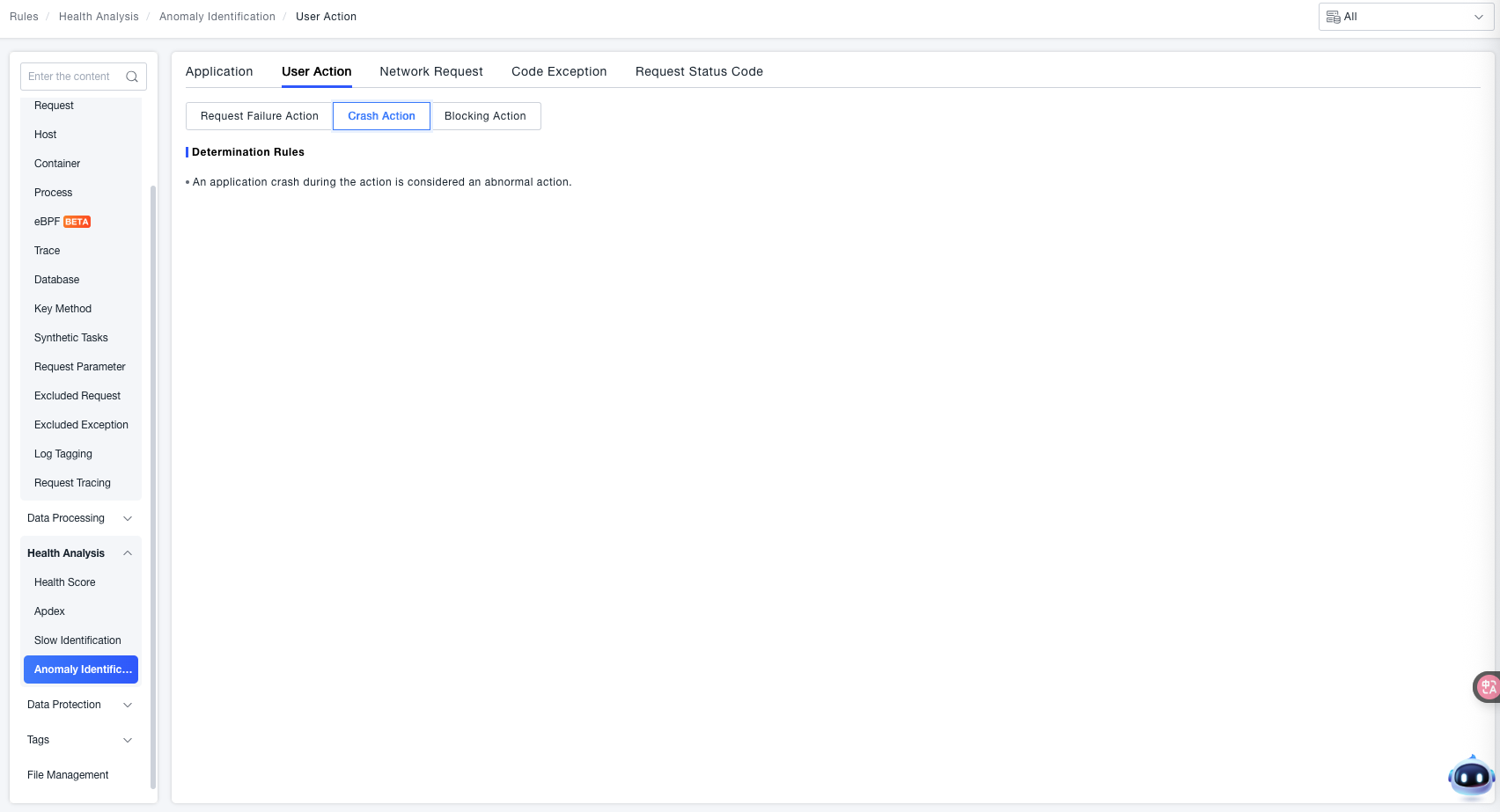
ONE supports identifying application crash anomalies that occur during user actions in end user applications (e.g., Apps, Mini Programs).
Blocked Actions
ONE supports identifying "blocked anomalous actions" in end user applications (e.g., Apps, Mini Programs) caused by excessively long execution time of the main thread during user actions.
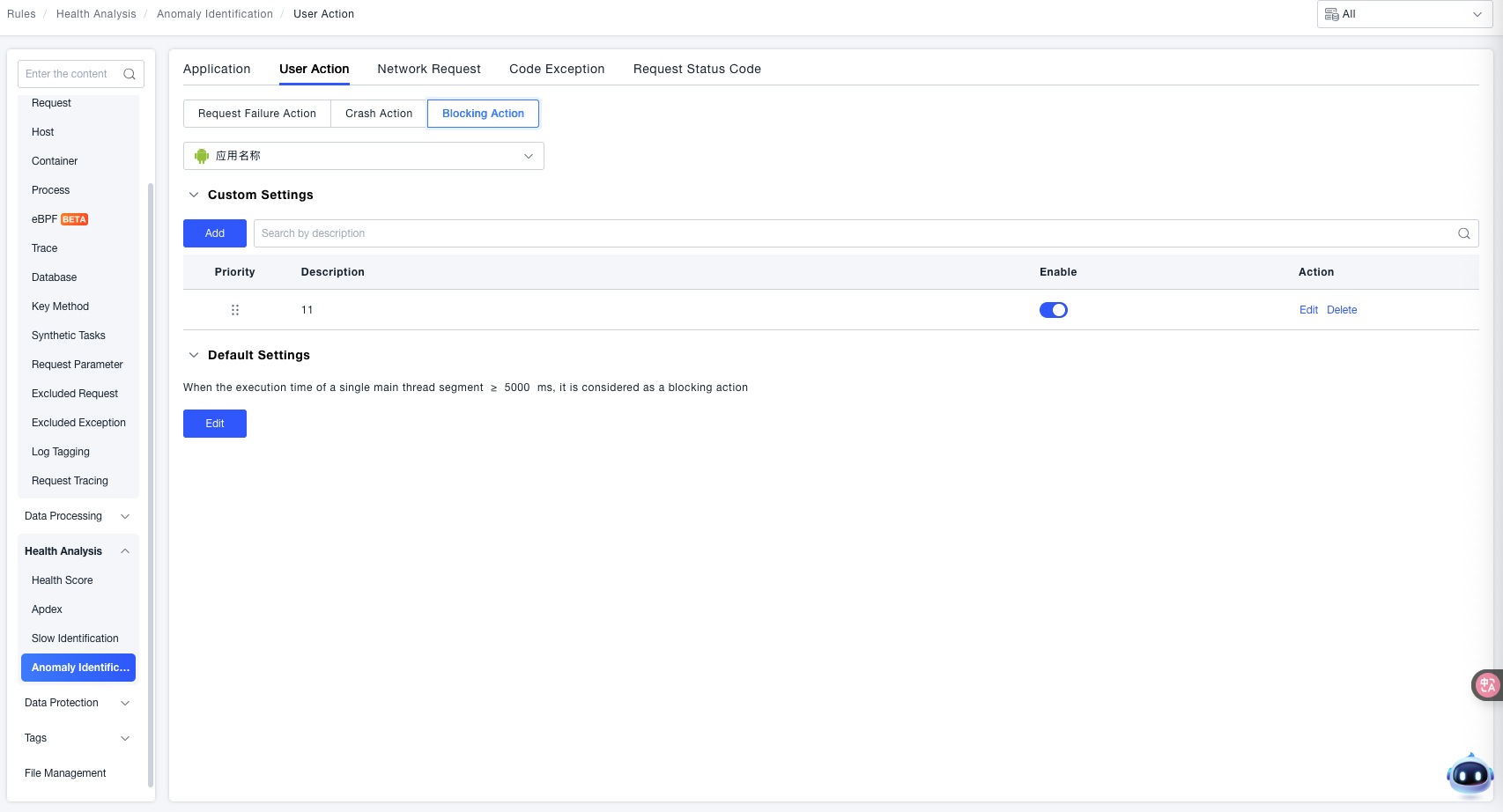
- Application Selection: Use the Application Name dropdown to select the target end user application for which you need to configure the "Blocked Actions" anomaly rule.
- Custom Settings: Used for granularly defining blocked action anomaly rules for specific scenarios (priority is higher than "Default Settings"):
- Add Rule: Click the Add button to create a new custom rule. Select the user action name and configure the threshold for a single segment of main thread execution time. When this threshold is reached, the action will be judged as a blocked action.
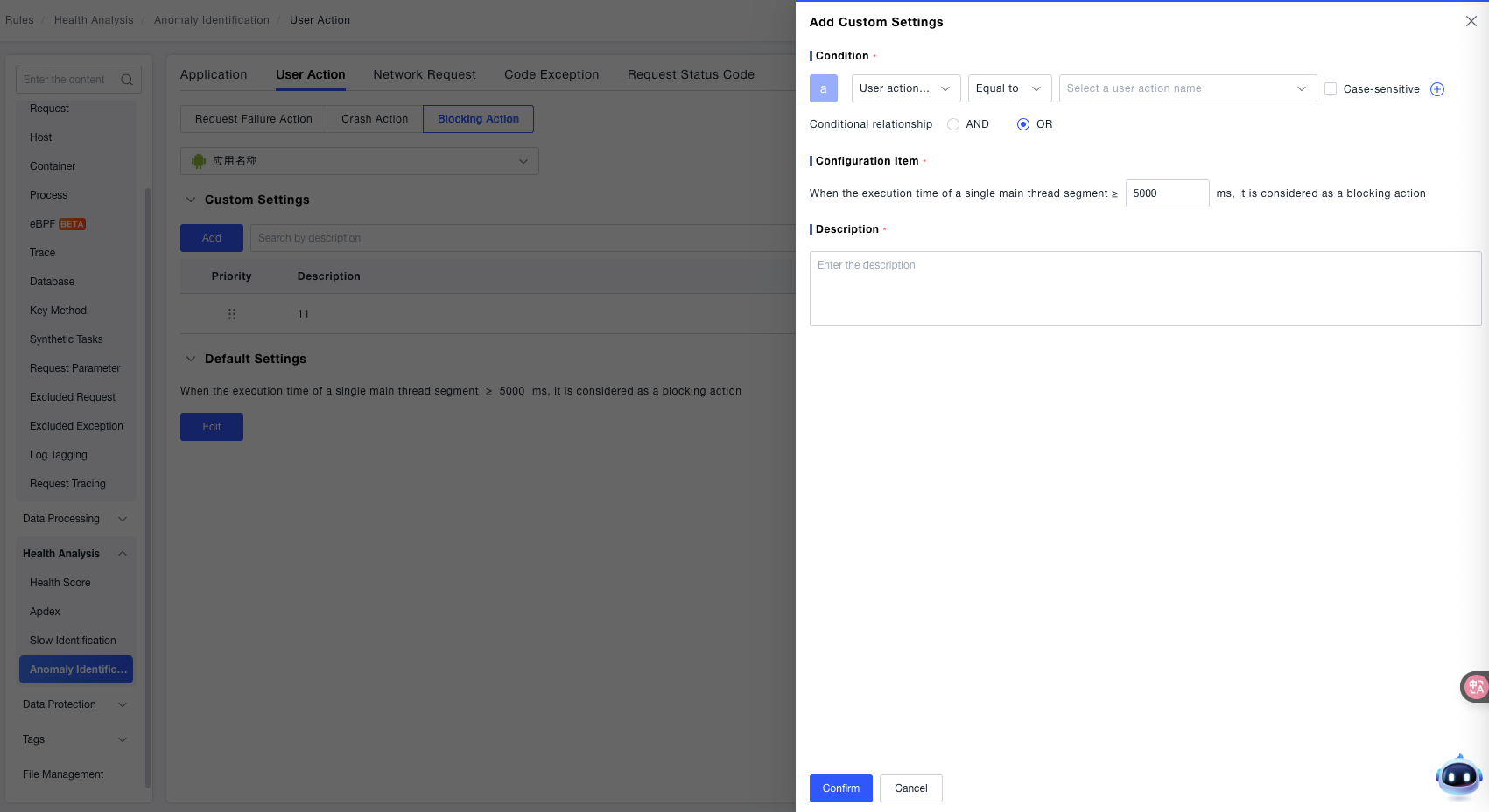
- Search Rules: Enter a "Rule Description" in the search box to quickly locate existing custom rules.
- Rule Management: Each rule includes a Priority (basis for sorting when multiple rules conflict) and a Description (explains the rule's purpose). Use the toggle switch to control whether a rule is active. Supports Edit (modify rule content) and Delete (remove rule) operations for flexible rule adjustment.
- Add Rule: Click the Add button to create a new custom rule. Select the user action name and configure the threshold for a single segment of main thread execution time. When this threshold is reached, the action will be judged as a blocked action.
- Default Settings: Used for global blocked action anomaly identification logic (effective when no custom rule matches):
- Identification Logic: When a single segment of main thread execution time ≥ the set threshold (e.g.,
5000 msin the example), it is considered a blocked action. - Edit & Save: You can modify the value in the threshold input box (e.g., adjust to
3000 ms). After modification, click OK to save the configuration, or click Cancel to discard the changes.
- Identification Logic: When a single segment of main thread execution time ≥ the set threshold (e.g.,
Network Requests
ONE supports filtering network request errors that meet specific conditions. Network request error data matching the rules will not be displayed on the platform nor included in statistical data.
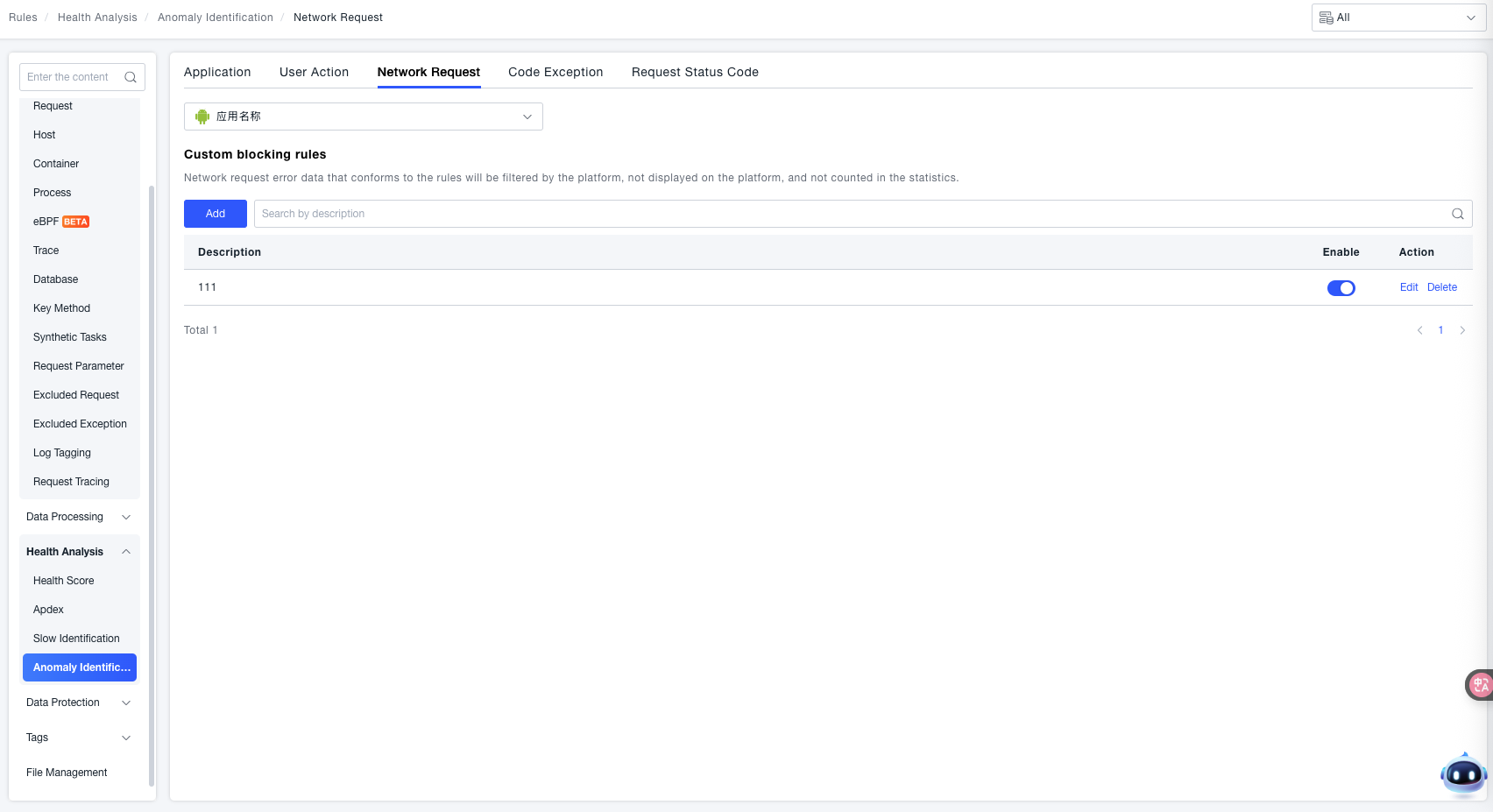
Custom Filtering Rules: Click the Add button to configure custom rules.
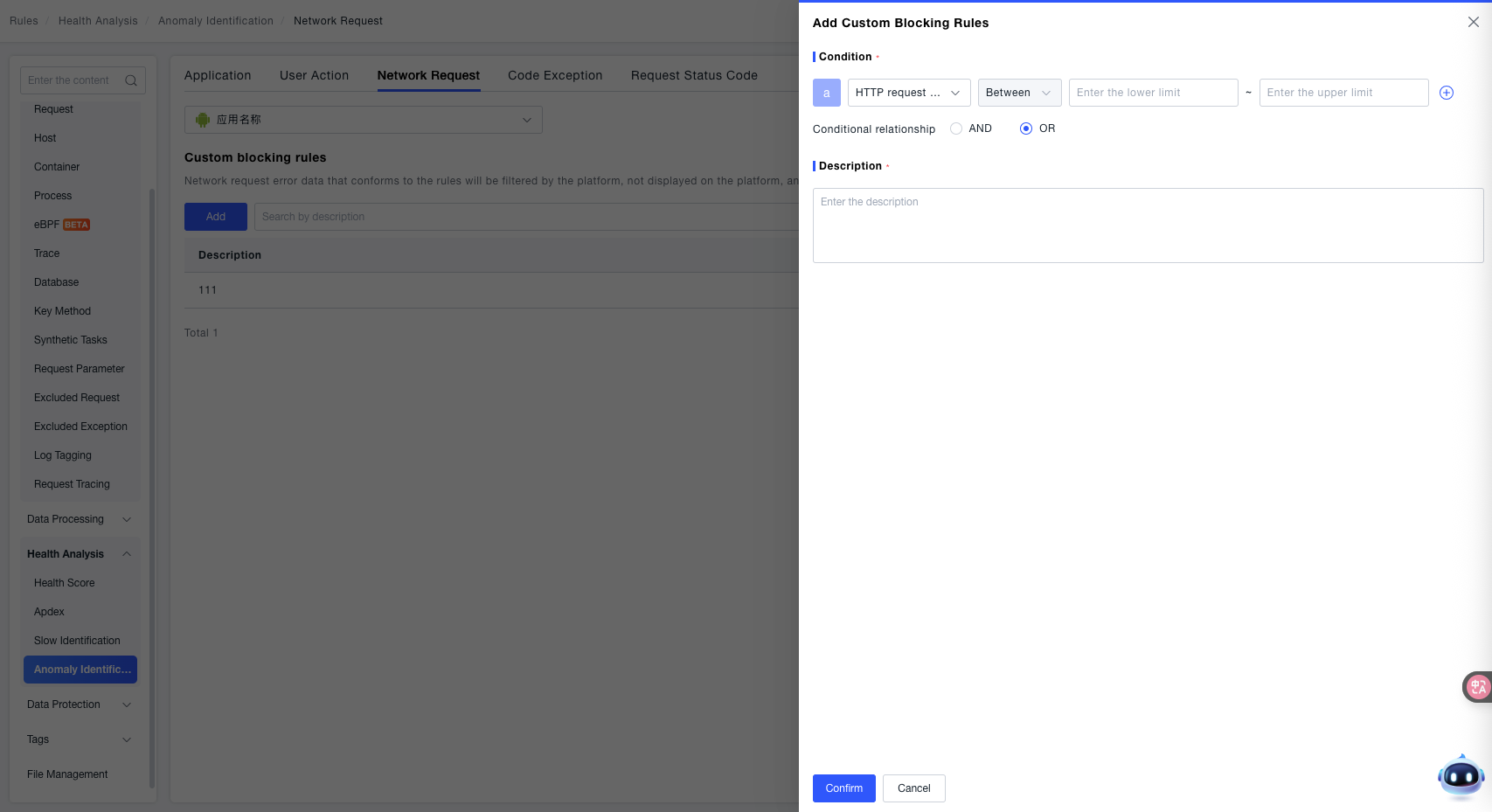
- Condition: Use the dropdown menu to select the dimension of the network request and configure the corresponding matching logic. Supported dimensions include:
- HTTP Request Status Code: Set filtering conditions based on HTTP response status codes (e.g.,
404,500). - Error Description: Set filtering conditions based on the description text of the network request error (e.g., "Connection Timeout", "SSL Handshake Failed").
- Request Address: Set filtering conditions based on the target URL address of the network request (e.g., specific API paths).
- HTTP Request Status Code: Set filtering conditions based on HTTP response status codes (e.g.,
- Description: Enter descriptive information for the rule to facilitate quick identification of its purpose later (e.g., "Filter request errors for client error HTTP status codes", "Filter timeout errors for specific APIs").
- Click the OK button to save successfully.
Code Exceptions
Crashes
The ONE platform supports "Custom Filtering Rules" for code-level exceptions in end user applications. This feature allows filtering exceptions that match the rules, excluding them from core metrics like total application crash count and crash rate (and also not affecting session satisfaction or health score calculations). They are only retained for display in the Search Center, helping users focus on code exception issues that require attention.
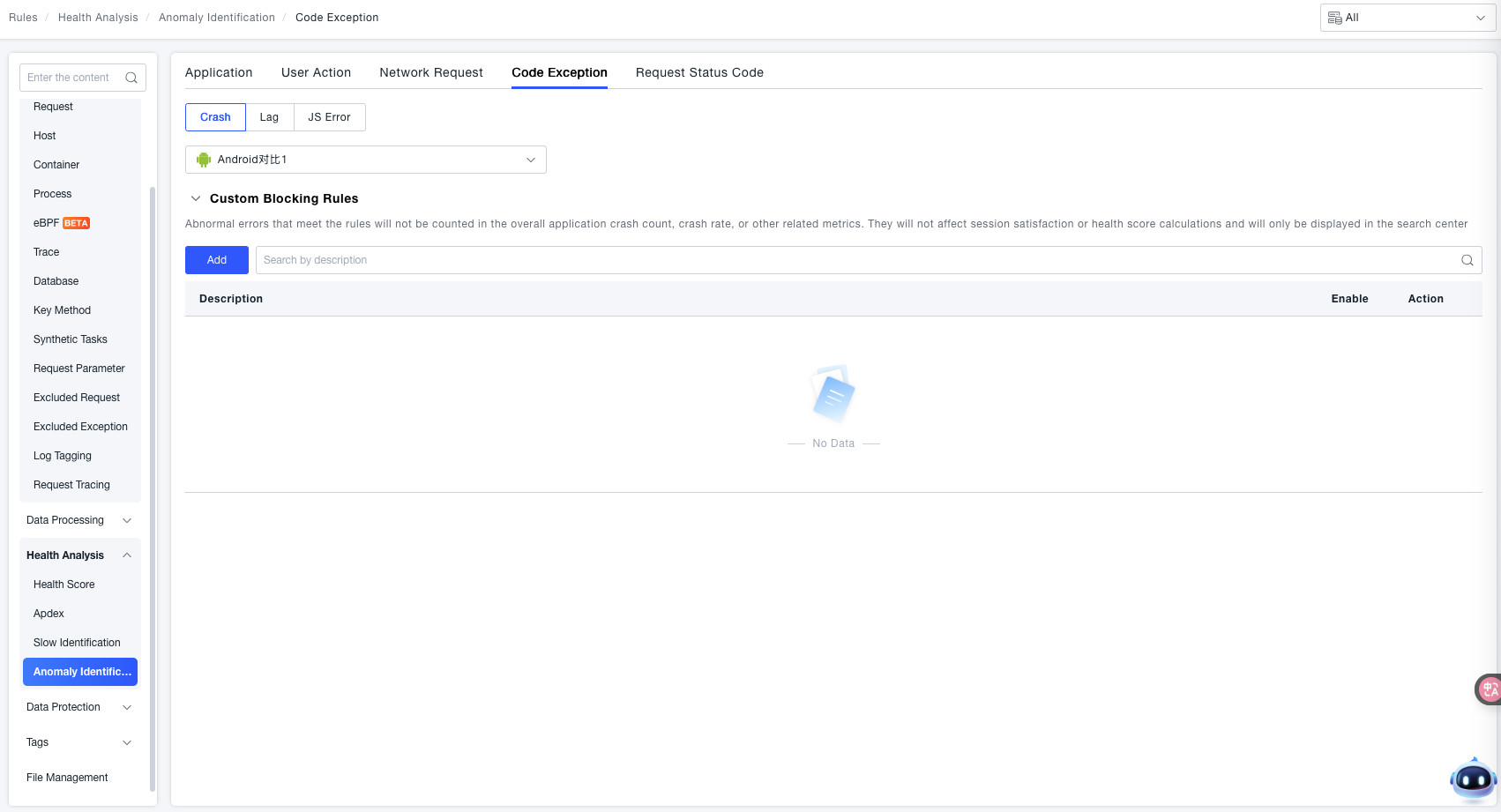
Custom Filtering Rules: Click the Add button to configure custom rules.
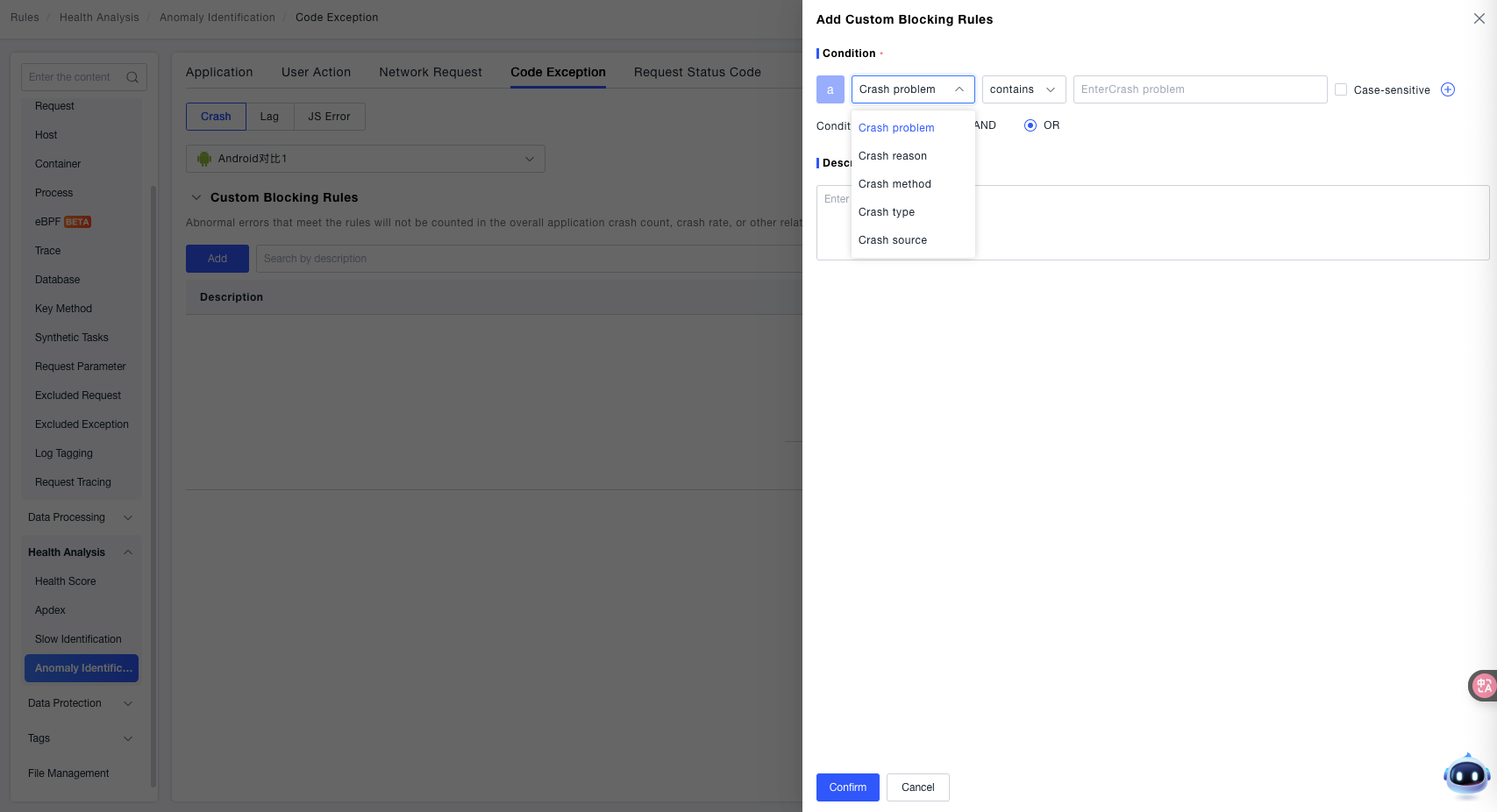
- Condition: Click the dropdown menu. "Crash Issue" is displayed by default. Selectable dimensions include: Crash Issue, Crash Reason, Crash Method, Crash Type, and Crash Source.
- Description: In the "Description" input box, enter explanatory text for the rule (e.g., "Filter crashes caused by a specific third-party SDK") to identify the rule's purpose later.
Lag
The ONE platform supports configuring "Custom Filtering Rules" for stutter-type code exceptions in end user applications. This feature allows filtering stutter exceptions that match the rules, excluding them from core metrics like total application stutter count and stutter rate (and also not affecting session satisfaction or health score calculations). They are only retained for display in the Search Center, helping users focus on stutter issues that require attention.
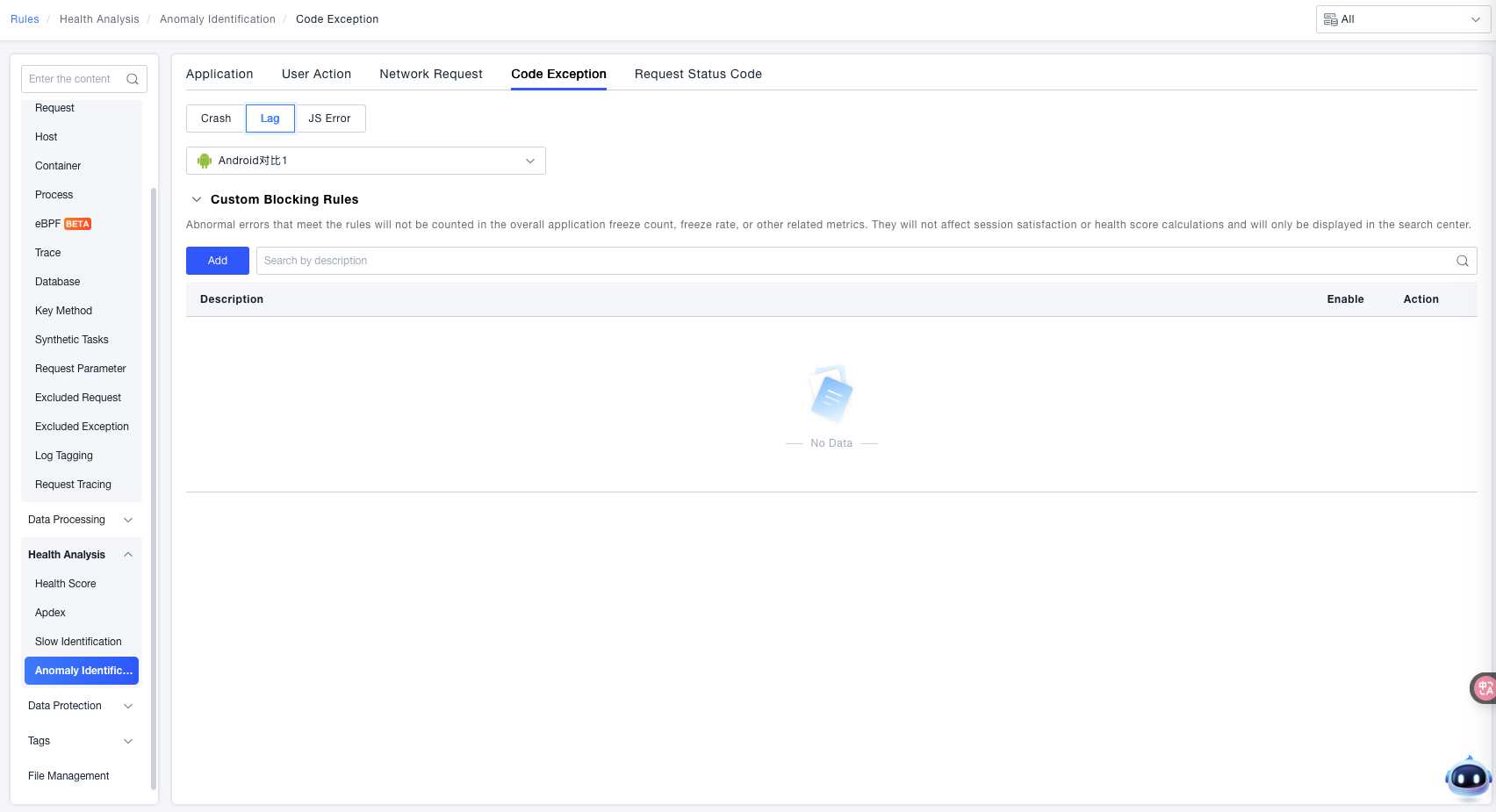
Custom Filtering Rules: Click the Add button to configure rules.
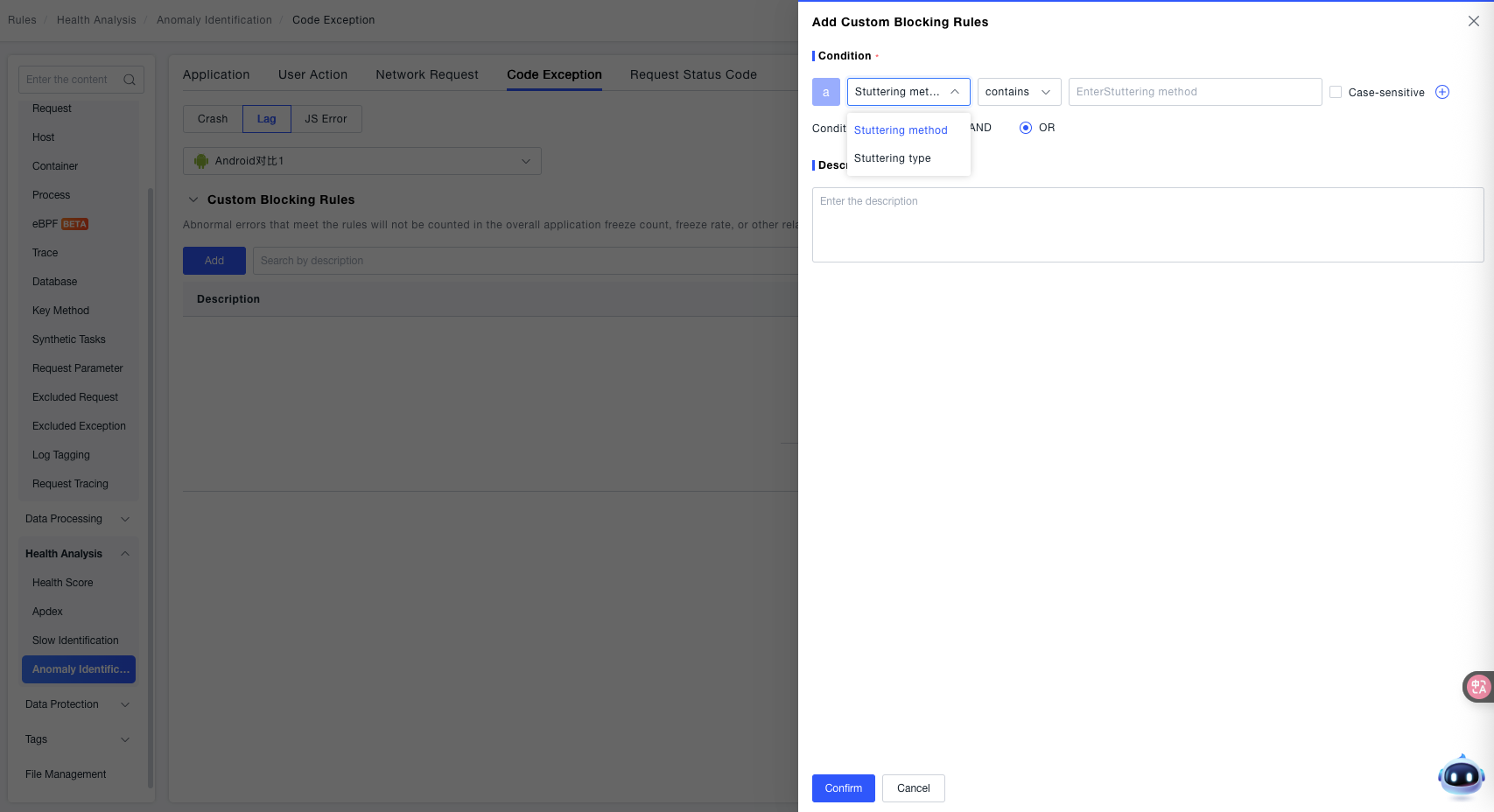
- Condition: Configure based on the Stutter Method and Stutter Type.
- Description: In the "Description" input box, enter explanatory text for the rule to identify its purpose later.
JS Errors
The ONE platform supports configuring custom filtering rules for JavaScript code errors in frontend applications. This feature allows filtering JS errors that match the rules, excluding them from core metrics like total JS error count and JS error rate (and also not affecting session satisfaction or health score calculations). They are only retained for display in the Search Center, helping users focus on JS error issues that require attention.
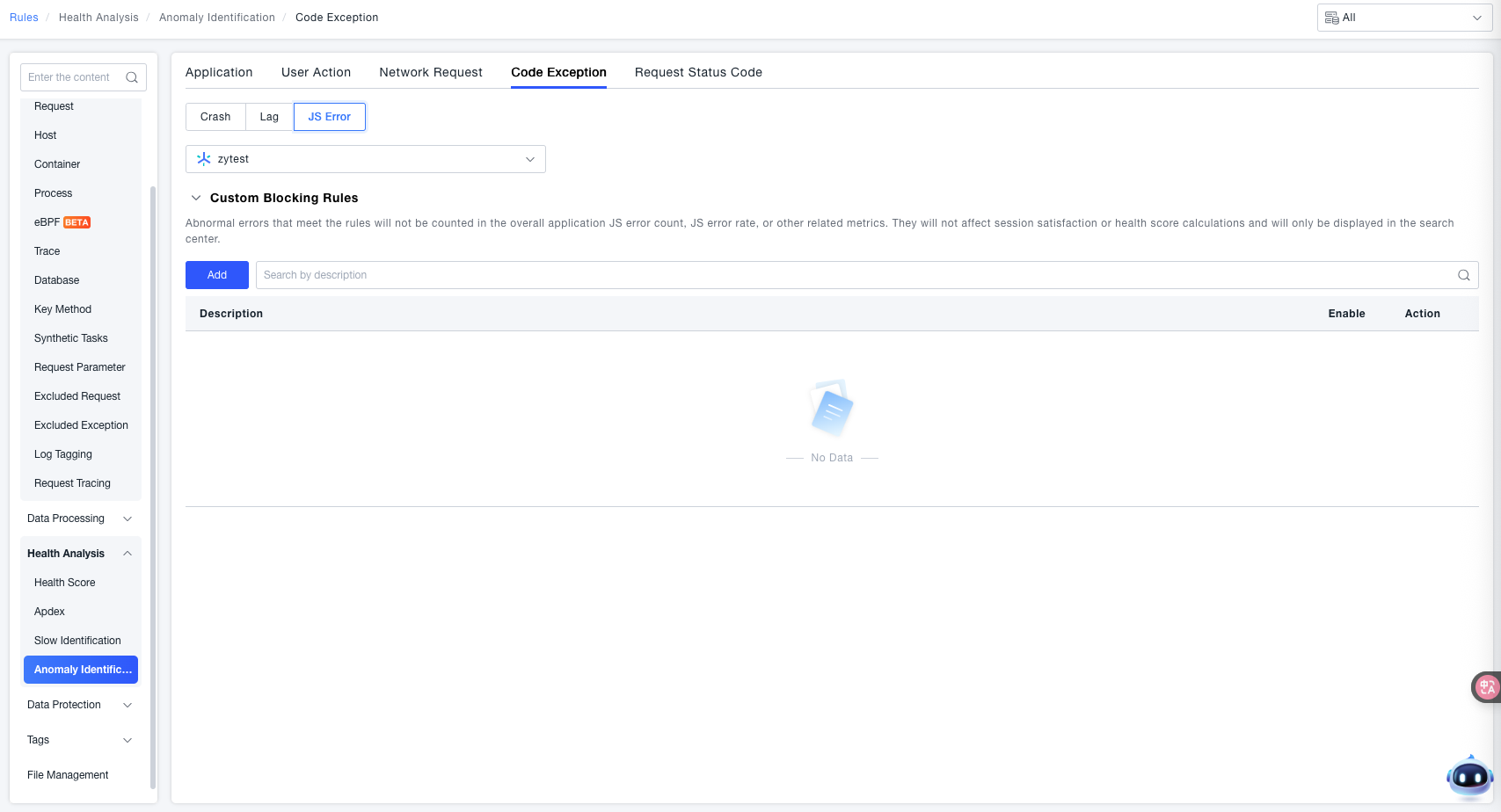
Custom Filtering Rules:
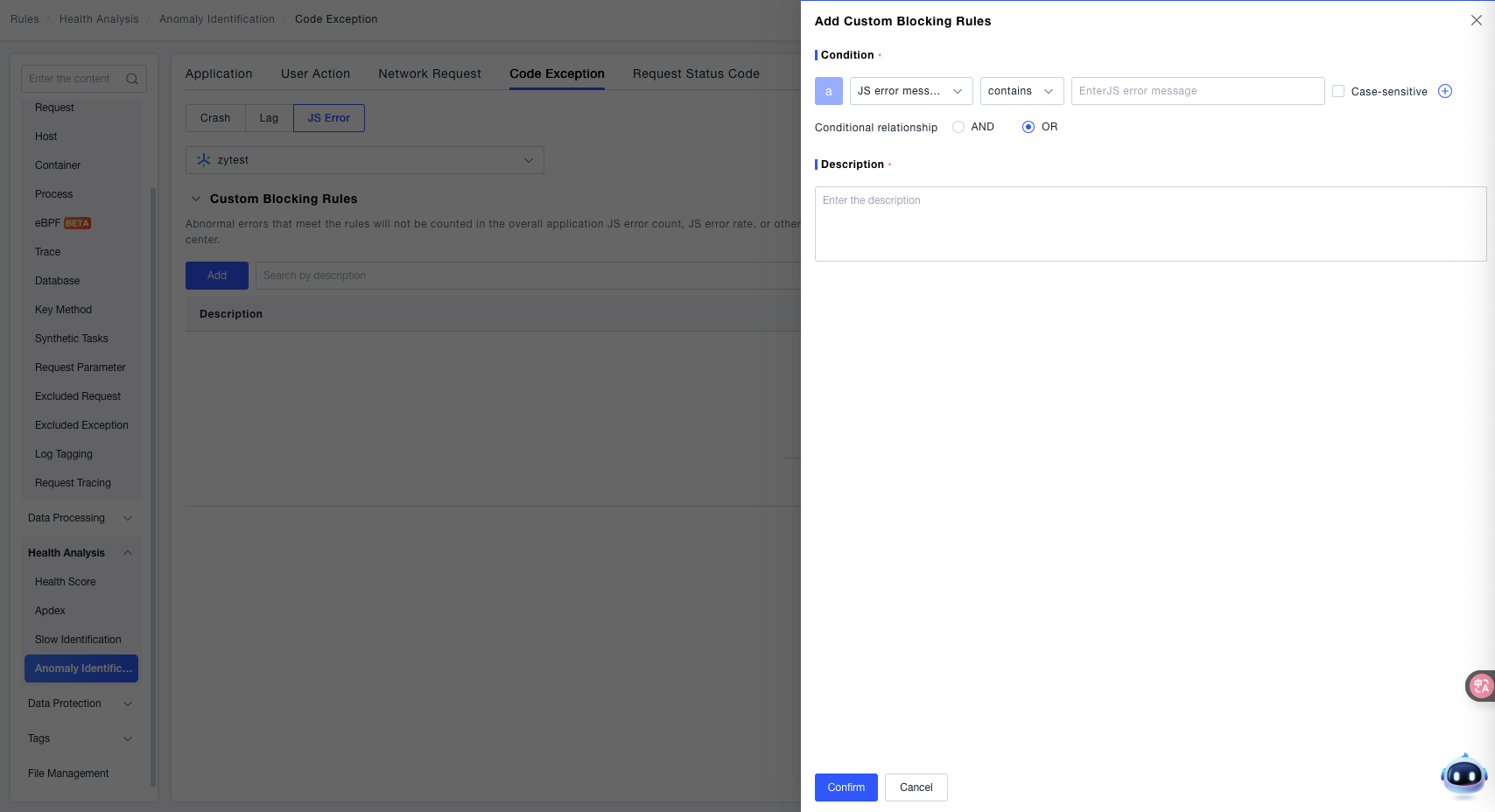
- Condition: Use the dropdown menu to select the characteristic dimension of the JS error and configure the corresponding matching logic. Supported dimensions include:
- JS Error Message: Set filtering conditions based on the specific description text of the error (e.g., content like "Uncaught TypeError").
- JS Error Type: Set filtering conditions based on the classification type of the error (e.g., Syntax Error, Reference Error, Type Error, etc.).
- Description: Enter descriptive information for the rule to facilitate quick identification of its purpose later (e.g., "Filter known JS errors in the test environment", "Filter syntax errors for a non-core script").
Request Status Codes
The ONE platform supports custom classification rules for server-side HTTP status codes as "Normal / Error". Use Custom Status Codes to define classifications for status code ranges in specific business scenarios, providing an accurate basis for anomaly monitoring in application server interactions.
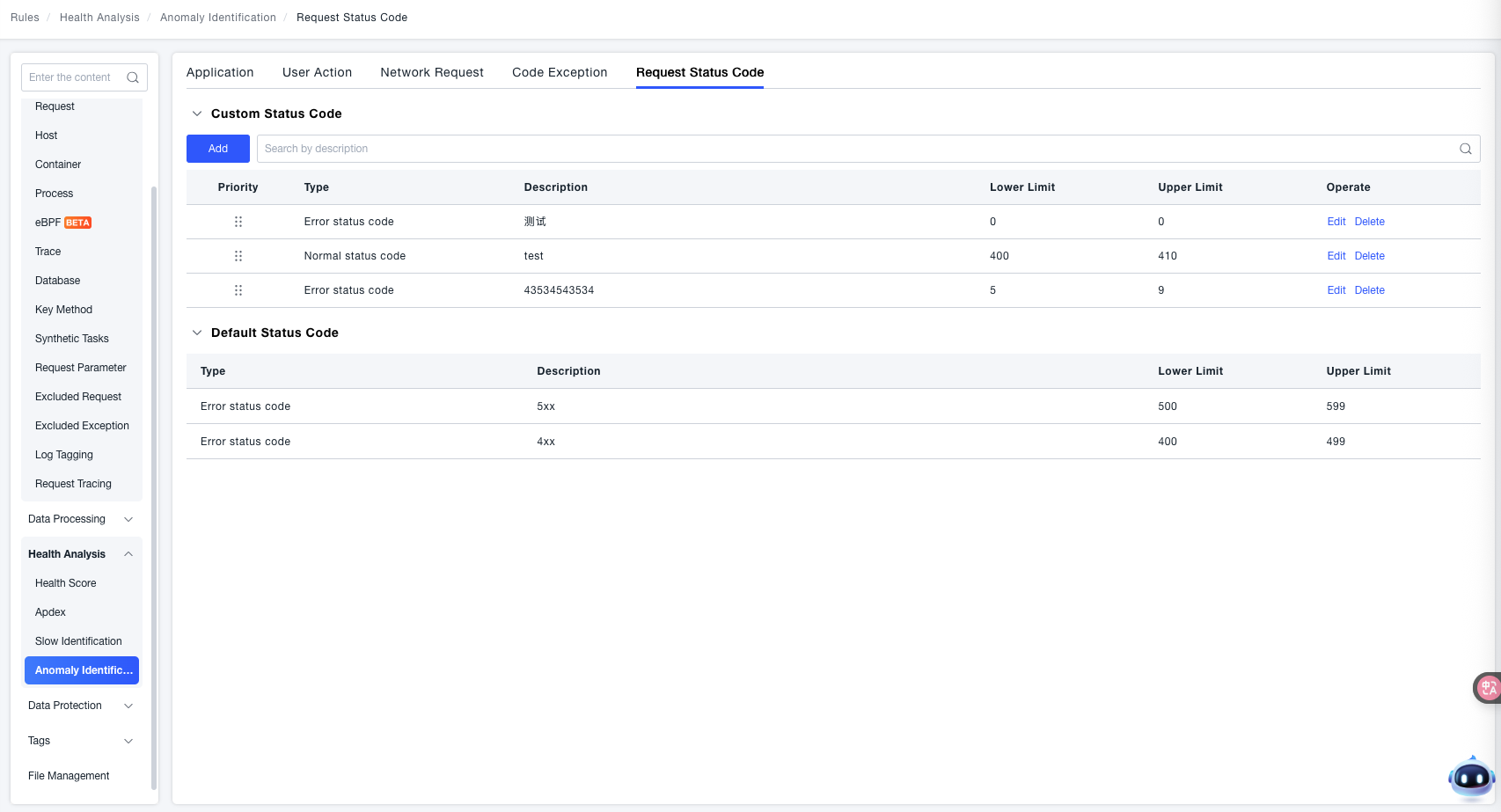
Custom Status Codes:
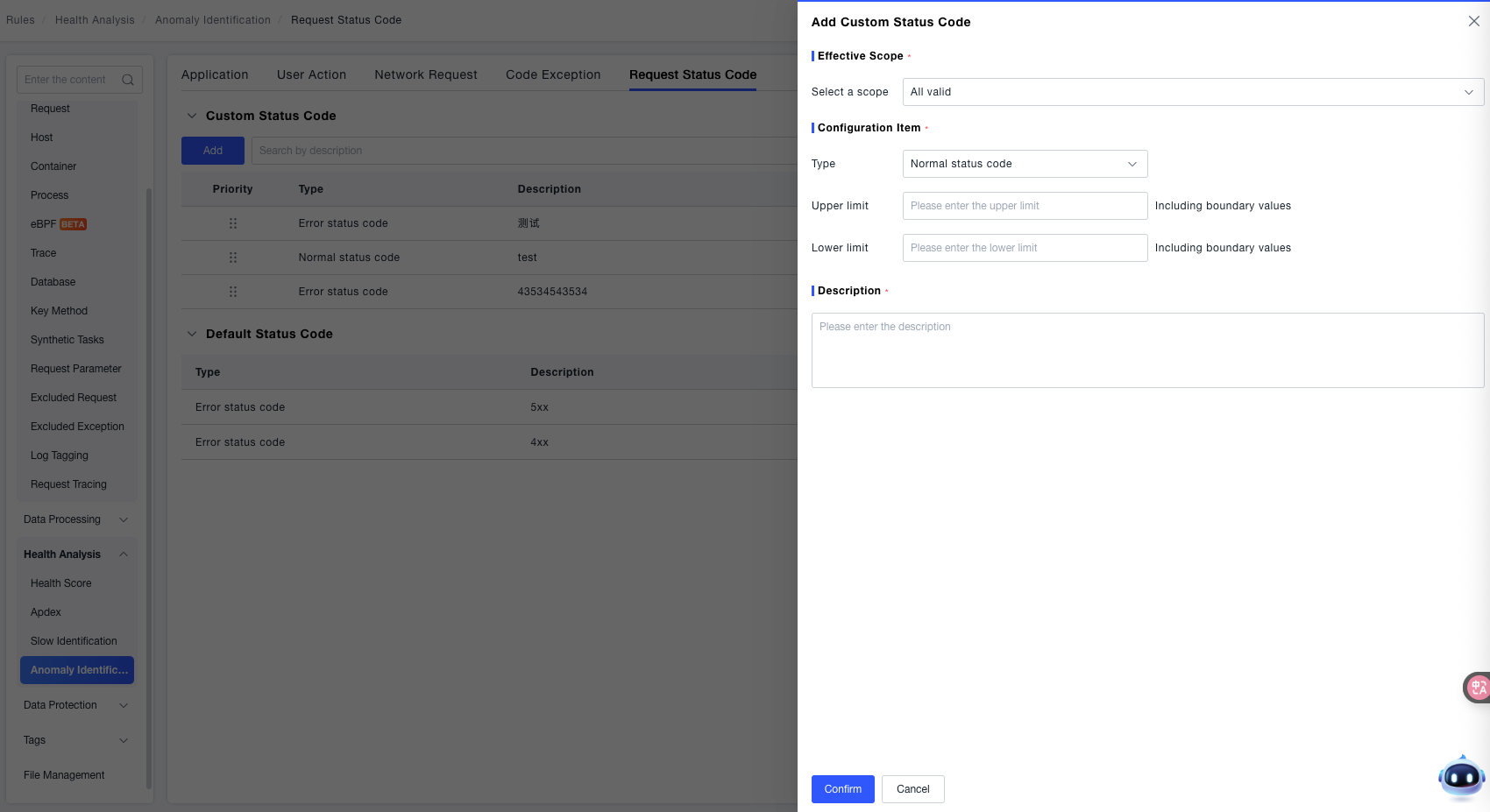
- Effective Scope: Use the dropdown menu to select the scope of the rule. Currently supports "Global Effect" (applies to the judgment of all server request status codes).
- Configuration Item:
- Type: Select the status code classification from the dropdown, supporting Normal Status Codes or Error Status Codes, to mark whether the range belongs to the "Normal" or "Error" category.
- Upper Bound / Lower Bound: Enter the numerical range of the status codes (e.g., to define
200-299as the normal status code range, enter200for Lower Bound and299for Upper Bound). - Include Boundary Values: When checked, the status code range includes the "Lower Bound" and "Upper Bound" values themselves (e.g., when checked,
200and299will be included in the rule's matching range).
- Description: Enter descriptive information for the rule to facilitate quick identification of its purpose later.