Assistant XiaoRui Guide
Prerequisites
- Service Deployment: Deploy the ChatService.
- Model Integration: Configure APIs related to LLM (Large Language Model).
Overview
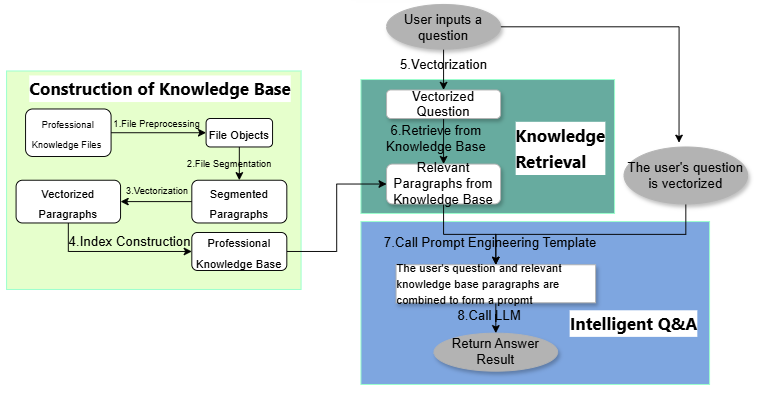
Assistant XiaoRui is an AI assistant integrated into the Bonree ONE platform. By combining the capabilities of large models with the Bonree ONE knowledge base, it provides users with intelligent Q&A services regarding product functions, troubleshooting, technical support, PQL (Product Query Language) generation, and more. Its aim is to efficiently resolve users' technical and operational issues.
Use Case
- Product Function Q&A
Answer questions about the usage methods and features of various Bonree ONE functions. For example, ask Assistant XiaoRui: 【What services can Assistant XiaoRui provide for me?】
- Issue Handling
Assist in diagnosing and resolving technical issues encountered during platform usage. For example, ask Assistant XiaoRui: 【What causes no data in the call chain?】
- Technical Support
Provide consultation and guidance on technical solutions. For example, ask Assistant XiaoRui: 【How to obtain indicators such as SQL execution plan performance, CPU, memory, and disk of hosts and containers, as well as their calculation methods?】
- PQL Generation
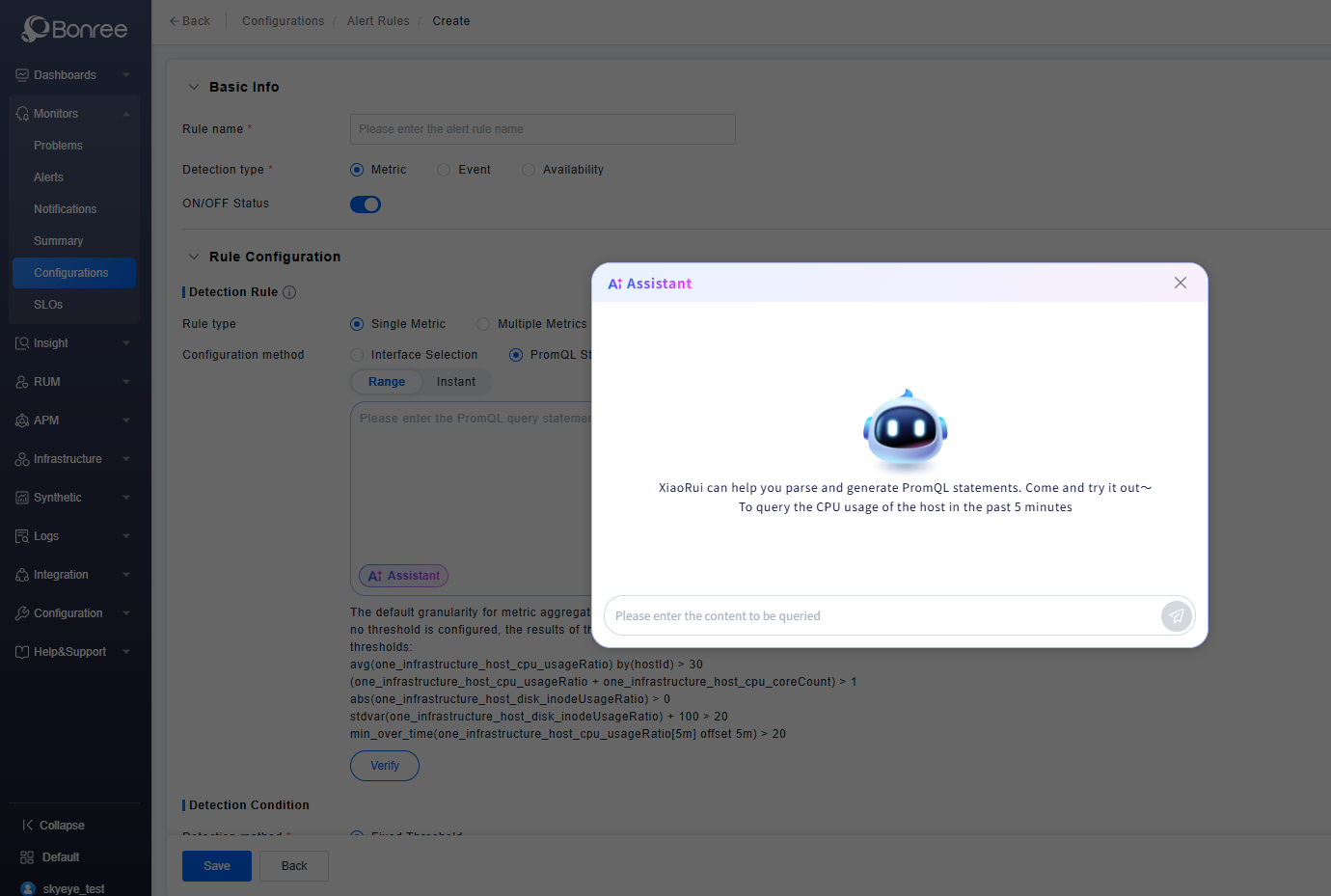
Help you write or optimize PQL (Product Query Language) statements. For example, ask Assistant XiaoRui: 【Query the top 10 services with the longest average response time in the last 30 minutes】. Meanwhile, PQL generation has been applied to the PromQL input boxes in Alerts, Dashboards, and Data Exploration. Click the 【AI Help Me Write】 button to call Assistant XiaoRui, enter the statement you want to query, and the generated statement can be filled into the PromQL input box with one click.
Operation Scenario
- One-Click Question for Common Issues: Click the examples provided in Common Issues to send questions with one click.
- Regenerate: If Assistant XiaoRui's answer is incomplete or inaccurate, you can click Regenerate to get another answer for the same question.
- Like/Dislike: You can provide feedback on Assistant XiaoRui's answers; your feedback is of great help to our improvement.
- Floating Window: After clicking Floating Window, Assistant XiaoRui switches from the right drawer to a floating window style, which allows you to drag to adjust its position and resize it.
- New Session: If too many historical sessions interfere with you, you can click the New Session button in the upper right corner to start a new conversation.
- Environment Awareness: It can perceive the page you are currently on and provide detailed Q&A based on the page functions.
- Intelligent Navigation: When you enter a question related to page functions, it can provide a navigation URL for quick jump.
- Multi-Turn Q&A: It conducts multiple interactions to gradually clarify your intent and finally provide an accurate answer.
Get Started
- Log in to Bonree ONE.
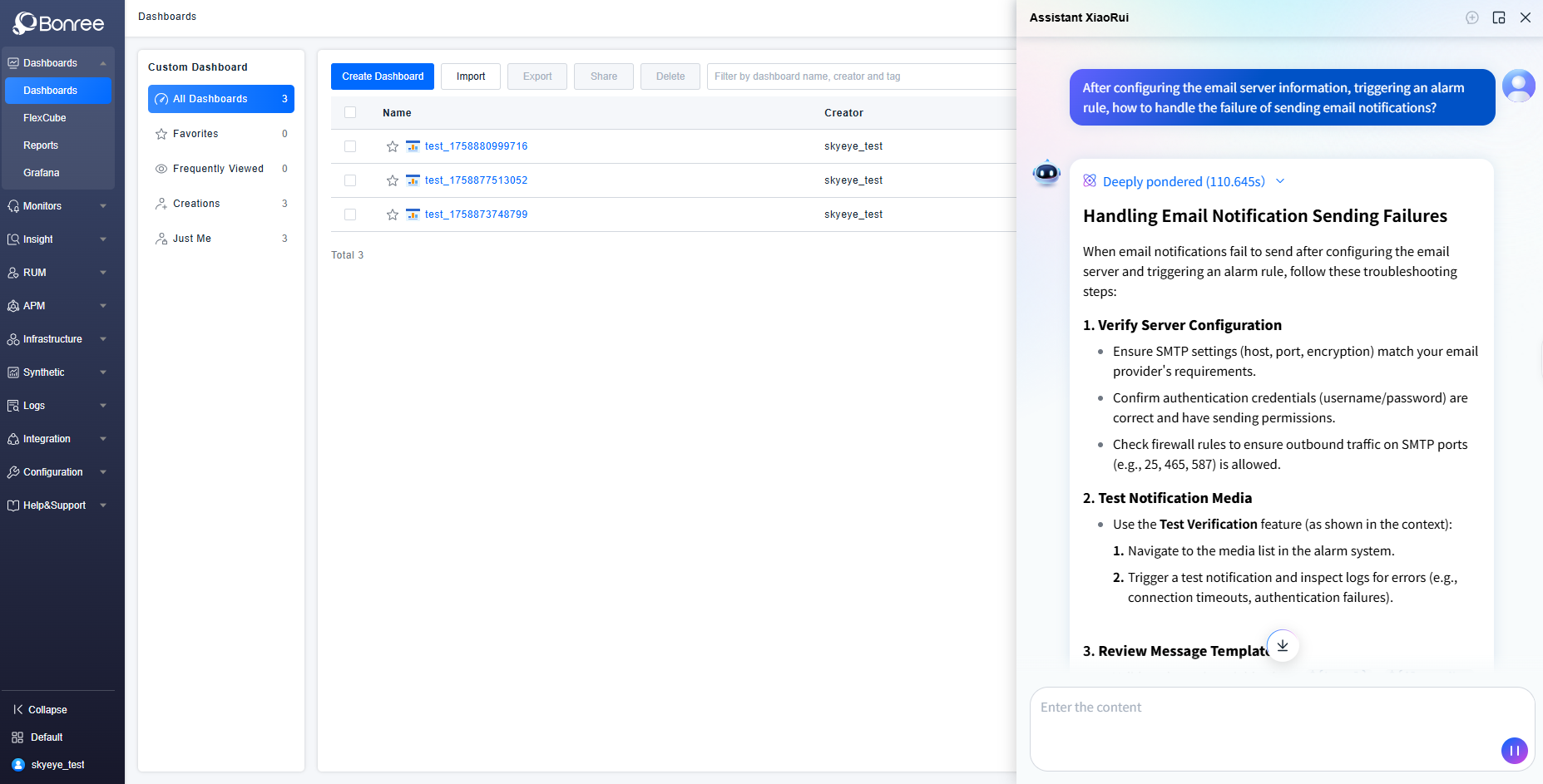
- Click the Assistant XiaoRui icon at the bottom right corner, and a chat box will pop up. By default, it provides you with guidance prompts, relevant documents, and frequently asked questions (FAQs).
- Enter your question in the chat box and send it; Assistant XiaoRui will start processing. After processing, it will output the answer.
- You can copy the question and answer with one click, regenerate the answer, and evaluate the answer result by clicking like or dislike. For dislike, you can also enter specific reasons to help Assistant XiaoRui improve and enhance its service quality.
- You can click "New Session" in the upper right corner to start a new conversation, and click "Floating Window" to adjust the size of Assistant XiaoRui's interaction box.
- You can also access Dashboards, Alert Rules, and Data Exploration, select the PromQL method, and click the 【AI Help Me Write】 icon to call Assistant XiaoRui to help generate PQL statements. It also supports filling the result into the PromQL input box with one click.