Function Expression Usage Guide
This document introduces the field value assignment functionality in the Add Field and Edit Field features. Function expressions support common capabilities such as text manipulation, IP address handling, mathematical calculations, regular expressions, and more. They also allow you to use parsed fields as variables for more flexible data processing.
Getting Started
-
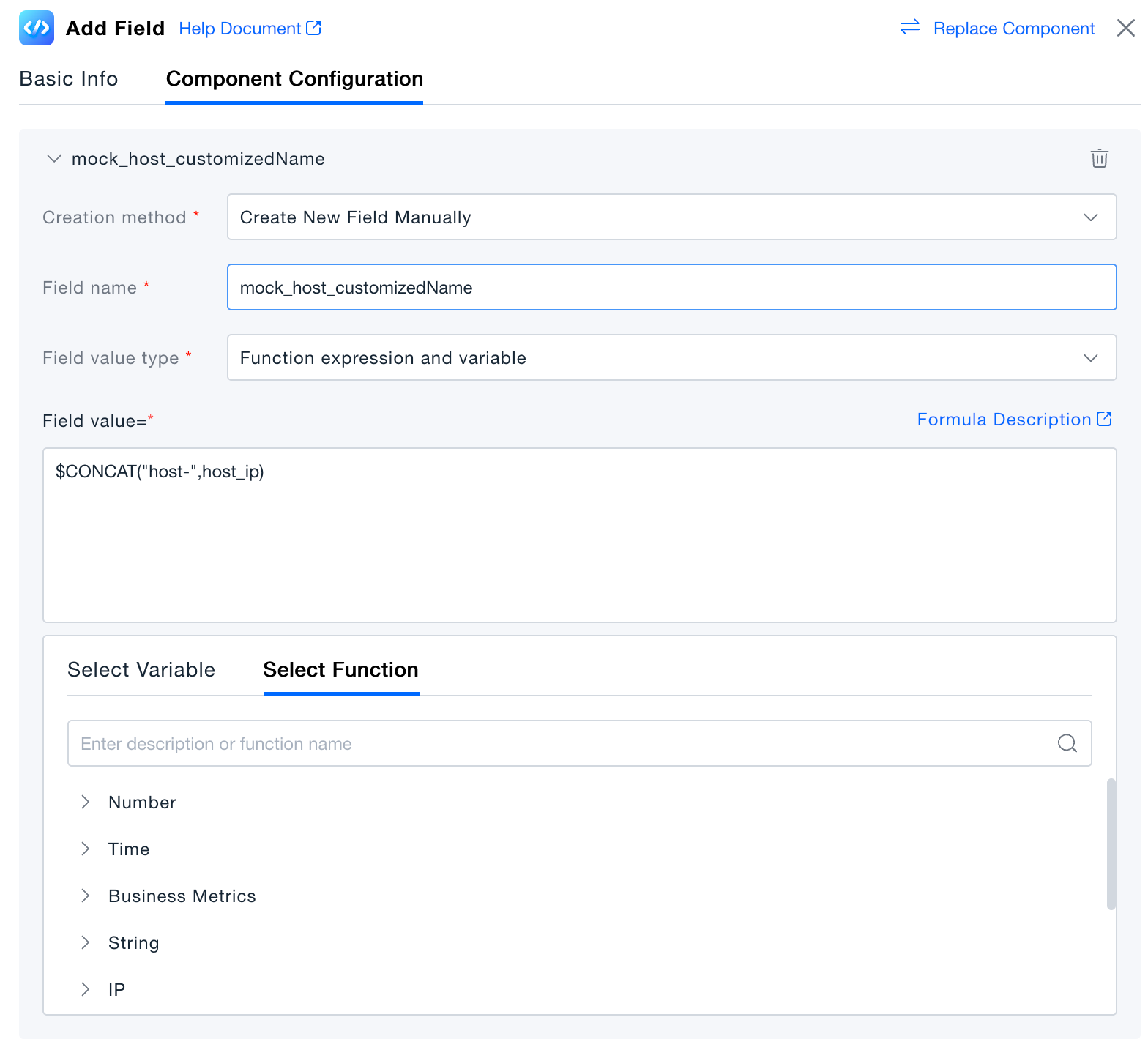
In the Add Field or Edit Field component, select Function Expression and Variables as the field value type.
-
Enter a function expression in the field value input box. The platform supports mathematical operations, variables, and built-in functions.
-
Mathematical Operations
Use fixed values and variables combined with basic mathematical formulas to assign values. After assignment, the data will be of numeric type.
Currently supported are five common mathematical expressions: addition (+), subtraction (-), multiplication (*), division (/), and exponentiation (^).
The order of operations follows the standard mathematical hierarchy: exponentiation (^) > multiplication (*) and division (/) > addition (+) and subtraction (-).
Note that calculations are only supported for numeric types (Long, Double).
-
Variables
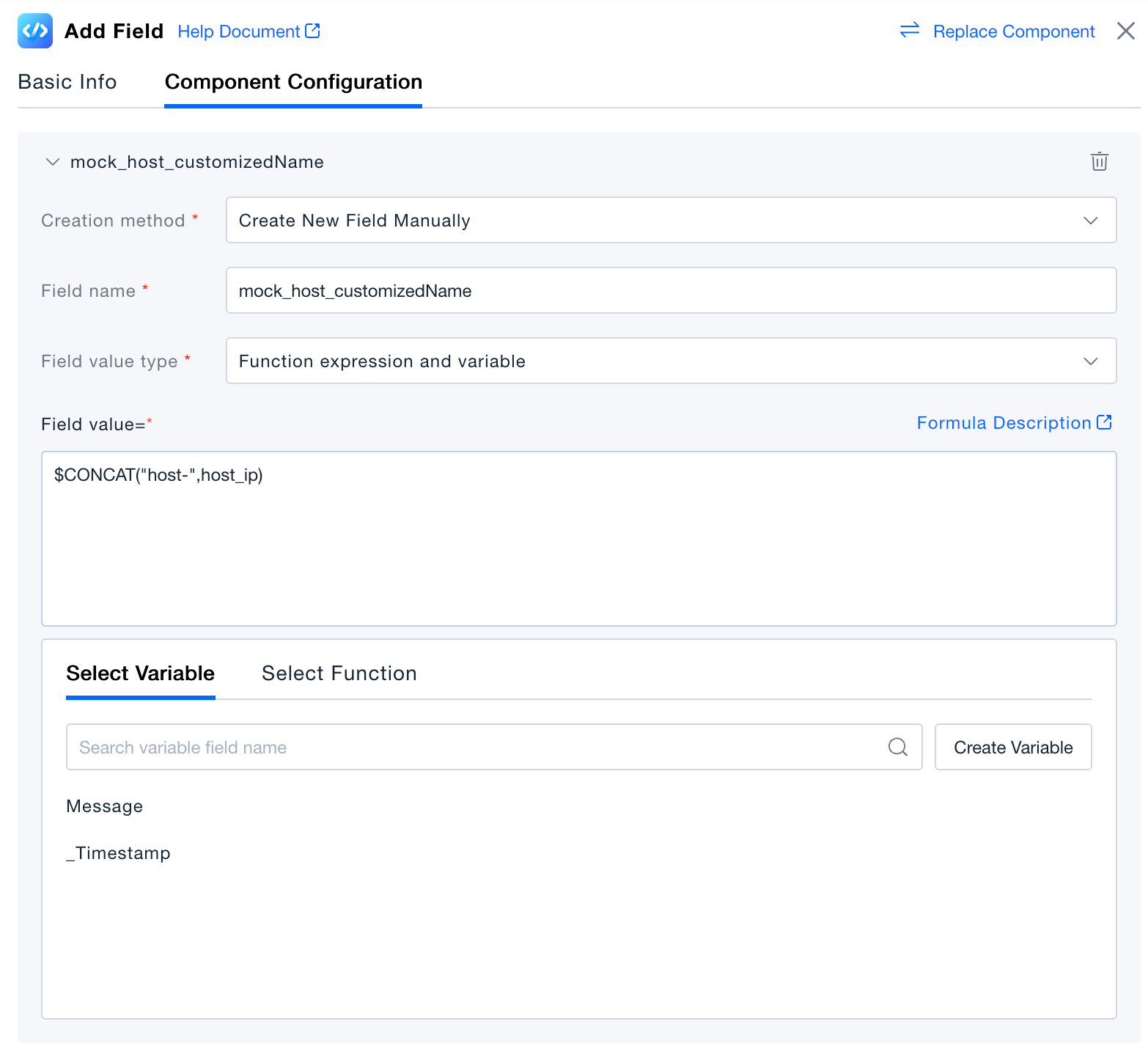
Use fields parsed by previous components as variables. When you select a variable, its value will be used in the expression calculation.
-
Built-in Functions
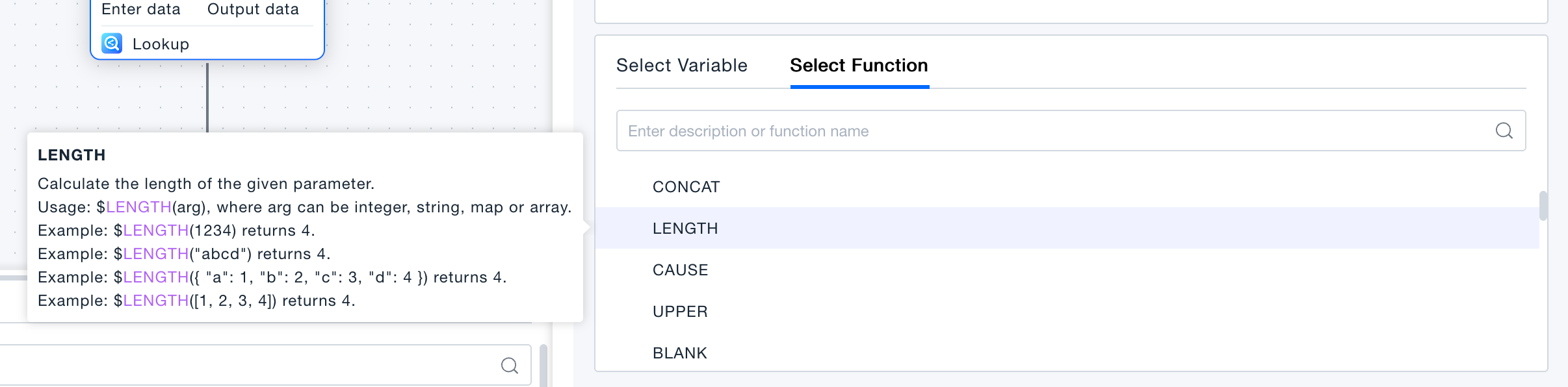
The platform includes over 60 data processing functions across nine categories, suitable for various data processing scenarios. Comprehensive function descriptions and usage examples are provided in the platform to help you use them directly.
-
Validation
Click "Execute Preview" to view the results in the data preview panel. In the execution preview state, this is a simulation of data processing, and no real data will be generated in the platform.