Instrumentation Wizard
Provides a fast and convenient way to instrument our SDK products into your application.
Supported Platforms
Currently supports Android, iOS, and Web applications.
Download
Download the binary executable from the ONE platform that matches your OS/CPU architecture (supported: macOS arm64, macOS x64, win-x64).
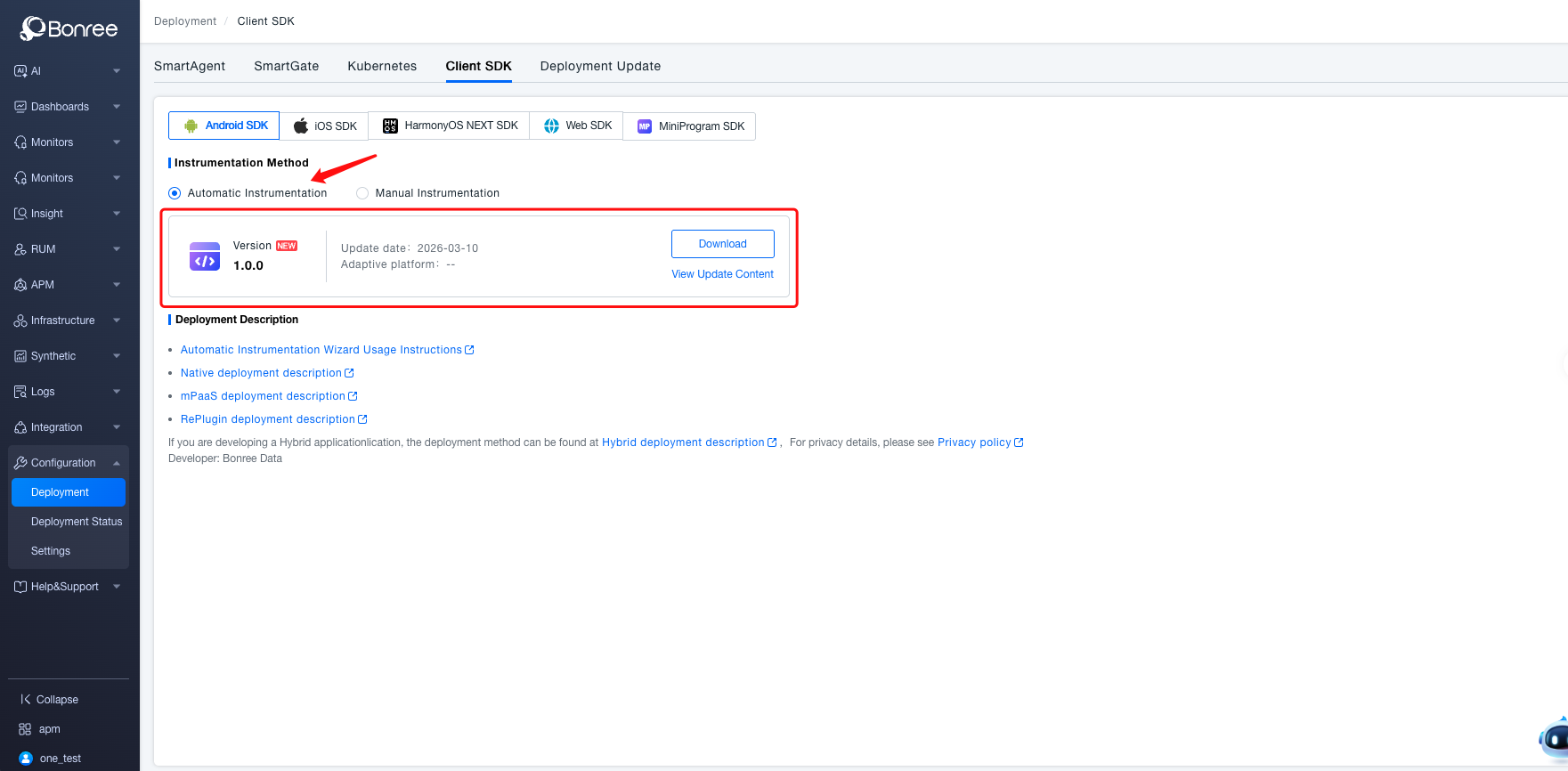
How to Run
There are two ways to run the wizard: double-click the executable, or run it explicitly in a shell.
We recommend running it from the shell. On macOS, double-clicking the executable uses the wrong current working directory (typically your user home directory), which can affect how the tool scans and resolves your project. Instead, open a terminal at the root of the project you want to instrument, drag the executable into the terminal, and run it—this is more reliable and avoids character-encoding issues in the output.
iOS
Using the iOS project root (the directory where the .xcodeproj is located) as the working directory, run ${ONE-SDK-wizard} -i ios.
The ONE‑SDK wizard performs the following:
- Adds
BonreeRUMto the Podfile and runspod repo updateandpod install --silent. - Adds the SDK initialization code to AppDelegate or to the init method of a SwiftUI app.
Android
Using the Android project root (the directory that contains settings.gradle or build.gradle) as the working directory, run ${ONE-SDK-wizard} -i android.
The ONE‑SDK wizard performs the following:
- Gradle automation; automatically modifies the following files:
settings.gradle(.kts):- Injects Bonree's dedicated Maven repository in
pluginManagement(for resolving the plugin). - Injects repositories in
dependencyResolutionManagement(for resolving library dependencies).
- Injects Bonree's dedicated Maven repository in
- Root
build.gradle(.kts):- Automatically adds the
buildscriptblock and theclasspathplugin dependency.
- Automatically adds the
- App module
build.gradle(.kts):- Applies the plugin:
apply plugin: 'bonree'. - Adds the dependency:
implementation 'com.bonree.agent.android:agent-lib:...'.
- Applies the plugin:
AndroidManifest.xmland permissions handling.- Automatically inserts the initialization code after
super.onCreate()inApplication.onCreate()orMainActivity.onCreate(). - Modifies
proguard-rules.proto include the required ProGuard rules.
Web
Using the Web project root as the working directory, run ${ONE-SDK-wizard} -i web.
The ONE‑SDK wizard performs the following:
- Scans the project and lists all
htmlfiles so that you can select the files to instrument (multiple selection supported). - After selecting the environment and application on the platform, downloads the corresponding version of
BonreeSDK_JS.min.js. - Checks whether a
package.jsonexists to determine where to storeBonreeSDK_JS.min.js(since Web projects are flexible and diverse, a general‑purpose location is used). - Inserts a
scripttag into the selectedhtmlfiles that contains the instrumentation snippet and the reference path toBonreeSDK_JS.min.js.