The ONE Platform Approach to Data Modeling
The ONE platform is a data-driven integrated operations platform. Through the Data Model page, the platform explains ONE data model definitions and the platform approach to model development. This article introduces the functions and usage of the model management page, helping users understand the definition details of registered entities, metrics, Meta Attributes, dictionaries, and other models, and manage different types of model data.
Entity
The Entity page is used to manage entity model data registered in the platform. By default, the page displays the entity models and relations that users care about in a topology view organized by IT system hierarchy.
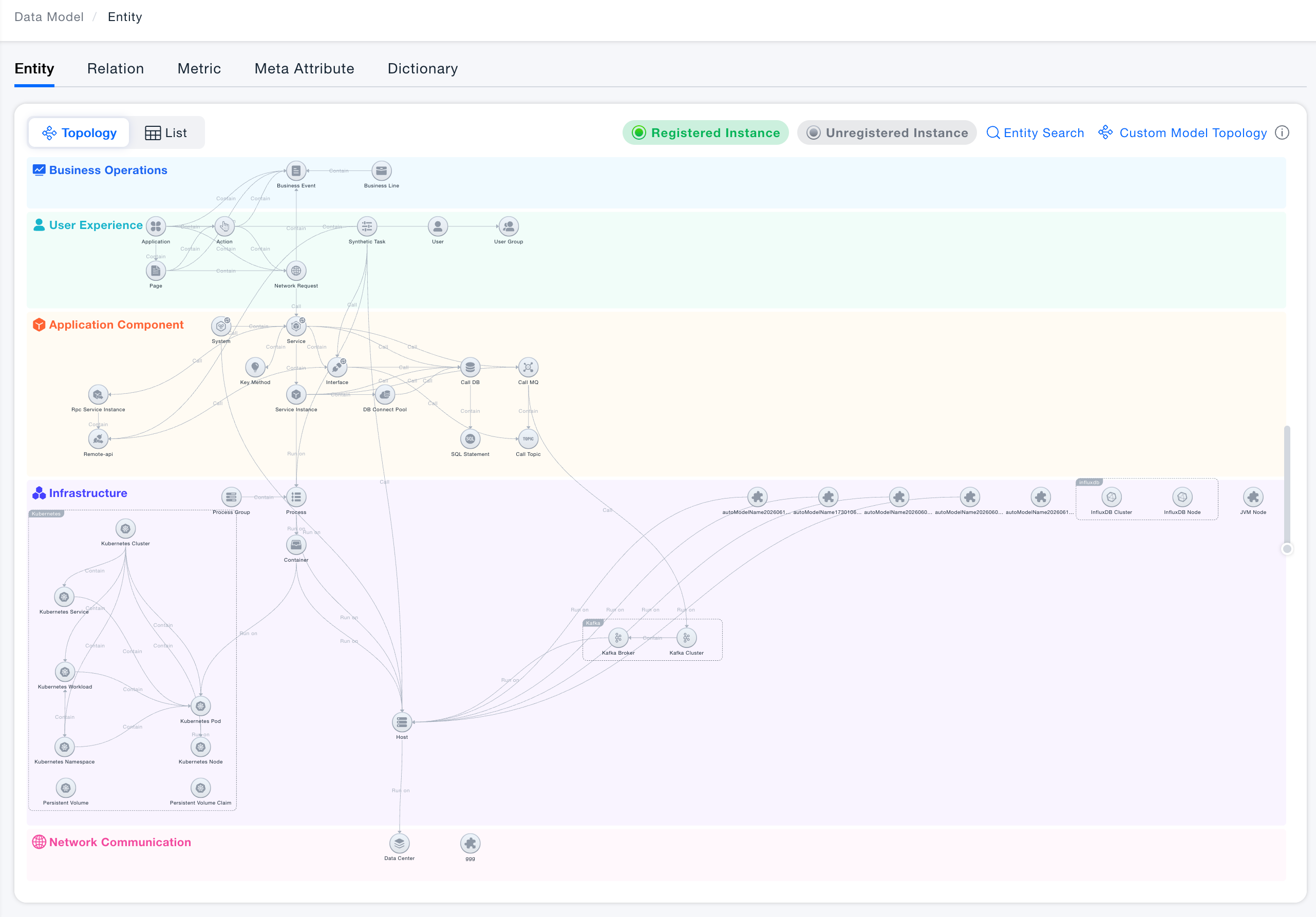
- The platform divides IT systems into five layers based on how close each entity concept is to the end user: Business Operations, User Experience, Application Components, Infrastructure, and Network Communication. The platform's predefined entity models are assigned to different IT system layers according to their roles.
- Based on prior full-scope customer research, the platform predefines 163 entity models. The predefined content includes basic entity information, such as name, icon, layer, and category; entity model information, such as the attributes that registered entity instances should have and their unique identifiers; and relations between entities, such as whether a relation exists, relation type, and mapping method. Because the predefined entity models cover multiple technology stacks, while a single customer may only use one stack, the platform displays only the entity models related to the most common technology stack in the entity model topology by default. To adjust the topology display, refer to the later sections on Model System Management and Custom Model Topology.
- The entity model topology uses light and dark states in the legend to indicate whether instance data has been registered under an entity. After a user registers instance data under an entity model, the corresponding entity node is highlighted automatically in the topology.
Model System Management
The platform provides Model System Management to give users comprehensive entity model management capabilities, including enabling or disabling entity models, creating custom entity models, and managing custom models.
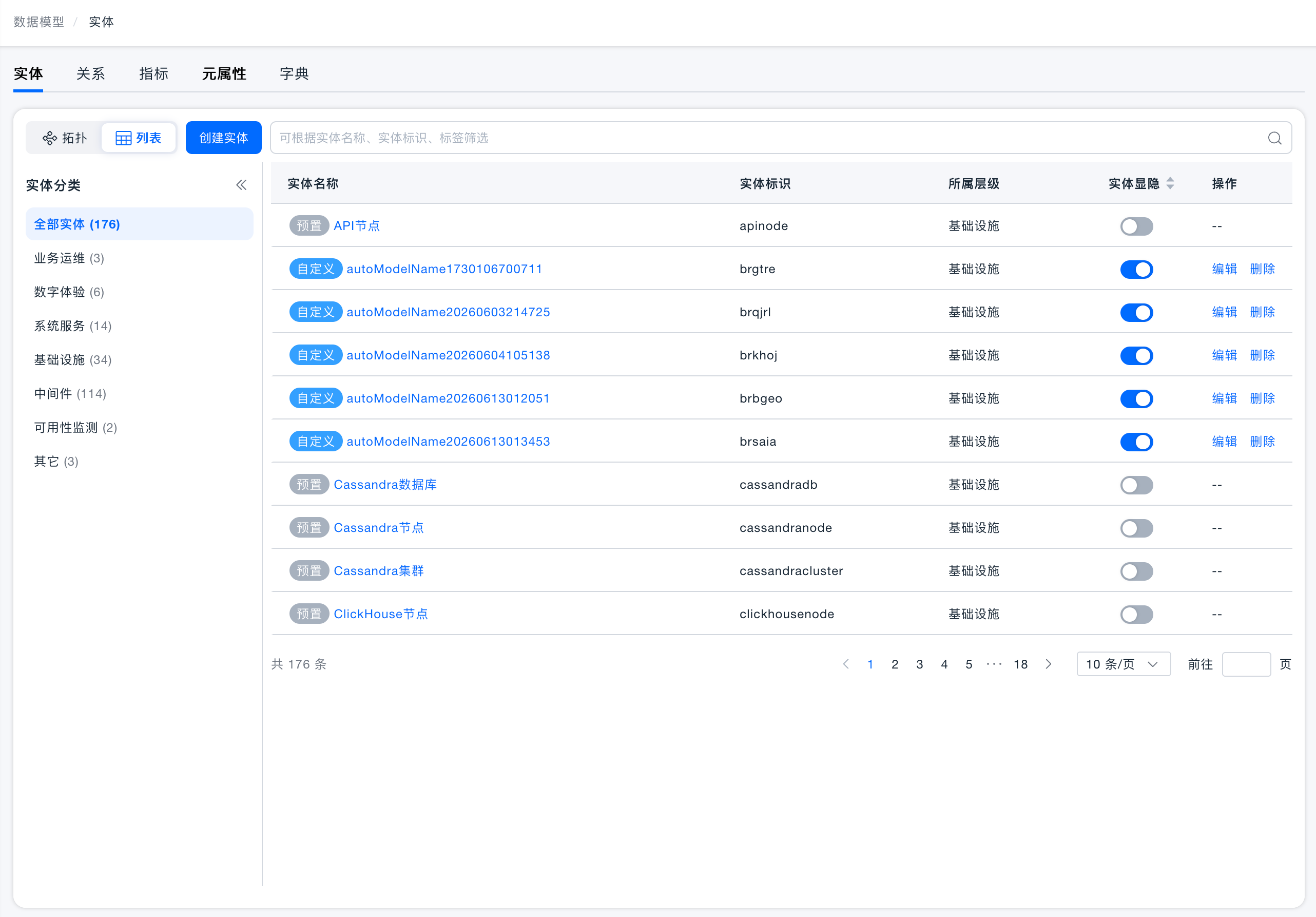
Defining Whether Custom Entity Models Are Active
Because the platform predefines entity models based on all customer scenarios, redundant data may exist for a specific customer. The platform therefore provides the capability to define whether a custom model is active, allowing users to control whether a model takes effect.
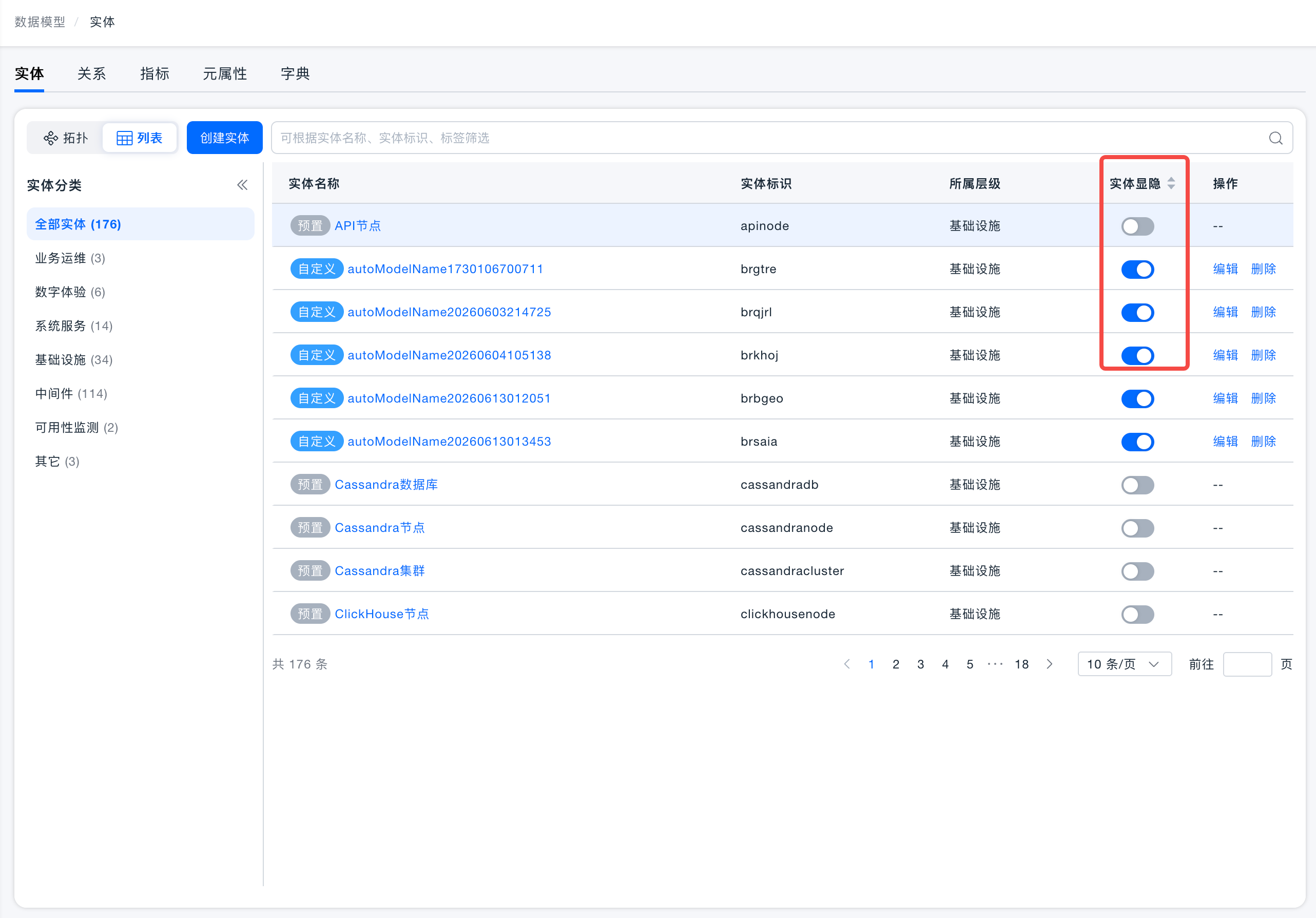
- The platform uses checkboxes to control whether an entity model is active. Checked means active; unchecked means inactive.
- Active: The platform needs to use this entity. In practice, the entity model topology, resource system, dashboards, alerts, and other functions only display checked entities.
- Inactive: The platform does not need to use this entity. In practice, the entity model topology, resource system, dashboards, alerts, and other functions do not display unchecked entities.
- Default option description:
- Some predefined entities are required by built-in analysis functions, such as terminal applications, services, and systems. To ensure these predefined functions remain available, the dependent entity models are selected by default and users cannot change their active status.
Creating and Managing Custom Entity Models
The platform supports using third-party data after it is integrated into the platform. If the entity model for the integrated data is not covered by predefined entity models, users can create the required entity model through the Create Entity Model function on the Entity page or through the ETL configuration page. After writing data under the entity model, users can use platform functions such as dashboards and alerts to monitor and analyze the newly created custom entity model.
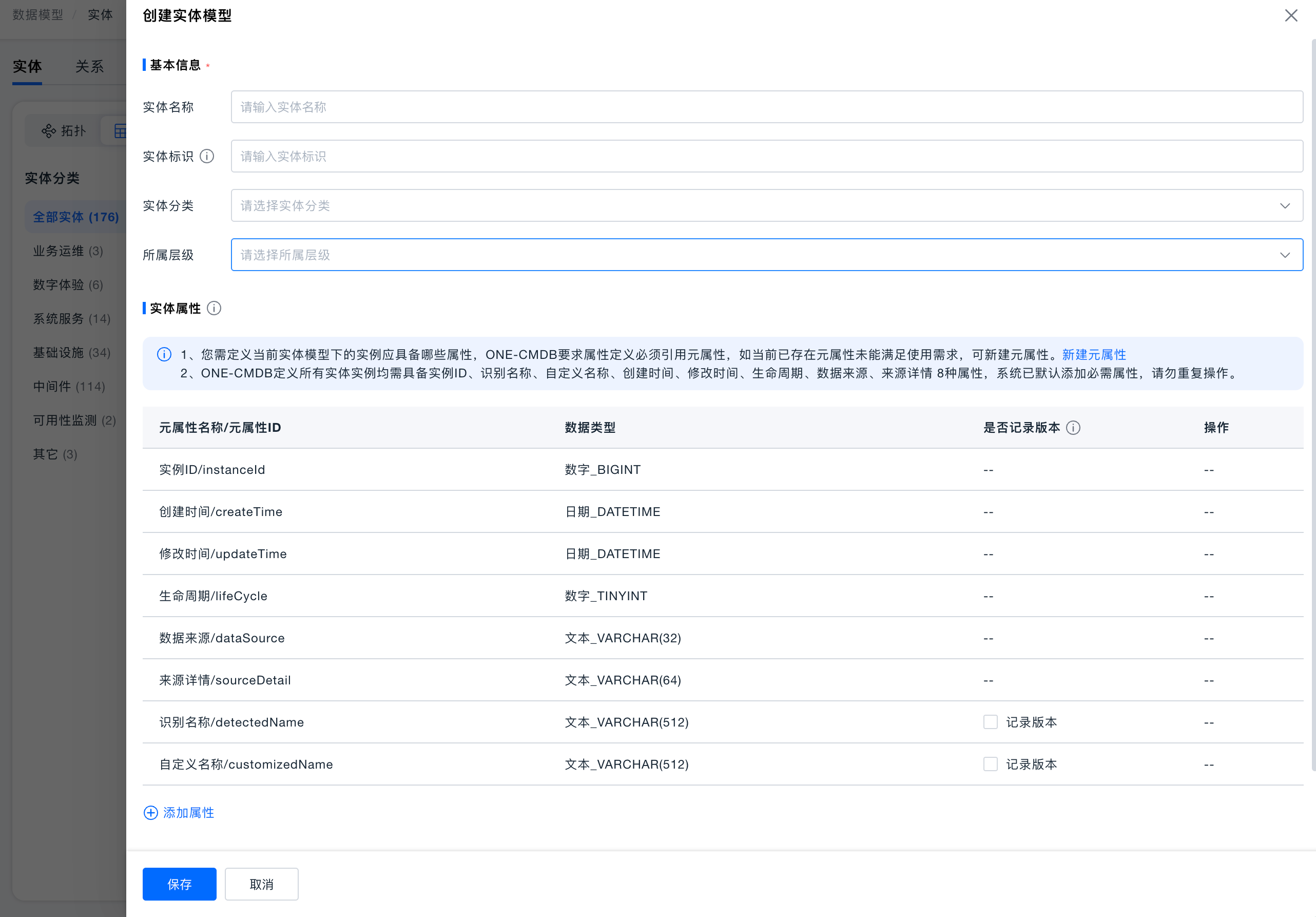
Consistent with predefined model definitions, users creating a custom entity model need to define basic view information, entity attributes, entity relations, and other content.
Key points for creating custom entity models:
- Basic information: Defines the basic information used and displayed by the entity model.
- Entity identifier: The platform provides BQL as a unified query syntax for advanced usage. Because entity names are often conversational and may not be suitable for BQL, users must define an entity identifier when customizing a model for later query scenarios such as BQL.
- Entity category: The platform adds a simple category to all predefined entities based on the first-level classification in the main menu. This category is used as the first-level classification in the metric system.
- Layer: The platform divides layers based on how close each entity concept in an IT system is to the end user. Users should select the layer that matches the entity model they want to customize.
- Entity attributes: Define which attributes instances under the entity model should contain.
- Entities and entity attributes may be registered as metric dimensions for data analysis. To avoid cases where attributes with the same meaning have different names, or attributes with different meanings have the same name, CMDB defines Meta Attributes to standardize data consistency. Entity model attributes must reference Meta Attributes, and each Meta Attribute represents a unique meaning.
- To ensure unified model management, all entities in the ONE platform must have six attributes: Instance ID, Instance Name, Instance Alias, Creation Time, Modification Time, and Lifecycle. These six attributes are added by the system by default and cannot be modified.
- To help users trace instance changes, the ONE platform records the last five changes of an instance as historical versions. When creating an entity model, users can select Record Version to control whether the platform generates a historical version record when a specific instance attribute changes.
- The new version of custom entity models supports defining multiple sets of unique identifiers during ETL integration for entity uniqueness recognition. Therefore, the custom model page no longer requires users to define a unique identifier for entity recognition.
- Unique identifiers are used for data correlation during external data integration. For example, if the ONE platform already has a host with IP 192.168.11.0 and IP is the unique key of the host, when external integration data contains data for host 192.168.11.0, the system automatically correlates the integrated data with the existing data.
- Entity relations: Define which specific relations the entity model may have with other entities.
- The platform currently supports only three relation types: Contains, Runs On, and Calls. Users need to describe the relations they want to define by mapping them to these three relation types.
- Relation type: Root cause analysis in the platform strongly depends on the timeliness of relation data. The relation type describes whether relation data is time-sensitive. Dynamic indicates that the relation is time-sensitive; Static indicates that the relation is permanently valid and not time-sensitive.
- Relations in ONE-CMDB are stored in Graph DB. When an entity relation is defined, the system automatically creates the corresponding edge table in Graph DB. After relation data is reported, it is stored in the corresponding edge table.
Custom Model Topology
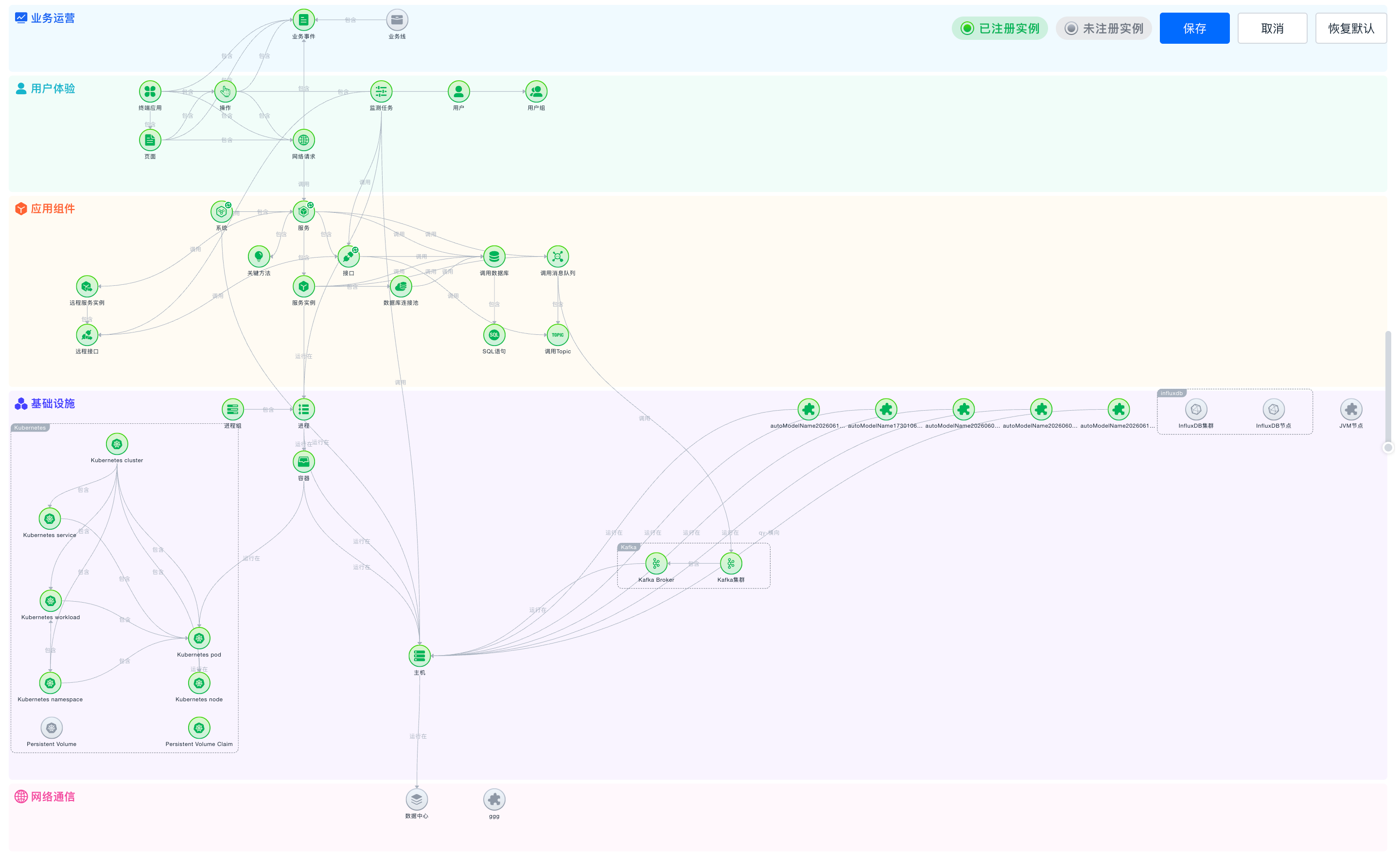
By default, the platform displays all active entity models and their relations in a topology view based on IT system hierarchy. When a custom entity model is active, the system randomly selects a position for it within its layer. If users are not satisfied with the position of a custom model in the topology, they can adjust it through Custom Model Topology.
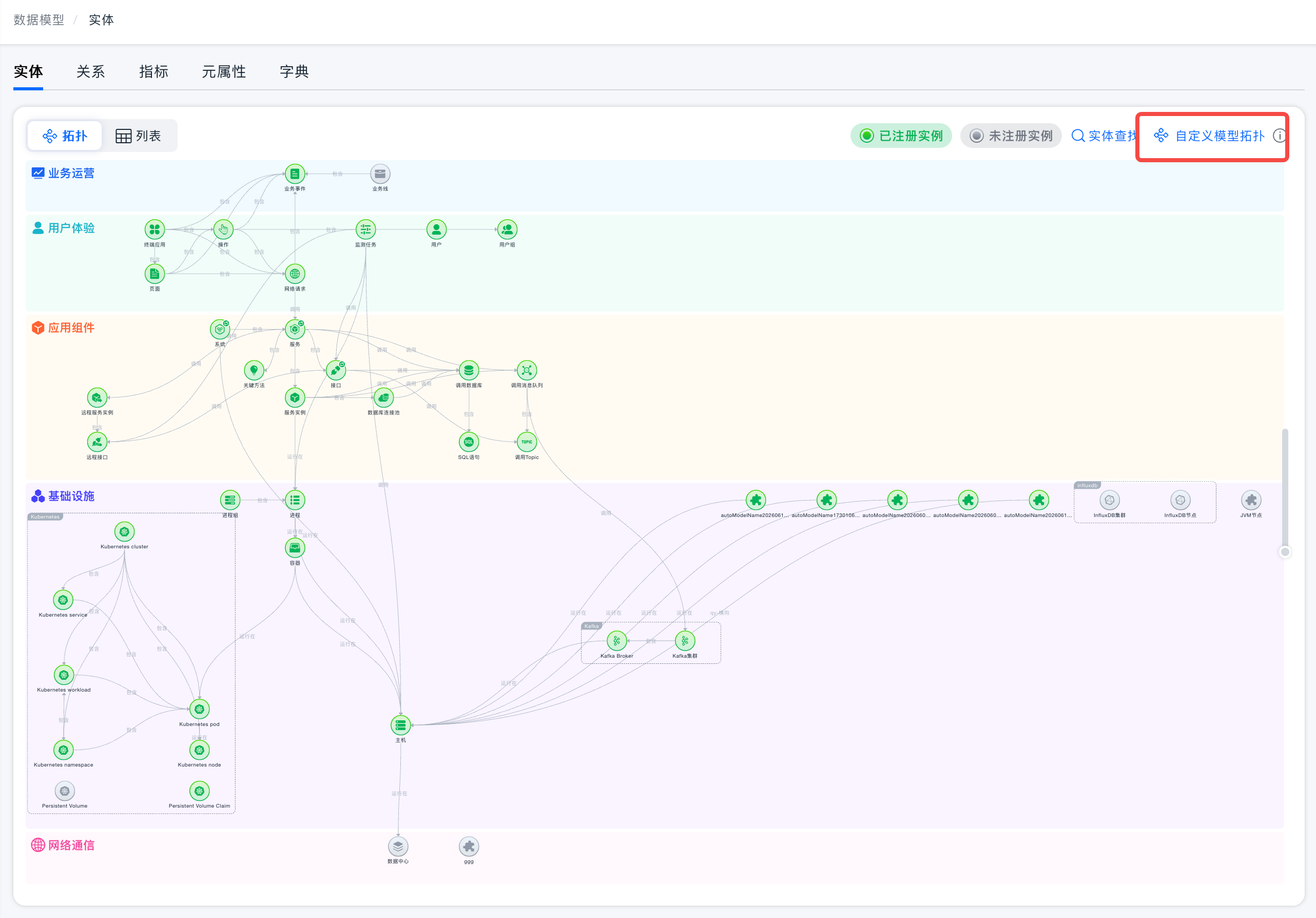
After entering the model topology editing page, users can select the entity model node to be moved and drag it to the desired position. After all required nodes are adjusted, save the changes to make them effective.
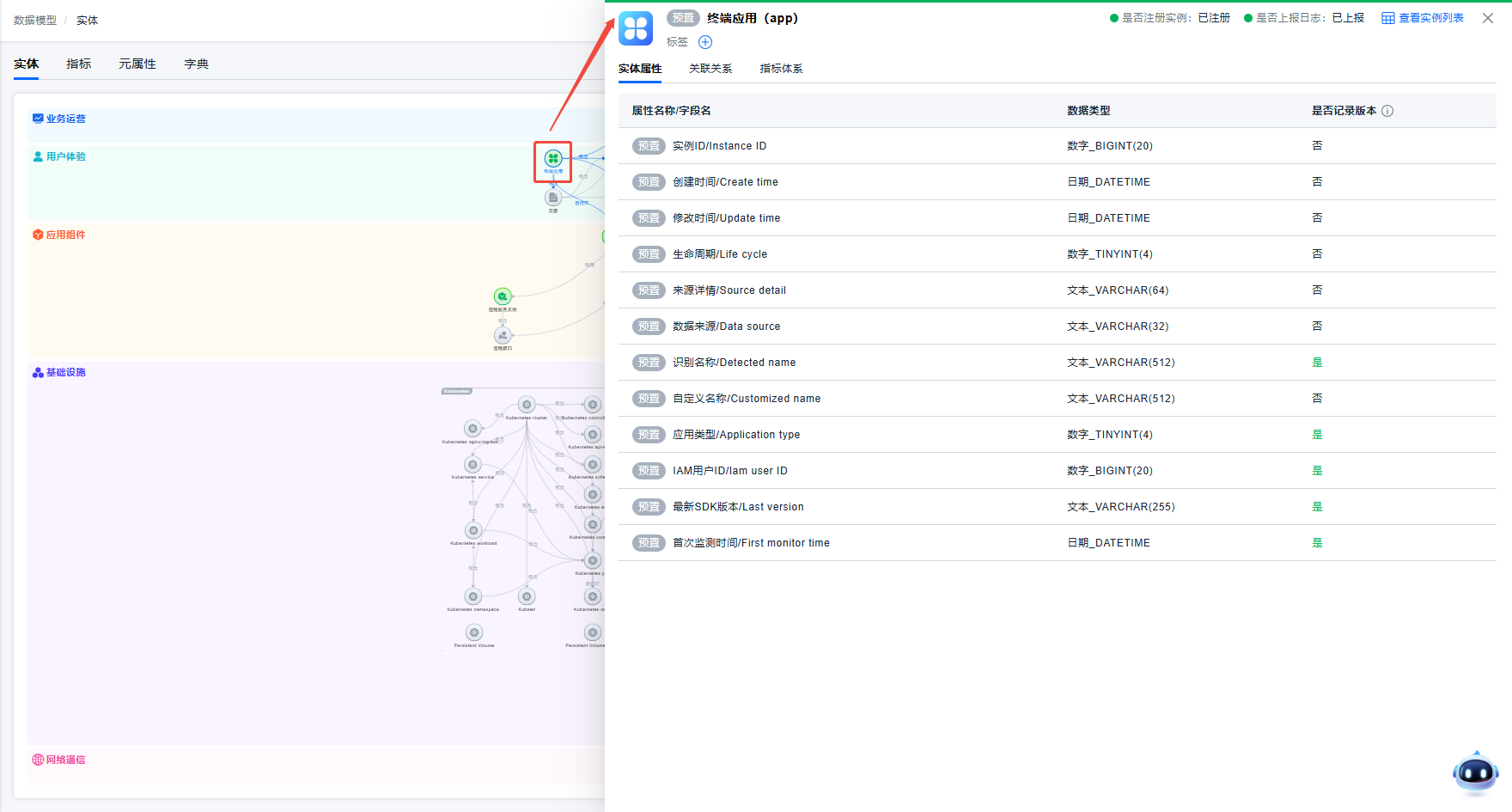
Entity Details
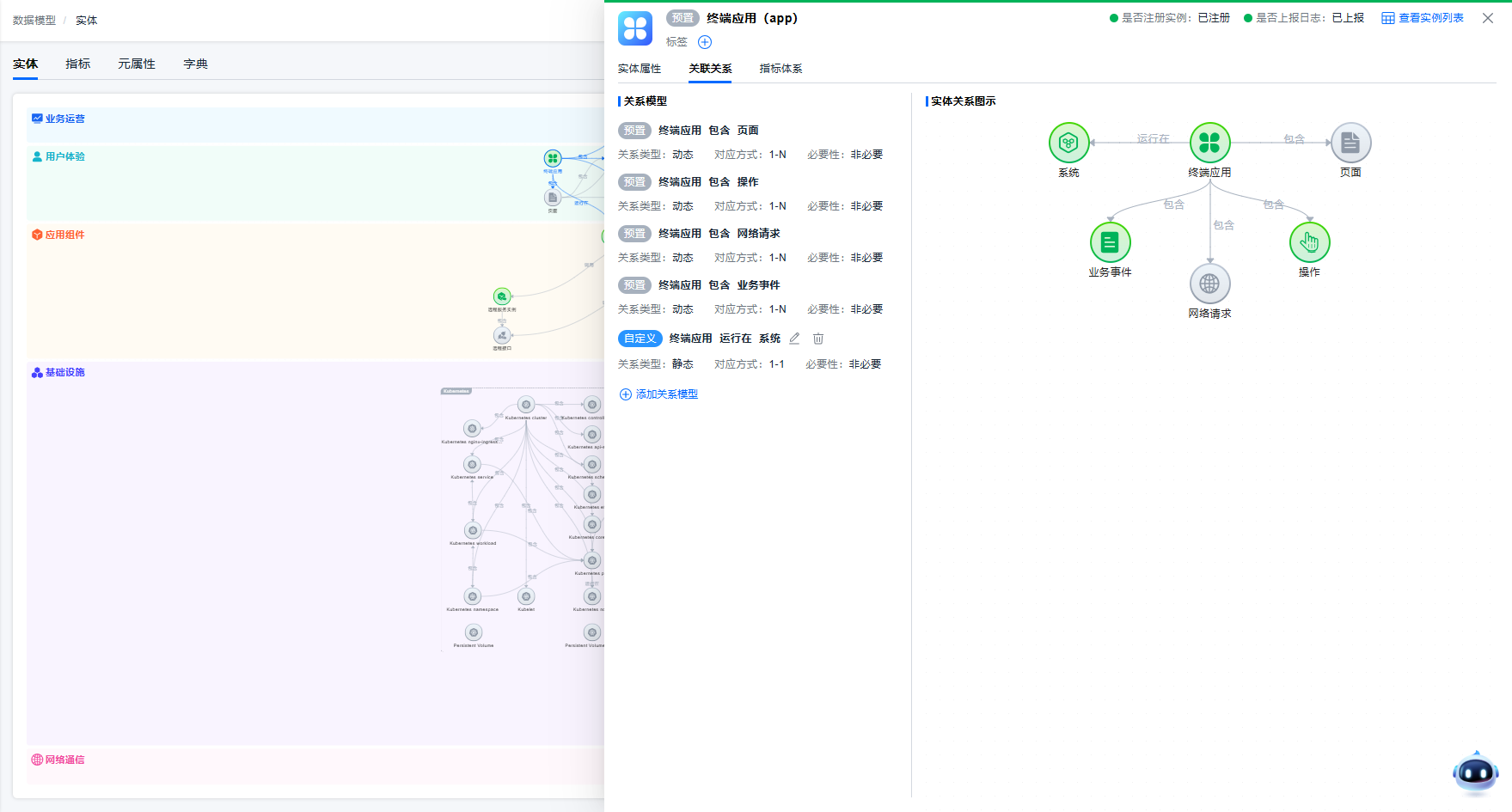
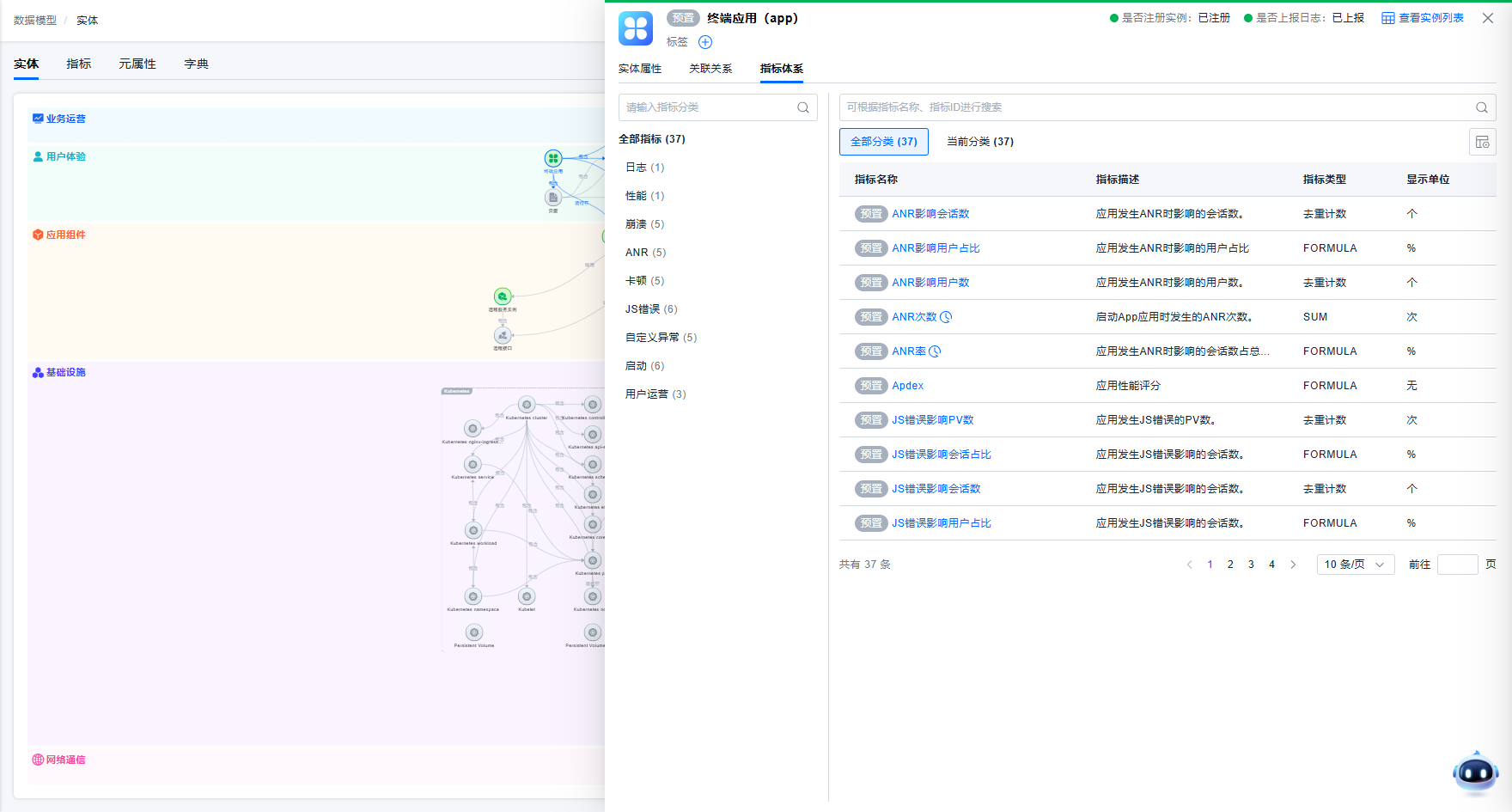
To help users quickly understand entity model definitions, users can click an entity node in the model topology to view the entity's attributes, associated relations, metric system, and instance data registration status, such as whether instances have been registered and whether log data has been reported.
Relation
Relations define how different entities in a data model are connected, helping the platform understand ownership, dependencies, and call relations between objects. Through relation configuration, the platform can organize distributed entities into analyzable structures for topology display, Trace analysis, resource ownership identification, impact scope analysis, and problem localization.
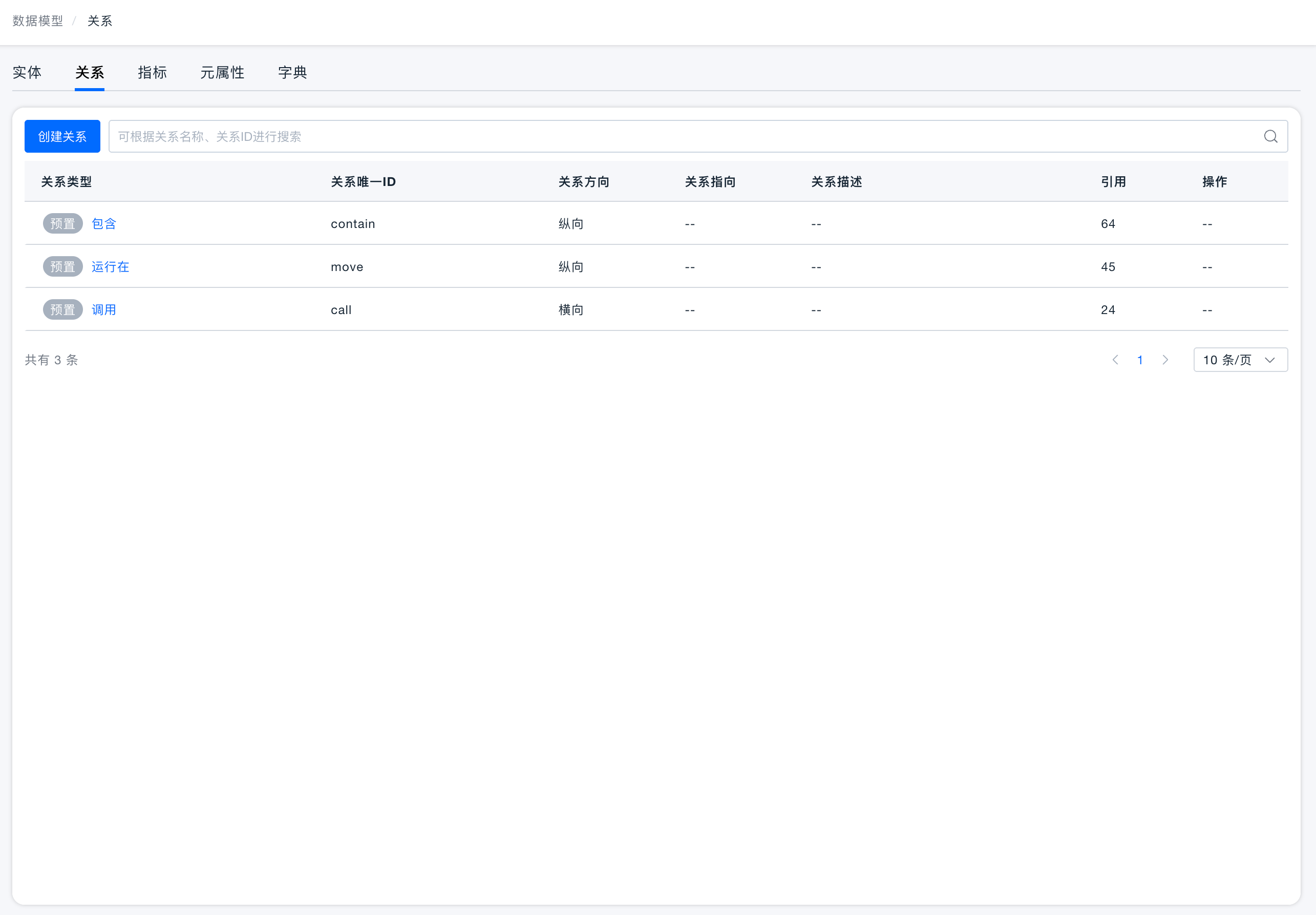
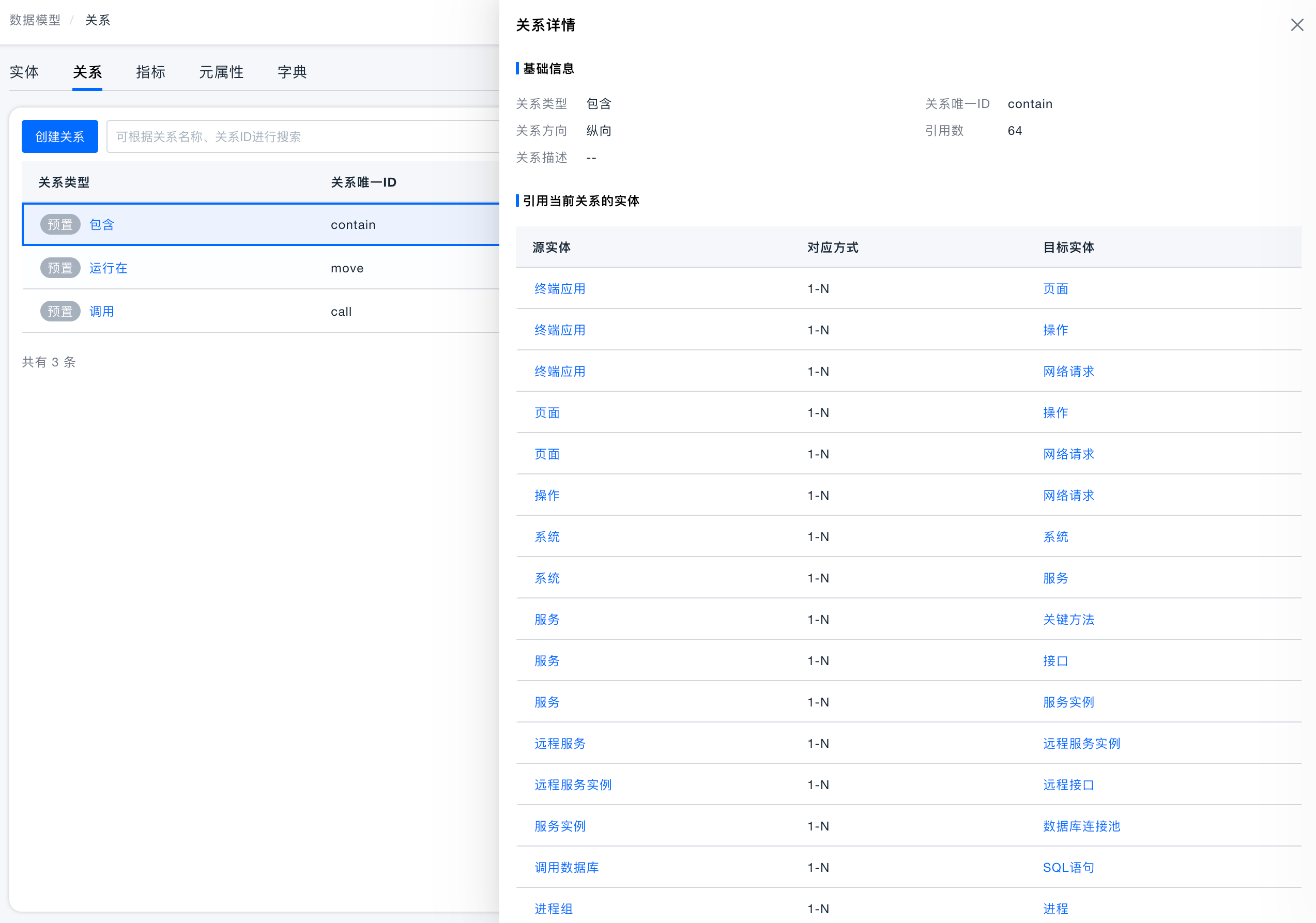
In a data model, entities represent objects, and relations represent how objects are connected. Examples:
| Entity relation | Usage scenario |
|---|---|
| System contains service | Show which services belong to a business system |
| Service contains service instance | View the instances where a service actually runs |
| Service instance runs on host or container | Locate the resource where a service instance runs |
| Service calls API | Analyze Trace across services |
| Application calls database or message queue | Identify the data storage and middleware dependencies of an application |
Relation types are divided into predefined relations and custom relations. Predefined relations are built into the platform. Common examples include Contains, Runs On, and Calls. They are suitable for expressing ownership, deployment, and call dependencies in standard models and are usually not recommended to be modified. Custom relations supplement business scenarios that cannot be covered by platform defaults, such as business line to application, application to module, or region to resource relations.
Creating and Managing Custom Relations
When objects in a topology are missing lines, dependencies between services and APIs, databases, or hosts are incomplete, or a new custom entity needs to express ownership, parent-child relations, or call paths, users can create custom relations. Before creating a custom relation, clarify the entities on both sides and the relation direction. Before modifying or deleting a relation, confirm whether it affects topology display, call analysis, troubleshooting, and whether it is still referenced by a model or topology.
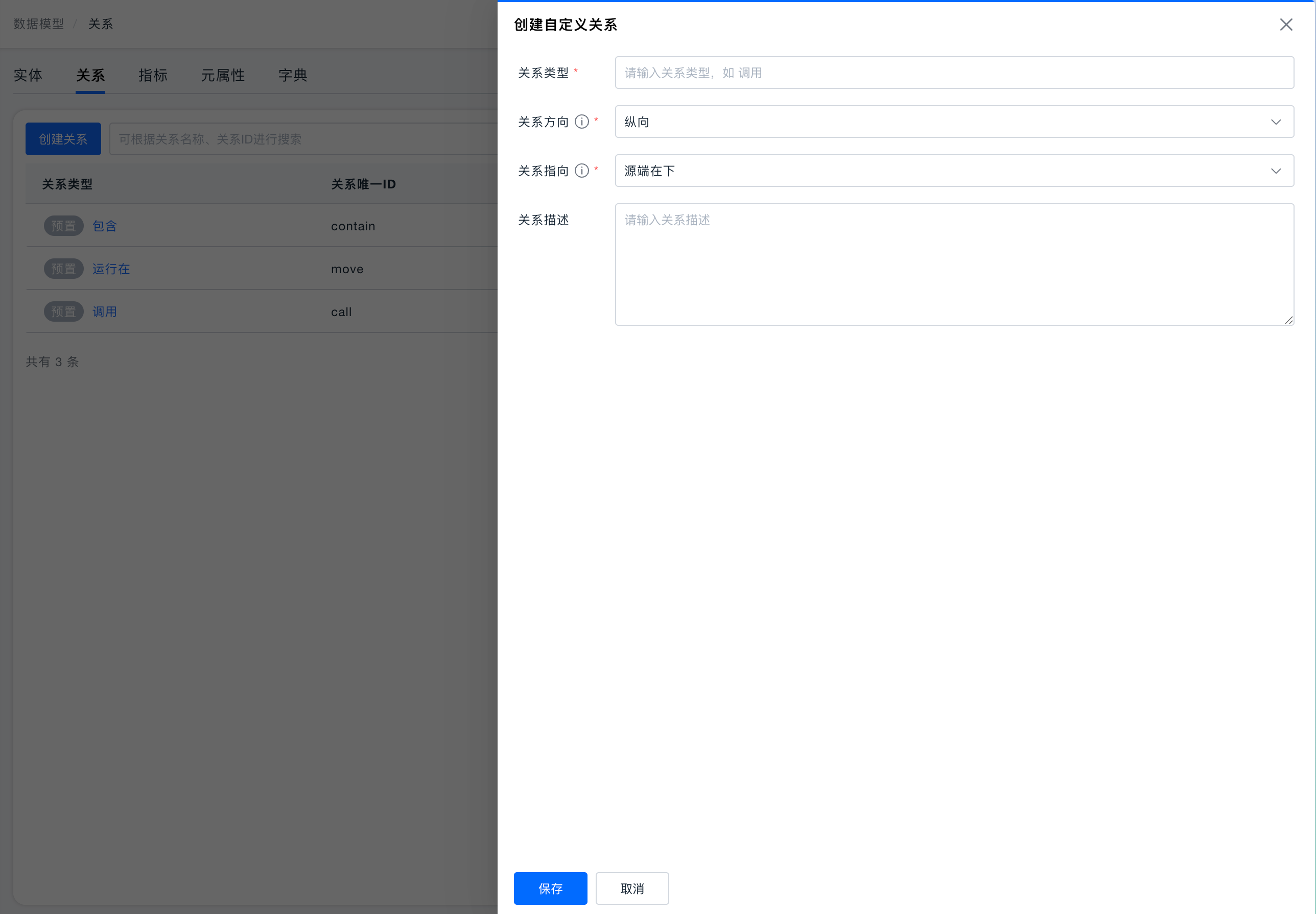
- Custom relations support three directions: vertical, horizontal, and non-directional. Vertical and horizontal relations affect the propagation of permission tags. Select the appropriate relation direction based on the actual scenario.
- Vertical relations are mainly used to express parent-child relations. Therefore, vertical relations cannot form a cycle, and the source position in the relation must be specified.
- A maximum of 20 relation types can be created.
Meta Attribute
To prevent fields with the same name but different meanings, or fields with the same meaning but different names, the platform provides Meta Attributes to standardize field display names, field names, data types, business meanings, and other information. On the Meta Attribute tab of the Data Model page, users can view all Meta Attributes registered in the platform.
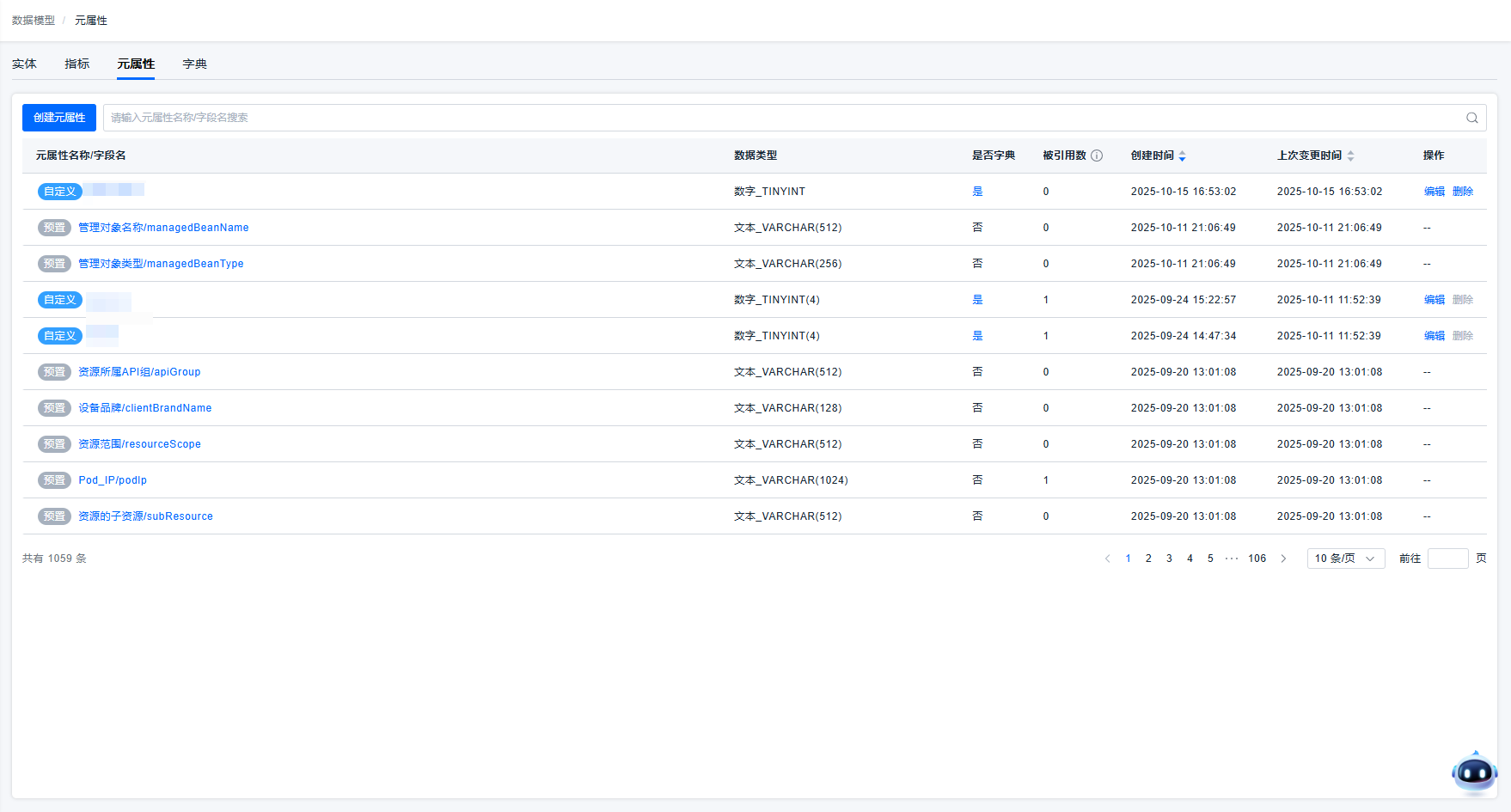
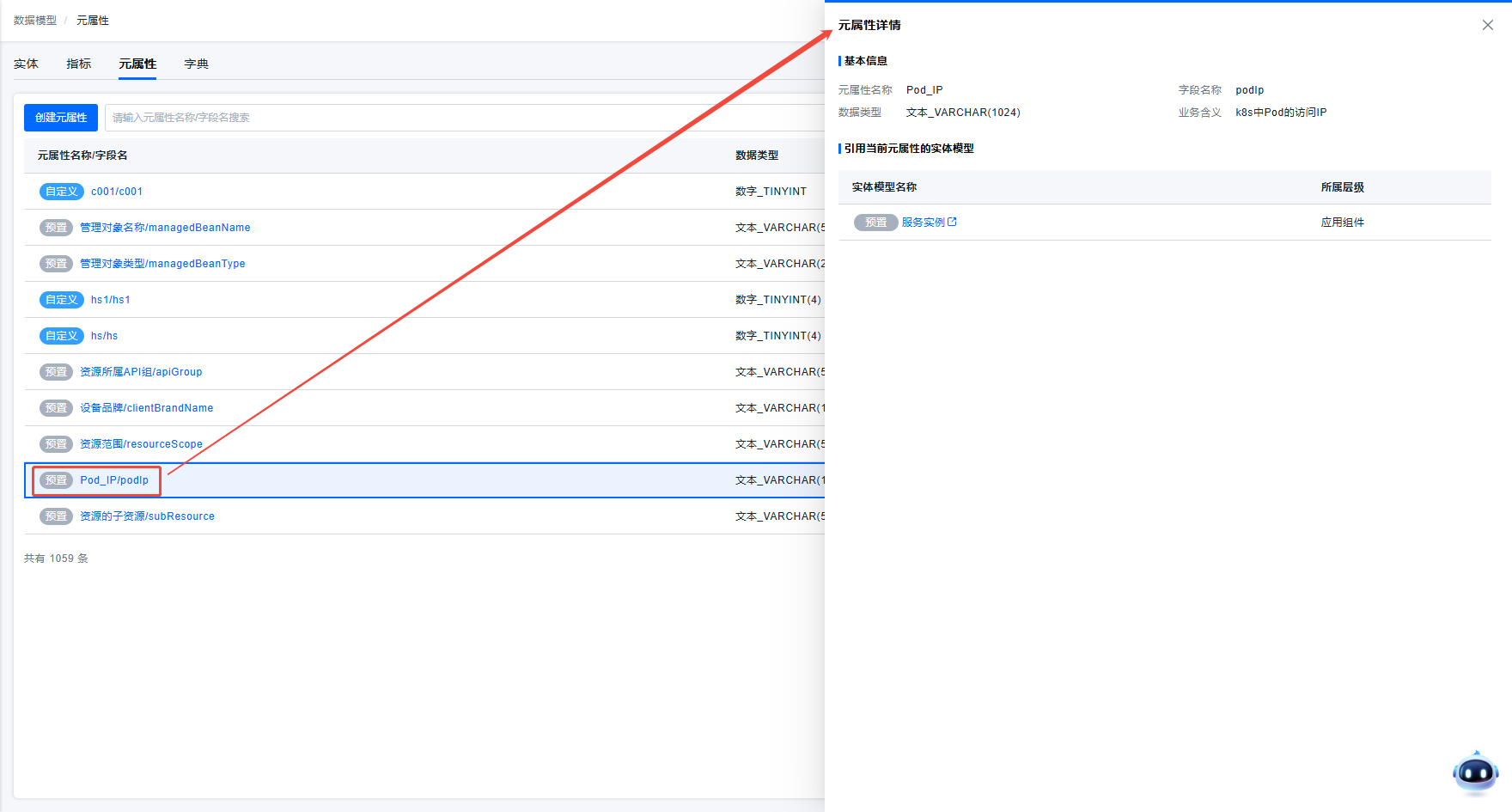
For a registered Meta Attribute, click the corresponding row to view its detailed definition, including basic Meta Attribute information, such as display name, field name, data type, and business meaning, and which entity models use this Meta Attribute as an attribute.
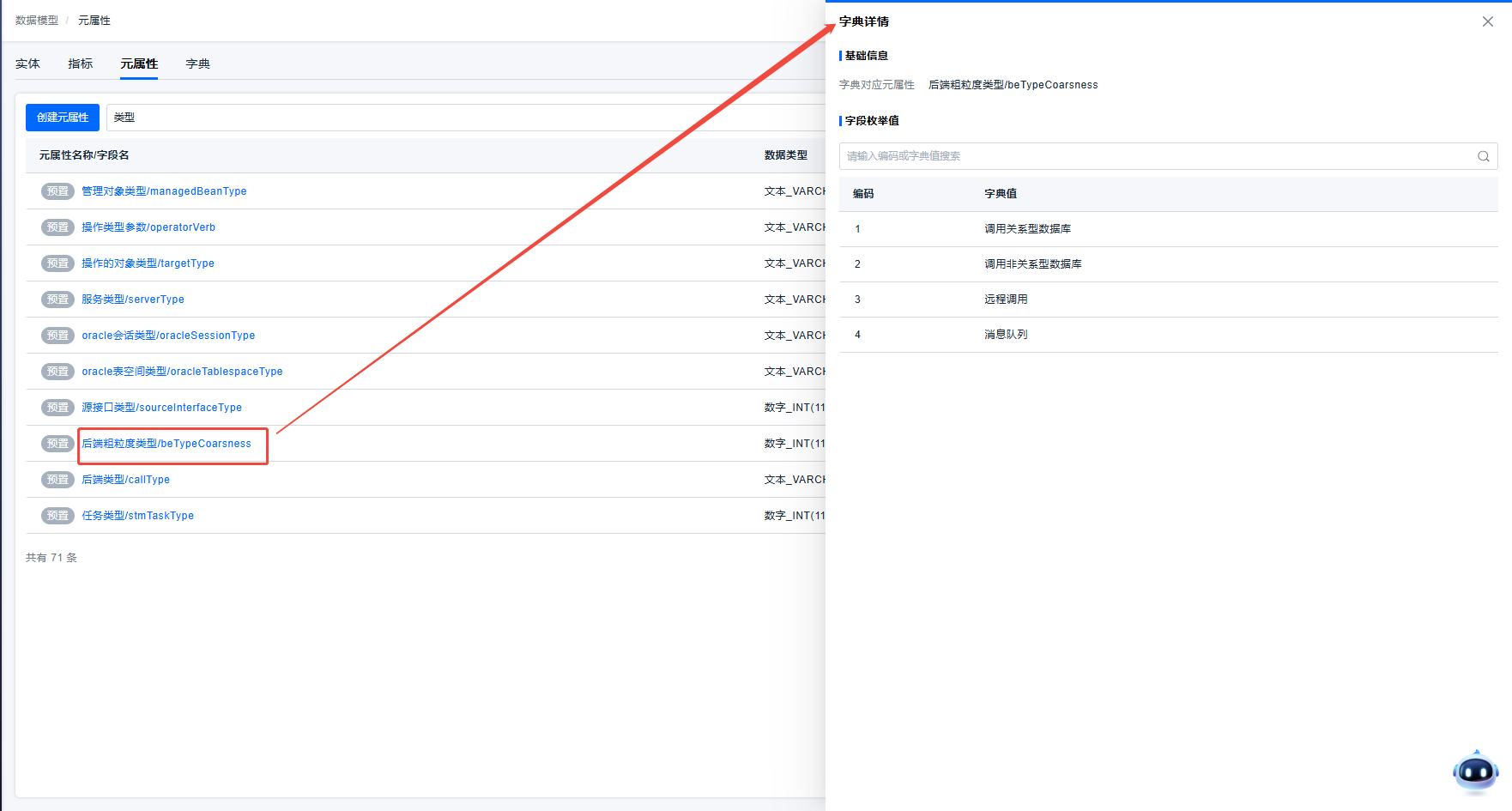
For a dictionary-type Meta Attribute, users can click the Is Dictionary field in the list to view the dictionary values it contains.
Custom Meta Attribute
Because the platform requires entity attributes to reference Meta Attributes, if users find that an attribute required by an entity does not have a corresponding predefined Meta Attribute when defining an entity model, they can create the required Meta Attribute through Create Meta Attribute, and then use the custom Meta Attribute directly.
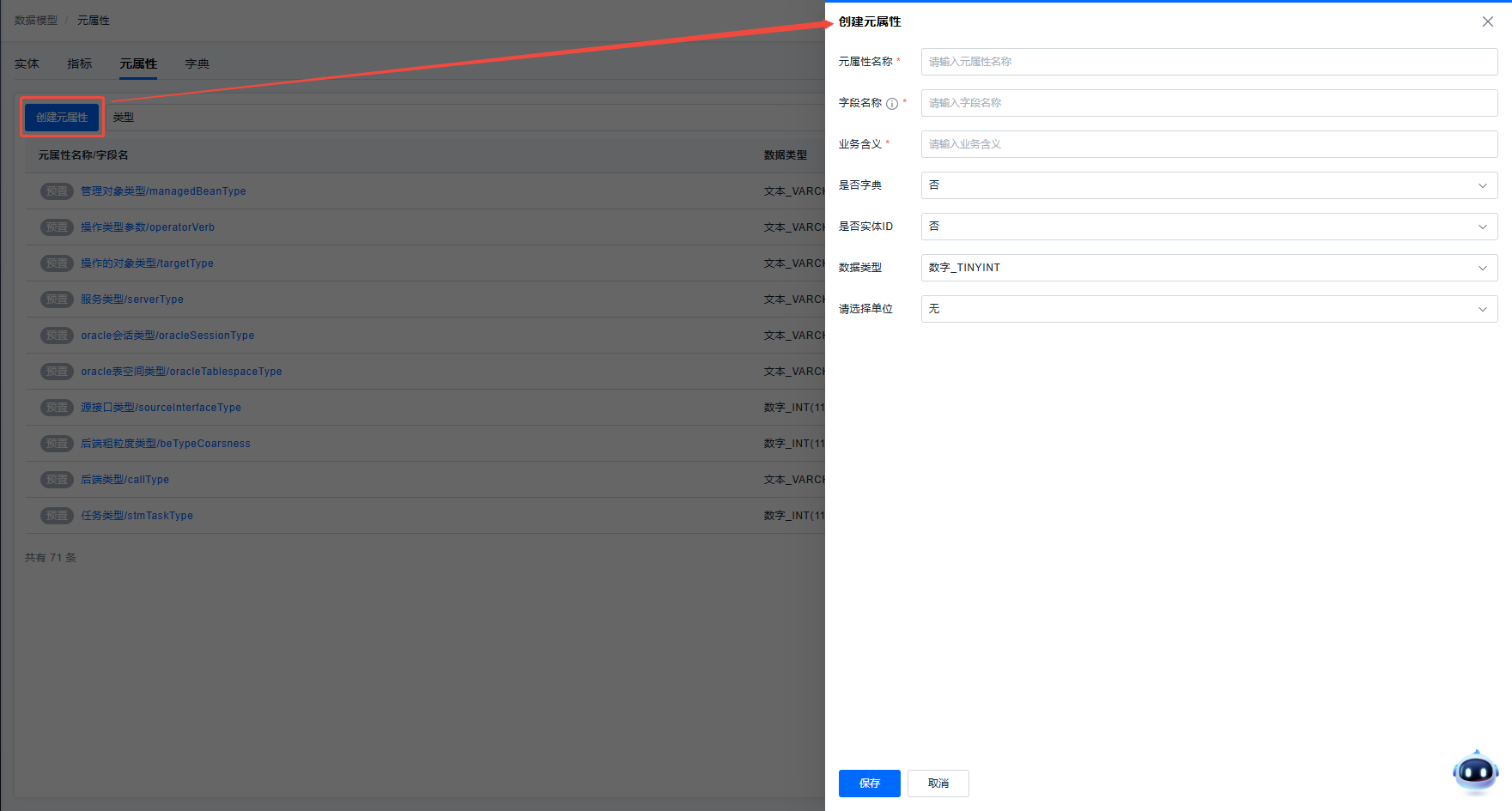
Usage instructions:
- The platform has special usage and management logic for entity ID-type and dictionary-type Meta Attributes. To prevent abnormal platform behavior, select and fill in fields based on the actual data scenario when customizing Meta Attributes.
- After creating custom Meta Attributes, users can manage them through edit and delete actions in the list.
- A Meta Attribute that has been used as an entity attribute cannot be deleted. To delete it, first delete the corresponding entity attribute.
Dictionary
In actual usage, some entity attributes based on Meta Attributes have fixed enumerated values. To help users understand the specific enumerated values of an attribute, the platform introduces dictionaries to manage these values. On the Dictionary tab, users can view the dictionaries available in the platform and their enumerated values.
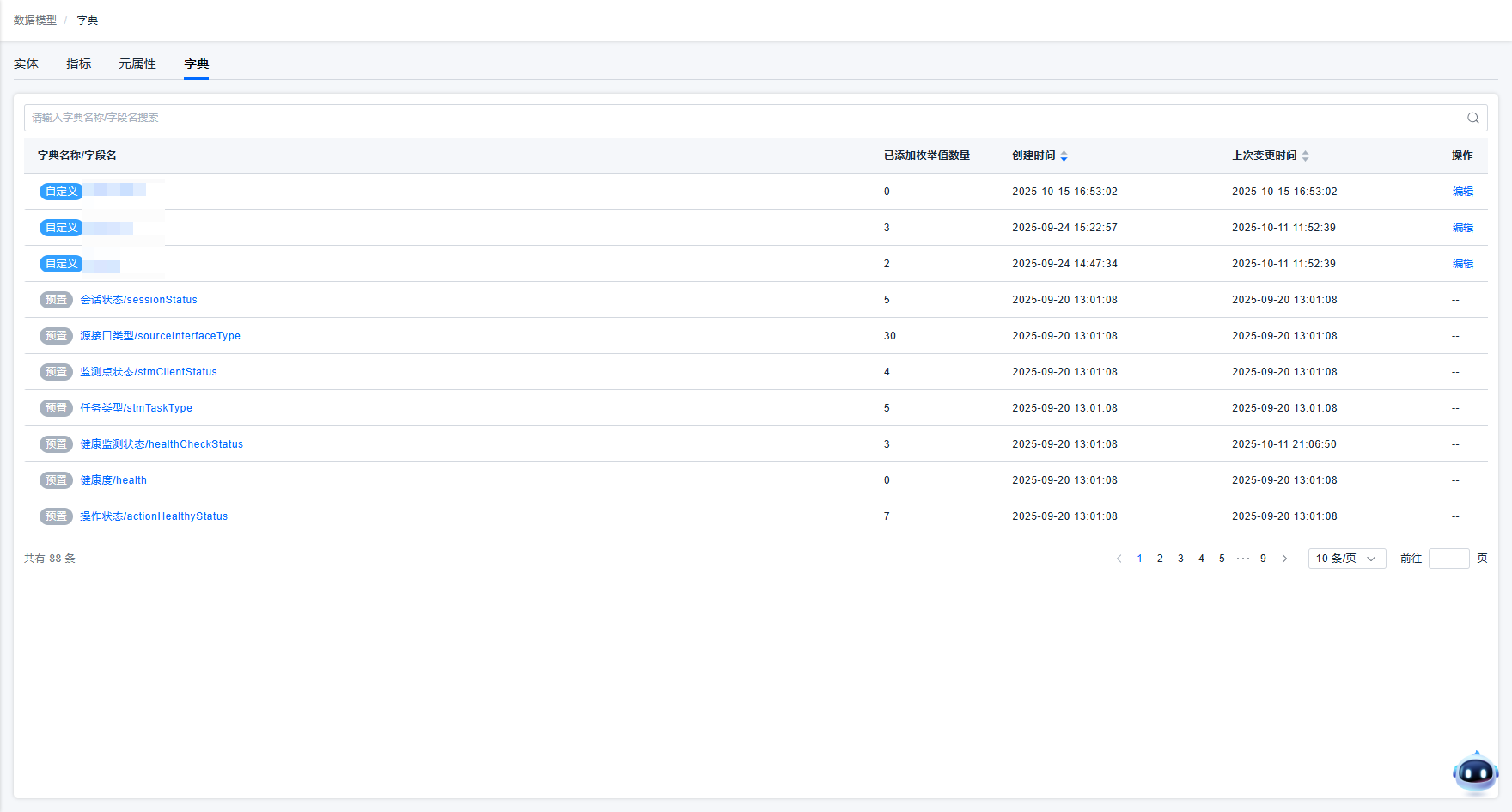
The items displayed in the dictionary list are related to the Is Dictionary definition in Meta Attributes. If a Meta Attribute is defined as a dictionary, the dictionary list adds a row corresponding to that Meta Attribute. Users can click the row to view the dictionary value definitions for that dictionary-type Meta Attribute.
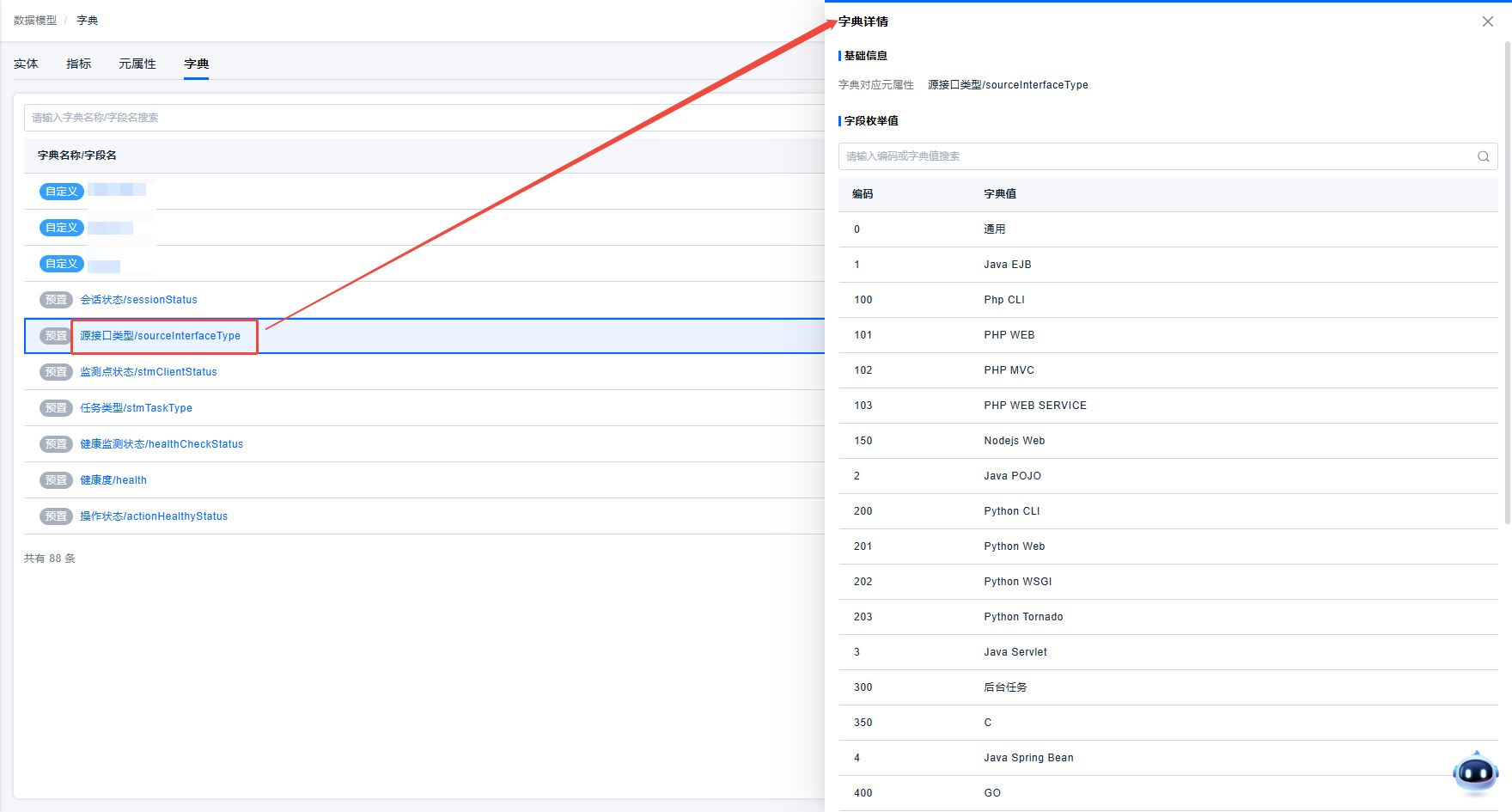
For user-defined dictionary-type Meta Attributes, the list provides an edit function so users can manage dictionary values. Predefined dictionary-type Meta Attributes currently do not provide an edit function.