Synchronize External Business Traces
When a third-party system owns the business topology, use external synchronization to import business traces, nodes, edges, and interface-to-service drill-down relationships into ONE. You can then use the same Business Observability monitoring and investigation workflows.
Prerequisites
- The third-party system provides an HTTP API that ONE can access.
- You have the synchronization URL and any network or authentication configuration required by the deployment.
- Every topology and node has a stable, reusable unique ID.
- To support drill-down from an interface topology to a service subgraph, you have matching interface and service topologies plus
relationBindingsdata.
The endpoint must follow the External Synchronization API Reference.
1. Prepare the external endpoint
- Provide a paginated endpoint that accepts
POSTrequests. - Accept page number, page size, topology ID, and topology name filters.
- Return pagination metadata and a
resultstopology list. - Return entities in
nodesand relationships inedges. - Add
relationBindingswhen an interface node must open a service subgraph.
2. Configure the data source
- Go to Insight → Business OB → Business Trace.
- Click External Data Synchronization.
- For first-time setup, click Data Source Configuration in the upper-right corner of the dialog.
- Enter the external synchronization URL and complete authentication as required by the deployment.
- Return to the Business Trace page.
3. Start synchronization
- Click External Data Synchronization again.
- Review the message and click Confirm and Start Synchronization.
- Wait for synchronization to finish.
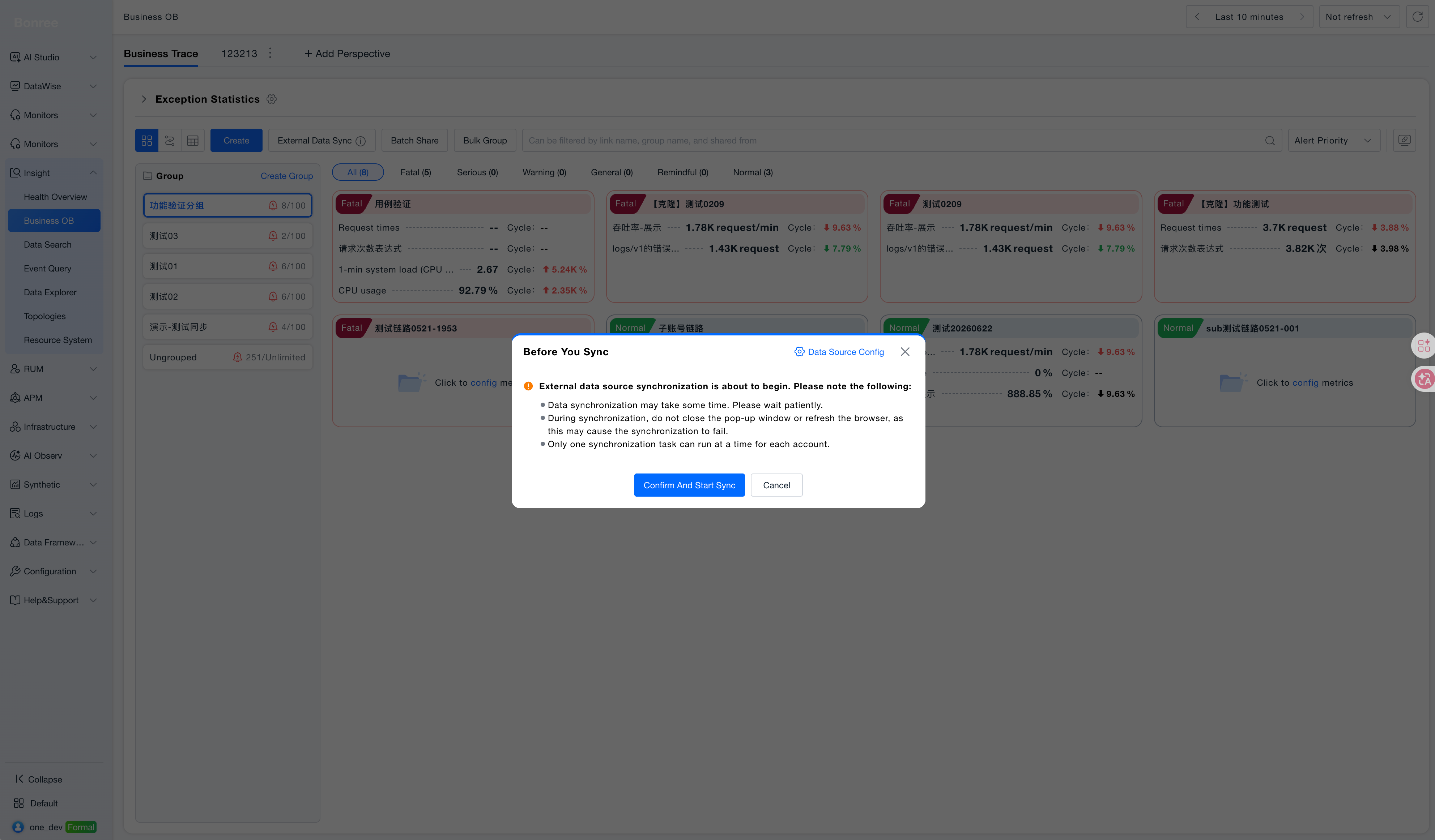
warning
Do not close or refresh the page during synchronization. Run only one synchronization task per account at a time so the task state remains unambiguous.
4. Validate the result
- Search for the target topology on the Business Trace page.
- Open it and verify node count, node names, and edge direction.
- Confirm that the topology update time matches the current synchronization.
- If you provided
relationBindings, verify that an interface node opens the expected service subgraph.
Troubleshooting
| Symptom | What to check |
|---|---|
| A topology does not appear | Check the response code, pagination fields, results, topology ID, and topology name. |
| Nodes appear without edges | Verify that every source and target in edges references a valid node in the same topology. |
| Interface-to-service drill-down fails | Verify that interface and service topologies are returned as a pair and that relationBindings match. |
| Repeated synchronization creates duplicates | Return the same stable unique ID for the same topology and node in every batch. |
| ONE cannot parse the response | Check field types, required fields, and unsupported legacy formats in the API reference. |
After synchronization succeeds, use Monitor and Investigate Business Traces with the imported data.