Layout Management
As a customizable application, users can define the layout of the Magic Cube according to their preferences and usage habits.
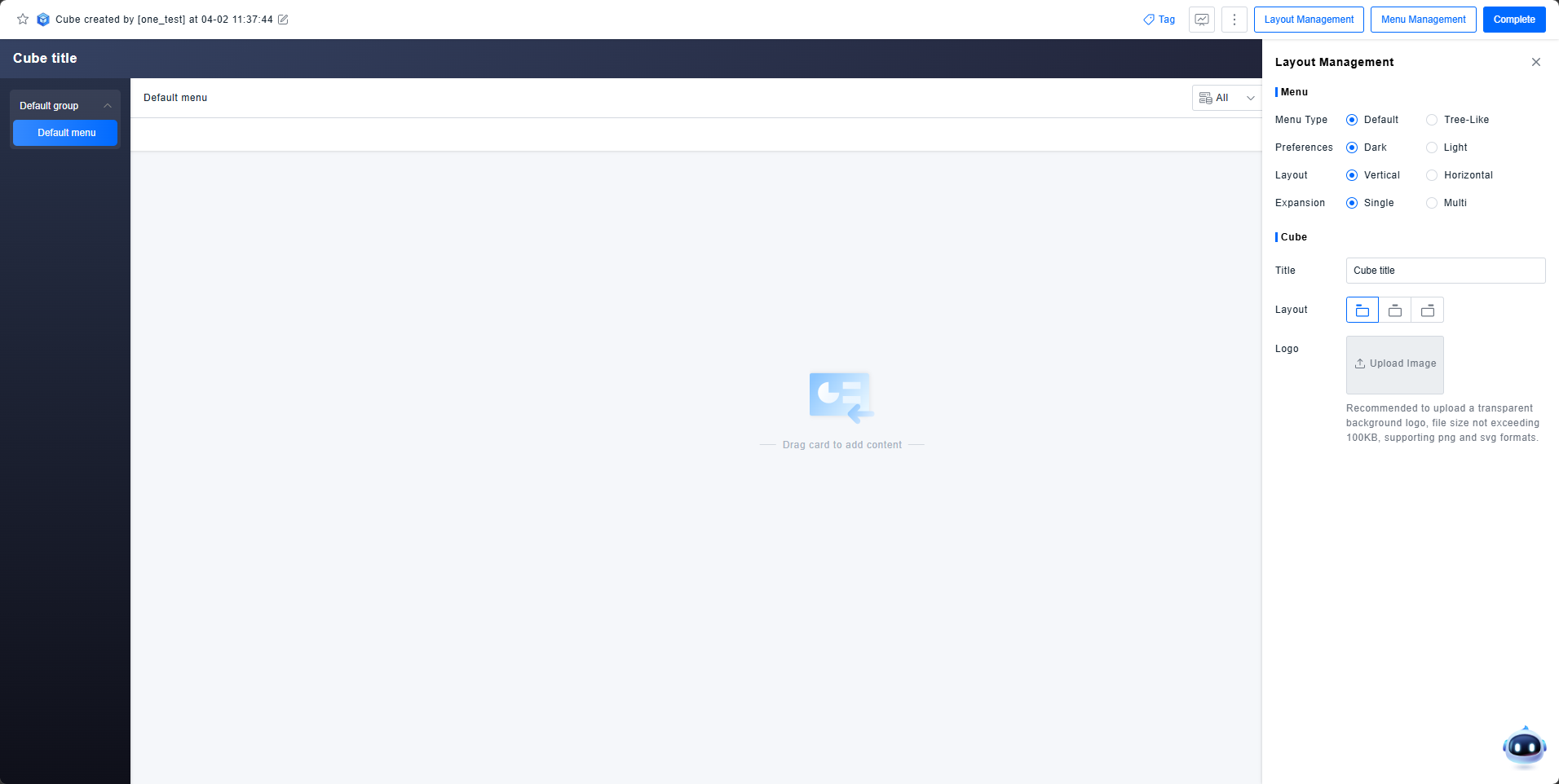
Get Started
Menu Configuration
Configure settings related to the menu within the Magic Cube:
- Menu Type:Can be set to default or tree-like structure.
- Default: Groups are expandable but not selectable; only two levels are displayed in the menu.
- Tree-Like: Groups are both expandable and selectable; multiple levels can be displayed in the menu.
- Menu Theme Preference: Can be set to a Dark theme or a Light theme.
- Menu Layout: Can be set to a Vertical layout or a Horizontal layout.
- When the menu type is Tree-Like, layout cannot be configured; only vertical layout is supported.
- Menu Expansion: Can be set to enable or disable support for multi-level expansion of menu items.
- When the menu type is Tree-Like, menu expansion cannot be set; multiple levels can be expanded by default.
Magic Cube Configuration
Configure the core settings of the Magic Cube itself:
- Magic Cube Title: Set the main title for the application.
- Title Alignment: Choose the title alignment: Left, Center, or Right.
- Application Logo: Upload an image to be used as the logo.
tip
Note: The Menu Expansion, Title Alignment, and Application Logo settings only take effect when the Vertical menu layout is selected. These configuration options will be hidden when the Horizontal layout is active.