Profiling Collection Configuration
Profiling collection is used to perform performance profiling on service instances, supporting precise control of the collection scope through custom rules. By default, no service instance data is collected, and the collection scope must be explicitly specified through custom rules. The platform only adapts to specified versions of Java and Python agents. Before use, ensure the JDK version requirements are met and the agent is enabled to avoid JVM crash risks.
Core Capabilities
- Precise Scope Control: Use custom rules to flexibly specify the collection scope for Java instances by dimensions such as services, service instances, process groups, and tags, avoiding resource consumption and crash risks caused by full collection.
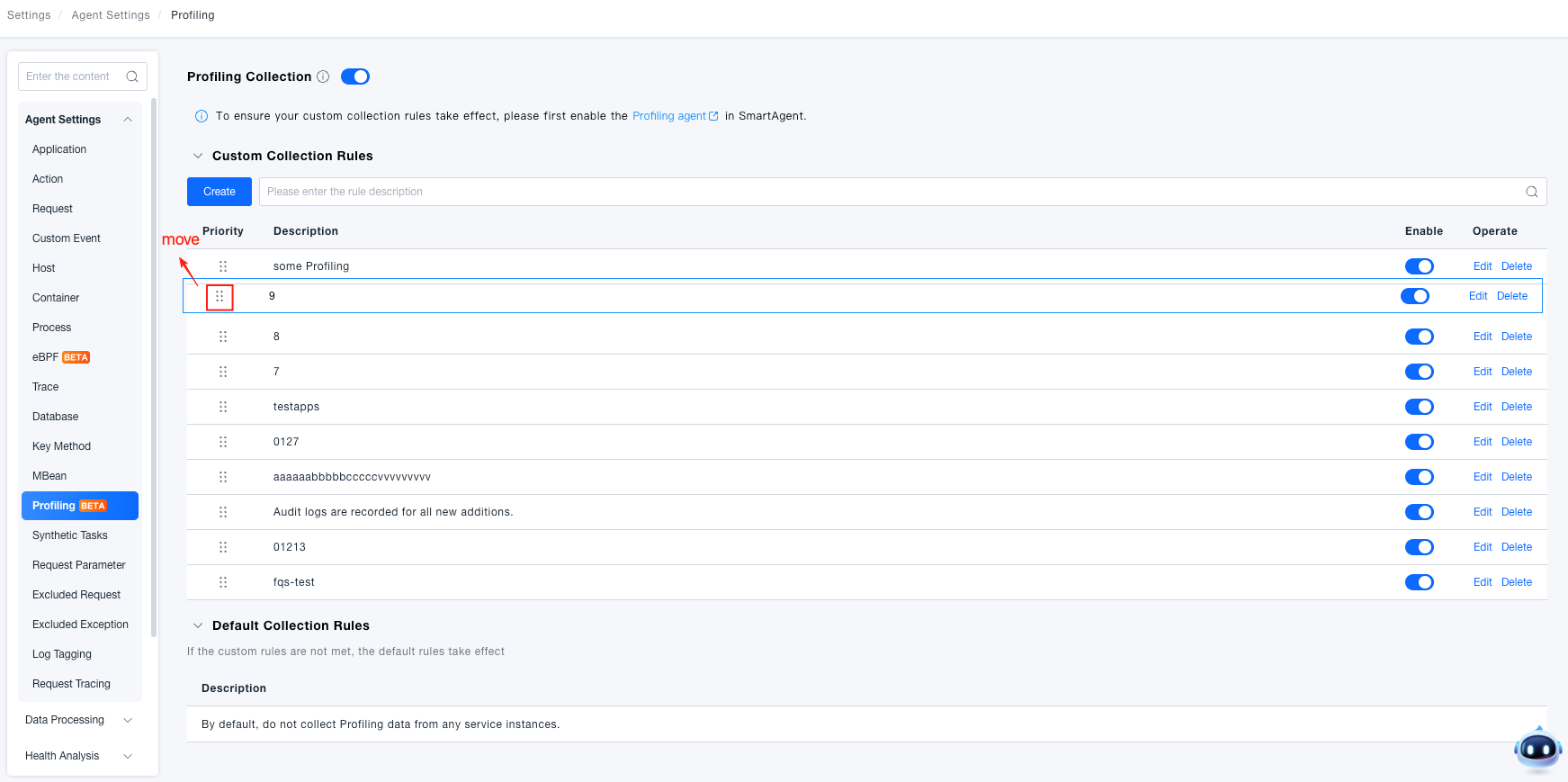
- Priority Rule Engine: Support creating multiple collection rules with priority settings. Smaller sequence numbers indicate higher priority. Once the first matching rule is hit, the corresponding collection strategy is executed.
- Multi-layer Risk Control: Risk prompts and confirmation dialogs are provided at key operation nodes such as switch enabling, rule creation/editing, and rule enabling, reducing JVM crash risks.
- Complete Operation Audit: All operations including rule creation, editing, deletion, enabling/disabling, and priority adjustment are recorded in operation logs for easy change tracking.
Use Cases
Scenario 1: New Service Launch Performance Assessment: Enable Profiling collection on a newly deployed Java service to quickly identify hotspot methods during the startup phase, shortening the performance tuning cycle.
Scenario 2: Online Occasional Slow Request Troubleshooting: Configure collection rules for specific service instances with slow requests. Collect profiling data without affecting other instances. After locating the root cause, promptly disable collection to control resource overhead.
Scenario 3: Tiered Management of Multi-team Services: Use service tags to distinguish services from different teams. Configure "collect" rules for core teams and "do not collect" rules for edge services, achieving refined Profiling resource allocation.
Getting Started
Prerequisites
Before using Profiling collection configuration, complete the following preparations:
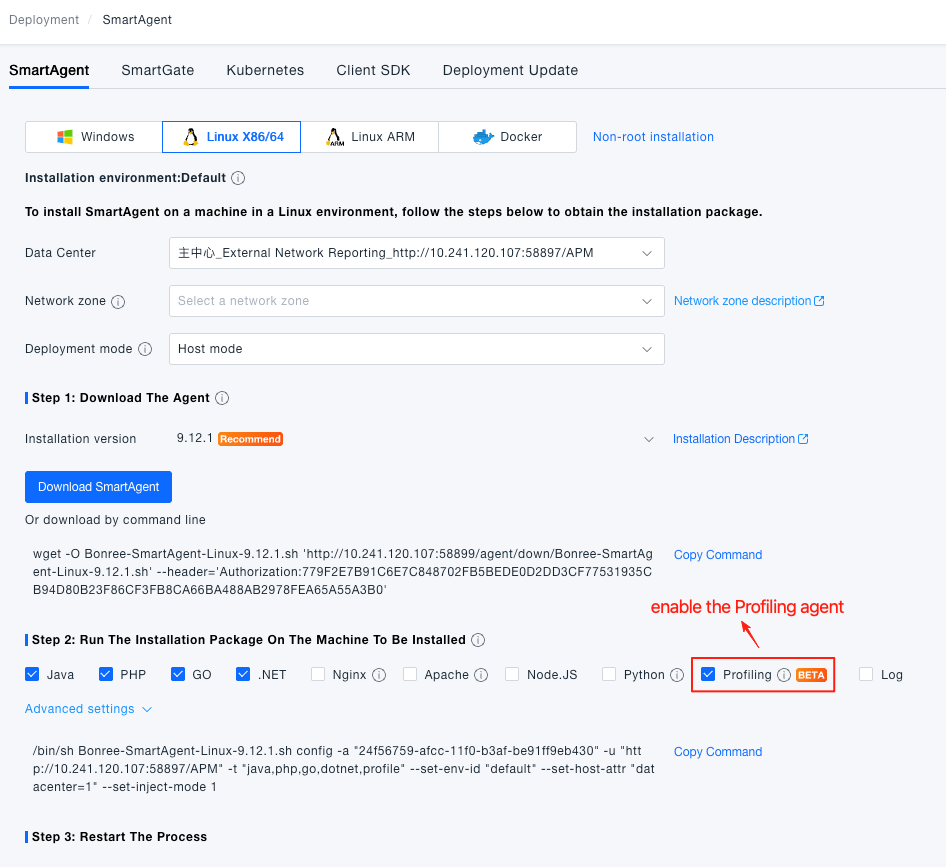
- Deploy Profiling Agent: Navigate to Deployment Configuration → Installation Deployment → SmartAgent, and enable the Profiling agent.
- Confirm JDK Version (Java instances must meet this requirement):
JDK Distribution Minimum Version Requirement OpenJDK 8u352+, 11.0.17+, 17.0.5+ Oracle JDK 8u352+, 11.0.17+, 17.0.5+ OpenJ9 JDK 8u372+, 11.0.18+, 17.0.6+ - Recommended Combination: New agent (Java ≥ 9.10.0 / Python ≥ 8.3.0) combined with platform version 3.9.0.0+ enables precise collection scope control through custom rules with the lowest risk.
In the combination of old agent and new platform, the agent cannot recognize custom rules from the new platform and will perform full collection on all instances. The JVM crash risk is extremely high. Please upgrade with caution.
Enable Profiling Collection
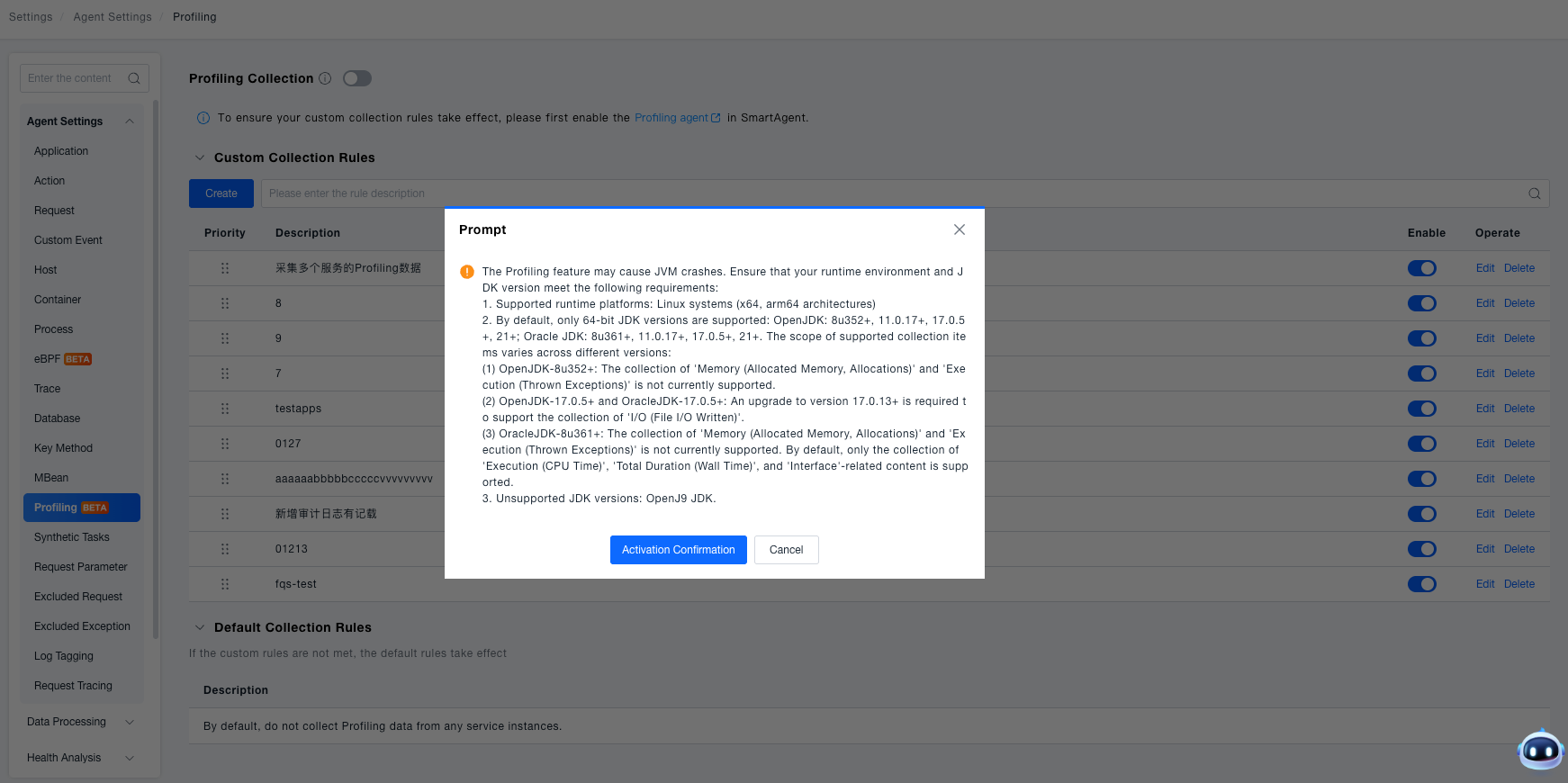
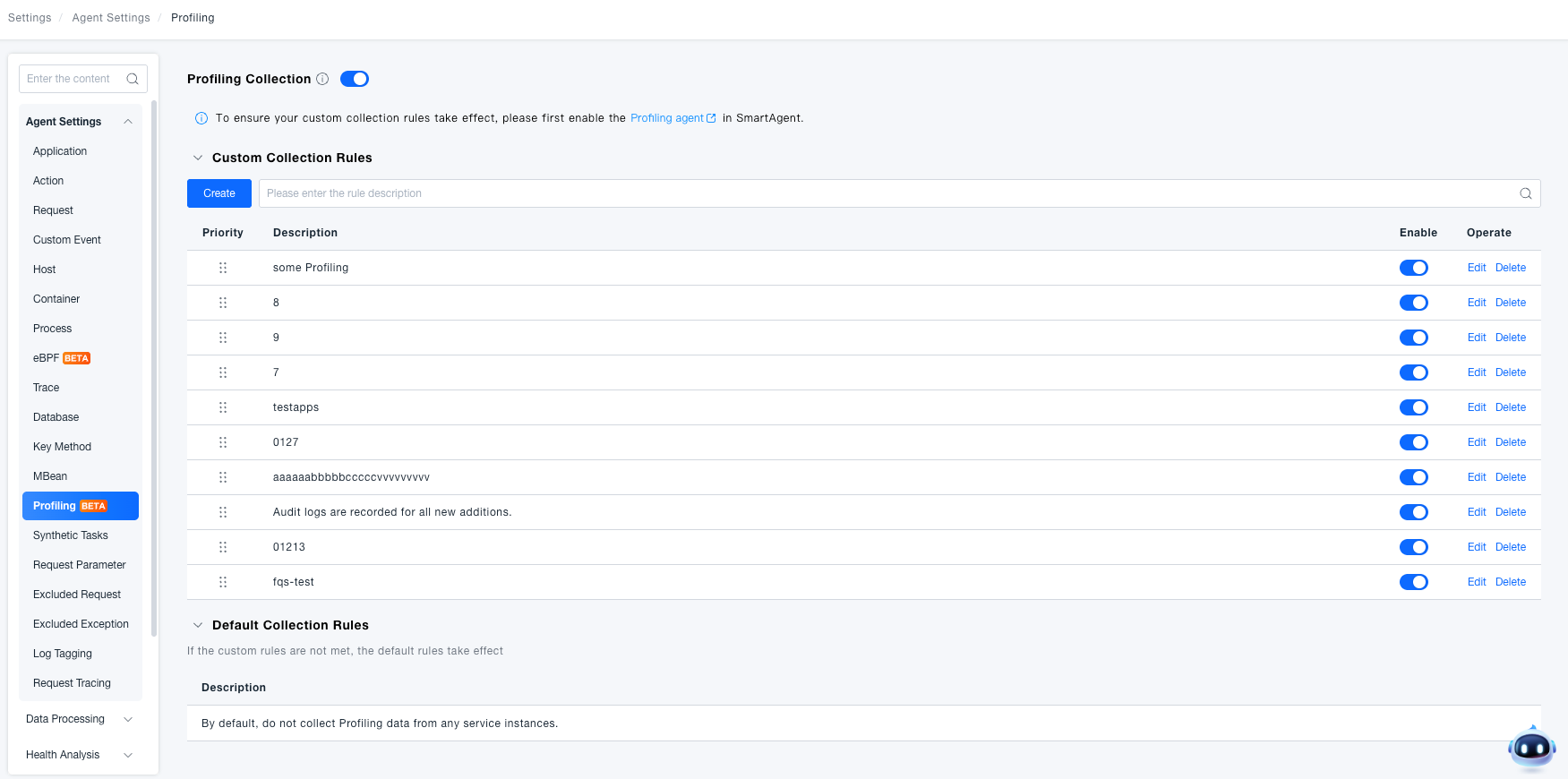
Navigate to Deployment Configuration → Rule Configuration → Data Collection → Profiling, and enable the Profiling Collection master switch.
-
When enabled for the first time, the platform will display a popup with JDK version requirements and JVM crash risk warnings. Confirmation is required before enabling.
-
When the master switch is disabled, all custom rules are inactive, and the platform executes default rules (i.e., no data collection).
Create Custom Rules
-
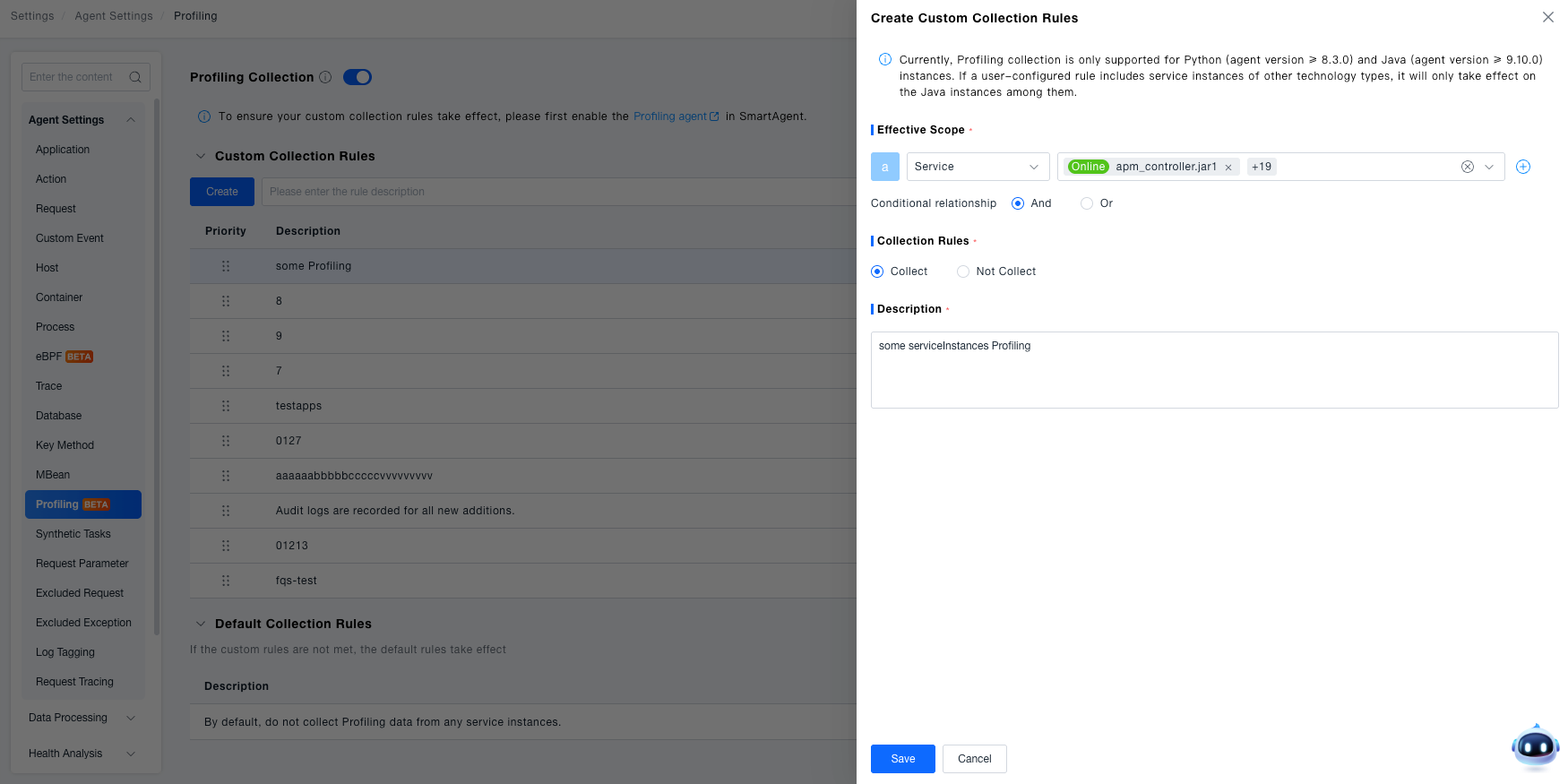
Click the Create button on the Profiling page.
-
Configure Effective Scope: Select one or more conditions from the following 5 types. The relationship between conditions can be set to "AND" or "OR":
- Service / Service Instance / Process Group: Precise multi-select. The dropdown list only displays Java type data.
- Service Tag / Process Group Tag: Supports "contains all" or "contains any" matching methods.
-
Set Collection Rule: Select Collect or Do Not Collect for matching instances.
-
Fill in Description (custom input).
-
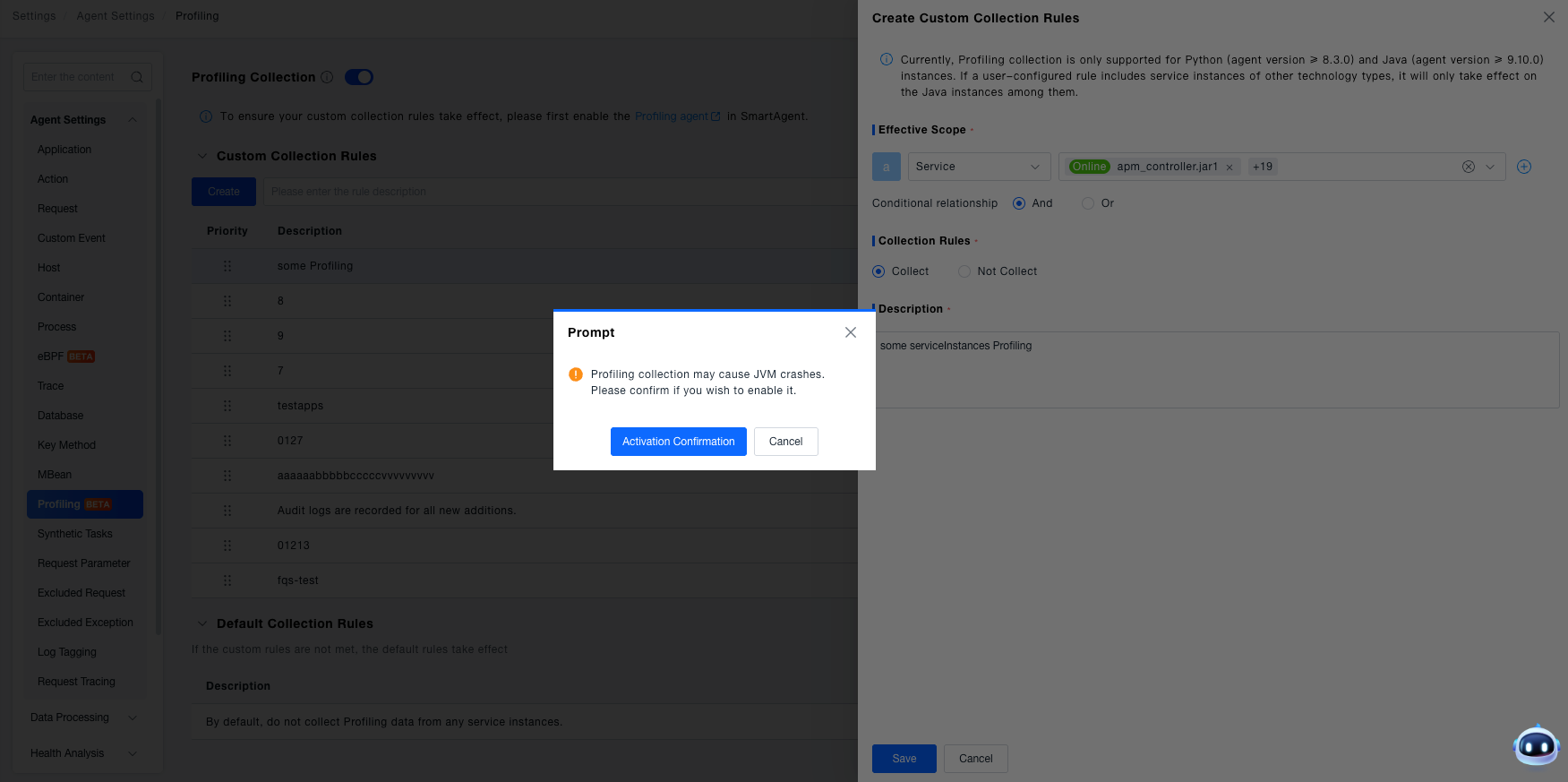
Click Save. If the collection rule is "Collect", a popup will warn about JVM crash risk. After confirmation, the rule takes effect.
Manage Rules
All custom collection rules are displayed in a flat list format, supporting the following operations:
| Operation | Description |
|---|---|
| Adjust Priority | Adjust rule order using the up/down buttons. Smaller sequence numbers indicate higher priority |
| Enable/Disable | When enabling a rule (whether collect or do not collect), a risk confirmation popup will be displayed |
| Edit | Modify effective scope, collection rule, or description. Rules of type "collect" require confirmation popup before saving |
| Delete | Delete after secondary confirmation. This operation is irreversible, and the deletion result will be notified |
Special Notes
Service Effective Scope: Currently, only Java (agent ≥ 9.10.0) and Python (agent ≥ 8.3.0) instance types support Profiling data collection.
Custom Collection Rule Effective Scope: Custom collection rules only apply to Java instances. Python instance collection scope is completely controlled by the SmartAgent switch.
Platform Version: Requires version 3.9.0.0 or higher.
Default Rules Cannot Be Modified: The default rule is "do not collect any instances" with no enable/disable switch. When an instance does not match any custom rules, the default rule is executed.