Exception Field Extraction
Add custom field extraction rules for exception messages to refine error classification dimensions, surface business error codes for faster troubleshooting, and support business observability outcomes. Extracted fields are appended to the exception class name in a fixed format, enabling finer-grained error reasons for aggregation in Error Analysis. No application code changes are required—parsing uses the exception message text already collected by the agent.
Requires SmartAgent ≥ 10.3.0. Field extraction performs deeper parsing of exception messages and may slightly increase execution time. To limit performance impact, each service supports a maximum of 10 extraction rules. To configure request error status codes, go to Anomaly Identification → Error Status Code.
Entry Point
Navigate to Deployment Configuration → Rule Configuration → Data Collection → Exception Collection → Exception Field Extraction.
This page shares the Exception Collection module with Excluded Exception; switch via the top tabs. The list shows priority, description, and enable status, and supports search by description.
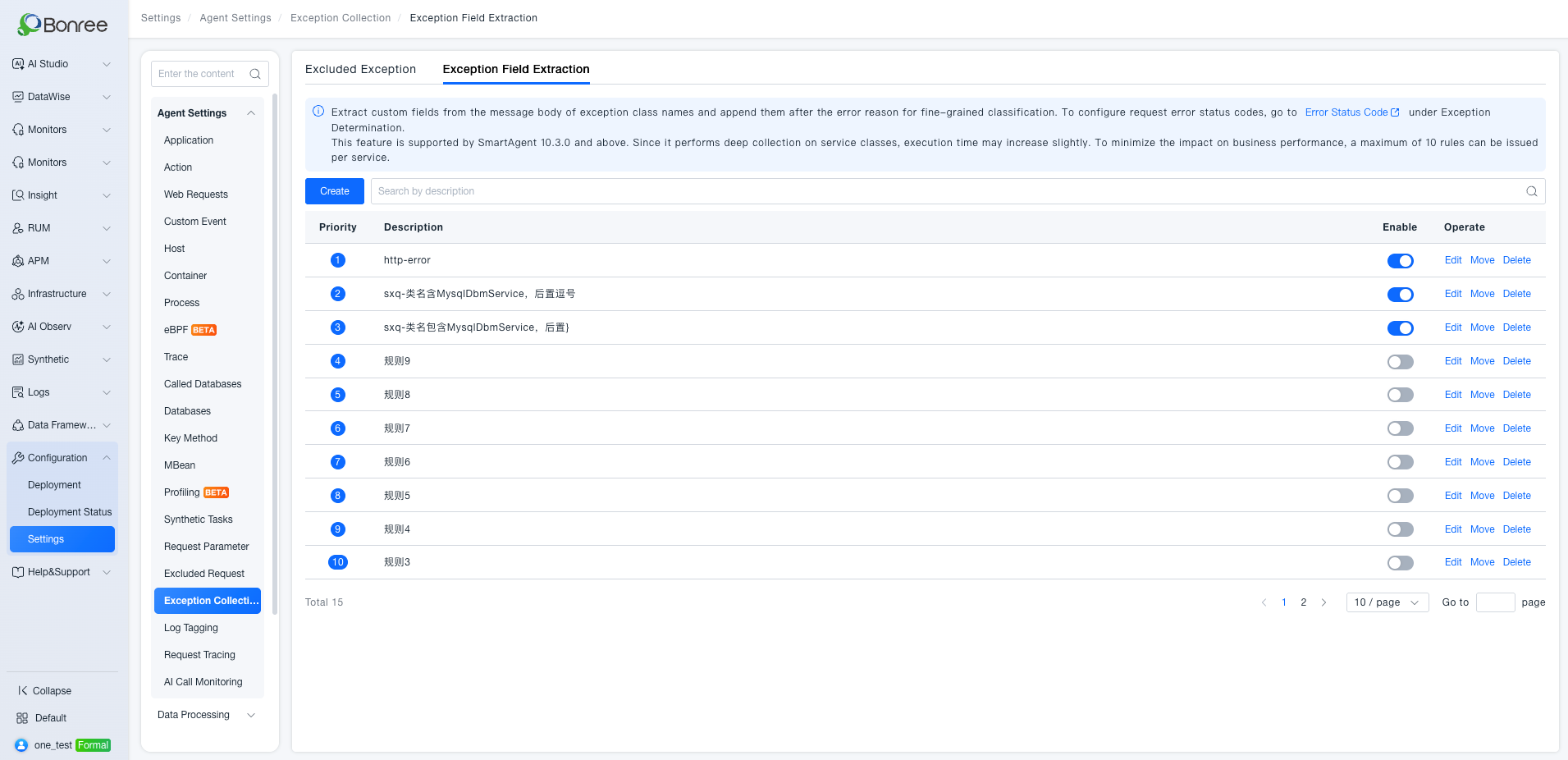
| Action | Description |
|---|---|
| Create | Add an extraction rule |
| Edit | Modify an existing rule |
| Move | Change rule priority order |
| Delete | Remove a rule |
| Enable / Disable | Control whether the rule takes effect |
A smaller priority number means higher priority. Each error record is matched in priority order; only the first matching rule applies—rules are not stacked.
Configure an Extraction Rule
Click Create to open the configuration drawer on the right.
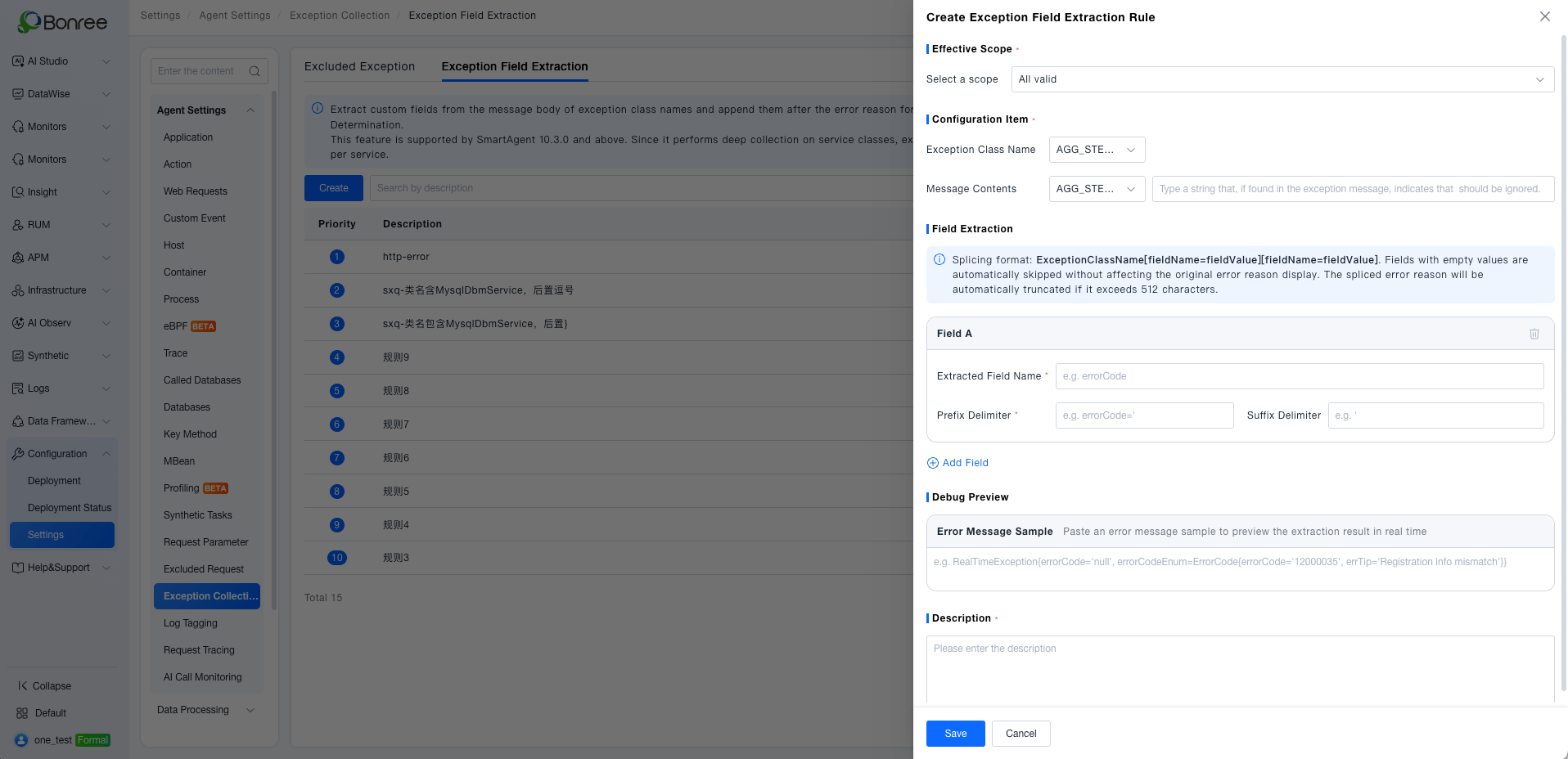
1. Effective Scope
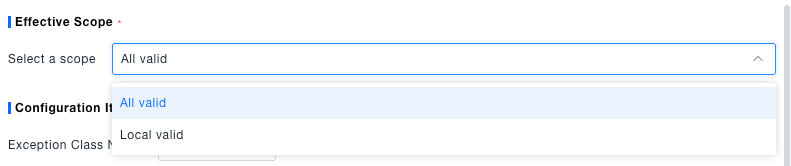
Select a scope for the rule:
| Scope | Description |
|---|---|
| All valid | Applies to all services; no further selection required |
| Local valid | Applies only to the selected scope; at least one object is required |
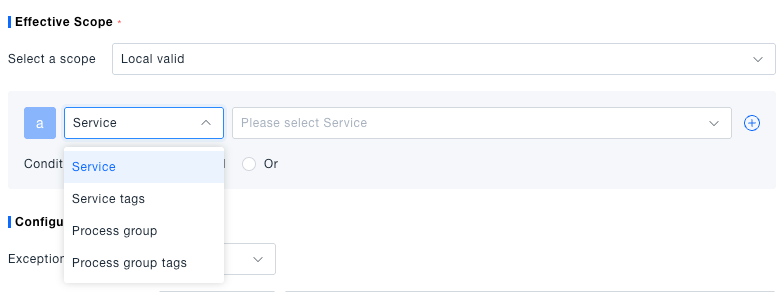
Local valid supports Service, Service tags, Process group, and Process group tags (multi-select). Multiple condition rows can be combined with And / Or.
2. Configuration Item
Define which exceptions this rule applies to.
Exception Class Name
| Operator | Description |
|---|---|
| All | No class name filter; the class name input is hidden |
| Include / Exclude | Class name contains or does not contain the specified string |
| Equals / Not equal to | Exact match (including package path) |
| Start from / End at | Class name starts or ends with the specified string |
Message Contents
Further filter by message content after class name matching:
- When Exception Class Name is All, Message Contents is fixed to Include, and a match string is required
- When Exception Class Name is not All, choose Include or Any; Any skips content filtering
When Exception Class Name is All:

When an operator other than All is selected, enter the class name (including package path if needed, e.g. com.br.TraceController). Message Contents can be set to Any:

3. Field Extraction
Configure fields to extract from the exception message. The splicing format is fixed:
ExceptionClassName[fieldName=fieldValue][fieldName=fieldValue]
Example:
RealTimeException[errorCode=12000035][errTip=registration info mismatch]
Rules:
- Multiple fields are concatenated in configuration order
- If a field value is empty, that
[fieldName=fieldValue]segment is skipped - If all fields are empty, the original exception class name is kept
- Concatenated error reasons longer than 512 characters are truncated
- Each rule supports up to 10 extraction fields and must keep at least one
| Field | Description | Required |
|---|---|---|
| Extracted Field Name | Name shown in the result, such as errorCode or errTip | Yes |
| Prefix Delimiter | Marks the start of extraction; value starts after this string, e.g.errorCode=' | Yes |
| Suffix Delimiter | Marks the end of extraction; if empty, extraction continues to line end or text end | No |
Click + Add Field to add more extraction items.
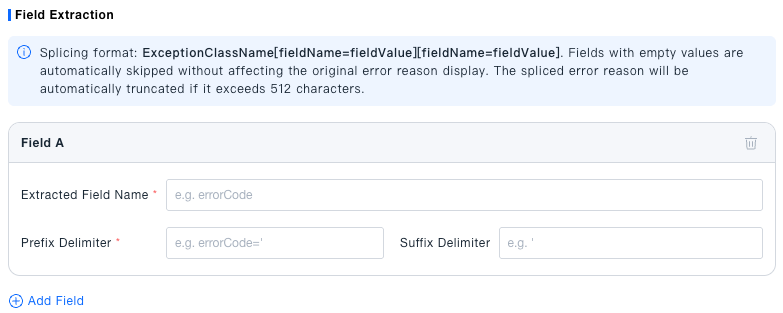
4. Debug Preview
Paste a real exception message into Error Message Sample to preview the extraction result in real time. Samples are used only for local preview and are not stored or reported.

Example configuration (extract errorCode):
| Field | Value |
|---|---|
| Extracted Field Name | errorCode |
| Prefix Delimiter | ErrorCode(errorCode=' |
| Suffix Delimiter | ' |
Sample:
RealTimeException{errorCode='null', errorCodeEnum=ErrorCode(errorCode='12000035', errTip='Registration info mismatch')}
Preview result:
RealTimeException[errorCode=12000035]
If no field is matched, check that the prefix and suffix delimiters match the original message text.
Full configuration and preview example:
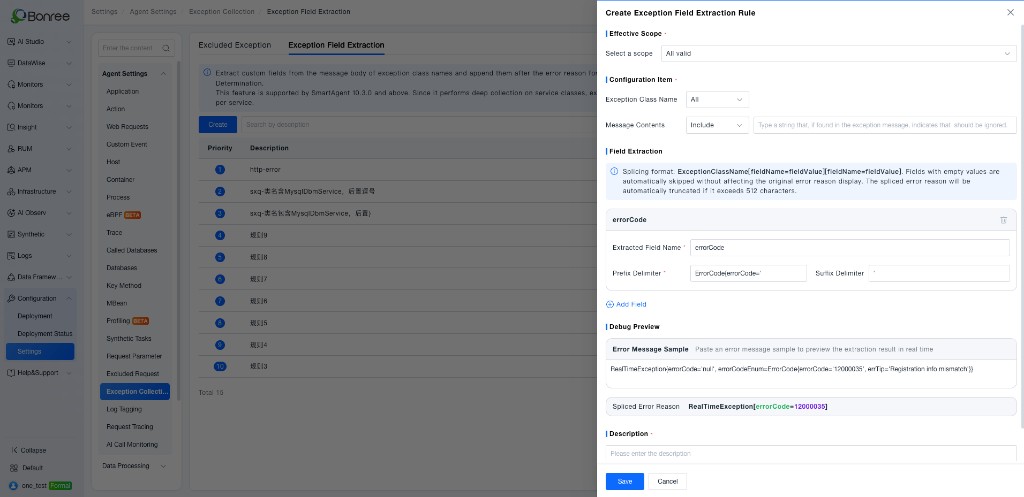
5. Description
Enter a description for the rule. It appears in the list Description column for search and management.

Click Save when finished.
Effect After Configuration
After rules take effect, Error Analysis and related pages automatically show the refined error reasons—no extra setup is needed.
Before
RealTimeException 3,892 45.2%
After
RealTimeException[errorCode=12000035][errTip=registration info mismatch]    2,105
RealTimeException[errorCode=12000021][errTip=unauthorized]                    987
RealTimeException[errorCode=12000088][errTip=resource not found]              800
- Errors that match an extraction rule are split into finer-grained entries
- Errors that match no rule remain unchanged
- Error detail titles, trends, and counts aggregate by the refined error reason
In the Error Analysis list, refined error reasons appear in the Error Cause column:
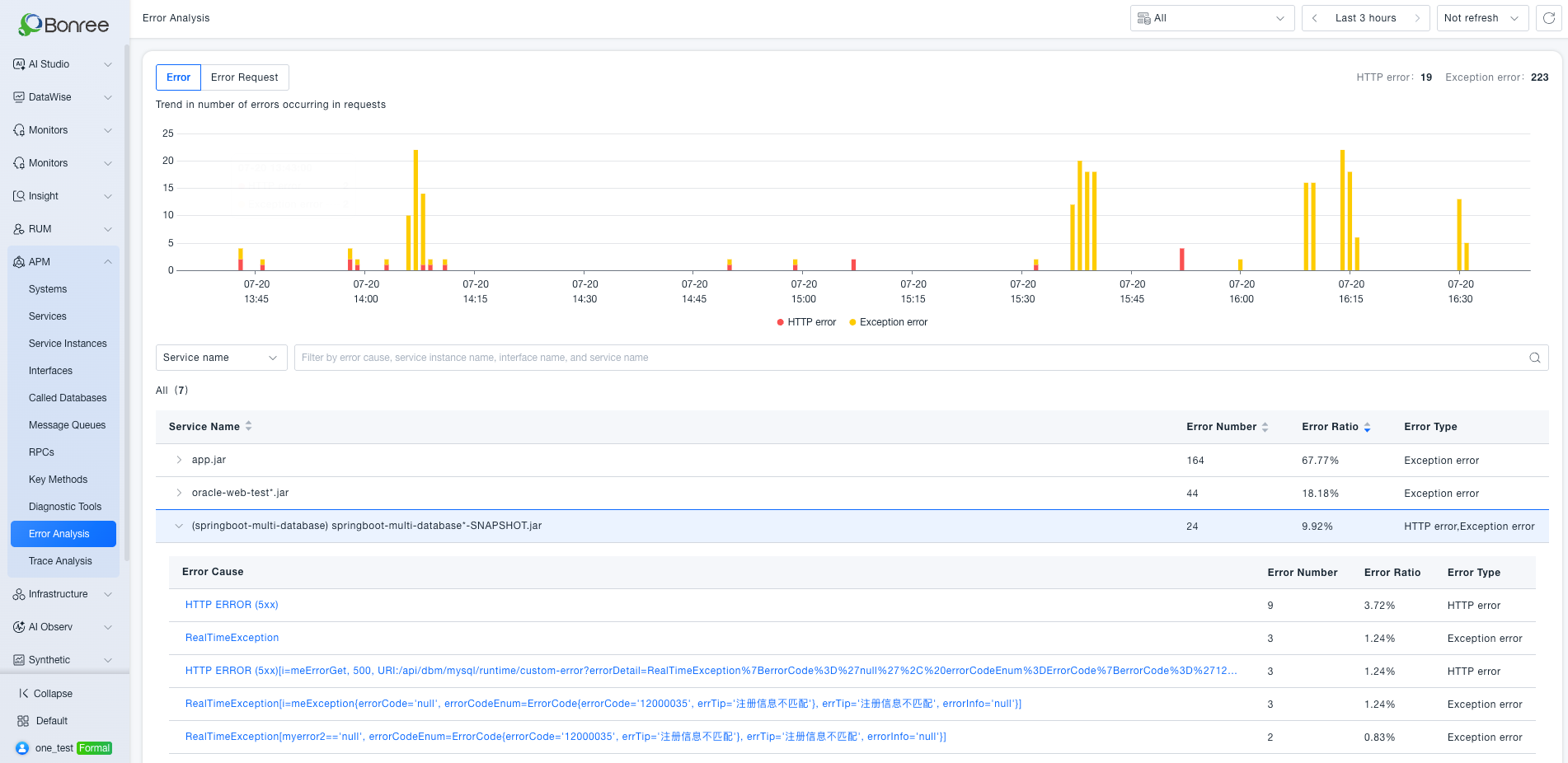
On the Error Details page, the title shows the full concatenated result; trends and error lists aggregate by that refined reason:
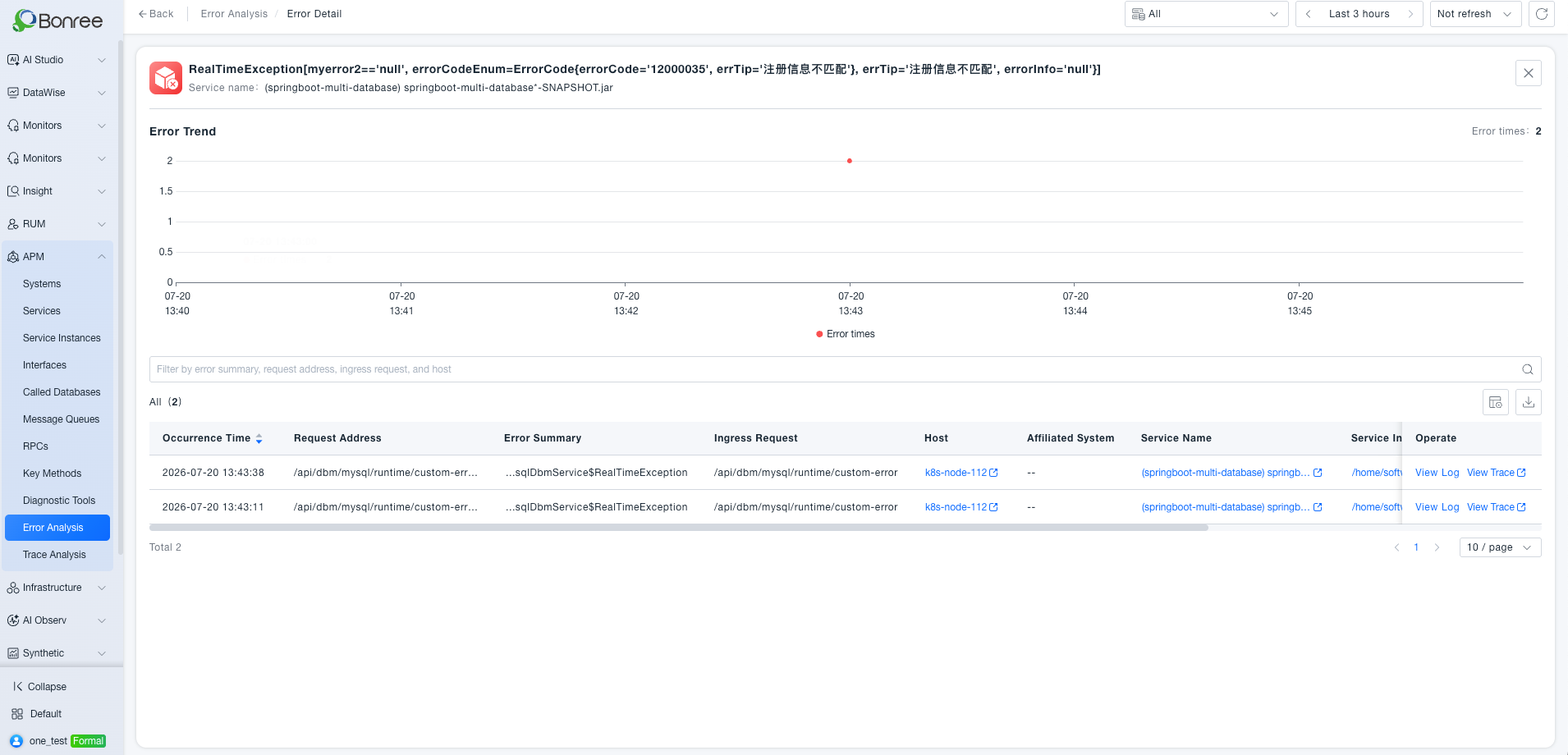
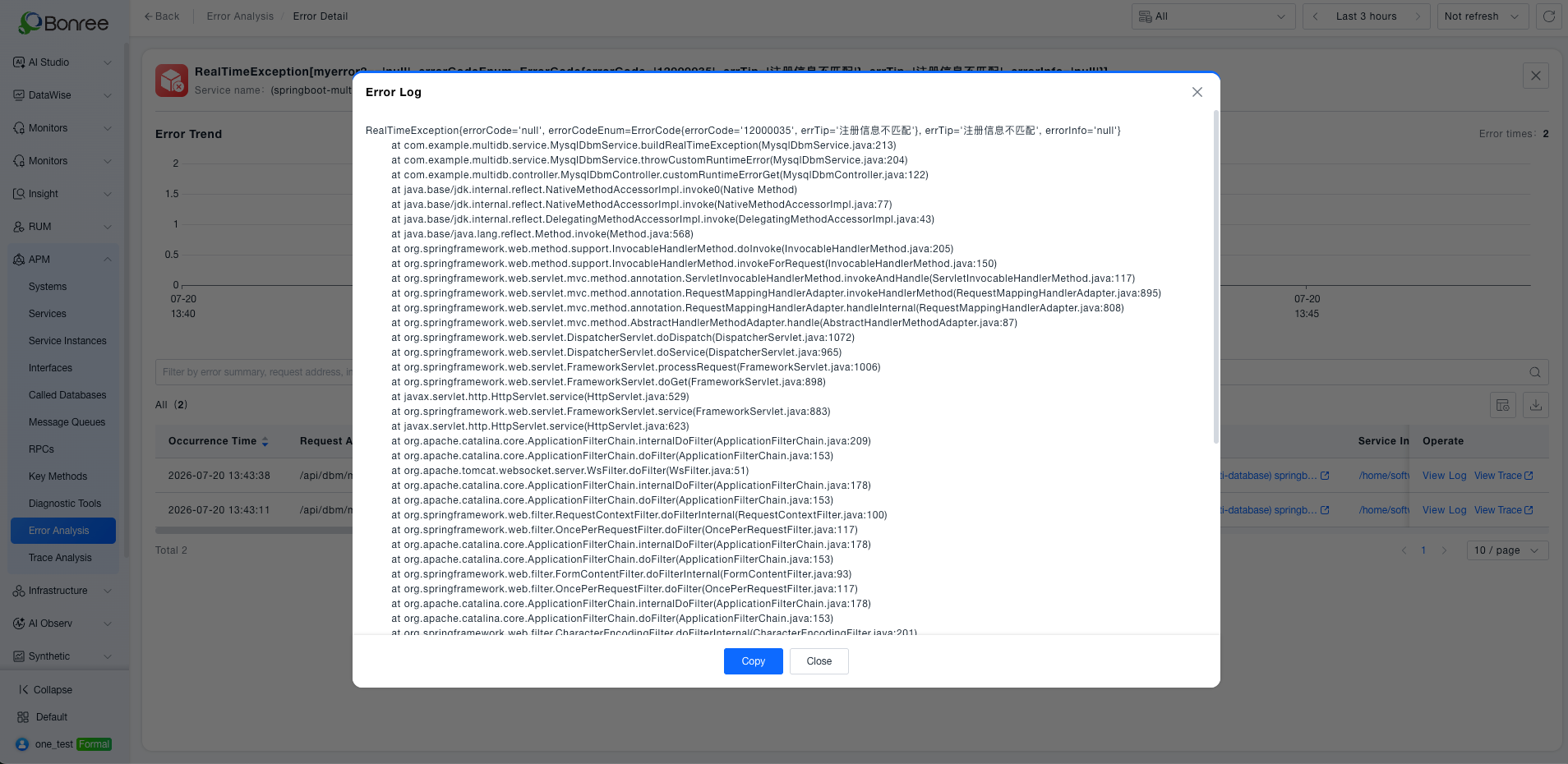
Click View Log to see the original exception message and stack trace in the error log:
Notes
Field extraction adds some agent overhead; configure rules only for exceptions that need finer classification, and keep enabled rules under control.