Alibaba Cloud Alert Ingestion
Ingest Alibaba Cloud Monitor alerts into the ONE platform via API WebHook and transform them into standard events through a data stream.
Prerequisites
- The ONE platform can reach the Alibaba Cloud Monitor service.
Getting Started
ONE Platform Setup
- Navigate to Data Framework > Integrations, locate the Alibaba Cloud Alert card, and click Start Integration to create an ingestion task for Alibaba Cloud alerts.
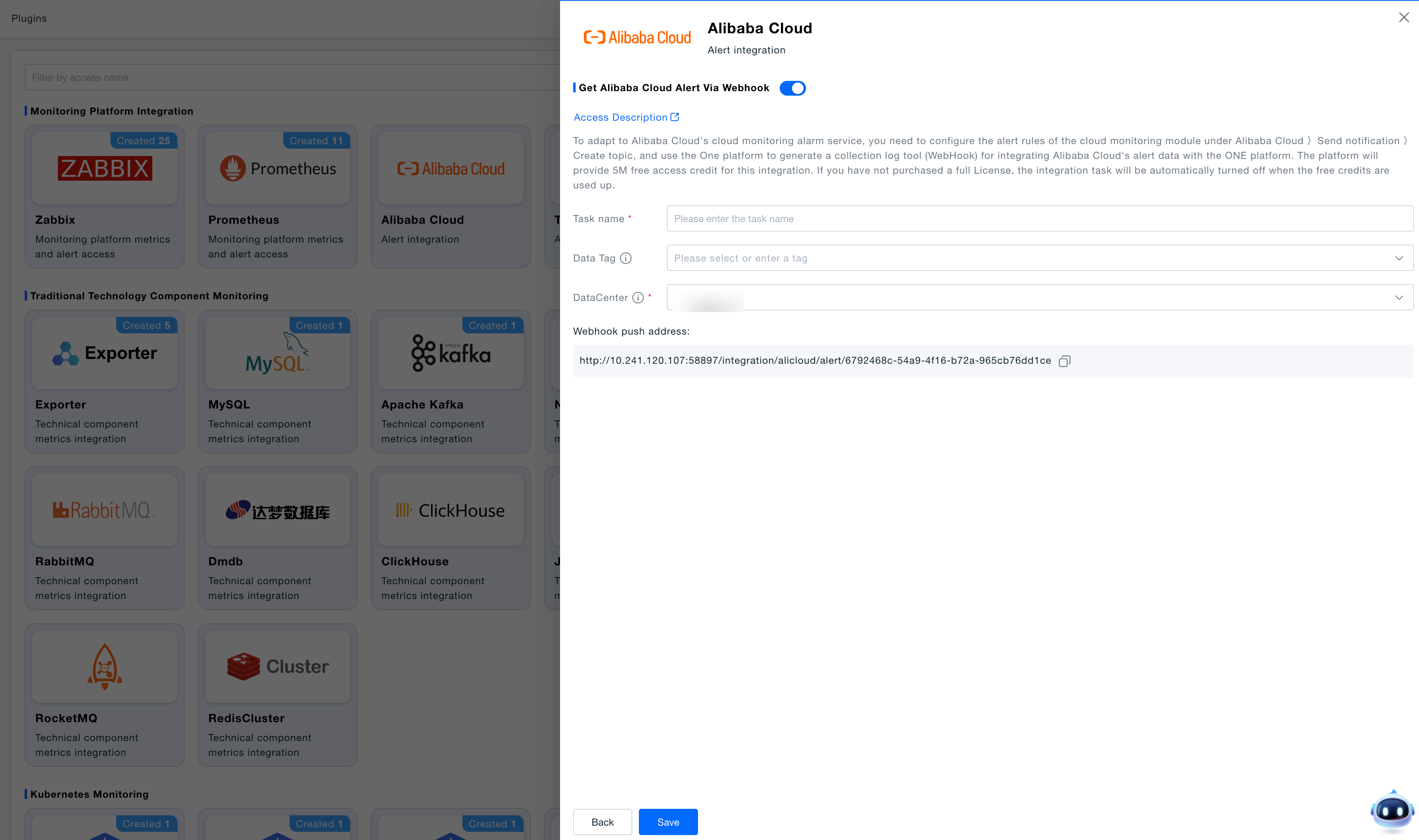
Alibaba Cloud Setup
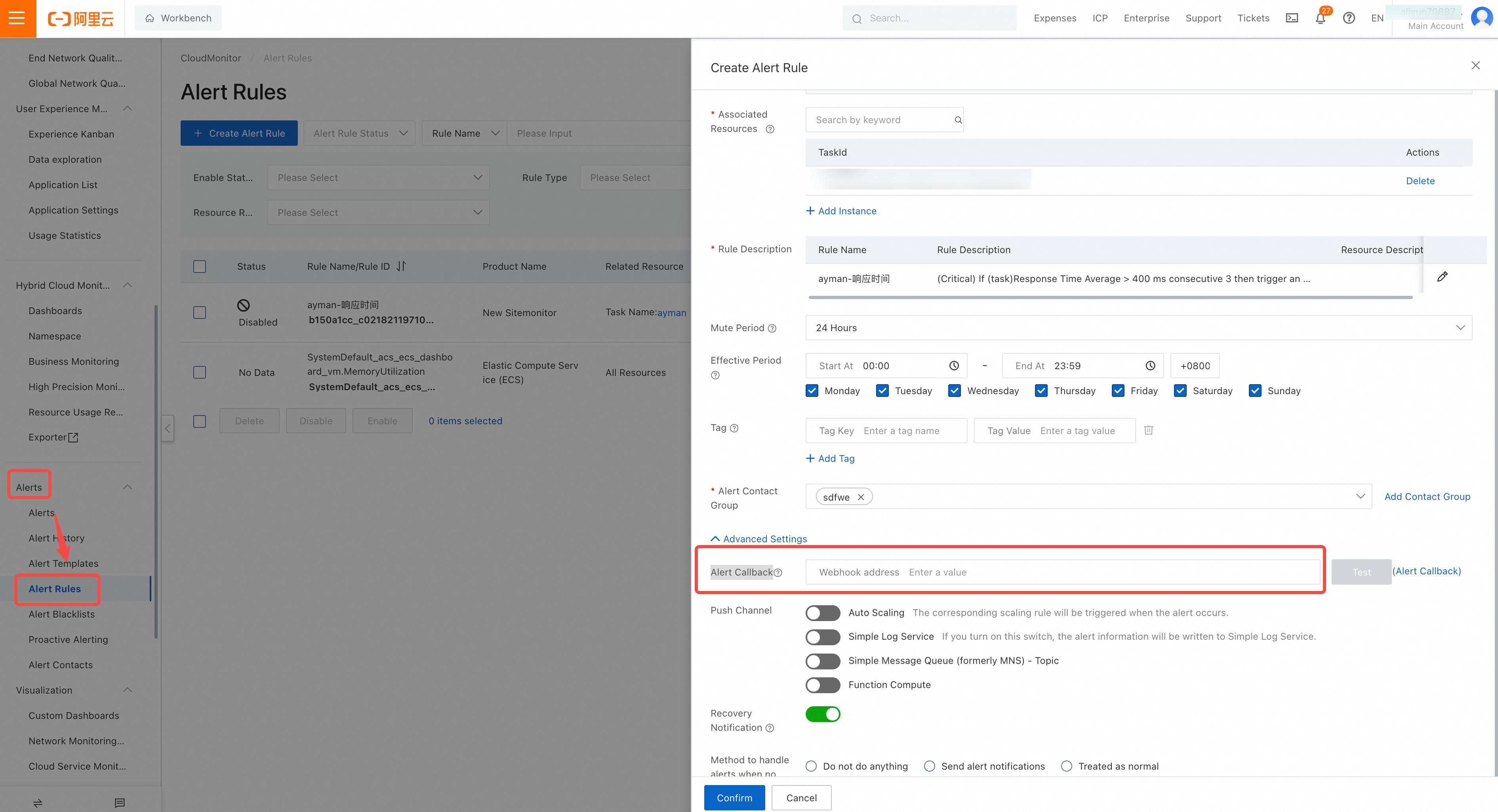
- Option 1: Configure WebHook in CloudMonitor alert rules.
In the Alibaba Cloud console, open CloudMonitor > Alerts > Alert Rules, select Modify, and paste the Webhook push address generated during task creation in the ONE platform into the Alert Callback field. Save the rule.
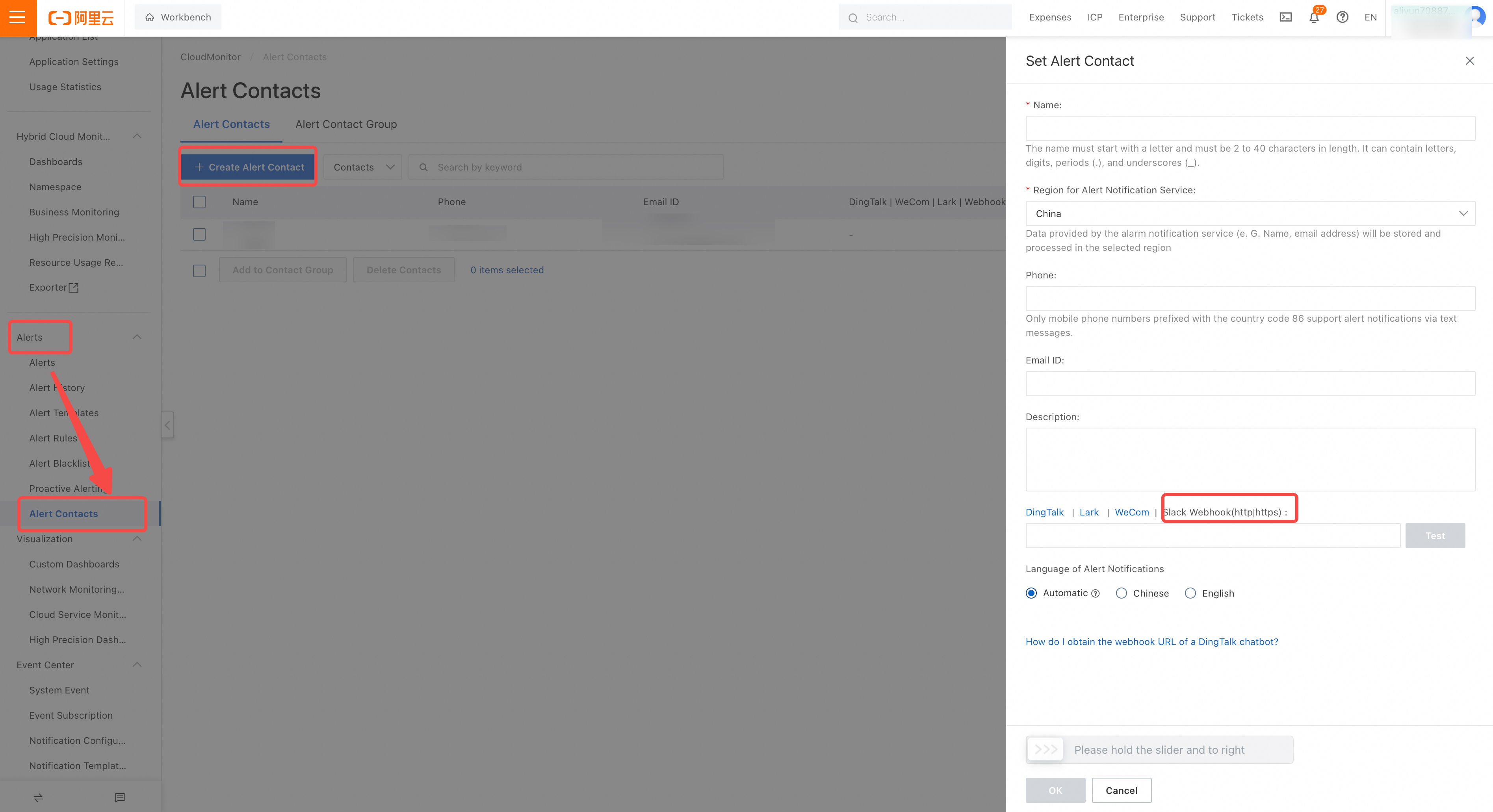
- Option 2: Push alerts through alert contacts.
Under CloudMonitor > Alerts > Alert Contacts > create or edit a contact. Populate the WebHook (HTTP/HTTPS) parameter with the Webhook push address generated by the ONE platform and save.
Configure Data Stream
- ONE provides an out-of-the-box default stream.
- You can also create a custom stream for specialized monitoring needs.
Verification
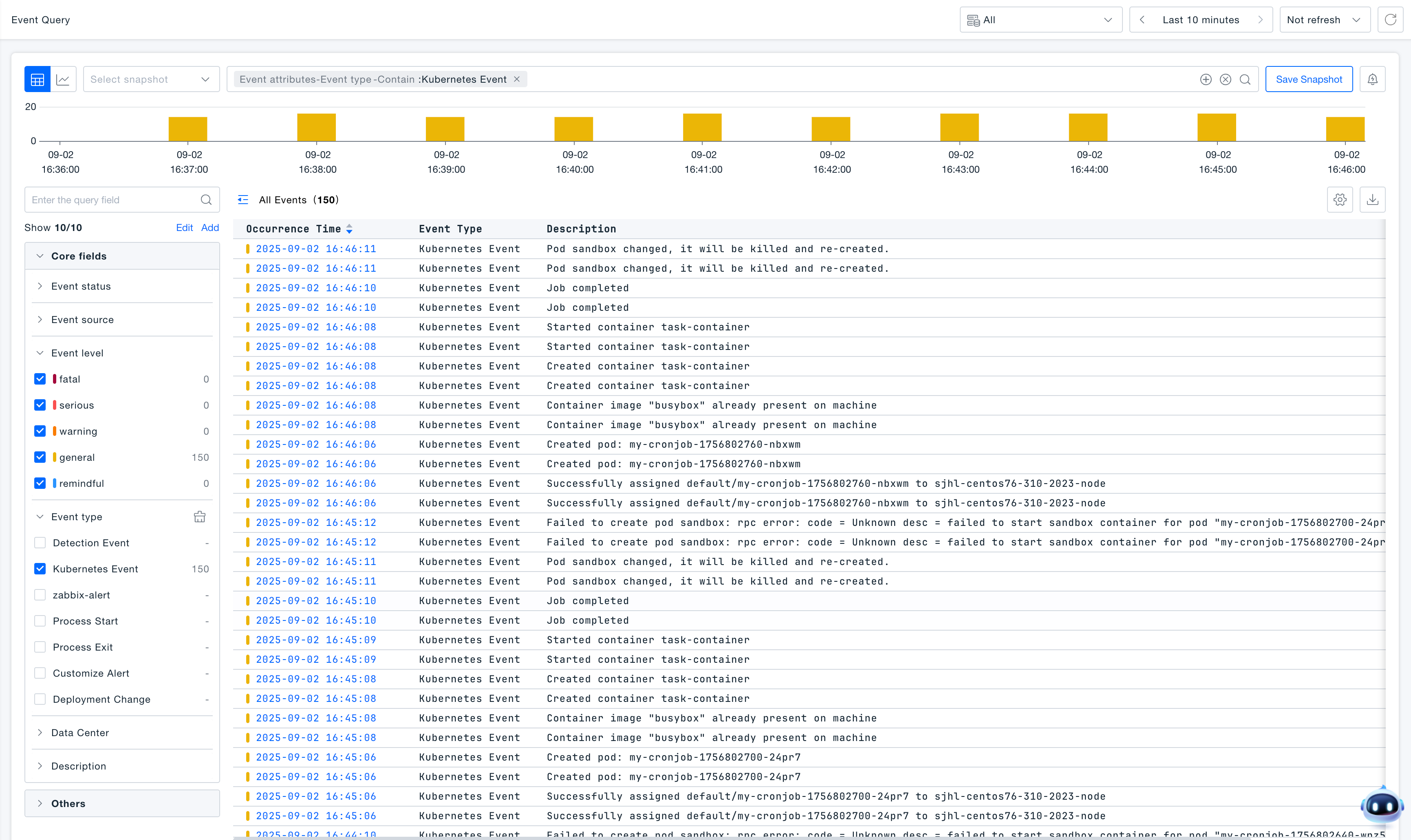
- In the ONE platform, open Insight > Event Query to view the normalized Alibaba Cloud alerts.