How to Query AppID and Config Address?
-
After logging into the platform, select Configuration -> Deployment Status from the navigation bar.
-
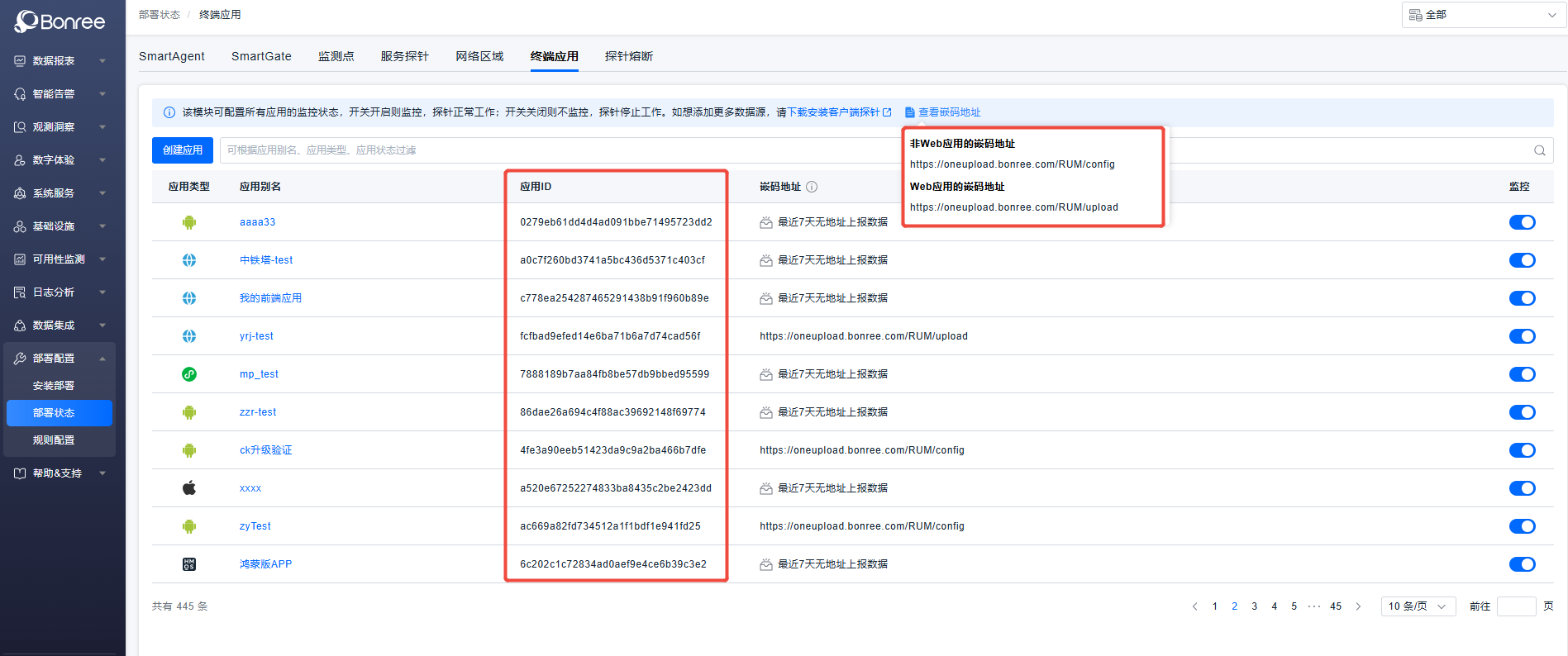
Select the terminal application, then click View Embed Code Addresses/View Data Center at the top of the page to view and copy the embed code address:
(1) When the ONE platform does not have Multi-Region Multi-Center enabled, the page appears as follows:
(2) When the ONE platform has Multi-Region Multi-Center enabled, the page appears as follows:
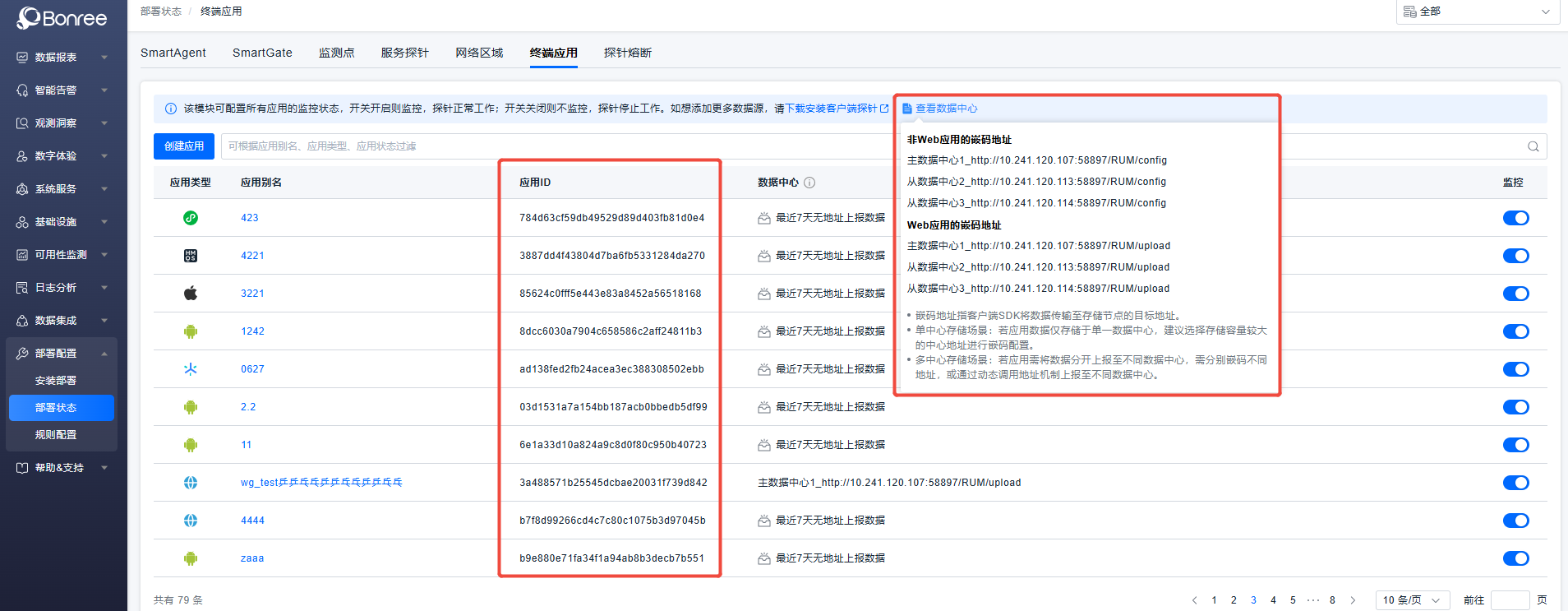
When Multi-Region Multi-Center is enabled, multiple embed code addresses corresponding to different centers will be displayed. Please select the appropriate address for configuration based on your actual situation.
For HarmonyOS, Android, iOS, Mini Programs, etc., which require Config address configuration, select the Embed Code Addresses for Non-Web Applications as the Config address. For Web applications requiring manual embedding and Upload address configuration, select the Embed Code Addresses for Web Applications as the Upload address.
-
The Application ID in the application list is the AppID. You can use the search box to quickly find the target application.