Network Zone
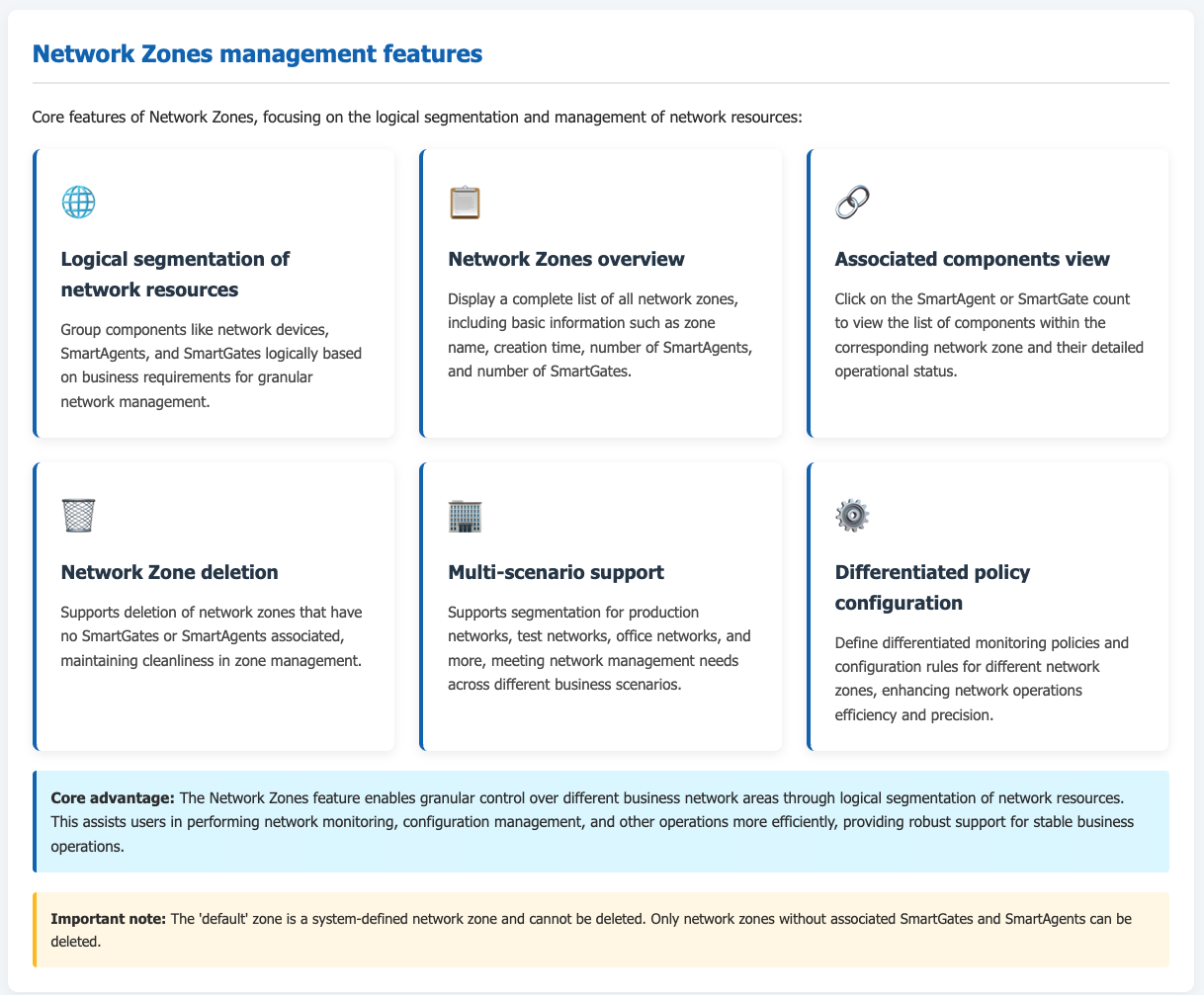
Network zones are a key functional module within the ONE platform for the logical segmentation and management of network resources. Using network zones, users can efficiently group and manage network devices and related components (such as SmartAgent, SmartGate, etc.) across different scopes. This enables granular control over network resources, assisting users in performing network monitoring, configuration management, and other operations more effectively. It enhances the efficiency and precision of network operations and maintenance, providing robust support for the stable operation of business services.
Prerequisites
Complete the installation and deployment of network zones to ensure normal access to the network zone system interface and possess the corresponding operational permissions.
Usage scenarios
In complex enterprise network environments, multiple distinct business networks or geographically dispersed network deployments often exist. For example, an enterprise might have a production network zone, a testing network zone, an office network zone, etc. The network zones functionality allows for the centralized management of components like SmartAgent and SmartGate within these different zones. This facilitates the implementation of differentiated monitoring strategies and configuration rules tailored to each zone, meeting network management requirements across various business scenarios.
Getting started
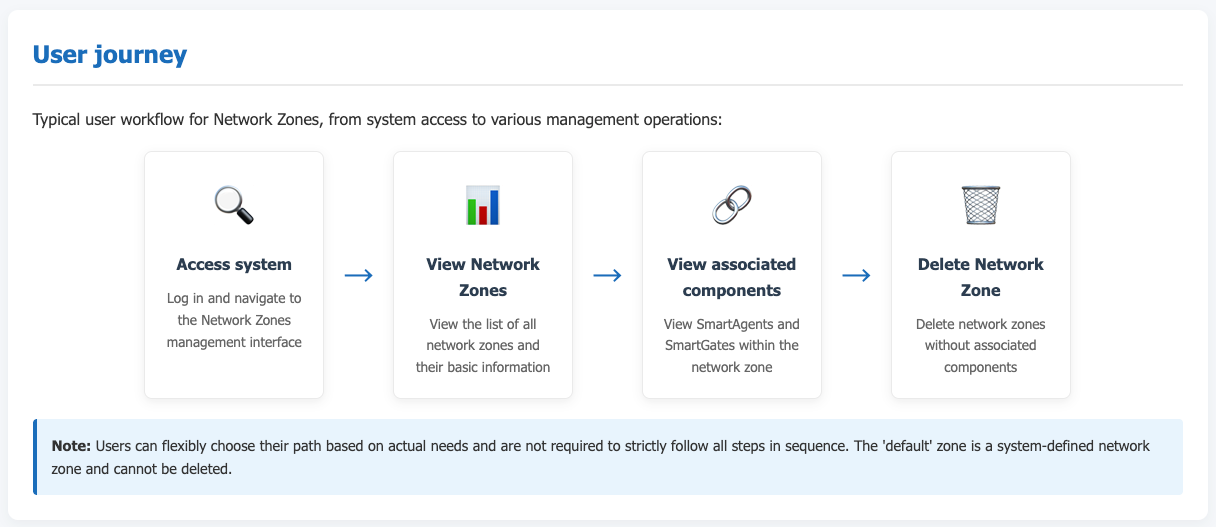
Navigate to Deployment configuration → Deployment status → Network zones from the system navigation bar to open the network zones management interface.
View network zones
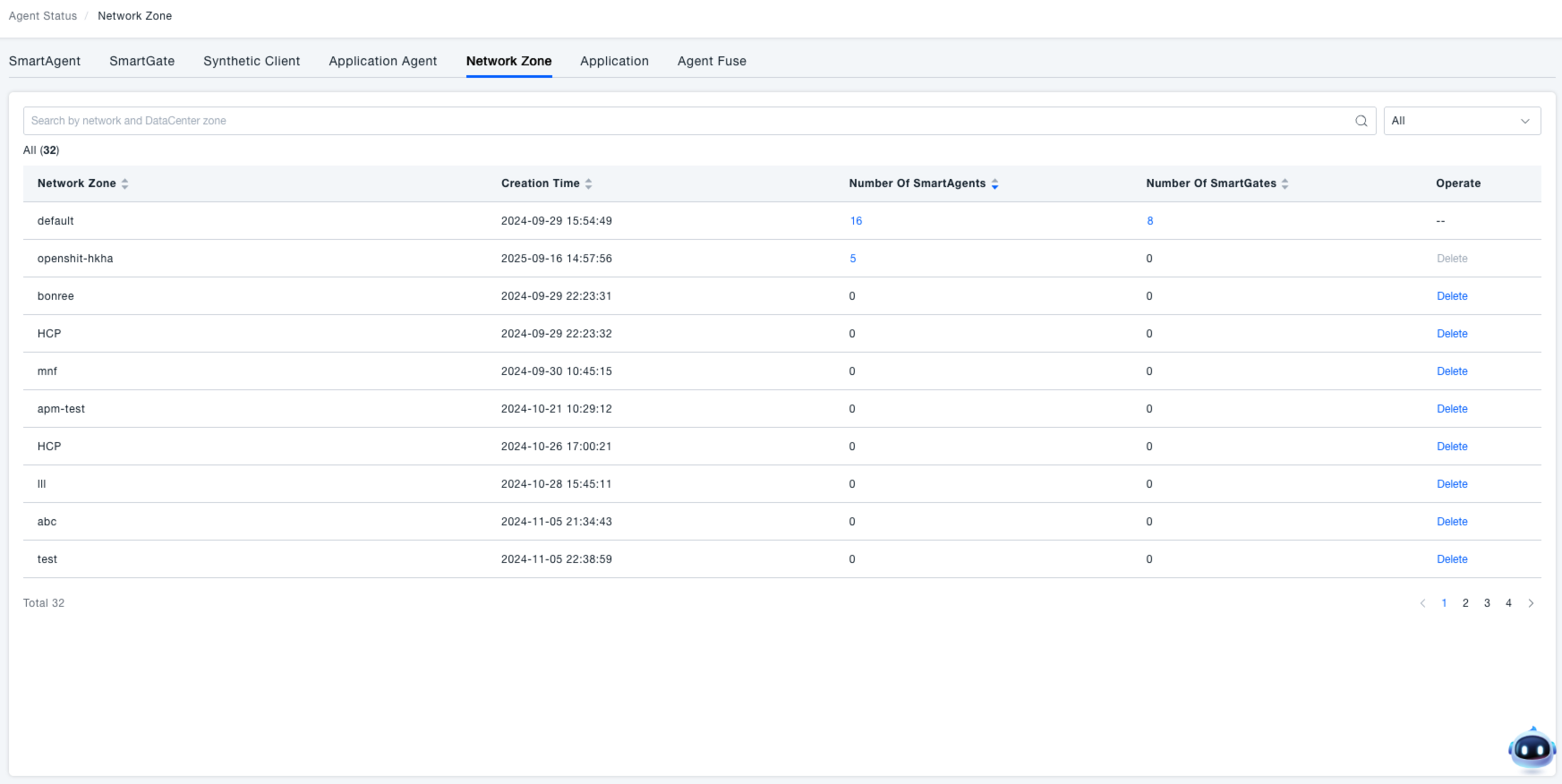
Upon entering the "Network zones" interface, a list of all network zones is displayed. This list includes information such as the "Network zone" name, "Creation time", "SmartAgent count", "SmartGate count", and "Actions". Users can quickly grasp the basic status of each network zone through this list, for instance, how many SmartAgents and SmartGates are associated with a particular zone.
Delete a network zone
In the network zones list, click the delete button in the actions column to remove a network zone that has no SmartGates or SmartAgents associated with it. Please note that "default" is the system's default network zone and cannot be deleted.
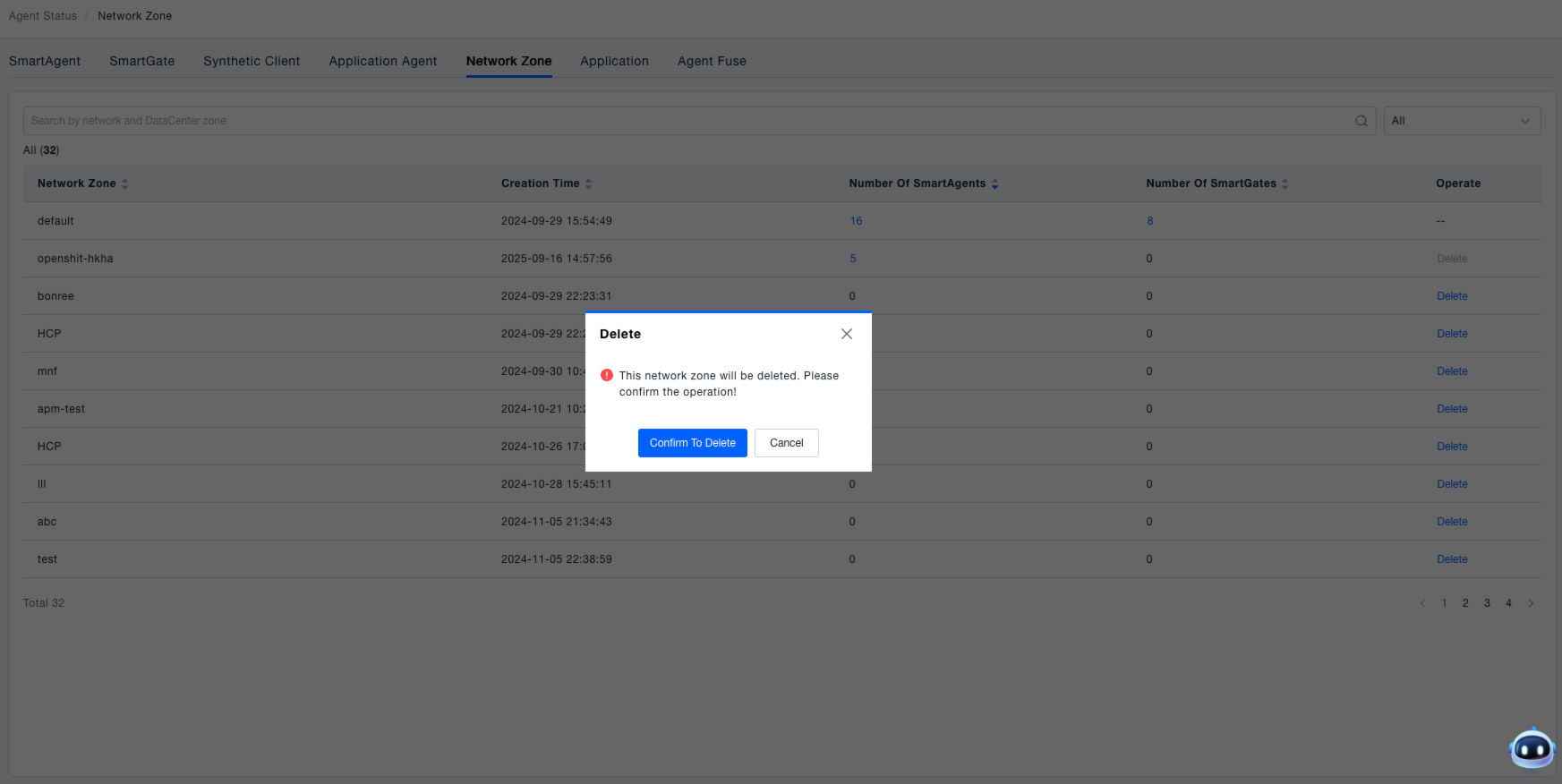
View associated components (SmartAgent, SmartGate)
View SmartAgent: Click the number in the "SmartAgent count" column to view the list of SmartAgents under the corresponding network zone (e.g., selecting the "default" network zone). Here, users can check detailed information such as the operational status and version of each SmartAgent. For specific details, refer to SmartAgent.
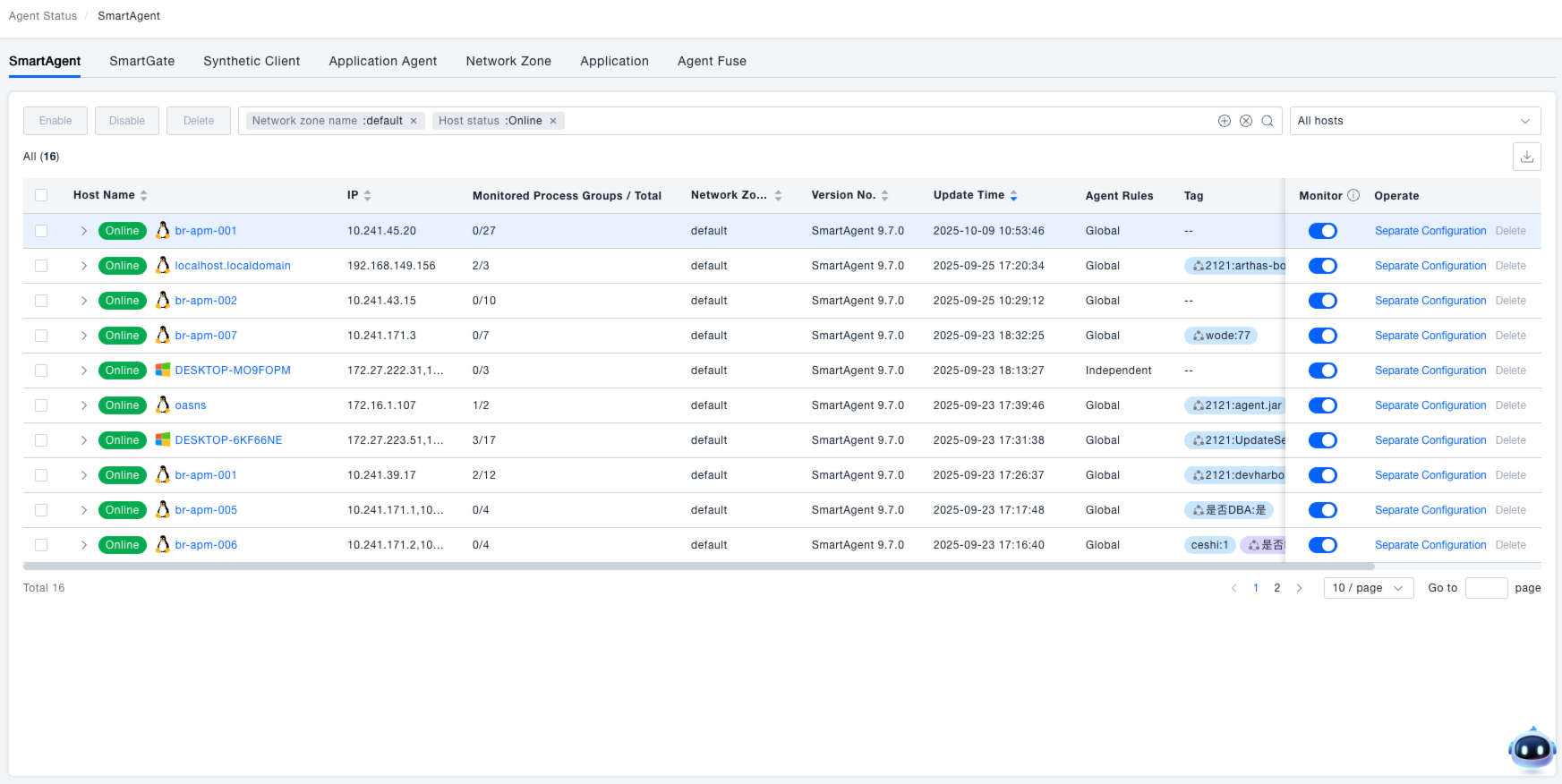
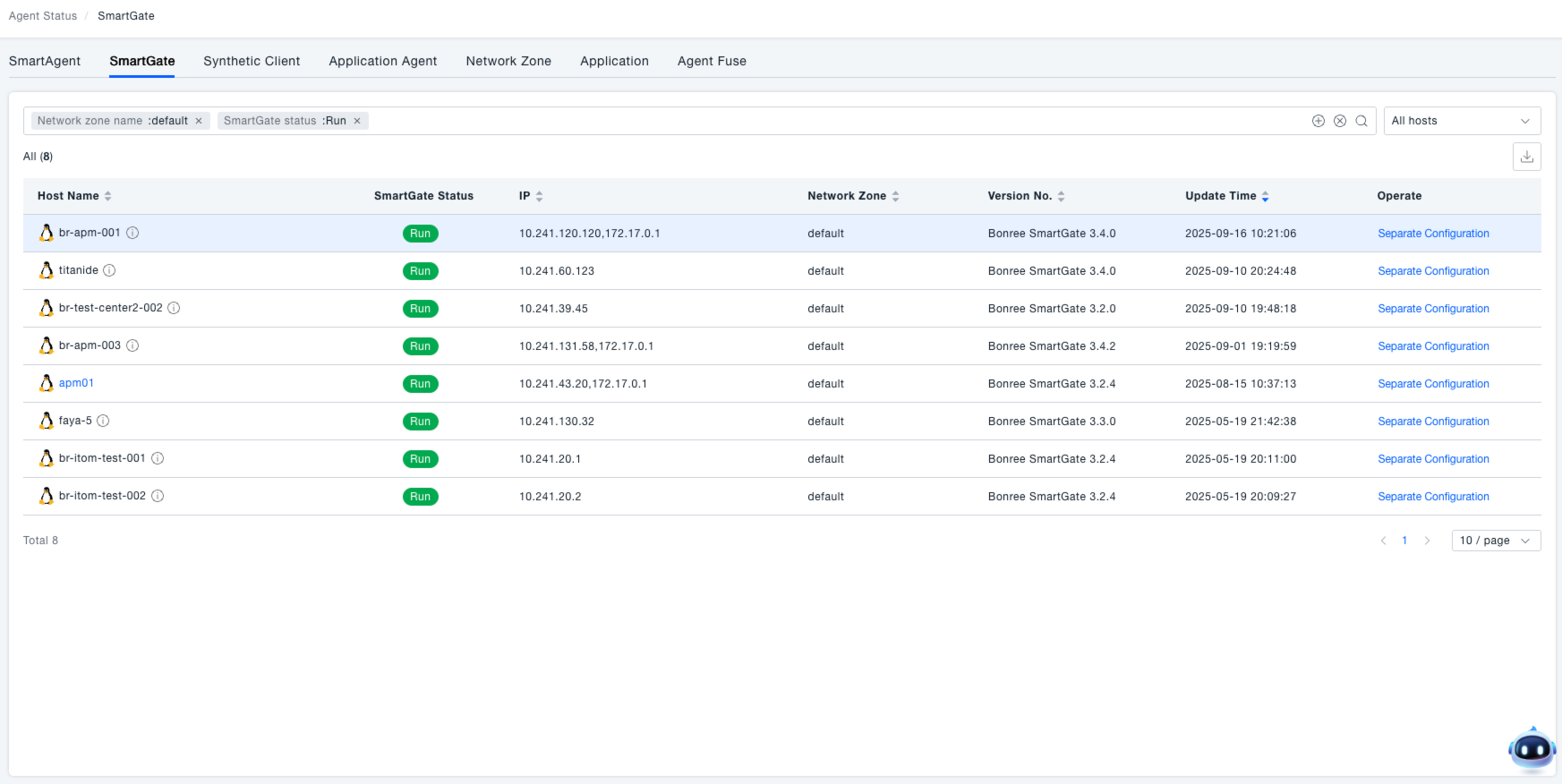
View SmartGate: Click the number in the "SmartGate count" column to view the list of SmartGates under the corresponding network zone (e.g., selecting the "default" network zone). Here, users can check detailed information such as the operational status and version of each SmartGate. For specific details, refer to SmartGate.