Receiving Group Management
This module has been deprecated in ONE version 4.0. Its capabilities have been merged into IAM Group Management, which supports assigning IAM groups to IAM users.
For Receiving who frequently need to receive the same notifications simultaneously, users can create a Receiving group to manage them collectively. Selecting the group directly during notification setup effectively reduces repetitive manual selection of individual Receivings.
Getting Started
Receiving Group List
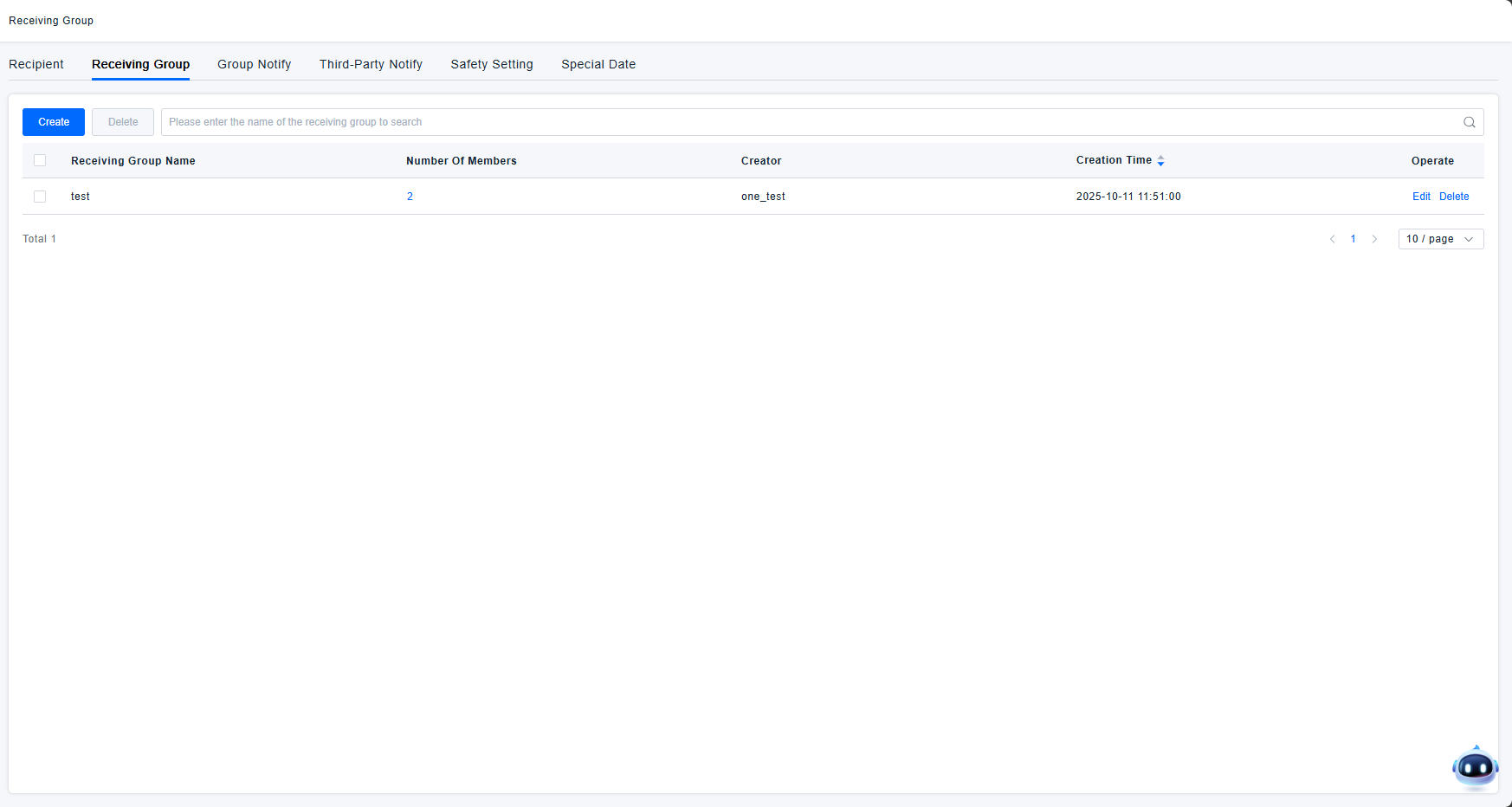
The Receiving Group list displays all group information, including:
- Group Name: Used to distinguish between different groups; can be customized.
- Member Count: The number of members within each group. Clicking this number opens a pop-up to view all Receiving names in the group.
- Creator: The user who created the group. Groups created by sub-accounts are also visible to the primary account.
- Creation Time: The timestamp when the group was created.
- Actions: Edit and delete options are available for each group.
- The group list can be searched by group name.
Creating a Receiving Group
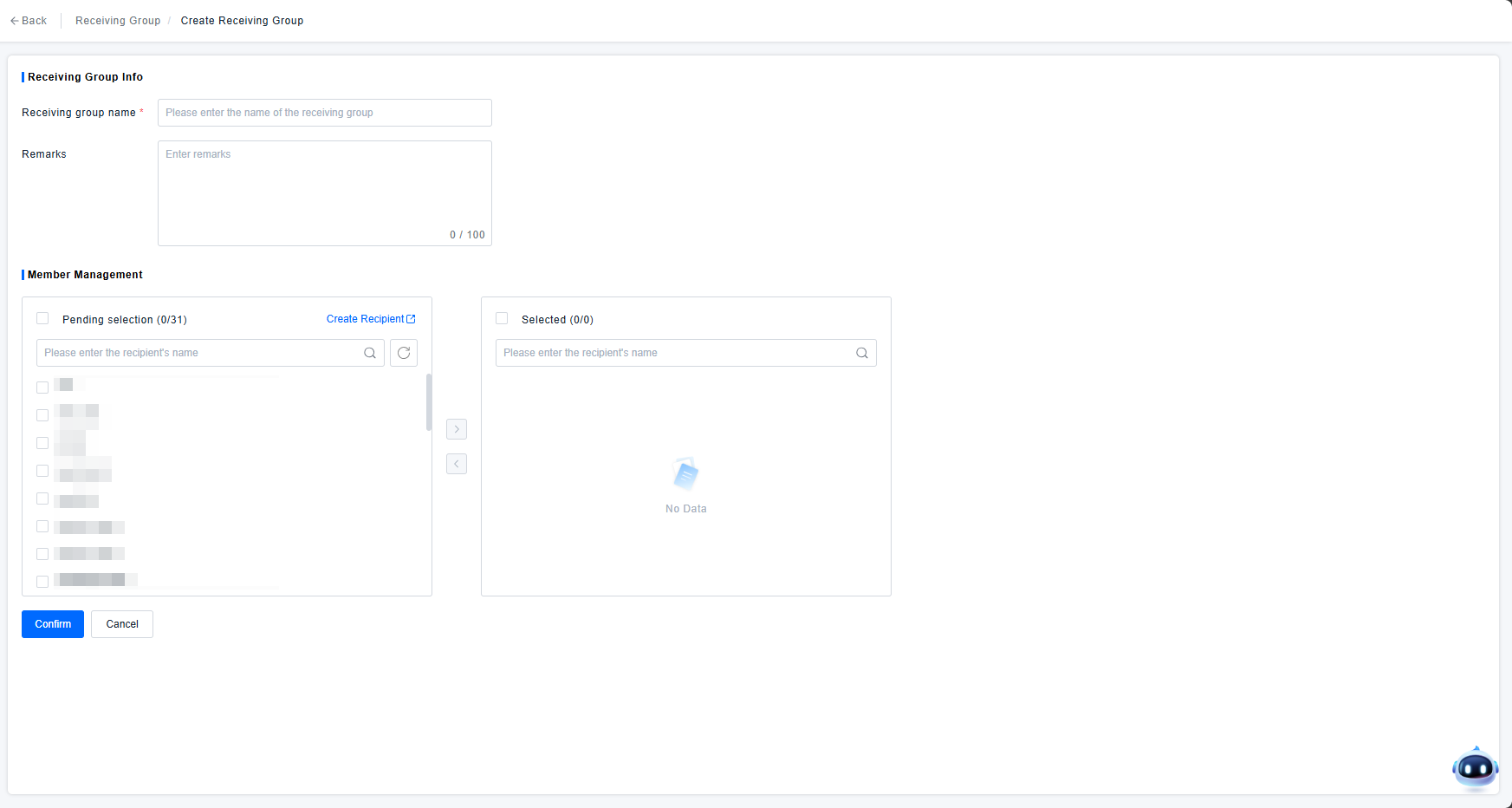
Creating a Receiving group involves the following information:
- (Required) Group Name: A custom name for the group.
- Description: An optional custom description for the group.
- Member Management: Select members from all available Receivings to add to the group.
Group Notification
Similar to individual Receivings, you can select a Receiving Group for messaging in both Alert Response Policies and Automatic Report Rule Configuration. Please refer to Receiving Management