Apply For License
The usage of some features in the ONE platform is subject to License restrictions. If you wish to use the complete set of platform features, please refer to this section for License application and import procedures.
ONE Billing Items Overview
Below is a brief description of the ONE platform modules with License restrictions and their billing principles. You can refer to this content and combine it with your requirements to evaluate the License specifications you need to apply for.
If the ONE platform version is earlier than 3.12.0, do not import APM-Host, Integration - Daily Ingestion of Metric, Integration - Daily Ingestion of Logs, Traces, etc., Kubernetes-Pod, or Network eBPF-Host. Otherwise, an error will occur when importing the license.
If the ONE platform version is earlier than 4.0.0, do not select AI Studio-Token or AI Observability-Token. Otherwise, an error will occur when importing the license.
| Billing Item | Description |
|---|---|
| APM-Host | Host refers to the maximum number of concurrent hosts. Controls the use of capabilities such as system, service, interface, database call, message queue call, critical methods, diagnostic tools, and distributed tracing. |
| APM-Agent | Agent refers to the maximum number of concurrent application agents. Controls the use of capabilities such as system, service, interface, database call, message queue call, critical methods, diagnostic tools, and distributed tracing. |
| APM-HUH | HUH refers to the maximum cumulative HUH. HUH (Host Unit Hour) represents one host unit running for one hour, with 4GB memory as one host unit. Controls the use of capabilities such as system, service, interface, database call, message queue call, critical methods, diagnostic tools, and distributed tracing. |
| APM-AH | AH refers to the maximum cumulative AH. AH (Agent Hour) represents one application agent running for one hour. Controls the use of capabilities such as system, service, interface, database call, message queue call, critical methods, diagnostic tools, and distributed tracing. |
| RUM-Monthly active devices | Monthly active devices refer to the number of devices active per month. Controls the use of application data analysis capabilities for iOS/Android/HarmonyOS NEXT/Web/Mini Programs, such as user sessions, page analysis, code issues, and network requests. |
| RUM-US | US (User Session) refers to the cumulative number of user sessions. Controls the use of application data analysis capabilities for iOS/Android/HarmonyOS NEXT/Web/Mini Programs, such as user sessions, page analysis, code issues, and network requests. |
| ITIM-Host | Host refers to the maximum number of concurrent hosts. Controls the use of host, process group, container, and other capabilities of the infrastructure observability module. |
| Kubernetes-Pod | Pod refers to the maximum number of concurrent Kubernetes Pods. Controls the observability capabilities of the Kubernetes platform, covering Cluster, Node, Namespace, Workload, Pod, Service, Container, PVC, PV, and other capabilities. |
| Synthetic location | Synthetic location refers to the maximum number of enabled synthetic locations. Controls the use of synthetic monitoring capabilities such as ICMP PING, TCP, HTTP, gRPC, and WebSocket. |
| Network eBPF-Host | Host refers to the maximum number of concurrent hosts. Host refers to a host that collects network performance data, whether as a client or server. Controls the use of eBPF-based network performance analysis, network topology, eBPF profiling, and other capabilities. |
| AI Observability-Token | AI observability supports an annual cumulative token collection count, reset annually. Controls trace and metrics collection for AI services. |
| AI Studio-Token | The annual cumulative token count consumed by model invocations within the AI Studio capabilities, reset annually. Controls the usage of related features such as XiaoRui AI Assistant, fault diagnosis triggering, and AI-assisted writing. |
| Integration - Daily Ingestion of Metric | The maximum daily data volume (in GB) that can be ingested for metric. Supports the integration of third-party metrics into the ONE platform through Pipelines metric ingestion components and related capabilities. |
| Integration - Daily Ingestion of Logs, Traces, etc. | The maximum daily data volume (in GB) that can be ingested for logs, traces, events, alerts, and records. Supports the integration of third-party logs, traces, events, records, and alerts into the ONE platform through Pipelines signal ingestion components and related capabilities. |
| Integration-The amount of data ingestion | Data ingestion refers to the cumulative volume of data ingested. Controls the use of capabilities related to ingesting third-party data into the ONE platform via Pipelines components and other methods. |
| Integration-The amount of metric output | Metric output metering refers to the cumulative volume of ingested metrics. Controls the use of capabilities related to integrating third-party metric data into the ONE platform via Pipelines components and other methods. |
| Integration-The amount of log | Log metering refers to the cumulative volume of ingested logs. Controls the use of log data ingestion capabilities and log analysis. |
License Application and Issuance
ONE platform Licenses are uniformly issued internally by Bonree. You only need to provide your functional expectations for the ONE platform and License specification requirements. Bonree sales personnel will proactively assist you in completing the contract signing and License issuance process.
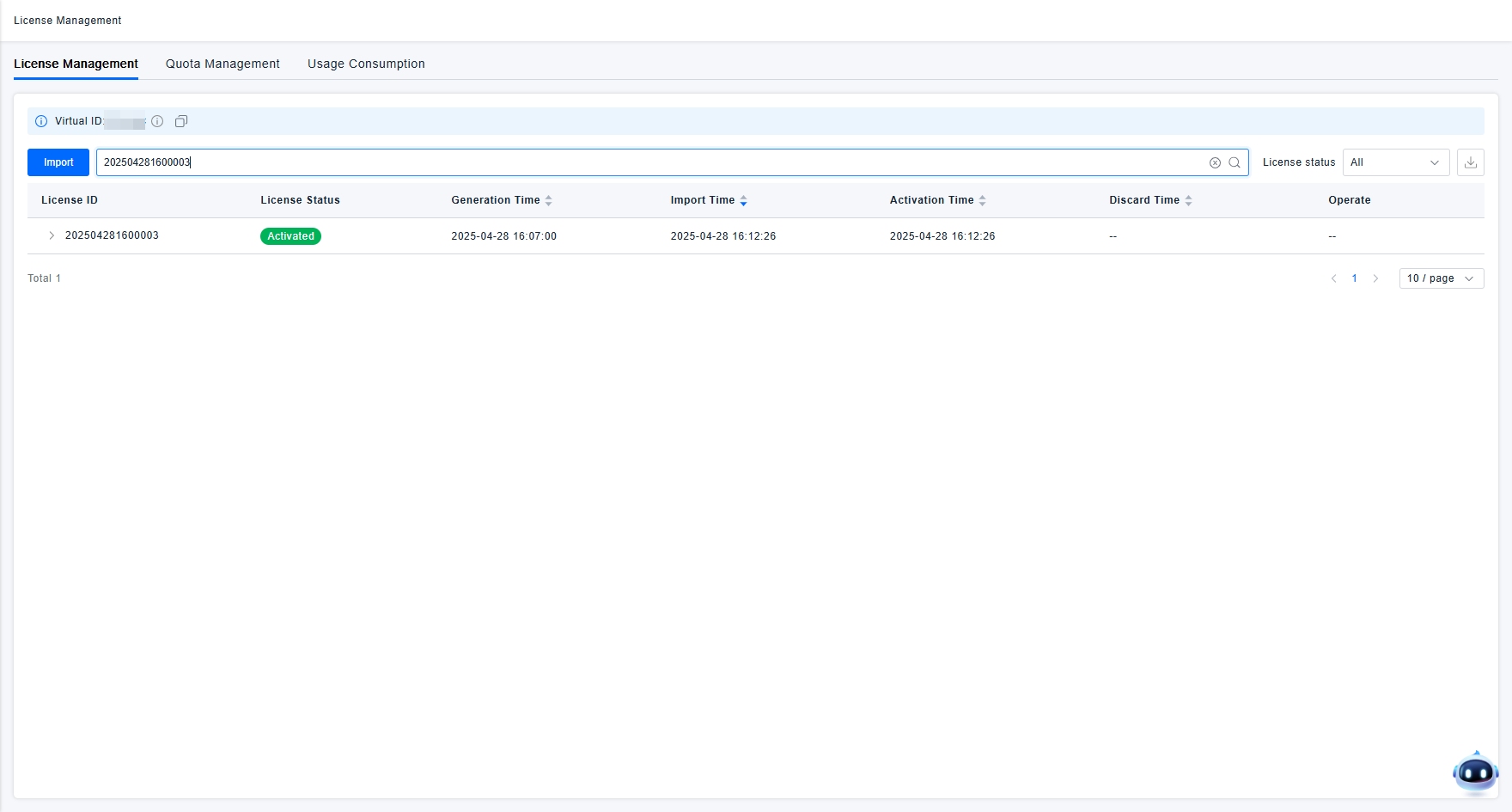
When applying for a License, please also provide the Virtual ID of your account so that Bonree staff can generate an activation code for you after successful License issuance. You can view and copy the Virtual ID on the page shown in the figure below.
License Import
After obtaining the License and activation code, users can log into the ONE platform, navigate to the License Management page, and use the import function to import the License.
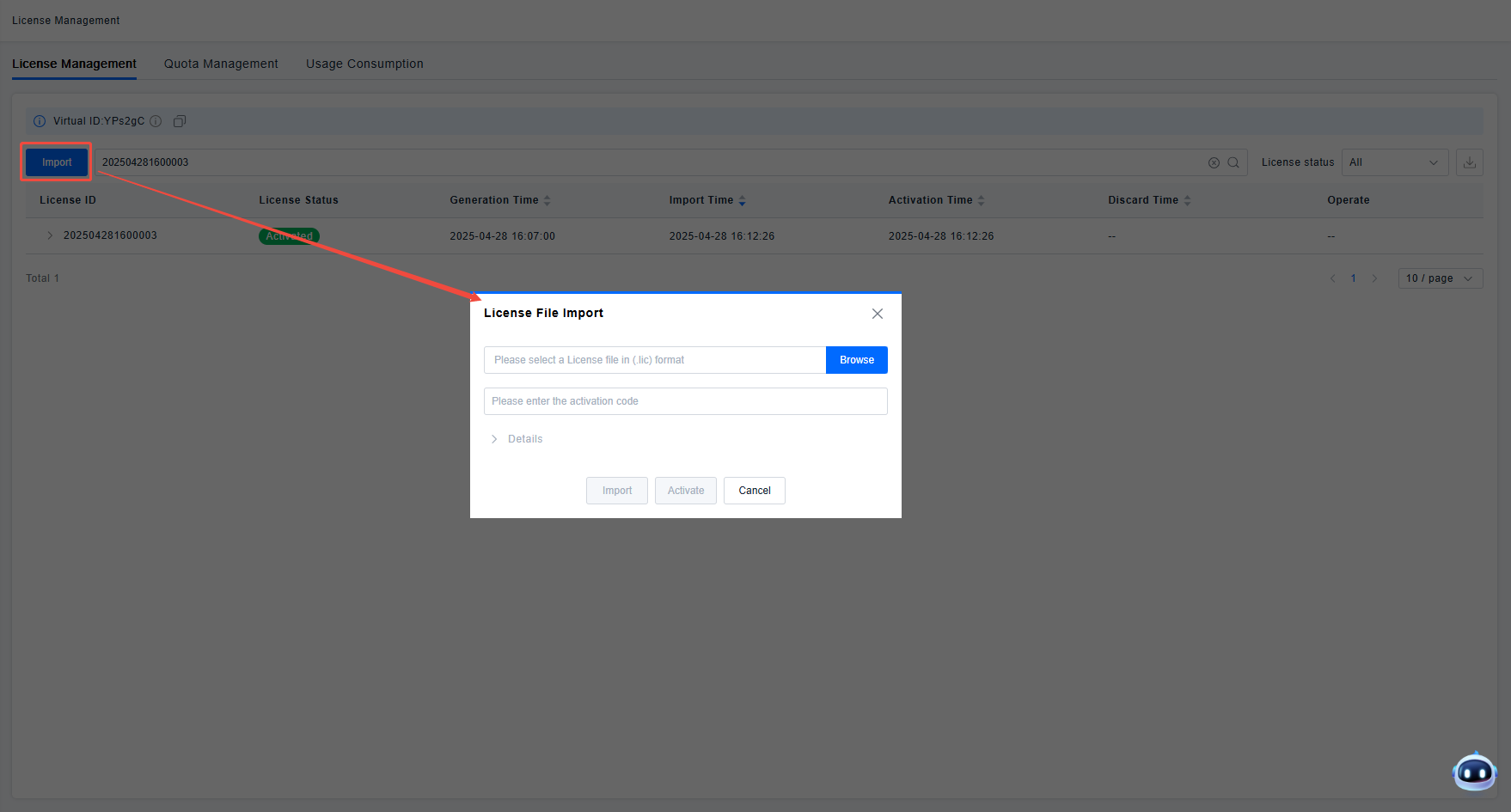
When importing a License, ensure that the actual platform type matches the License application type. The platform deployment type will be verified during import. Mixing Public Cloud and Private Deployment Licenses will render the License unusable.
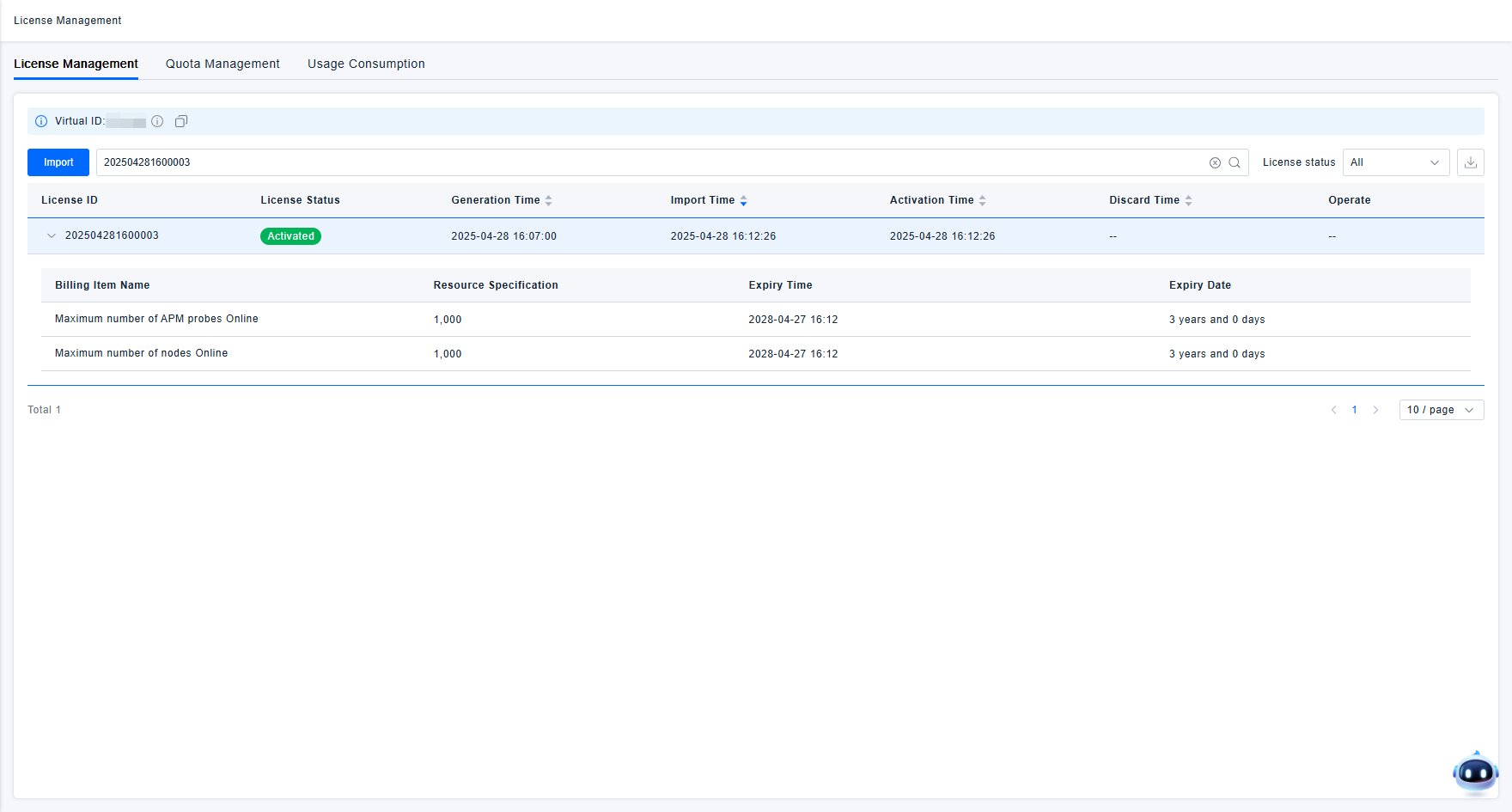
After successful import, the License will take effect automatically. You can then proceed with data reporting and platform feature usage normally. The License list displays detailed information about your currently imported License, allowing you to view the included billing items and validity period.
In addition to the basic License usage process described above, you might also need to consider the following situations:
- Both exceeding the licensed quota and the License expiration will cause billing items to become unavailable. The platform will provide reminders before the License expires or the quota is exceeded. Please pay timely attention to avoid disruption in feature usage.
- The platform also provides advanced features for License management, such as Quota Management and Usage Consumpation. If you have corresponding needs, please refer to the relevant documentation for details on using these features.