Agent Creation
Prerequisites
- Menu access: AI Studio > Workspace > Agent Creation.
- Permissions: Read-Write access to create, edit, publish, list, delist, and delete Agents.
- Data scope: Resource domain access in the current environment.
- Model configuration: Connect LLMs under Model Management.
- Referenced resources: MCP tools, knowledge bases, and Skills from Resources.
Overview
The Agent Creation tab is where you create, debug, publish, and manage self-built Agents. An Agent is an AI execution unit for a specific scenario, combining reasoning, tool invocation, Skills, and knowledge.
Creation is a two-step flow:
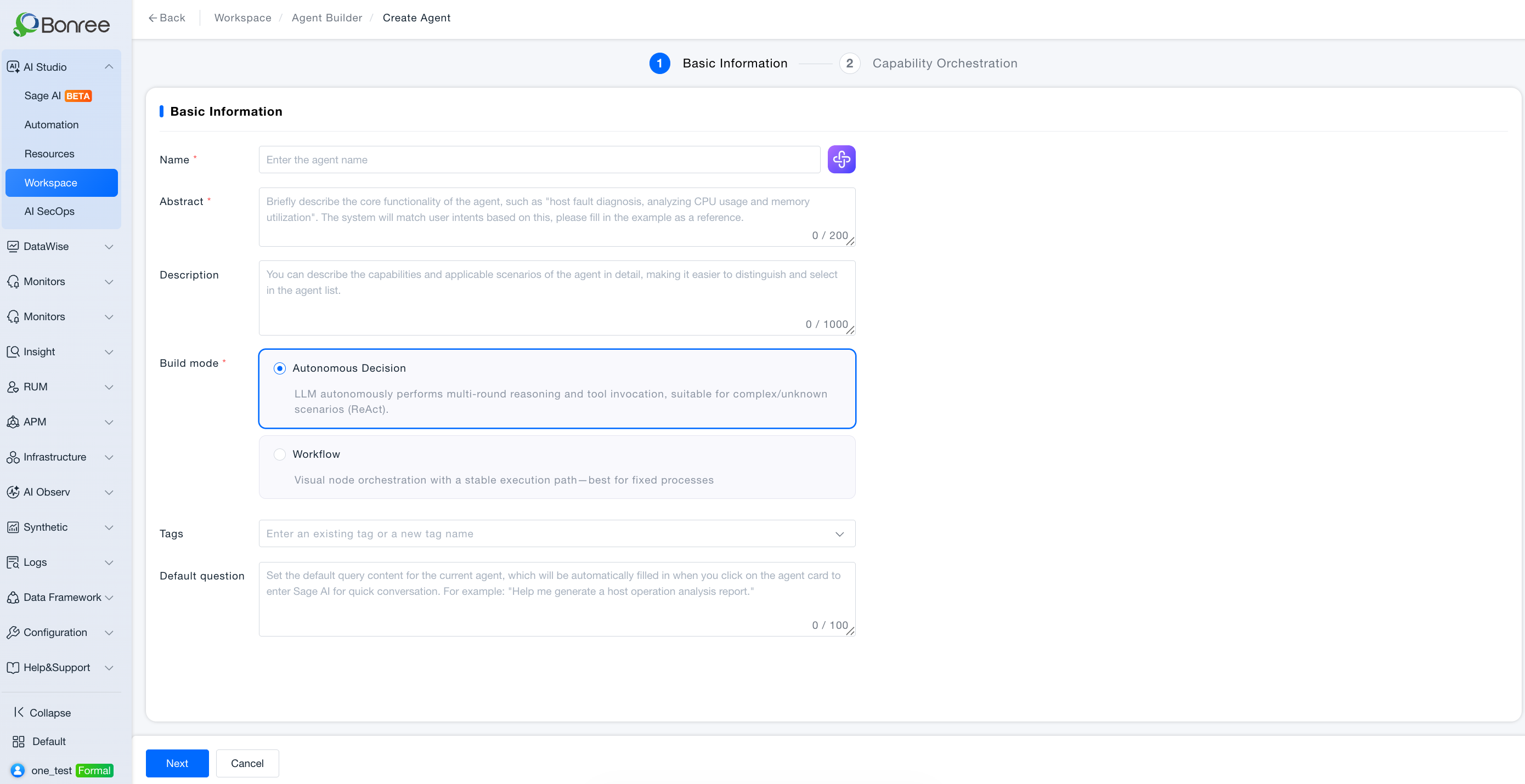
- Basic info: Name, summary, description, build mode, icon, tags;
- Capability orchestration: Model, knowledge, tools, Skills, prompt—or a workflow canvas.
A debug preview panel on the right lets you test before publish. Published Agents appear under Resources > Agent > My and can be used in Sage AI and Automation.
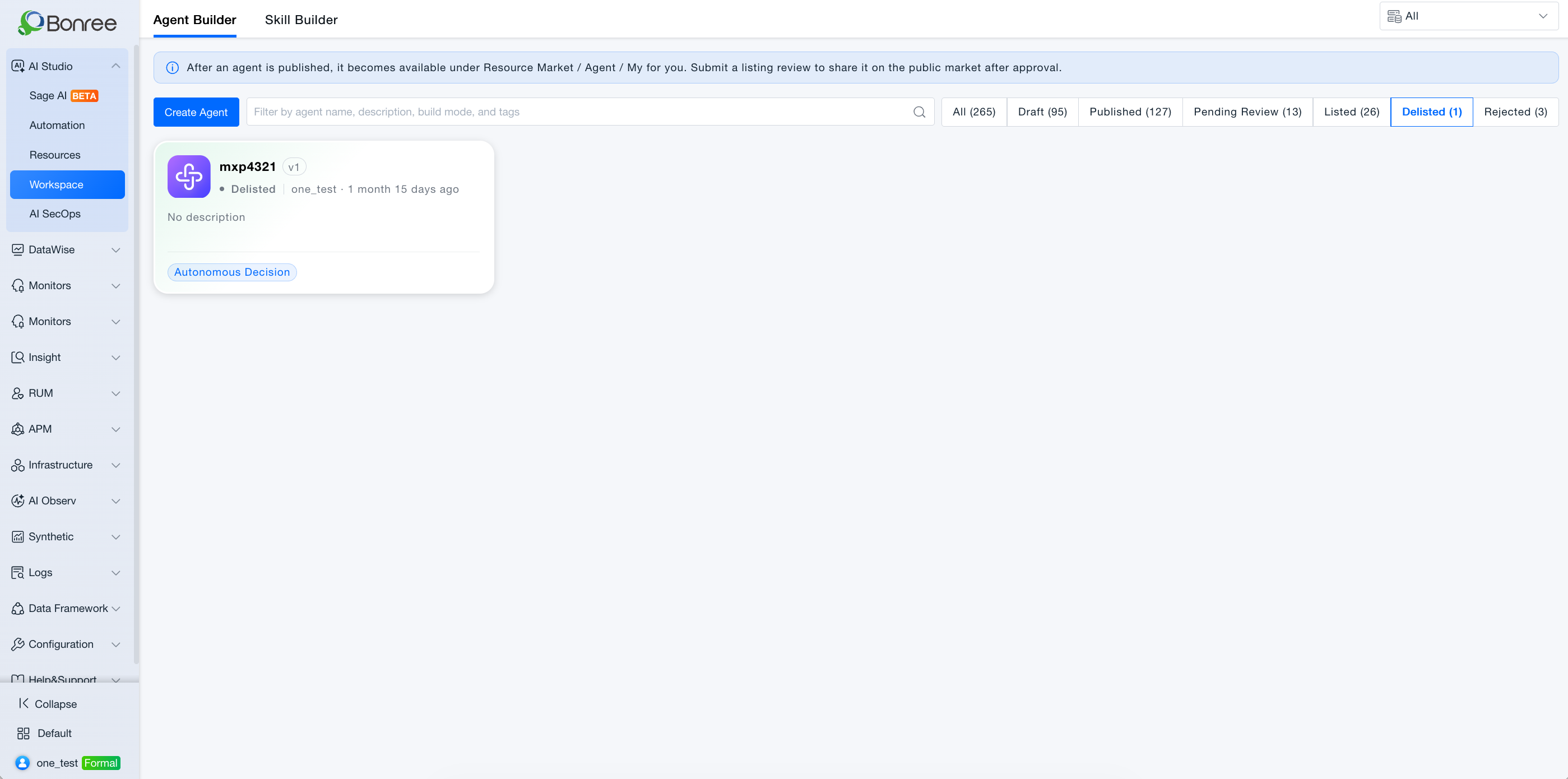
List quick classification and tags
Workspace provides status quick filters (AND with the search box): All, Draft, Published, Pending review, Listed, Delisted, Rejected. Each shows a count (including 0). Default is All. Switching a filter shows only matching cards, sorted by update time descending.
Tags are required on create/edit so Resources can filter by tags after listing.
Value
- Two build modes: Autonomous Decision for complex reasoning; Workflow for fixed SOPs.
- Visual orchestration: Workflow mode uses a drag-and-drop canvas.
- Instant debugging: Right-side preview shortens the edit-test loop.
- Version management: Each publish records version and change notes.
- Shareable: Request listing for other domains to add from Public.
Build Modes
| Mode | Best for | Characteristics |
|---|---|---|
| Autonomous Decision | Complex/unknown failures, multi-turn reasoning | LLM-driven ReAct tool use |
| Workflow | Fixed-step tasks | Stable visual node graph |
Select the mode in Step 1; changing mode later may affect existing orchestration.
Use Cases
Create and publish an Autonomous Decision Agent
- Audience: SRE, application ops, diagnosis engineers.
- Approach:
- Create Agent → Step 1 (name, summary, tags, Autonomous Decision);
- Step 2: model, MCP tools, Skills, knowledge bases, system prompt (optional AI draft);
- Test in debug preview;
- Publish Agent with change notes.
- Outcome: Status Published; available in Resources > My and Sage AI @ references.
Create a Workflow Agent
- Audience: Teams with standardized runbooks.
- Approach: Step 1 → Workflow → arrange nodes (start/end, LLM, tools, knowledge, conditions) → test → publish.
Clone a built-in Agent
- Approach: Clone from Resources → edit in Workspace → publish as a new self-built Agent.
Request public listing
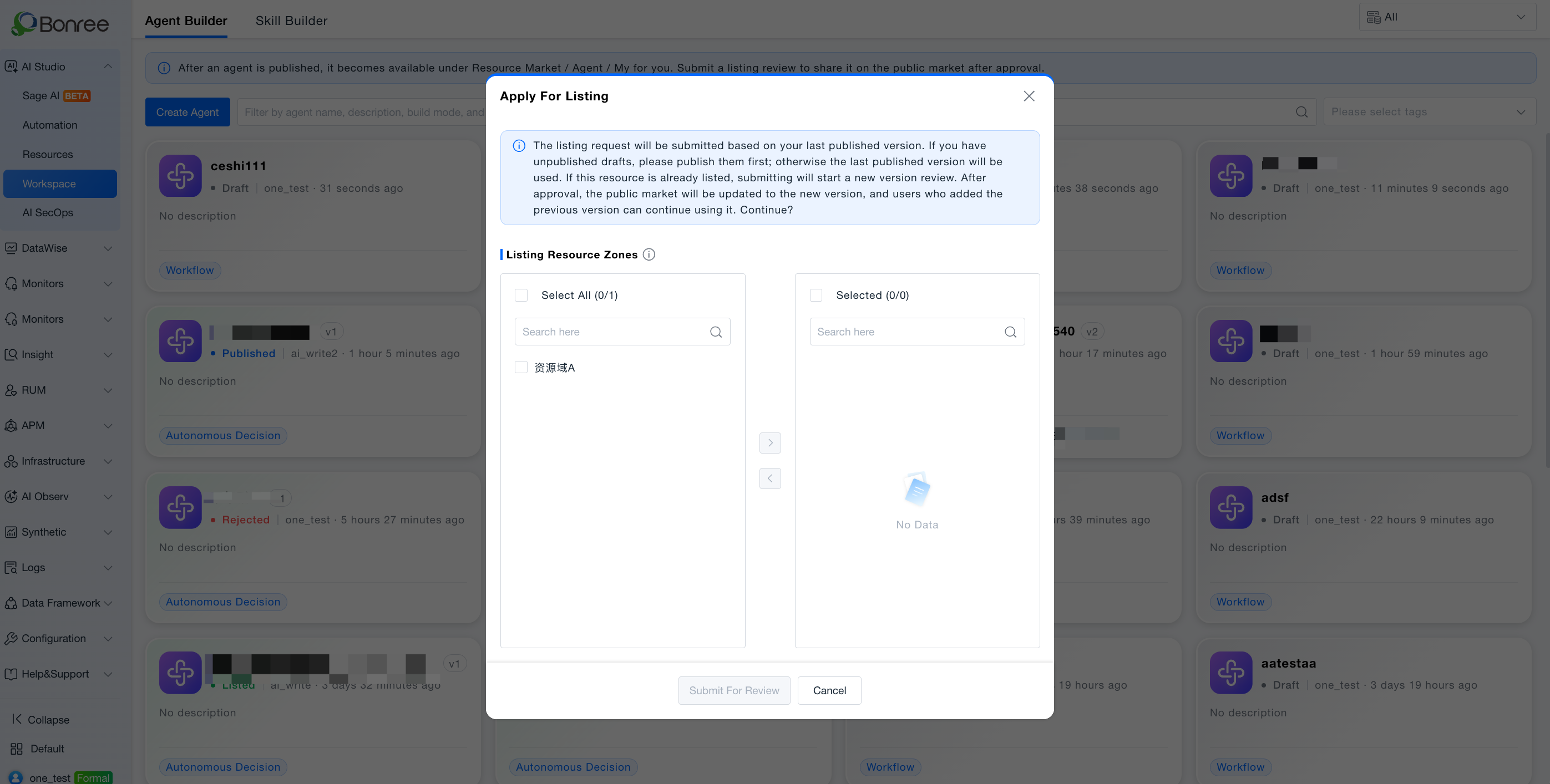
- Approach: Ensure Published with no unpublished drafts → Request listing → select domains → submit; Withdraw while pending; revise and republish if Rejected.
Operations
Step 1 · Basic info
- Name * · Summary * (for intent matching) · Description · Build mode * · Icon · Tags *
- Next → orchestration; Save draft or Cancel.
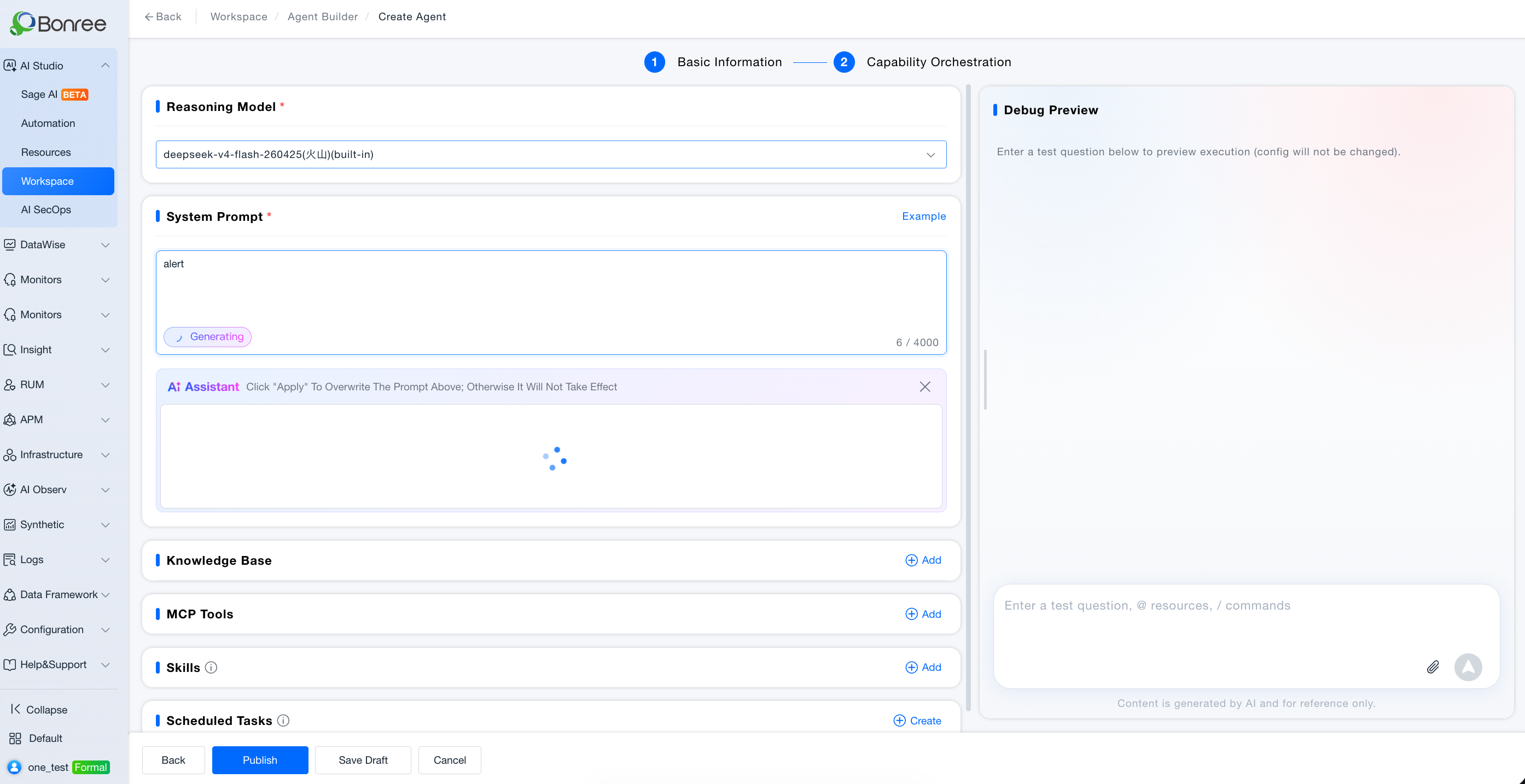
Step 2 · Autonomous Decision orchestration
- Inference model, knowledge bases, system prompt, MCP tools, Skills
- Debug preview (draft mode) on the right
- Previous / Save draft / Publish Agent
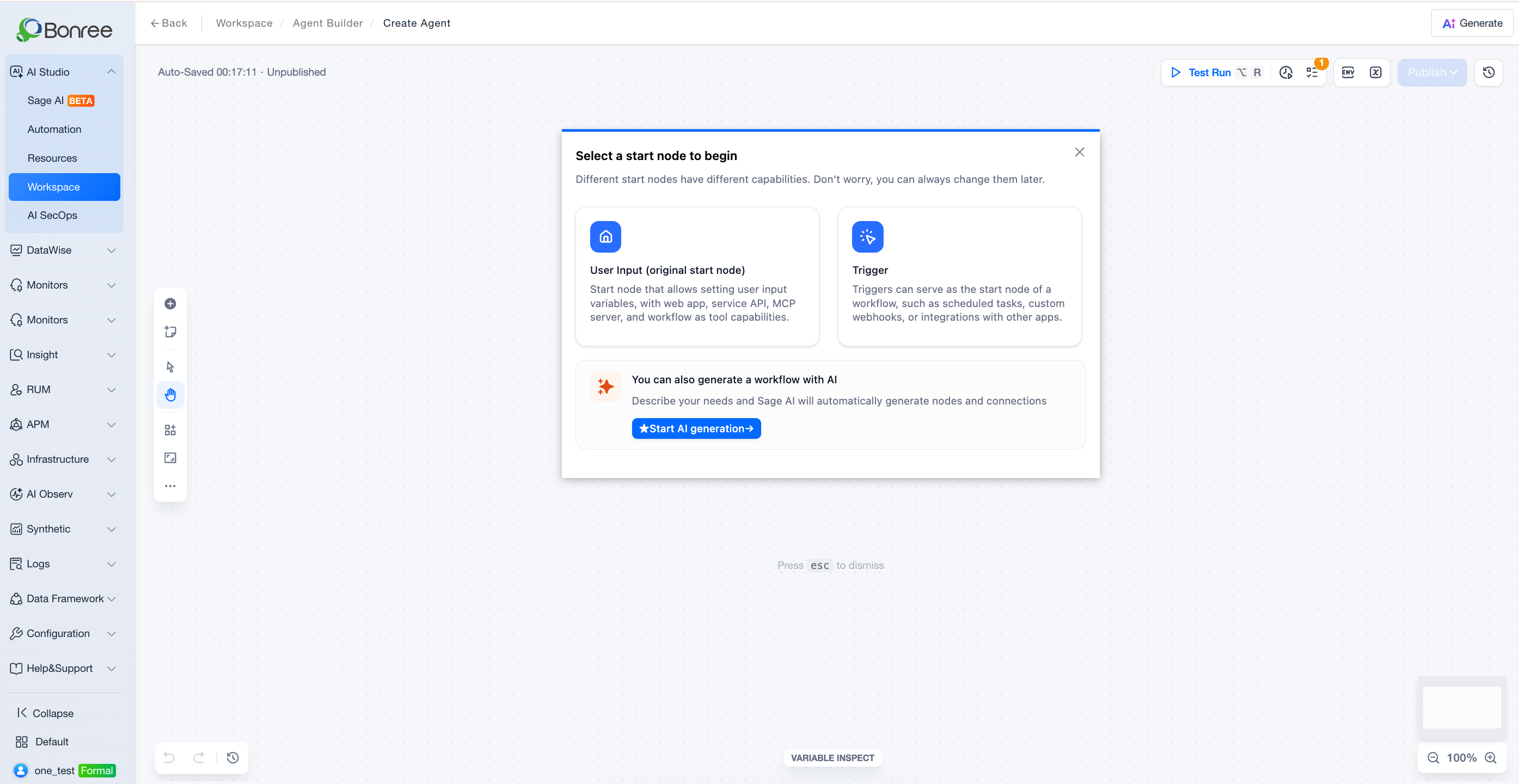
Step 2 · Workflow orchestration
- Canvas nodes: start, end, LLM, MCP tools, knowledge retrieval, conditions
- Connect edges; test via preview or canvas run (per UI)
- Publish Agent
Save draft
- Saves progress as Draft; does not create a formal version.
Publish
- Validation + content security check;
- Dialog: version (auto-increment, read-only) + change notes *; workflow Agents can also Publish as tool (tools have no version).
- Status Published → syncs Resources > My; Automation tasks auto-upgrade.
Export Agent
- List / card export covers the current Agent package (config plus linked Skills / knowledge; no history or automation). Export a historical version from Version management.
- Workflow mode still supports YAML-only export. Full / version exports are offline; download from export records.
- Drafts export as drafts; published and later statuses export as published.
Version management
- View history; only Publish creates versions.
Listing / delisting / withdraw / rejection
| Action | From state | Notes |
|---|---|---|
| Request listing | Published | Requires review rule; select listing domains |
| Withdraw | Pending review | Reverts to Published |
| Request delisting | Listed | Delisting notes required |
| Handle rejection | Rejected | Read banner → edit → publish → reapply |
Listing domain rules (Agents):
- Each listed domain must grant access to all referenced knowledge, tools, and Skills.
- Domains failing any reference are not selectable.
- Select all when every domain qualifies; after approval, new domains added later may also install this Agent (per UI hint).
- If no domain qualifies, listing scope is empty—cannot submit.
Delete
- Removes from Workspace and Resources; affects Automation and users who added a listed Agent.
Notes
- Summary and prompt quality affect Sage AI matching and review approval.
- Listing uses the last published version if drafts exist—publish first.
- Built-in Agents are not directly editable—clone instead.
- Resource Marketplace details are read-only; edit in Workspace.
- See Review Queue and Review Rules for approval flow.