Review Queue
Prerequisites
- Menu access: Access to AI Studio > Security Operations > Review Queue is required.
- Review actions: Reviewers need review menu access, AI Studio Read-Write permission, and access to the current environment.
- Prerequisite configuration: The current environment must have Review Rules configured; otherwise creators cannot submit requests and the UI may prompt you to create rules first.
Overview
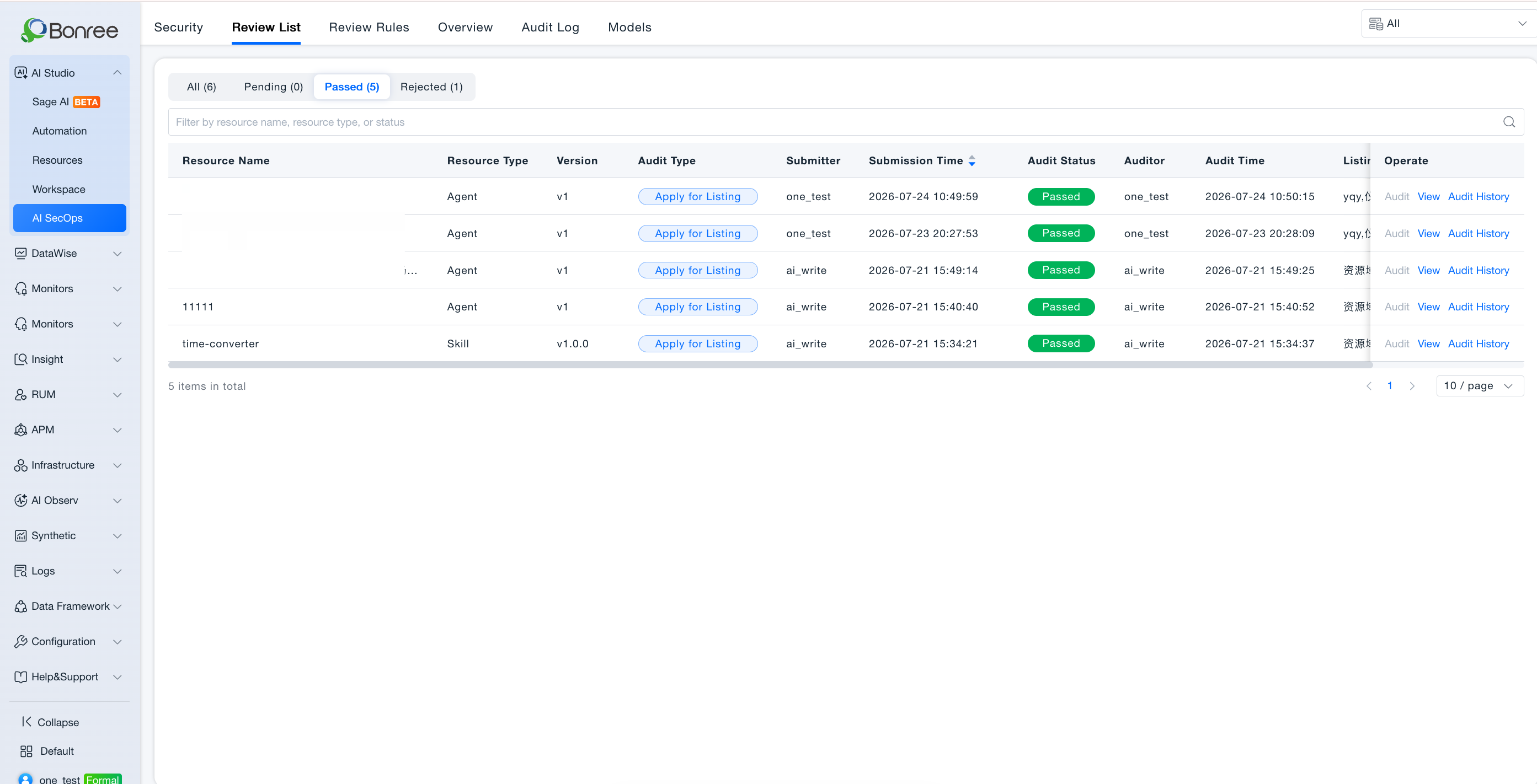
The Review Queue centralizes listing and delisting requests for Skills and Agents. Reviewers inspect resource details, use debug preview, and Approve or Reject with comments. Requests initiated from Workspace or Resources > My all appear here.
Request types:
| Type | Initiator | Effect when approved |
|---|---|---|
| Request listing | Creator (published resource) | Resource appears under Resources > Public in selected domains |
| Request delisting | Creator (listed resource) | Resource removed from Public; users who added it lose access |
Value
- Shared access gate: Public marketplace capabilities pass human review before broad availability.
- Transparent process: Retains applicant, time, version, review comments, and reviewer.
- Efficient collaboration: Multiple reviewers can be assigned; one decision syncs status for all.
- Debuggable review: Detail pages support debug preview so reviewers can simulate conversations and validate boundaries.
Full Approval Workflow (Reviewer View)
Process a listing request
- Open Security Operations > Review Queue > Pending.
- Filter or search for the target request (by resource name, type, status, etc.).
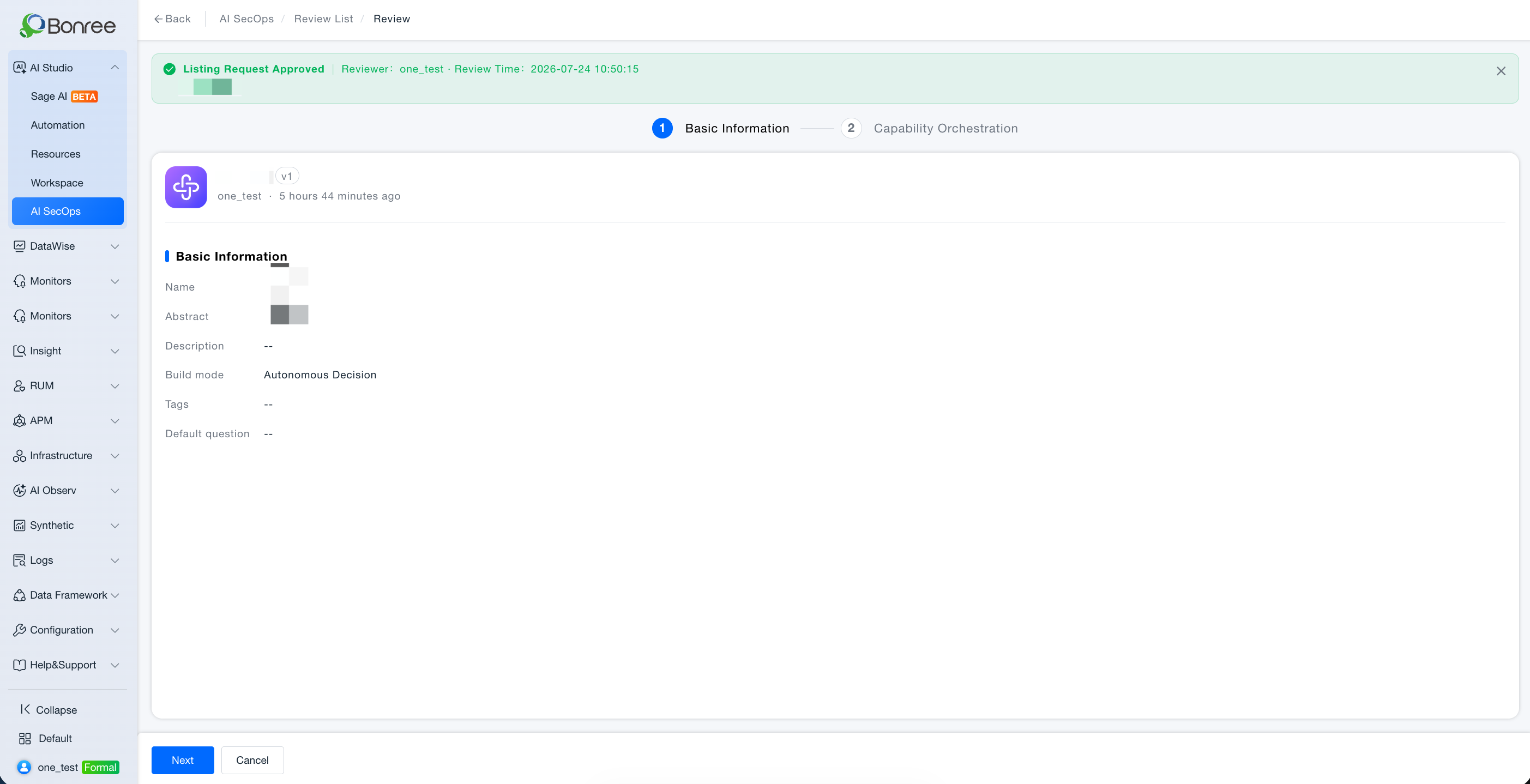
- Open the detail page: review basic info, Skill files / Agent orchestration, version, listing domains, and applicant notes.
- Use debug preview (review mode) with typical questions; validate outputs and tool calls.
- Enter review comments (required, up to 200 characters).
- Click Approve or Reject.
- Approved: Creator status becomes Listed, visible under Public; Rejected: status becomes Rejected with feedback returned to Workspace.
Process a delisting request
- In Pending, identify entries with request type Request delisting.
- Read delisting notes and impact hints (users who added the resource will lose access).
- Enter review comments and Approve or Reject.
- Approved: resource becomes Delisted, hidden from Public; Rejected: remains Listed.
Creator withdrawal (reviewer-side effect)
If a creator withdraws while status is pending, the entry disappears from the queue; no reviewer action is required.
Use Cases
Daily listing approval
- Audience: Reviewers, domain experts.
- Typical task: Assess whether a "log analysis expert" Agent is suitable for Public.
- Recommended approach: Read summary and prompts on the detail page → debug preview → Approve with comments or Reject with clear revision points.
- Expected outcome: Teams can safely add the Agent from Public.
Approve delisting requests
- Audience: Reviewers.
- Typical task: Creator requests delisting of an experimental Skill to prevent further adds.
- Recommended approach: Confirm delisting notes are reasonable → Approve and record comments.
- Expected outcome: Resource removed from Public; existing users cannot continue using it.
Review historical approvals
- Audience: Administrators, auditors.
- Recommended approach: Search under Approved or Rejected tabs; cross-check with Audit Logs.
Operation Overview
-
Access Review Queue
- AI Studio > Security Operations > Review Queue (Tab 2 in menu order).
-
Tab filters
- All / Pending / Approved / Rejected.
-
List filters
- Search box: filter by resource name, resource type, status, etc.
-
Process pending items
- Open detail → review content and debug preview;
- Enter review comments → Approve / Reject.
-
View completed items
- Read-only view of review comments, reviewer, and review time.
Creator Status Mapping
| Creator side | Review Queue side |
|---|---|
| Pending review | Pending |
| Listed | Approved (listing) |
| Rejected | Rejected |
| Delisted | Approved (delisting) |
| Published | No active request |
For creator initiate, withdraw, and reapply flows, see Workspace · User Guide, Agent Creation, and Skill Creation.
Notes
- Review comments required: Both Approve and Reject require comments (max 200 characters) for creator improvement and audit traceability.
- Version binding: Listing requests bind to the published version at submit time; new publishes during pending review do not auto-update the request.
- Multi-reviewer sync: After any reviewer acts, pending status updates for all assigned reviewers.
- Rule dependency: Without Review Rules, creators cannot submit new requests.