Model Management
Prerequisites
- Menu access: Access to AI Studio > Security Operations > Model Management is required.
- Permissions: Read-Write access is required to add, edit, and delete models.
- Network connectivity: The platform validates model endpoint connectivity on save; ensure ONE can reach the model service URL.
Embedding model and knowledge bases: Knowledge bases rely on an embedding model to turn documents into vectors for knowledge “memory” and precise retrieval—this is a prerequisite for using knowledge bases. In private deployments, add and enable a compatible Embedding model under AI Studio > Security Operations > Model Management first. Without it, for knowledge bases you cannot create knowledge bases, upload documents, or perform other management operations.
Embedding model and MCP tools: MCP tool calls rely on an embedding model to build semantic vector indexes over tool metadata descriptions and recall the right tools for user intents—this is a prerequisite for correct tool routing. In private deployments, add and enable a compatible Embedding model under AI Studio > Security Operations > Model Management first. Without it, MCP tool routing and invocation may not work correctly.
Overview
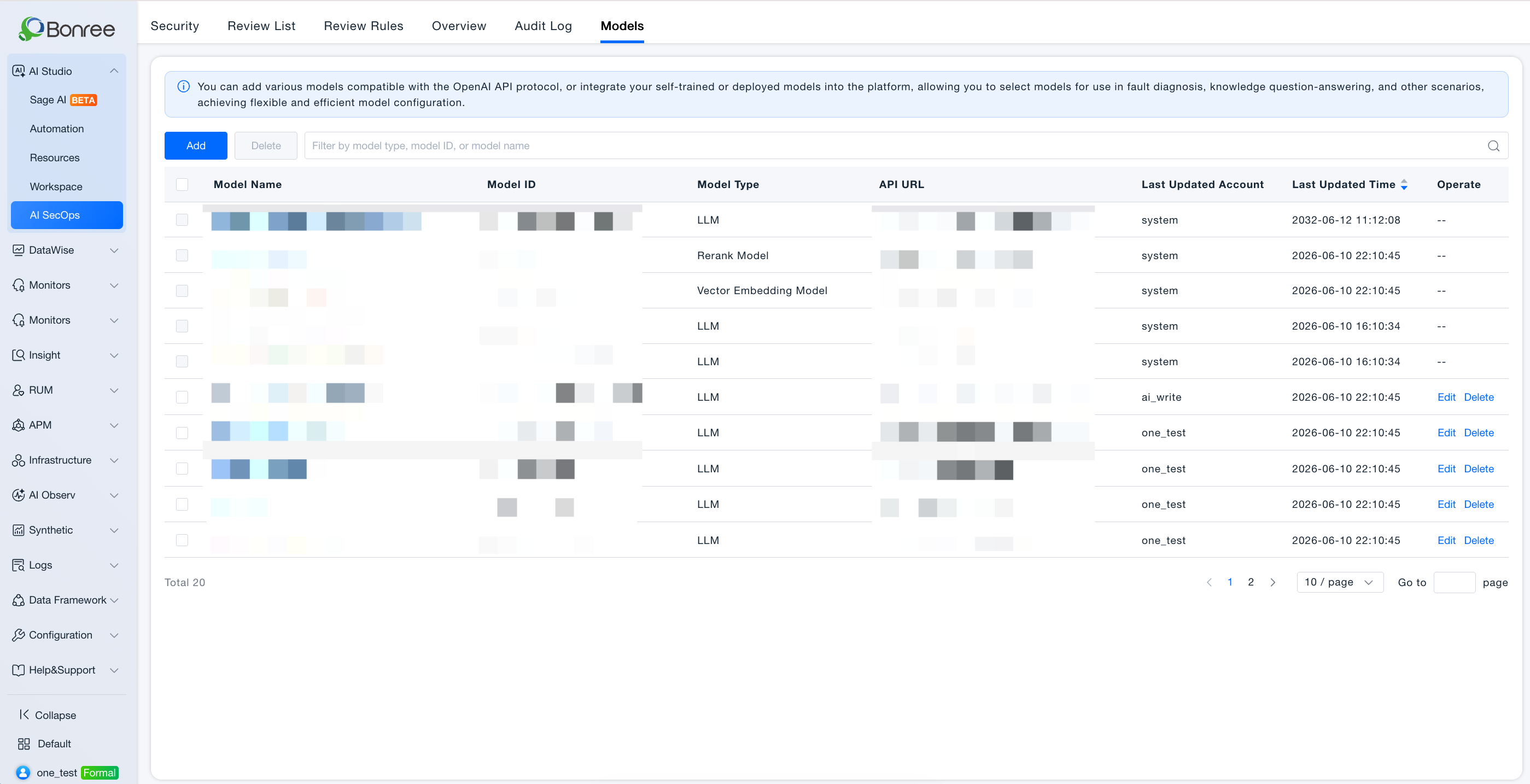
Model Management connects model services for Sage AI and Agent reasoning. A model gateway exposes a unified OpenAI-compatible API; heterogeneous upstream protocols are translated by the gateway. Supported types:
| Type | Purpose |
|---|---|
| LLM | Conversations, reasoning, autonomous Agents |
| Embedding model | Knowledge base vectorization and semantic retrieval; semantic indexing and recall of MCP tool metadata |
| Reranking model | Rerank retrieval results for better Q&A quality |
Connect privately hosted or cloud OpenAI-compatible models for diagnostics, Q&A, and Agent orchestration.
Value
- Unified model hub: One set of models shared across Sage AI, Workspace, and workflows.
- Flexible selection: Configure LLM, embedding, and reranking models per scenario.
- Private deployment friendly: OpenAI API compatibility for on-prem or dedicated networks.
- Connectivity validation: Automatic checks on save reduce runtime failures.
- Custom request headers: Under advanced settings, add Header key-value pairs forwarded to the upstream (auth, tenant, channel tags, etc.). Tip: Use custom headers required by some vendors; multiple pairs supported.
- Auto: Model pickers in Sage AI, Automation problem descriptions, Agent/Skill debug chats, etc. pin Auto at the top (default). New sessions default to Auto; each session remembers the last manually selected model.
Use Cases
Connect a private LLM
- Audience: Platform administrators.
- Approach: Model Management → Add → LLM → Fill name, model ID, base URL, API key → Set context limits → Save.
- Outcome: Model available in Sage AI and Agent orchestration.
Configure embedding and reranking for knowledge Q&A
- Audience: Knowledge administrators and creators.
- Approach: Add embedding and reranking models separately; select in knowledge or Agent settings per UI.
Operations Overview
- AI Studio > Security Operations > Model Management.
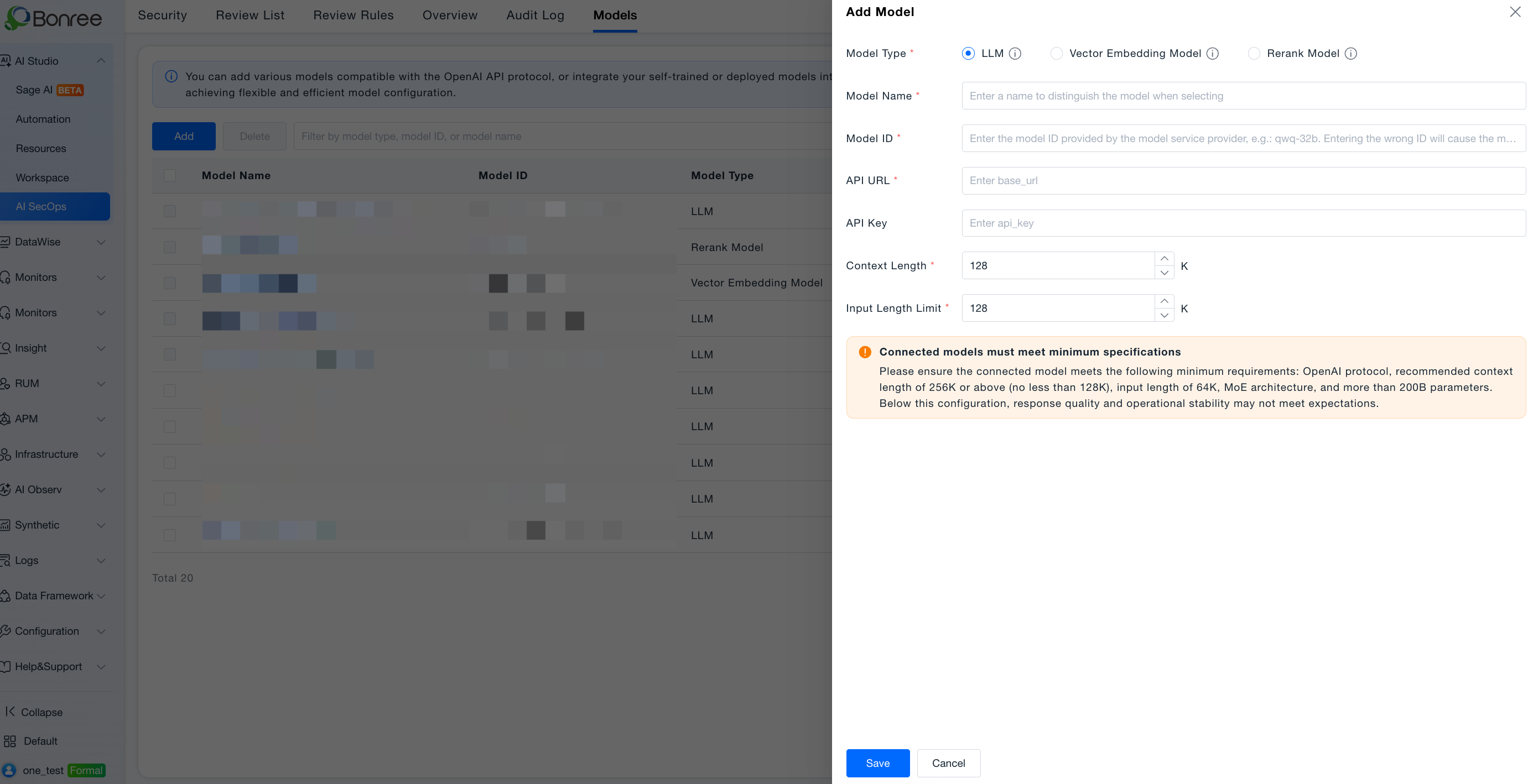
- Add model: Type, Model provider (required; searchable; choose OpenAI for self-hosted OpenAI-compatible endpoints), name, model ID (immutable after save), base URL (immutable), API key, context/input limits → Save with connectivity check. If provider or endpoint mismatches, connectivity may fail—verify and retry.
- Edit: API key, input limit, context length only.
- Delete: Confirm impact on referencing Agents and Sage AI first.
Notes
- Model ID and base URL cannot change after save; delete and re-add if needed.
- Deleting referenced models breaks dependent Agents and conversations.
- Models are a prerequisite for Workspace publish and Sage AI; configure early per Security Operations · User Guide.