Memory Management
Prerequisites
- Menu access: Access to AI Studio > Security Operations > Memory Management is required.
- Permissions: Read-Write access is required to turn memory on or off and to change retention.
- Embedding model: Enabling memory depends on the embedding model configured in the backend at deployment. If it is not detected, memory cannot be enabled. For detailed embedding-model configuration steps, see the deployment documentation.
Overview
Memory Management provides Sage AI with cross-session personal memory, isolated by account + environment. It supports environment memory, account memory, and platform memory. Environment memory takes priority and is the finest grain.
Memory is configured once per account. Primary and sub-accounts are fully isolated from each other; primary accounts are isolated from other primary accounts, and sub-accounts from other sub-accounts. The same account sees the same settings after switching environment or resource domain, so this page has no resource-domain switcher.
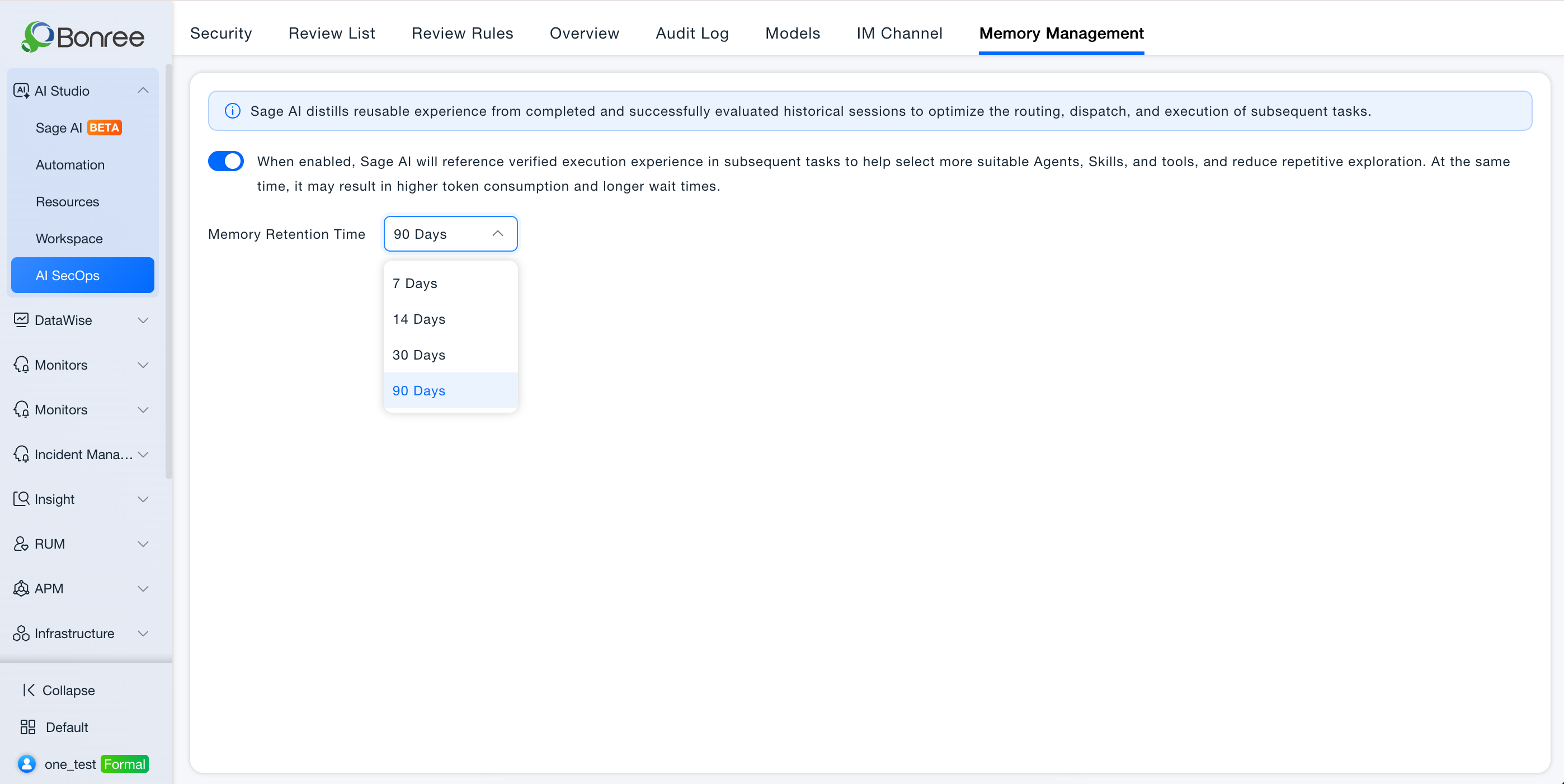
Sage AI distills reusable experience from completed and successfully evaluated historical sessions to optimize the routing, dispatch, and execution of subsequent tasks.
Value
- Less repeated exploration: Later tasks can reuse verified experience to pick more suitable Agents, Skills, and tools.
- Account isolation: Memory is not shared across primary/sub-accounts or between different accounts of the same type.
- Controlled retention: Retention time applies only when memory is on.
Operations
- Open AI Studio > Security Operations > Memory Management.
- Use the switch to enable memory. Hint after the switch: When enabled, Sage AI will reference verified execution experience in subsequent tasks to help select more suitable Agents, Skills, and tools, and reduce repetitive exploration. At the same time, it may result in higher token consumption and longer wait times.
- Retention is a dropdown only: 7 / 14 / 30 / 90 days. It has no effect while memory is off.
- If no embedding model is detected, enabling memory shows: No embedding model configuration was detected, so memory cannot be enabled. Please check and try again. If memory was on and the configuration is later removed, the switch turns off automatically; the hover hint is the same.
- If connectivity check fails when enabling, enable fails with “Enable failed, xxx, please check and try again.”
- If the backend embedding model changes while memory is on, existing memory is re-vectorized.
Notes
- Memory uses the deployment-time embedding model; it is not added on Model Management. For detailed embedding-model configuration steps, see the deployment documentation.
- Retention does not apply when memory is off.
- Creation and conversation data follow account isolation; operations views such as Operations Overview and Audit Logs still aggregate per the existing rules.