Rule Templates
Core Capabilities
The alert rule template feature provides a standardized alert rule management mechanism to help users quickly reuse and uniformly manage alert configurations. Templates are divided into two categories:
- Platform Preset Templates: Provided built-in by the platform, covering common monitoring and alert scenarios. Users cannot modify them and can directly reference them when creating alert rules to quickly complete configuration.
- Custom Templates: Users save created alert rules as templates to form an enterprise-specific alert configuration library. Custom templates support distribution to specified resource domains, enabling unified alert strategy management across domains.
Use Cases
| Scenario | Description |
|---|---|
| Quick Alert Creation | When creating new alert rules, directly select platform preset templates without configuring from scratch, reducing the entry barrier |
| Enterprise Standardized Alerts | Save validated alert rules as custom templates for unified reuse within the team, ensuring consistency in alert strategies |
| Multi-Resource Domain Unified Management | Distribute custom templates to multiple resource domains, achieving centralized management and batch deployment of cross-domain alert strategies |
Feature Description
Preset Templates
Platform preset templates are built-in by the system. Users can view all available templates on the Template Management > Preset Templates page.
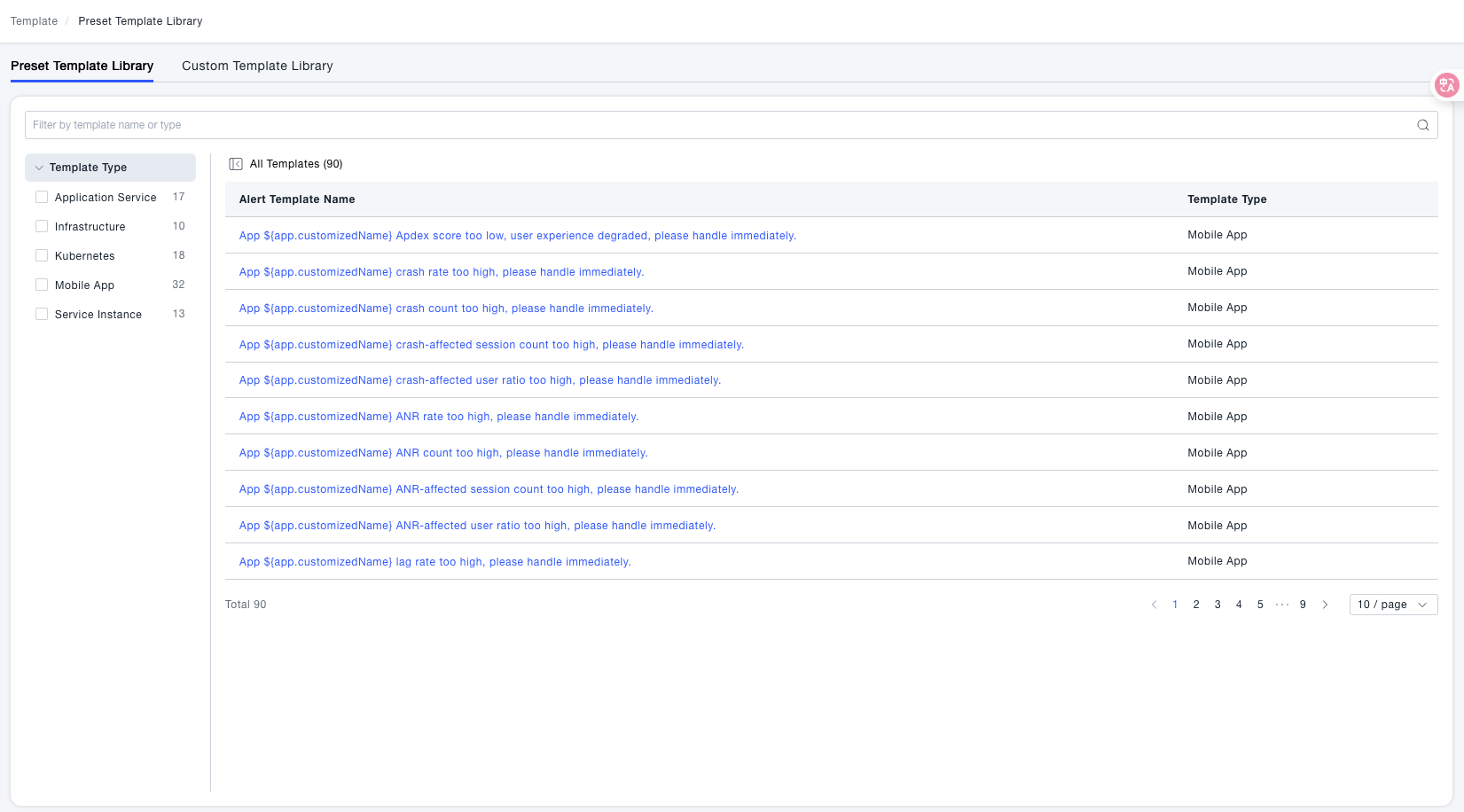
Main Features:
-
Template content is maintained by the platform, users cannot edit or delete
-
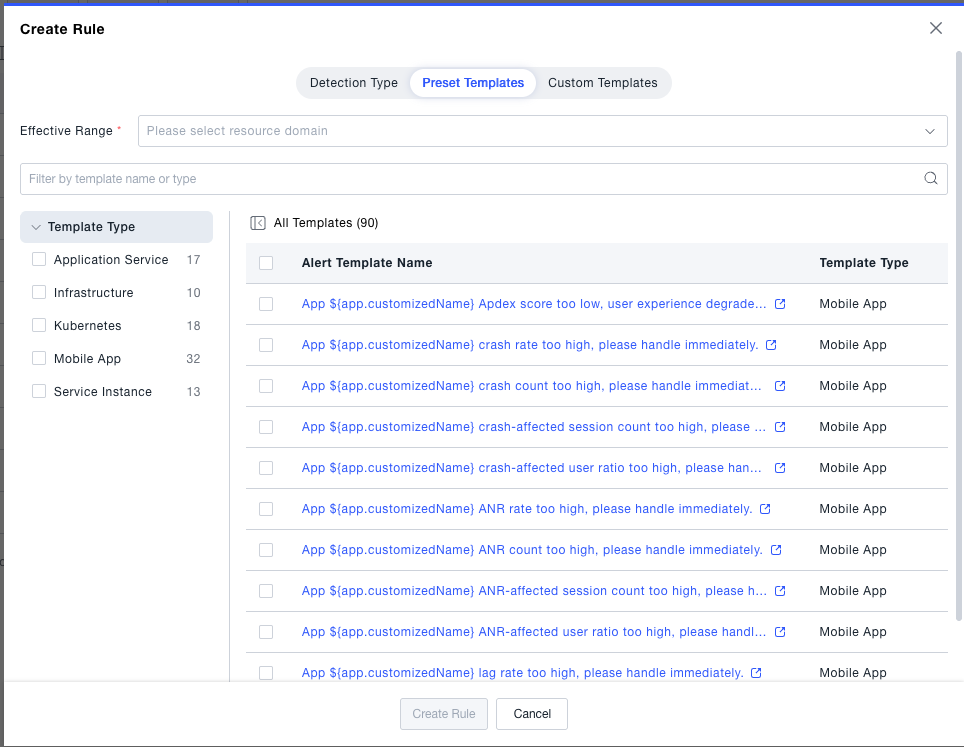
Can be directly selected when creating alert rules to quickly populate rule configuration
-
Covers alert scenarios for common monitoring objects such as hosts, containers, and middleware
Custom Templates
Users can save created alert rules as custom templates and manage them uniformly on the Template Management > Custom Templates page.
View and Management
The custom template list displays template name, alert rule description, number of rules, creator, and creation time, supporting search and filtering.
Distribute Templates
After selecting one or more custom templates, they can be distributed to specified resource domains:
- Check the target templates in the custom template list
- Click the Distribute Template button
- In the pop-up window, select Left Resource Domain (source) and Right Resource Domain (target)
- Click Confirm Distribution to complete the operation
After distribution, the target resource domain will automatically create corresponding alert rules, achieving strategy unification.
Edit Templates
Click the Edit button in the template list to modify the basic information of the template:
- Template name
- Alert rule description
- Rule content (alert conditions, notification methods, etc.)
Click Confirm to save after modification.
Special Notes
- Platform preset templates are read-only and do not support editing, deletion, or distribution operations.
- Custom templates are derived from created alert rules, please ensure the source rule configuration is correct before saving as a template.
- Deleting custom templates will not affect alert rules that have been created through the template.