Alert Blocking Strategy
After an alert is generated, you can configure blocking strategies to block related alert notifications during certain time periods when operations personnel don't need to be notified. Blocking only affects notification delivery; alert data is still generated normally.
Core Capabilities
The blocking strategy supports two blocking methods:
- Block by Alert Rule: Select specific alert rules, and no alert notifications will be sent during the effective time
- Block by Alert Notification Strategy: Select notification strategies, and no notifications will be sent for all alert rules associated with the strategy
Effective time supports three modes: All Time, Periodic Time (specified time periods per week), and Custom Time Period.
Use Cases
Maintenance Window: Database maintenance is performed every Friday early morning. You can configure periodic blocking in advance, and notifications will automatically resume after maintenance ends.
Business Stress Testing: During stress testing, many metrics exceed thresholds. You can block the entire notification strategy to avoid alert noise interfering with online problem troubleshooting.
Known Issues: If an alert is confirmed as a known bug that will be fixed later, you can enable all-time blocking, and simply disable the strategy after the fix is deployed.
Feature Introduction
Strategy List

The list displays strategy name, blocking method, matching conditions, blocking time, start/stop status, etc., and supports filtering by name and start/stop status.
On the list page, you can directly toggle the start/stop status, and also edit, clone, delete strategies, with support for batch enable/disable/delete.
Create Strategy
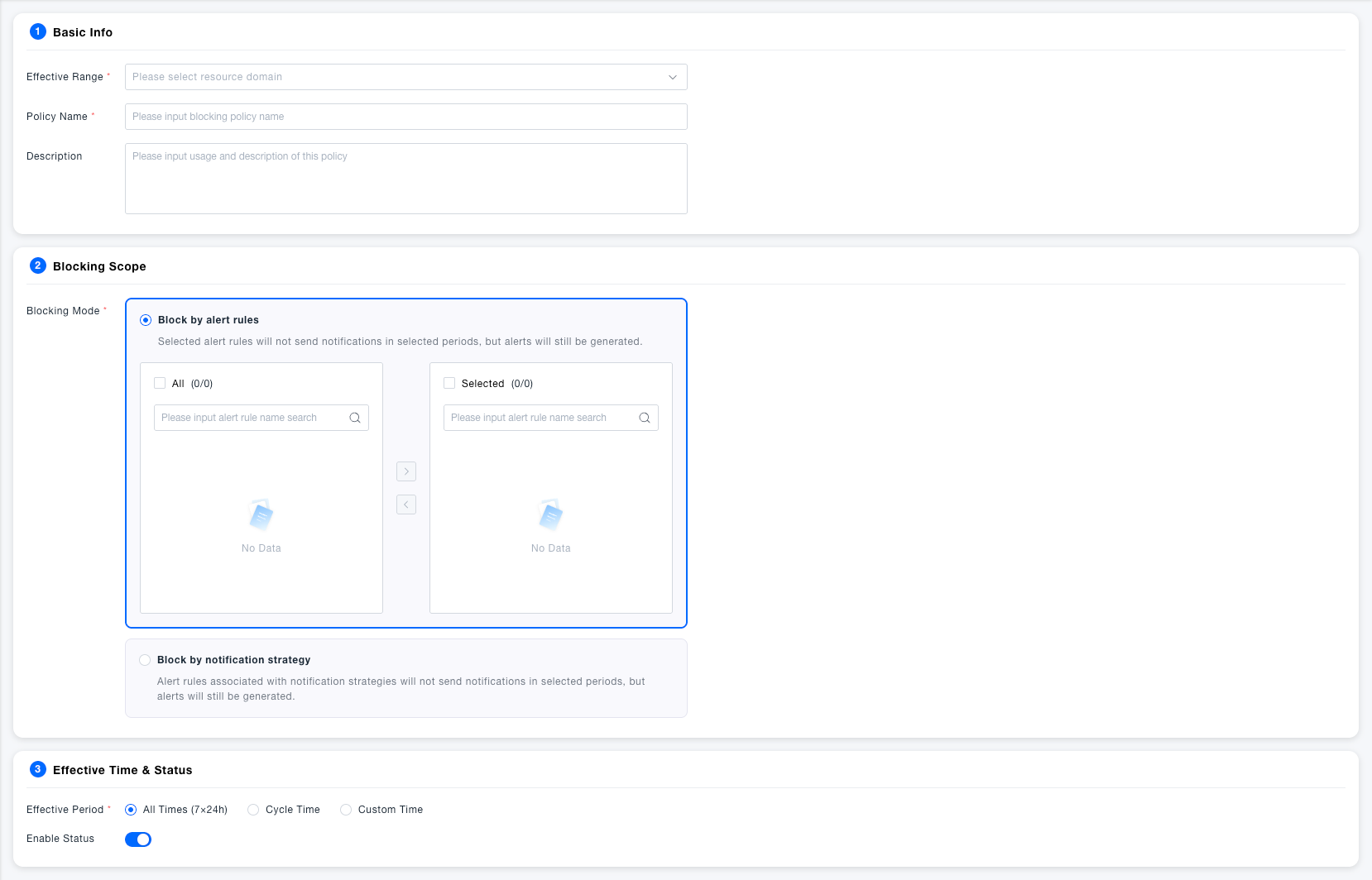
Click Create and complete the configuration in three steps:
- Basic Information: Fill in the strategy name, select the effective resource domain, and optionally add a description
- Blocking Scope: Select the blocking method and select the alert rules or notification strategies to be blocked in the shuttle box
- Effective Time: Select all time, periodic time, or custom time period, and set the start/stop status
Special Notes
- Blocking strategies only intercept alert notifications, not affecting the generation and recording of alert events.
- When multiple blocking strategies are hit simultaneously, any one taking effect will suppress notifications (blocking if any).
- Blocking strategies are bound to resource domains and do not support cross-resource domain effectiveness.
- It is recommended to usedisable instead of delete for easier strategy configuration reuse in the future.